
MAIWO Hard Drive Docking Station Cloner
4.5Editor score
Affordable dual-bay solution
Includes 3-port USB hub
LED clone progress indicators
Finding the right hard drive duplicator cloner docking station is essential for anyone needing to migrate data quickly without relying on complex software. These devices allow you to copy entire drives physically, ensuring accuracy and speed while minimizing the risk of human error during the transfer process.
We evaluated ten leading models based on cloning speed, compatibility with various drive types, build quality, and ease of use. Our analysis focuses on standalone capabilities, connection options like USB 3.0 or USB-C, and features like offline cloning that make data recovery and backups straightforward.
Each pick below highlights specific strengths such as budget-friendly options, professional-grade features, or multi-bay versatility. While prices may fluctuate over time, the core specifications and performance characteristics remain consistent guides helping you choose a reliable tool for your storage needs.
4.5Editor score

4.4Editor score

4.5Editor score
As an Amazon Associate we earn from qualifying purchases.
The following table provides a side-by-side comparison of all ten models to help you quickly identify the right specifications for your specific storage requirements and workflow needs.




This SABRENT docking station stands out as a top performer due to its versatile USB-C interface and robust standalone cloning capabilities. It achieves a strong 4.4-star rating by balancing ease of use with reliable performance for IT professionals and home users alike.
We may earn a commission when you buy through this link, at no additional cost to you.
The device supports offline cloning up to 60MBps, allowing you to duplicate drives without a connected computer. Both bays mount as separate drives when connected to a PC, enabling flexible file transfers. The tool-free design makes swapping drives quick and convenient for routine maintenance.
While the cloning speed is decent for most needs, it is not the fastest available on the market. Additionally, it only supports SATA drives, so NVMe or IDE drives require different adapters. However, for standard SATA SSDs and HDDs, it remains a highly efficient choice.
We recommend this model for users seeking a modern docking station with a USB-C connection and dependable offline cloning. Its flexibility and build quality make it a solid investment for anyone needing frequent data migration solutions.
The inclusion of a USB-C cable ensures compatibility with newer laptops and devices, offering faster and more durable connections than older USB-A ports.
Each bay functions as a separate drive when connected to a PC, allowing you to manage files independently or transfer data directly between drives without cloning.
We may earn a commission when you buy through this link, at no additional cost to you.
The MAIWO docking station offers exceptional value for budget-conscious buyers who need reliable cloning without paying premium prices. With a 4.5-star rating, it delivers essential features like offline cloning and substantial capacity support in a compact design.
We may earn a commission when you buy through this link, at no additional cost to you.
This model supports up to 48TB total capacity and includes three USB 3.0 hub ports for expanding connectivity. The standalone cloning process is straightforward, with LED indicators showing progress at 25%, 50%, 75%, and 100% to keep you informed.
The plastic housing is less durable than metal alternatives, but it suffices for occasional use. USB-A connectivity might feel dated compared to newer USB-C standards, yet it ensures broad compatibility with existing systems. Performance remains stable thanks to the dedicated power supply.
Ideal for home users or small offices needing cost-effective backup solutions, this dock handles routine data migration tasks well. It is a practical choice if you prioritize affordability and basic functionality over advanced build materials or modern ports.
The built-in three-port USB 3.0 hub allows you to connect additional peripherals like flash drives or mice directly to the dock, saving ports on your computer.
LED lights provide clear visual feedback during cloning operations, making it easy to track the process without needing to check software on a computer.
We may earn a commission when you buy through this link, at no additional cost to you.
For professionals handling large-scale data duplication and secure disposal, the StarTech 4-Bay Duplicator is the definitive choice. Its high rating reflects robust engineering, advanced features like secure erase, and a user-friendly LCD menu that simplifies complex tasks.
We may earn a commission when you buy through this link, at no additional cost to you.
This device can clone one source drive to three targets simultaneously, significantly speeding up workflow in high-volume environments. The secure erase function ensures sensitive data is wiped permanently according to NIST standards, making it vital for IT departments and data centers.
While the price is high compared to dual-bay models, the added efficiency and security features justify the investment. The unit is bulky and designed for desktop use, which might not suit portable needs, but it provides stability and performance for heavy daily usage.
We recommend this model for organizations requiring reliable, fast duplication and secure sanitization of hard drives. It is a premium tool that excels in enterprise settings where data integrity and compliance are top priorities.
Built-in secure erase modes ensure that data is completely removed from drives before disposal, helping organizations meet compliance requirements and protect sensitive information.
The 1:3 duplication mode allows you to create three copies of a source drive at once, drastically reducing the time needed for large-scale backups or deployments.
We may earn a commission when you buy through this link, at no additional cost to you.
The ICY BOX docking station is ideal for users working with both SATA and M.2 NVMe drives. It offers triple-bay flexibility and high-speed 10Gbps transfer rates, making it a powerful solution for modern storage needs and rapid data migration tasks.
We may earn a commission when you buy through this link, at no additional cost to you.
Its offline cloning feature works across different drive types, allowing clones between NVMe and SATA without a computer. The tool-free design ensures easy access to drives, while the USB-C connection provides future-proof compatibility with modern laptops and desktops.
Managing NVMe drives requires specific slots, which might complicate usage for those only using SATA HDDs. The price is higher than standard SATA-only docks, but the added versatility justifies the cost for mixed environments or high-speed SSD workflows.
This dock is highly recommended for tech enthusiasts or professionals who need to handle diverse drive types efficiently. Its speed and flexibility make it a top choice for optimizing data workflows involving SSDs and NVMe storage.
Unlike many cloners that require matching drive types, this device supports cloning between SATA and NVMe drives, offering greater versatility for different storage configurations.
With transfer speeds up to 10Gbps, this dock maximizes the potential of modern SSDs, reducing wait times during large file transfers or system backups.
We may earn a commission when you buy through this link, at no additional cost to you.
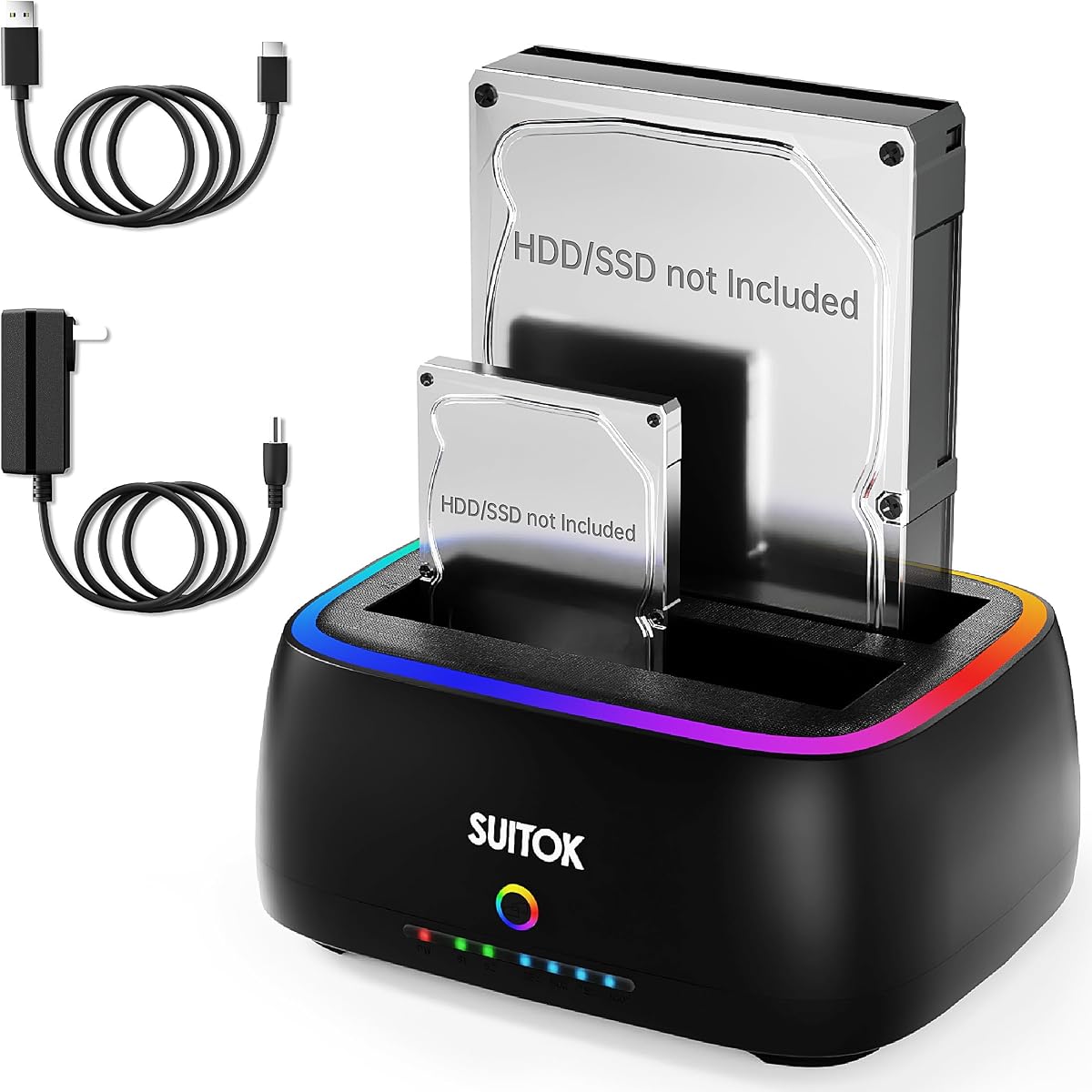
This unique docking station combines functionality with desktop aesthetics, offering customizable RGB lighting alongside reliable cloning performance. It is a solid choice for users who want their tech setup to look visually appealing while maintaining practical data management capabilities.
We may earn a commission when you buy through this link, at no additional cost to you.
Powered by the RTL9201DP bridge chip, it ensures stable 5Gbps data transmission and supports up to 40TB total capacity. The offline cloning mode is intuitive, with clear LED progress bars helping you track the status of your duplication tasks easily.
The focus on RGB lighting may not appeal to professional office environments that prefer a neutral look. Additionally, the combination of USB-A and USB-C cables can add cable clutter depending on your host device ports. However, performance remains consistent and reliable.
We suggest this dock for gamers or home office users who value style alongside utility. It provides a blend of modern design features and standard hard drive cloning functionality, making it a fun yet practical addition to a desktop setup.
The RGB lighting allows you to personalize the dock's appearance, matching it with other peripherals in your gaming or tech-focused workspace for a cohesive look.
The dedicated bridge chip ensures consistent data transfer rates, minimizing dropouts or errors during large backups or cloning operations.
We may earn a commission when you buy through this link, at no additional cost to you.
StarTech is renowned for professional-grade tools, and this dual-bay duplicator lives up to that reputation with exceptional build quality and speed. It achieves 28GB/min cloning speeds, making it highly efficient for IT professionals who need to migrate data quickly and accurately.
We may earn a commission when you buy through this link, at no additional cost to you.
The device supports TRIM for SSD longevity and backward compatibility with older SATA interfaces, ensuring broad versatility. It comes with both USB-C and USB-A cables, plus a universal power adapter, simplifying setup across different workstation environments without extra purchases.
While it lacks NVMe support, its focus on SATA drives ensures optimized performance for that interface. The price is higher than consumer-grade models, but the two-year warranty and 24/5 technical support provide peace of mind for business use.
We recommend this dock for IT teams needing reliable, fast cloning with robust after-sales support. It is a practical investment for environments where device uptime and data integrity are critical to daily operations and long-term storage management.
StarTech provides free lifetime multilingual technical assistance, ensuring that users can get help quickly when facing technical issues or needing setup advice.
Built-in TRIM support helps maintain SSD performance over time by optimizing data storage and reducing write amplification during repeated cloning or mounting.
We may earn a commission when you buy through this link, at no additional cost to you.
Rosewill offers a versatile triple-bay dock that balances speed and portability for on-the-go data management. Its high rating reflects strong performance with both NVMe and SATA drives, making it a favorite among users needing flexibility during travel or field work.
We may earn a commission when you buy through this link, at no additional cost to you.
The device supports 10Gbps transfer speeds via USB 3.2 Gen 2×1, ensuring fast data access and cloning operations. Its compact and lightweight design allows it to fit easily into a laptop bag, and the tool-free installation ensures quick setup anywhere.
Due to its small size, heat dissipation might be less effective than larger units during prolonged use. Additionally, you may need to purchase specific cables depending on your host device's ports. Still, it delivers high performance for its size.
We recommend this dock for mobile professionals who need to handle multiple drive types efficiently. It is an excellent solution for field technicians or travelers who require robust data access and cloning capabilities without carrying bulky equipment.
The compact design makes it easy to carry and use in various settings, ensuring you can manage data tasks whether at home, in the office, or on a job site.
With USB 3.2 Gen 2×1 support, this dock leverages modern connection standards to deliver faster throughput, reducing wait times for large file transfers.
We may earn a commission when you buy through this link, at no additional cost to you.
The ORICO 5-bay docking station is designed for power users needing massive storage expansion and bulk duplication capabilities. Its robust aluminum construction provides excellent heat dissipation, while the five-bay design allows you to manage up to 100TB of storage space.
We may earn a commission when you buy through this link, at no additional cost to you.
It supports 1:4 offline duplication, enabling you to clone one source drive to four target drives simultaneously. The USB-C interface ensures modern compatibility, and the anti-vibration pads help reduce noise during intensive operations, though some users report mixed experiences.
The lower user rating suggests occasional reliability issues or challenges with managing five drives at once. The complexity of handling multiple drives can be daunting for casual users, making it better suited for those with specific bulk storage requirements.
We suggest this dock for photographers or businesses managing large media libraries. It offers unique capacity and duplication features, but users should be prepared for potential complexity and ensure they understand the maintenance requirements for such a large setup.
The 1:4 duplication mode allows you to create four copies of a source drive simultaneously, which is ideal for creating multiple backups or distribution copies efficiently.
The durable aluminum alloy casing helps dissipate heat effectively during long runs, protecting both the dock and the drives from overheating issues.
We may earn a commission when you buy through this link, at no additional cost to you.
WAVLINK offers a versatile dock that supports both USB 3.0 and USB-C connections with UASP protocol for improved data speeds. It is a strong contender for users looking for reliable performance at a reasonable price point without sacrificing essential features like offline cloning.
We may earn a commission when you buy through this link, at no additional cost to you.
The UASP protocol allows for faster transfer rates compared to standard USB 3.0, improving efficiency during large backups. The auto sleep mode conserves energy when idle, making it friendly for continuous operation without excessive power consumption or heat generation.
The build is functional but lacks the premium materials of higher-end models. It does not support NVMe drives, limiting its use to SATA storage. However, for standard HDDs and SSDs, it delivers consistent results and broad compatibility across different operating systems.
We recommend this dock for home users needing a dependable, feature-rich solution for SATA drives. Its combination of speed features, energy efficiency, and reasonable pricing makes it a smart choice for general backup and data management needs.
The automatic sleep mode activates after 30 minutes of inactivity, helping to save energy and reduce wear on the device when not actively in use.
UASP protocol support improves data transfer speeds by up to 70% compared to traditional USB protocols, resulting in faster backups and file transfers.
We may earn a commission when you buy through this link, at no additional cost to you.
This SABRENT model is a staple for users preferring traditional USB-A connectivity with reliable performance. Its strong 4.5-star rating reflects consistent quality, making it a trusted option for straightforward data duplication and access tasks without complex setup requirements.
We may earn a commission when you buy through this link, at no additional cost to you.
The device supports offline cloning up to 60Mbps, ensuring efficient backup capabilities without needing a computer. It handles drives up to 10TB, covering most modern storage needs, and offers plug-and-play convenience with no drivers required for immediate use.
While it lacks USB-C or M.2 support, its focus on SATA drives ensures optimized compatibility for standard hard disks. The USB 3.0 speeds are adequate for most tasks, though they may lag behind newer standards for extremely large file transfers.
We recommend this dock for users with older computers or those who prefer simplicity and proven reliability. It is a solid choice for general data management, offering a balance of features and performance that meets the needs of typical consumers and small offices.
No driver installation is needed, allowing you to connect the dock and start transferring data immediately with minimal configuration on your computer.
The standalone cloning feature lets you duplicate drives without a computer connection, saving time and resources during routine data backup or replacement tasks.
We may earn a commission when you buy through this link, at no additional cost to you.
Selecting the right docking station involves considering several factors that impact performance and convenience for your specific workflow needs.
Ensure the dock supports the types of drives you own, such as SATA 2.5 or 3.5 inch HDDs and SSDs. Some advanced models also support M.2 NVMe drives, which is crucial if you work with high-speed modern storage. Always check if your drives match the supported capacities to avoid limitations during use.
Confirm drive compatibility before purchasing to prevent issues with unsupported formats or capacity limits during cloning or access operations.
Cloning speeds vary significantly between models, with some reaching 60MBps or higher. Faster speeds reduce downtime during backups or migrations, especially when dealing with large drives. Look for specifications that mention offline cloning rates to ensure efficiency.
Prioritize models with higher cloning speeds to minimize waiting time and improve overall workflow productivity.
Modern docking stations offer USB-C or USB-A interfaces. USB-C is future-proof and supports faster data rates, while USB-A ensures compatibility with older systems. Check your computer's available ports to select the right interface for seamless connectivity.
Match the connection type to your existing hardware to ensure optimal data transfer speeds and avoid needing additional adapters.
Different docks support varying maximum drive capacities, ranging from 10TB to 100TB total. Choose a unit that accommodates the size of your drives, especially if you plan to upgrade storage later. Higher capacity support ensures longevity as storage needs grow.
Select a docking station with sufficient capacity support to handle current and future drive sizes without replacement.
Docks made from aluminum alloy dissipate heat better than plastic ones, which is vital for continuous operation. A sturdy build protects drives and ensures longevity, while anti-vibration features reduce noise and stress on components. Consider the environment where the dock will be used.
Invest in a dock with robust build materials to maintain stable performance and protect valuable data during intensive tasks.
Offline cloning allows duplication without a connected computer, useful for quick backups or when PCs are unavailable. This feature simplifies the process, reducing reliance on software and drivers. Look for docks with clear physical buttons and LED indicators for easy operation.
Choose a model with offline cloning to streamline data migration and reduce dependency on computer resources for routine tasks.
Some docks include extra features like USB hubs, RGB lighting, or secure erase functions. These can enhance versatility and convenience, depending on your needs. For professionals, secure erase is essential for wiping data safely, while home users may prefer added aesthetics.
Evaluate additional features to ensure they align with your specific requirements and add value to your storage management routine.
Prices vary widely, from budget-friendly options to premium models. Balance your budget with necessary features, and check for warranties that cover defects or failures. Good customer support can be critical if issues arise during setup or daily use.
Consider the overall value by balancing price with quality and support options to ensure a reliable purchase.
To use the docking station, connect it to a power source and then to your computer via the appropriate USB cable. Insert your source drive into the designated bay, ensuring it is seated securely. If cloning without a PC, connect the power source and use the physical cloning button.
During cloning, monitor the LED indicators to track progress. Avoid removing drives until the process is complete to prevent data corruption. For regular use, ensure the dock is placed in a well-ventilated area to maintain optimal operating temperatures and prevent overheating.
Clean the dock periodically with a dry cloth to remove dust and debris from vents and connectors. Store drives in static-safe cases when not in use to protect them from damage. Following these care steps will extend the life of both the dock and your drives.
Typically, the target drive must be equal to or larger than the source drive to accommodate all data. Some models allow cloning to smaller drives only if the used data fits within the target capacity. Always check specific model instructions for size limitations.
Most modern docking stations are plug-and-play and do not require additional driver installation. They use standard USB mass storage protocols recognized by Windows, Mac, and Linux. Exceptions may occur with specialized software features.
Offline cloning is generally faster because it bypasses the computer's operating system, reducing latency. It relies on the dock's internal controller for direct transfer between drives, optimizing speed and efficiency for large data migrations.
Only specific models with M.2 slots support NVMe drives. Standard SATA docks will not work with NVMe storage without an adapter. Check product specifications to confirm compatibility with your drive type before purchasing.
If cloning fails, the target drive may be partially written or empty. Retry the process after checking connections and drive health. Some models allow for partial cloning or resume functions, but data recovery may be necessary if errors occur.
Yes, most dual or multi-bay docks allow you to mount drives as separate volumes simultaneously. This enables easy file transfers between drives or accessing data on multiple drives through a single connection point.
The top picks highlight diverse options catering to budget, performance, and specialized needs. From the versatile SABRENT USB-C model to the high-capacity ORICO, each serves different user scenarios effectively.
Prioritize compatibility and speed when making your decision. Ensure the chosen model supports your drive types and offers sufficient cloning speeds for your workflow efficiency.
Prices and availability change frequently, so always verify current details before purchasing. A well-chosen docking station will serve as a reliable tool for data management and backups for years to come.