
AMD Ryzen 9 9900X
4.8Editor score
12 Cores 24 Threads
Zen 5 Architecture
5.6 GHz Max Boost
This guide compares the best CPUs for machine learning including Intel and AMD processors optimized for AI workloads local inference and model training tasks.
Choosing the right processor is critical for efficient machine learning workflows. High core counts and advanced architecture enable faster model training and inference. You need hardware that balances performance with power efficiency for your specific tasks.
We evaluated top processors based on core count, cache size, and AI acceleration capabilities. Our list includes desktop chips and specialized AI desktops designed for local development. Each option offers unique strengths for different budgets and use cases.
Each pick highlights key specs and ideal user scenarios. Prices fluctuate often so verify current deals before purchasing. This guide helps you match hardware capabilities with your machine learning goals effectively.
4.8Editor score

4.6Editor score

5.0Editor score
Compare key specifications across all ten processors to find the best fit for your machine learning projects. This table highlights core counts, clock speeds, and unique features for quick decision making.



The NVIDIA DGX Spark delivers enterprise scale AI performance directly to your desk. Rated five stars it stands out for local model fine-tuning and inference capabilities unmatched by standard processors.
We may earn a commission when you buy through this link, at no additional cost to you.
Its Grace Blackwell architecture supports up to 200 billion parameter models at FP4. With 128GB of unified memory per unit you can experiment with large models locally without relying on cloud resources.
While expensive this system offers exceptional ROI through increased productivity. The main trade-off is the high initial cost which is acceptable for developers needing secure local AI power.
Researchers and enterprise developers should buy this for rapid prototyping. It empowers innovation by augmenting desktop resources for high-performance computing tasks.
Handles up to 200 billion parameter models directly on desktop.
128GB unified memory enables seamless data access across CPU and GPU.
We may earn a commission when you buy through this link, at no additional cost to you.
The AMD Ryzen 7 9800X3D offers high efficiency for machine learning tasks on a budget. With a 4.8 rating it excels in IPC uplift and thermal performance for everyday development.
We may earn a commission when you buy through this link, at no additional cost to you.
Its 96MB L3 cache allows higher clock speeds up to 5.2 GHz. The Zen 5 architecture ensures reliable execution of tasks with maximum efficiency for multitasking needs.
Cooler exclusion requires separate purchase adding minor cost. For general AI workloads this chip provides great value without excessive power consumption.
Students and hobbyists should choose this for cost-effective learning. It delivers solid performance for local inference and smaller model training.
96MB L3 cache improves access time for frequent data operations.
Drop-in ready Socket AM5 infrastructure supports future upgrades.
We may earn a commission when you buy through this link, at no additional cost to you.
AMD Ryzen 9 9950X3D provides robust power for AI content creation workflows. Rated 4.7 stars it combines high core counts with excellent boost clock performance.
We may earn a commission when you buy through this link, at no additional cost to you.
The Zen 5 architecture supports up to 5.7 GHz boost clock. This allows fast execution of data preprocessing and model training steps efficiently.
While lacking dedicated NPUs it handles parallel tasks well. The trade-off is standard CPU architecture which may not match specialized AI accelerators.
Power users requiring multitasking should buy this. It balances content creation and AI development effectively for advanced desktop users.
16 cores enable efficient handling of multiple parallel workflows.
Up to 5.7 GHz boost ensures rapid single-threaded tasks.
We may earn a commission when you buy through this link, at no additional cost to you.
Intel Core Ultra 9 285K delivers ultra efficient performance for AI development. With 24 cores and hybrid architecture it prioritizes workloads for optimal speed.
We may earn a commission when you buy through this link, at no additional cost to you.
The performance hybrid architecture distributes tasks efficiently. Integrated graphics reduce external dependency and it runs cooler than typical desktop processors.
Lack of thermal solution requires additional cooling investment. This adds minor complexity to setup but ensures better long-term stability.
Developers seeking efficiency should choose this. It balances performance and power consumption well for local machine learning tasks.
Hybrid architecture optimizes task distribution for better performance.
Integrated Intel Graphics eliminate need for separate GPU in basic setups.
We may earn a commission when you buy through this link, at no additional cost to you.
AMD Ryzen 9 9900X offers excellent value for AI workflows needing high thread counts. Its 4.8 rating reflects solid performance in popular games and local inference tasks.
We may earn a commission when you buy through this link, at no additional cost to you.
With 5.6 GHz Max Boost and unlocked potential you gain flexibility. DDR5 5600 support ensures fast data access for model training and analytics.
Missing cooler means extra cost. Still this processor provides great balance of speed and efficiency for most desktop builds.
Mid-tier developers should buy this for reliable local AI performance. It handles multitasking well while staying within reasonable power limits.
24 threads enable smooth multitasking during heavy data processing.
DDR5 5600 support reduces bottlenecks during data loading.
We may earn a commission when you buy through this link, at no additional cost to you.
AMD Ryzen 7 7800X3D provides dependable task execution for AI projects. Rated 4.8 stars it features 5 nm process technology for maximum productivity.
We may earn a commission when you buy through this link, at no additional cost to you.
Its 96MB L3 cache improves hit rate enabling faster system performance. Integrated Radeon Graphics support visual tasks alongside machine learning workloads.
Clock speed capped at 4.20 GHz limits peak frequency. This trade-off ensures thermal efficiency but reduces raw compute power compared to newer gen.
Users prioritizing stability should choose this. It delivers reliable performance for smaller models and inference tasks efficiently.
96MB L3 cache improves hit rate for rapid data access.
5 nm process technology ensures reliable performance with thermal efficiency.
We may earn a commission when you buy through this link, at no additional cost to you.
AMD Ryzen AI Halo is purpose-built for local AI development on Linux. It features 128GB unified memory and AMD NPU with up to 50 TOPS.
We may earn a commission when you buy through this link, at no additional cost to you.
This platform supports up to 200B parameter models locally. Preloaded tools and ROCm software enable seamless workflows without cloud dependencies.
Linux OS limits Windows users. For developers focused on Linux based pipelines this is an ideal compact solution.
AI researchers on Linux should buy this. It accelerates testing and iteration for local AI workloads securely.
128GB unified memory pool supports larger model inference locally.
Up to 50 TOPS NPU accelerates inference tasks significantly.
We may earn a commission when you buy through this link, at no additional cost to you.
Intel Core i9 14900K delivers leading max clock speed up to 6.0 GHz. It supports DDR4 and DDR5 platform support for flexible memory choices.
We may earn a commission when you buy through this link, at no additional cost to you.
With 24 cores and 32 threads it handles demanding workloads. Integrated UHD Graphics 770 ensures basic visual tasks run smoothly.
Requires potential BIOS updates for full compatibility. Power consumption is higher than modern alternatives but speeds are competitive.
Gamers and developers should buy this for max single thread performance. It supports high frame rates and rapid responsiveness.
Up to 6.0 GHz provides rapid responsiveness for single-threaded tasks.
DDR4 and DDR5 support cuts load times and improves flexibility.
We may earn a commission when you buy through this link, at no additional cost to you.
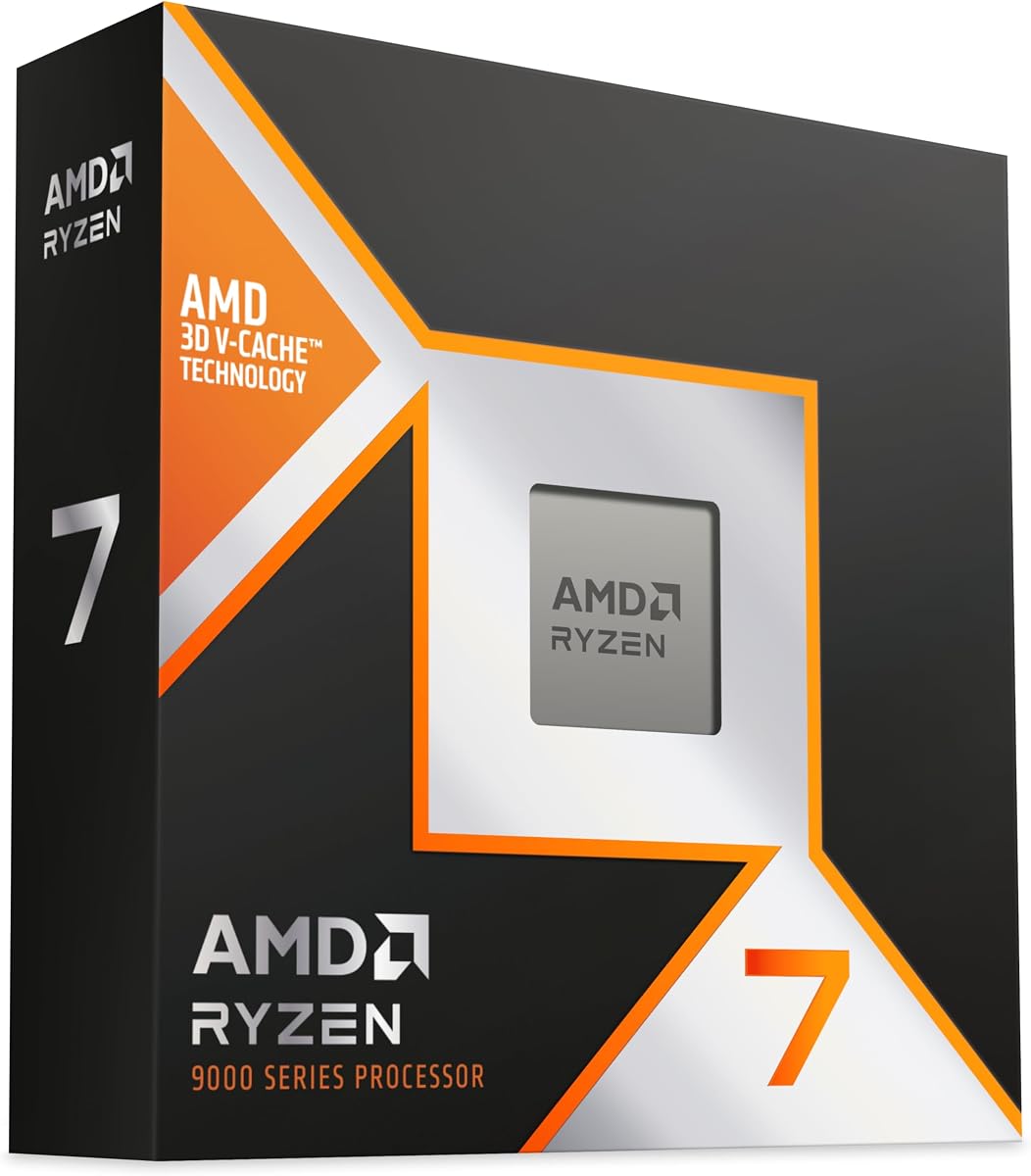
AMD Ryzen 7 9850X3D is a modern desktop processor built for high performance. Its Zen 5 architecture ensures efficient execution of machine learning tasks.
We may earn a commission when you buy through this link, at no additional cost to you.
It supports modern AM5 socket standards for future upgrades. This design allows reliable execution of instructions for maximum convenience.
Fewer data specifics limit precise specs. Still it fits well within high-end desktop builds for advanced users.
Developers needing AM5 compatibility should choose this. It provides reliable performance for local inference and testing.
Modern AM5 socket allows future upgrades without hardware swaps.
Zen 5 architecture ensures efficient execution of complex tasks.
We may earn a commission when you buy through this link, at no additional cost to you.
NVIDIA DGX Spark delivers enterprise scale AI performance with Grace Blackwell architecture. Rated 4.4 it offers up to 1 petaFLOP for model fine-tuning.
We may earn a commission when you buy through this link, at no additional cost to you.
Seamless integration of NVIDIA AI software stack accelerates deployment. 128GB unified memory unlocks local testing for large models up to 200B params.
High cost requires careful ROI analysis. For teams needing secure local innovation this desktop supercomputer delivers exceptional productivity.
Enterprises and researchers should buy this for local development. It empowers rapid validation and iteration in secure environments.
Up to 1 petaFLOP AI performance accelerates local model inference.
128GB unified memory supports large model experiments locally.
We may earn a commission when you buy through this link, at no additional cost to you.
Selecting the right CPU requires balancing core counts, cache, and AI acceleration. This guide covers key factors to consider before purchasing a processor.
Machine learning workloads benefit from high core counts for parallel processing. Look for at least 12 cores to handle data preprocessing and model training efficiently.
More threads allow smoother multitasking during long training sessions.
Larger cache reduces latency when accessing frequently used data. Processors with 96MB or more L3 cache improve execution speed for complex algorithms.
Prioritize models with high cache capacity to minimize bottlenecks.
Higher boost speeds enable faster single-threaded execution. Aim for 5 GHz or more to ensure rapid responsiveness during local inference.
Balanced clock speeds ensure efficiency without excessive heat generation.
Unified memory allows seamless data access across CPU and GPU. Systems with 128GB unified memory can run larger models locally without cloud dependency.
Look for dedicated AI hardware with unified memory pools.
Modern architectures like Zen 5 or Grace Blackwell offer better performance per watt. Energy efficient designs reduce cooling needs and total operational costs.
Choose architecture with proven thermal performance.
Ensure socket compatibility with your motherboard. AM5 and Intel 800 series chipsets offer long-term support and upgrade paths.
Check BIOS support for latest CPU features.
Integrated NPUs or dedicated AI stacks significantly speed up inference. Look for processors with explicit AI acceleration like XDNA 2 NPU.
Prioritize AI specific hardware for local development.
Seamless integration with existing frameworks accelerates deployment. NVIDIA AI software stack or ROCm support ensures tools work out of the box.
Verify OS compatibility such as Linux or Windows support.
Ensure proper cooling by installing compatible thermal solutions. Dust accumulates over time so clean internal components regularly to maintain performance.
Monitor system temperatures during intensive training tasks. Use tools to track load and adjust cooling fans to prevent throttling.
Update BIOS and drivers regularly to ensure stability. Keep firmware current to benefit from performance optimizations and security patches.
A suitable CPU has high core counts for parallel processing and large cache to reduce latency. Look for modern architecture that supports memory-efficient workflows and optimized data access.
While GPUs excel at training, modern CPUs handle inference well. Some platforms include NPUs or integrated graphics for local model testing without separate hardware.
Unified memory allows CPU and GPU to share data efficiently enabling larger models to run locally. Systems with 128GB unified memory support complex tasks without cloud dependencies.
Modern architectures like Zen 5 and Grace Blackwell offer high efficiency and dedicated AI features. Prioritize those with high cache and memory bandwidth for best results.
For machine learning workloads aim for at least 12 cores to handle parallel processing efficiently. Higher thread counts enable smooth multitasking during model training sessions.
Most CPUs handle inference but specialized platforms offer optimized stacks. For local AI development choose processors with dedicated NPUs or full software integration for best workflows.
High performance processors generate heat so reliable cooling is essential. Use quality thermal solutions and regular maintenance to prevent throttling during long sessions.
Many AI development platforms target Linux for optimized workflows. Check OS compatibility before purchasing to ensure your framework works seamlessly with the hardware.
This guide presented ten processors suited for AI workflows ranging from budget options to enterprise supercomputers. Top picks include the NVIDIA DGX Spark for enterprise scale and AMD Ryzen 9 9900X for budget efficiency.
Prioritize core counts cache size and unified memory for optimal performance. Match hardware to your specific inference and training needs to balance cost and capability.
Verify current prices and stock availability before purchase as market conditions change frequently. Select the processor that best supports your local AI development goals.