
TP-Link AC1900 Smart WiFi Router
4.5Editor score
Dual-band WiFi speeds
OneMesh compatible system
Gigabit Ethernet ports
This guide compares the top 10 AC1900 Wireless Routers based on speed, coverage, security features, and value to help you find the perfect networking solution
Finding the right networking equipment is essential for modern homes. AC1900 Wireless Routers offer a balance of speed and coverage suitable for streaming and gaming without breaking the bank.
We compared ten top models from brands like TP-Link, ASUS, and NETGEAR. Our analysis focuses on real-world performance, security features, and ease of setup for everyday users.
Each pick highlights specific strengths like MU-MIMO support or parental controls. Please note that prices change frequently so always check current listings before making a final purchase decision for your needs.
4.5Editor score

4.5Editor score

4.3Editor score
This table provides a side-by-side look at the top ten AC1900 routers. Compare key specs like processor speed, antenna count, and port options to decide which model fits your specific network needs.


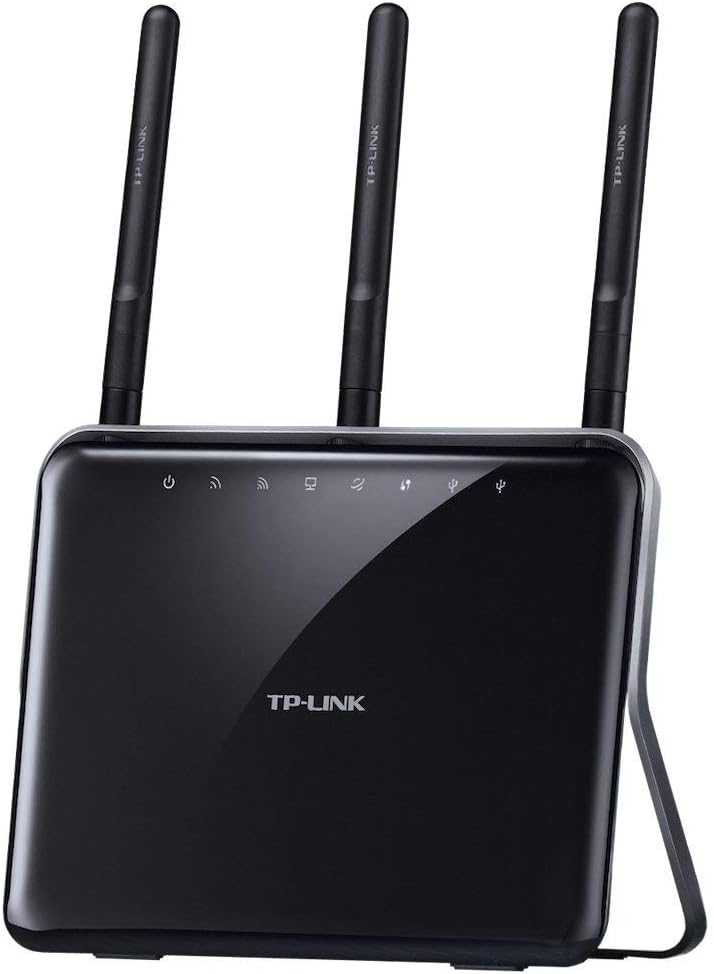


The TP-Link AC1900 Smart WiFi Router is a top choice for budget-conscious buyers seeking reliable dual-band performance. With a solid 4.5-star rating, it delivers up to 1900 Mbps combined speed across its bands.
We may earn a commission when you buy through this link, at no additional cost to you.
Its standout qualities include OneMesh compatibility which lets you expand coverage easily with extenders. The MU-MIMO Gigabit design ensures efficient communication for multiple devices simultaneously without lag.
While it lacks a USB port for storage sharing, the focus remains on core routing performance. Beamforming technology targets devices directly improving signal efficiency in typical home environments.
This router is ideal for users needing fast wired and wireless connectivity without extra frills. It works with major ISPs and offers easy control via the Tether App for routine management.
OneMesh compatibility allows you to add TP-Link OneMesh WiFi Extenders to form a seamless network across your home without buying a whole new system.
MU-MIMO technology enables three simultaneous data streams helping your devices achieve optimal performance by making communication more efficient during heavy usage.
We may earn a commission when you buy through this link, at no additional cost to you.
The ASUS AC1900 Wireless Dual Band Router stands out with powerful hardware and comprehensive security features. It combines up to 1900 Mbps speed with advanced protection powered by Trend Micro.
We may earn a commission when you buy through this link, at no additional cost to you.
Key strengths include a 1GHz dual-core CPU that dedicates separate lanes for Wi-Fi and USB data ensuring smooth multitasking. Five Gigabit LAN ports provide ample wired connections for devices.
The router includes AiProtection Pro for malicious site blocking and device prevention. While setup is effortless via the ASUSWRT interface, users should review manuals for optimal configuration of security features.
This model is perfect for users who prioritize network security and performance stability. It supports various connection types including PPPoE and Static IP for flexible ISP compatibility.
AiProtection Pro provides multi-stage protection from vulnerability detection to protecting sensitive data with a secure shield across all your connected devices.
The 1GHz dual-core CPU enables smart multitasking by dedicating separate lanes for Wi-Fi and USB data for optimal performance without bottlenecks.
We may earn a commission when you buy through this link, at no additional cost to you.
The NETGEAR Nighthawk Smart Wi-Fi Router offers premium features including robust security and storage sharing. It provides up to 1800 sq ft coverage suitable for large homes with multiple devices.
We may earn a commission when you buy through this link, at no additional cost to you.
Its standout qualities include Armor Security powered by BitDefender protecting all devices from malware. USB connections allow you to share a drive or printer creating a personal cloud storage easily.
Advanced technology like Dynamic QoS and Beamforming+ optimizes performance for streaming and gaming. While many smart parental controls are free basic features like limits require a small monthly fee.
This router is ideal for tech-savvy users wanting comprehensive control over their network. It supports Alexa Voice Controls and includes robust safety protocols like WPA2 and Firewall protection.
NETGEAR Armor Powered by BitDefender protects all your home devices from virus malware and data theft ensuring a safe browsing experience for everyone.
USB connections let you share a storage drive and printer with any connected device and create a personal cloud storage to access from anywhere.
We may earn a commission when you buy through this link, at no additional cost to you.
The NETGEAR Nighthawk R6900P delivers strong performance with advanced features like MU MIMO and Smart Connect. It supports up to 30 devices ensuring reliable streaming and gaming.
We may earn a commission when you buy through this link, at no additional cost to you.
Key strengths include a dual core 1GHz processor that handles simultaneous wired and wireless connections efficiently. Armor Security provides automatic shield of security across all your connected devices.
NETGEAR Smart Parental Controls promote healthy Internet habits for kids with a free trial included. The router supports WPA2 wireless security and includes Guest Wi-Fi access for visitors.
This model is great for families needing robust protection and easy management. It works with standard browsers and offers flexible connectivity options for both wired and wireless devices.
Designed with a dual core 1GHz processor and MU MIMO this router handles simultaneous wired and wireless connections without interruption for smoother streaming.
NETGEAR Smart Parental Controls promotes healthy Internet habits fostering responsibility and building trust with your kids with setup included in the free trial.
We may earn a commission when you buy through this link, at no additional cost to you.
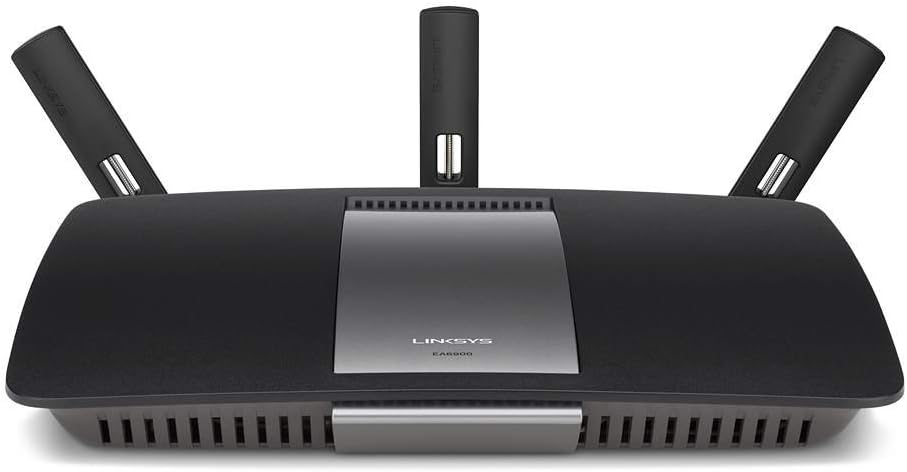
The Linksys EA6900 offers fast AC1900 speeds with dual-band simultaneous support ensuring efficient data distribution. It features Linksys Smart Wi-Fi for remote control and parental management.
We may earn a commission when you buy through this link, at no additional cost to you.
Key strengths include Beam forming technology that follows your devices for stable connections as you move around the home. Three adjustable external antennas help maximize range effectively.
With USB 3.0 and 2.0 ports you can print share and store content seamlessly. DLNA certified management supports your home media needs for streaming to TVs and consoles.
This router suits users wanting easy app-based control without complex interfaces. Ensure your system meets requirements like Windows 7 or Mac 10.7 for smooth setup and operation.
Linksys Smart Wi-Fi provides easy CD free set up and remote network management allowing you to control your network from anywhere with an app.
Includes USB 3.0 and 2.0 ports to print share and store content giving you flexible options to connect drives without needing a computer.
We may earn a commission when you buy through this link, at no additional cost to you.
The TP-Link Archer C80 Renewed model offers robust AC1900 performance with MU-MIMO support for better multi-device handling. It features OneMesh technology for flexible network expansion.
We may earn a commission when you buy through this link, at no additional cost to you.
Key strengths include Airtime Fairness which improves network efficiency by limiting excessive occupation ensuring fair access for all connected clients simultaneously. 3×3 MU-MIMO allows simultaneous communication.
This renewed unit includes full parental controls and OTA firmware upgrades for security. Its design focuses on 3 Bedroom Houses with high-performance fixed antennas forming a signal-boosting array.
Ideal for those seeking certified refurbished value without sacrificing features. Ensure you check system requirements like IE11+ for web management and compatibility with your existing devices.
Airtime Fairness improves network efficiency by limiting excessive occupation allowing multiple devices to communicate simultaneously without one device hogging bandwidth.
WPA WPA2 WPA3 and Enterprise encryption options ensure your WiFi signals are protected against unauthorized access and keep your data safe.
We may earn a commission when you buy through this link, at no additional cost to you.
The TP-Link Archer C1900 is designed for gaming and streaming with 1900Mbps total bandwidth. Its high-powered amplifiers enhance Wi-Fi coverage across larger home areas effectively.
We may earn a commission when you buy through this link, at no additional cost to you.
Key strengths include simultaneous dual band networks allowing 2.4GHz and 5GHz usage without interference. Three dual band antennas with 900mW amplifiers supercharge coverage for stable connections.
A 1GHz dual-core Processor handles wired and wireless connections without interruption for lag-free gaming. The focus on speed makes it ideal for media consumption and online play.
This router is best for gamers and streamers needing strong signal strength. It offers Lightning-fast wired connections using four Gigabit Ethernet ports for consoles and PCs.
Three dual band antennas with 900mW high-powered amplifiers help supercharge your Wi-Fi coverage ensuring strong signals reach every corner of your home.
A 1GHz dual-core Processor handles simultaneous wired and wireless connections without interruption ensuring smooth performance even when network traffic is heavy.
We may earn a commission when you buy through this link, at no additional cost to you.
The ASUS RT-AC68P combines dual-band data rates for faster performance than older standards. It features Broadcom TurboQAM technology for improved Wireless-N data rates significantly.
We may earn a commission when you buy through this link, at no additional cost to you.
Key strengths include ASUS AiRadar with universal beam forming enhancing signal range and stability. Five Gigabit Ethernet ports ensure fast and stable wired network connections for all devices.
Dual USB ports with USB 3.0 support faster data transfers. ASUSWRT provides a graphical interface for robust control. Setup is quick with simple steps for immediate use.
This model is suitable for users needing extensive wired connections. Its cloud service supports syncing and streaming data anywhere making it versatile for media distribution.
Broadcom TurboQAM technology increases wireless-N data rate to 600Mbps providing 33% faster performance over standard connections for better throughput.
ASUS AiRadar with universal beam forming enhances signal range and stability helping eliminate dead zones in your home effectively.
We may earn a commission when you buy through this link, at no additional cost to you.
The ASUS RT-AC67P delivers fast internet with 4K streaming support due to its high speed capabilities. It was a PCMag Readers Choice Router for reliability and ease of use.
We may earn a commission when you buy through this link, at no additional cost to you.
Key strengths include AiRadar Beamforming extending coverage up to 3000 Sq Ft. MU-MIMO technology allows full speed on multiple devices connecting clients at maximum speed simultaneously.
Security is robust with 6 layers protecting your data from threats. Setup is effortless in less than 30 seconds using a simple user interface that requires no prior knowledge.
This router is ideal for those needing large area coverage and simple management. The ASUS Router App lets you manage traffic and diagnose issues without needing a PC.
Optimized Coverage With AiRadar Beamforming extends coverage up to 3000 Sq Ft increasing dynamic data speed and enhancing stability across large homes.
3-Step Effortless Setup allows you to open a browser enter ID password and enjoy Wi-Fi in less than 30 seconds instantly.
We may earn a commission when you buy through this link, at no additional cost to you.
The ASUS RT-AC1900P supports AiMesh for creating a powerful whole-home Wi-Fi network. It offers up to 1900Mbps combined dual-band speeds suitable for gaming and streaming needs.
We may earn a commission when you buy through this link, at no additional cost to you.
Key strengths include Commercial-grade Security powered by Trend Micro blocking threats for all smart devices. Ultra-wide Coverage uses high-performance antennas to eliminate dead spots effectively.
Five Gigabit Ethernet ports ensure flexible connectivity options for wired devices. Free Lifetime Internet Security adds long-term value for protecting your connected home ecosystem.
This router is best for users planning to expand with compatible ASUS routers. Flexible connectivity includes USB 3.1 and 2.0 ports for versatile data sharing and storage.
AiMesh Supported lets you connect to other compatible ASUS routers to create a powerful and flexible whole-home Wi-Fi network without replacing existing devices.
Commercial-grade Security with AiProtection powered by Trend Micro blocks and neutralizes internet security threats for all your connected smart devices permanently.
We may earn a commission when you buy through this link, at no additional cost to you.
Choosing the right router requires understanding your home size and device count. This guide outlines key factors to consider for optimal performance and security.
AC1900 routers offer combined speeds of 600 Mbps on 2.4GHz and 1300 Mbps on 5GHz. Ensure this matches your internet plan to avoid bottlenecks during high traffic.
Select models with dual-band technology to distribute devices efficiently. Faster speeds ensure smooth streaming and gaming without latency issues.
Check the maximum coverage listed such as 1800 or 3000 sq ft. Larger homes may need extenders or mesh systems for full coverage.
Beamforming technology helps focus signals to devices improving range. Consider your home layout when choosing a router to minimize dead spots.
Modern homes have many connected devices from phones to smart home gadgets. Routers supporting up to 30 devices handle multitasking better.
MU-MIMO technology allows simultaneous data streams reducing congestion. Ensure the router supports this if you have multiple active users.
Look for routers with built-in security like AiProtection or Armor. These tools protect against malware and suspicious site access automatically.
Check if security features are free or require subscriptions. Robust protection keeps your data safe from external threats.
Parental controls allow you to set time limits and filter content. Some routers offer free basic controls while others charge for advanced features.
Consider what level of control you need before buying. Easy setup for these tools helps manage kids online usage effectively.
Gigabit Ethernet ports provide stable wired connections for consoles and PCs. USB ports allow storage sharing without needing a PC.
Check the number of LAN ports available. More ports reduce the need for external switches.
A dual-core processor handles multiple tasks efficiently like routing and USB data. This prevents slowdowns during heavy usage.
High clock speeds ensure stable performance over time. Consider the CPU specs if you run local servers or frequent file transfers.
Web-based interfaces and mobile apps simplify setup and daily management. Look for intuitive apps like Tether or ASUS Router for easy access.
Firmware updates should be simple to perform. Regular updates keep the router secure and functional.
Place your router in a central elevated location to maximize signal spread. Avoid enclosing it in cabinets or placing it near thick walls.
Regularly update the router firmware through the admin interface or app. This ensures you have the latest security patches and performance improvements.
Use the provided mobile app to monitor connected devices and set parental limits. Adjust settings like guest networks periodically to maintain network hygiene.
Most AC1900 routers work with major ISPs like Xfinity and AT&T. However you need a separate modem to connect to the internet. Ensure the WAN port type matches your service.
The 2.4GHz band offers longer range but slower speeds while 5GHz provides faster speeds with shorter range. Dual-band routers use both to balance performance and coverage.
Typically AC1900 routers can handle up to 30 devices efficiently. High-end models with MU-MIMO manage simultaneous connections better reducing congestion during peak use.
Not all routers offer free advanced parental controls. Some basic features are free but advanced usage limits may require a subscription. Check the product details before buying.
Yes AC1900 routers require a separate modem to connect to your internet service. The router manages local traffic while the modem connects to the ISP.
Many models support Mesh systems like OneMesh or AiMesh for seamless expansion. Using compatible extenders helps cover large areas without signal loss.
We have reviewed ten AC1900 routers offering various features for different needs. The TP-Link A8 stands out for budget buyers while ASUS offers top security options.
Consider your home size and device count when choosing a model. Prioritize security and coverage if you have many connected gadgets streaming simultaneously.
Always check current prices and listings as they change frequently. This guide helps you make an informed decision for your home network setup.