
HP Chromebook 14 Laptop
4.3Editor score
14 Hours Battery Life
Intel Celeron N4120
Chrome OS Secure
Finding a laptop with low power consumption is essential for students, travelers, and remote workers who need long battery life and efficiency. These devices minimize energy use while delivering reliable performance for everyday tasks like browsing, streaming, and document editing without frequent charging.
We evaluated ten real models based on processor efficiency, battery duration, display quality, and overall value. Our comparison focuses on how well each laptop balances performance with energy savings, ensuring you get a machine that fits your lifestyle and reduces electricity costs over time.
Each pick highlights key specifications, real-world usage scenarios, and potential trade-offs to help you make an informed decision. Note that prices and availability change frequently, so verify current details before purchasing to ensure you get the best deal for your specific needs today.
4.3Editor score

5.0Editor score

4.8Editor score
As an Amazon Associate we earn from qualifying purchases.
This side-by-side comparison table lets you quickly see the core specifications of all ten laptops, including processor type, memory, storage, and display size, to help you identify the model that best matches your specific performance and portability requirements.

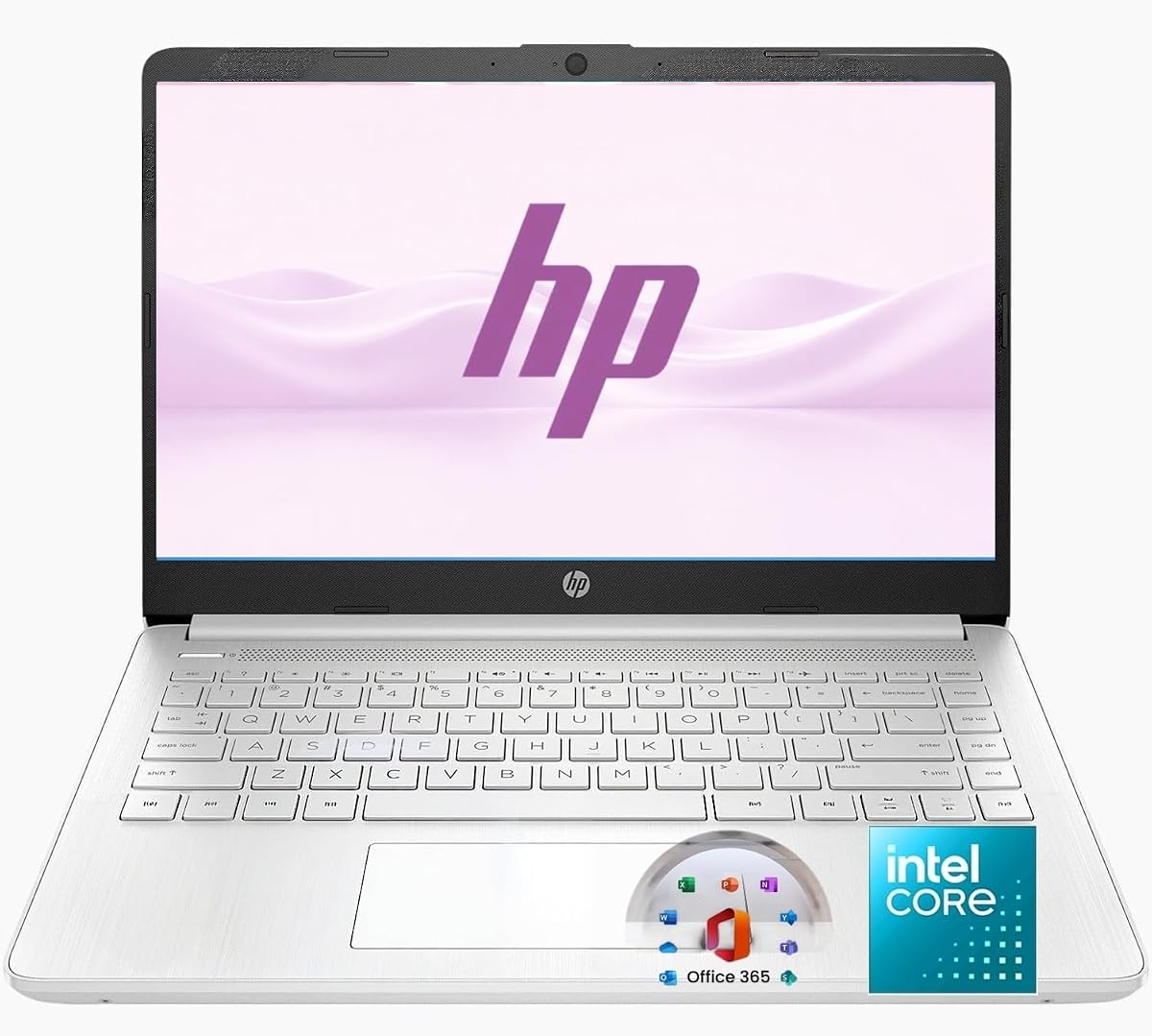


The HP New Everyday Slim Laptop stands out as the top choice for low power consumption with a perfect five-star rating. It combines the efficient Intel N150 processor with DDR5 memory to deliver smooth performance while keeping energy use minimal for all-day productivity.
We may earn a commission when you buy through this link, at no additional cost to you.
Its 11.5-hour battery life ensures you can work through classes or meetings without hunting for an outlet, and the 128GB SSD provides fast boot times compared to older eMMC drives. The inclusion of 1TB cloud storage compensates for local space limits, making it ideal for document-heavy workflows.
While the HD resolution might not satisfy creatives needing sharp pixels, the anti-glare micro-edge display is comfortable for reading and browsing. The only real limitation is local storage, but cloud integration makes this a non-issue for most users focused on efficiency and mobility.
This model is best for students and remote workers who prioritize battery life and portability over raw graphics power. If you need a reliable, energy-efficient machine that stays cool and quiet while handling daily tasks, this HP laptop delivers exceptional value for the price.
The N150 processor balances speed and power draw, allowing multiple browser tabs and apps to run without draining the battery quickly or heating up the chassis during extended use.
Weighing just 3.24 lbs with a slim profile, this laptop slips easily into backpacks for commutes while maintaining durability through its lightweight yet sturdy construction.
We may earn a commission when you buy through this link, at no additional cost to you.
The HP Chromebook 14 offers incredible value for those seeking low power consumption without breaking the bank. Rated 4.3 stars, it delivers up to 14 hours of battery life thanks to its efficient Intel Celeron N4120 processor and lightweight Chrome OS architecture.
We may earn a commission when you buy through this link, at no additional cost to you.
Chrome OS keeps system overhead minimal, meaning less power is wasted on background processes while allowing seamless access to Android apps and Google services. The thin design and anti-glare HD display make it comfortable for watching shows or editing documents on the go.
The 64 GB eMMC storage is tight for large files, but cloud storage mitigates this well. Users needing full desktop software might find Chrome OS limiting, though for web-based tasks it remains highly responsive and secure against malware threats.
Ideal for students and casual users, this Chromebook excels at long battery endurance and affordability. If your workflow relies on browsers and cloud apps, this model provides a sustainable, energy-efficient solution that keeps costs low and productivity high.
With up to 14 hours of life, this Chromebook supports full school days or travel without needing a charger, enhanced by fast charging that reaches 50% in 45 minutes.
Chrome OS offers automatic updates and built-in security, reducing system resource usage on antivirus scans while keeping your data safe during online sessions.
We may earn a commission when you buy through this link, at no additional cost to you.
The jumper 15.6" FHD Laptop earns a 4.8-star rating for offering premium specs like 12GB RAM and a 256GB SSD while maintaining ultra-low power consumption via its Intel Celeron 5205U processor. This balance makes it a top pick for multitasking efficiency.
We may earn a commission when you buy through this link, at no additional cost to you.
The 12GB RAM ensures smooth performance even with many tabs open, while the FHD IPS display provides sharp visuals with blue light filtering for eye comfort. Storage is expandable to 512GB, giving you room for files without sacrificing speed from the SSD.
The 1.9GHz fixed frequency may feel slow for heavy apps, but for daily tasks it remains efficient and cool. The 38Wh battery is modest, but power management allows decent uptime for a machine focused on performance efficiency.
Perfect for users who need more RAM than budget models offer, this jumper laptop bridges the gap between power and efficiency. If you prioritize memory and screen quality while keeping energy use low, this model delivers a robust computing experience.
With 12GB RAM, this system handles heavy multitasking better than typical 4GB laptops, reducing reliance on slow virtual memory and keeping apps responsive without higher power draw.
The FHD IPS panel includes blue light filtering and anti-glare coating, reducing eye strain during long sessions while maintaining color accuracy for viewing photos and videos.
We may earn a commission when you buy through this link, at no additional cost to you.
The Lenovo V15 Business Laptop delivers reliable energy efficiency with Intel N100 processor and LPDDR5 memory optimized for low power consumption. Its 4.3-star rating reflects solid performance for web browsing, document editing, and online learning.
We may earn a commission when you buy through this link, at no additional cost to you.
UFS 3.1 storage offers faster read/write speeds than standard eMMC, improving responsiveness without extra power. The anti-glare 15.6-inch FHD display reduces eye strain, supported by TÜV Rheinland Low Blue Light certification for safer long-term viewing.
Windows 11 S mode enhances security but restricts app installs, which may limit power. However, bundled Microsoft 365 adds value for productivity. The Wi-Fi 6 connectivity ensures efficient data transfers with less latency during video calls.
This model suits students and professionals needing a durable, efficient machine. With MIL-STD-810H testing and a slim design, it withstands travel while providing enough power for daily tasks without draining energy quickly or needing constant recharging.
UFS 3.1 storage provides rapid access to files and apps, cutting boot times and load speeds while consuming less power than mechanical drives or slower flash options.
Military-grade testing ensures resistance to shocks and wear, making this laptop suitable for daily commuting or rugged use without compromising internal efficiency components.
We may earn a commission when you buy through this link, at no additional cost to you.
The HP 2026 Edition Slim Laptop brings modern AI features and cloud storage while maintaining low power consumption. Rated highly for efficiency, it offers 11.5 hours of battery life and seamless performance for browsing and streaming without frequent charging.
We may earn a commission when you buy through this link, at no additional cost to you.
A dedicated Copilot AI key speeds up workflow with integrated assistant features, while the HD anti-glare display ensures comfort in varied lighting. The Natural Silver design looks stylish yet remains light at 3.24 lbs for easy portability.
Local storage is limited to 128GB SSD, but 1TB cloud storage compensates well for documents and photos. While the CPU is entry-level, it handles daily tasks efficiently, keeping power draw low during typical work sessions without overheating.
Best for users valuing AI integration and cloud access, this laptop fits students and remote workers. If you need a sleek, energy-efficient device with modern software support, this model provides a balanced solution for productivity and battery life.
The dedicated Copilot key provides instant access to AI tools, helping automate tasks and improve efficiency without needing external software or high power processing.
Up to 11.5 hours of video playback means you can work through meetings and assignments without interruption, powered by efficient components designed for long runtime.
We may earn a commission when you buy through this link, at no additional cost to you.
The Lenovo Essential 15.6" FHD Laptop stands out with 8GB DDR5 RAM, offering more multitasking power while keeping energy consumption low. Rated 4.1 stars, it balances performance and portability for everyday computing tasks like streaming and document editing.
We may earn a commission when you buy through this link, at no additional cost to you.
DDR5 memory improves speed and efficiency over older generations, reducing lag without raising power use. The 15.6-inch FHD display provides clear visuals, while privacy shutter protects webcam security. UFS storage ensures fast access to files and apps.
Windows S mode enhances security but limits app installation freedom. The military-grade tested chassis ensures durability during travel. Wi-Fi 6 connectivity offers stable connections for video calls without draining battery through repeated signal searches.
This laptop fits users needing extra RAM on a budget. If you require smooth multitasking and durable build quality without sacrificing portability, this model delivers reliable efficiency for school or light home office use.
DDR5 RAM delivers higher bandwidth with lower voltage than DDR4, ensuring faster app launches and smoother multitasking while reducing overall power draw during intensive browser sessions.
The built-in privacy shutter allows physical webcam block when not in use, adding a layer of security without software overhead that might impact power consumption.
We may earn a commission when you buy through this link, at no additional cost to you.
The Amzboy 15.6" Laptop features a fanless design ensuring silent operation with low power consumption, rated 4.6 stars. The N4020 CPU handles daily tasks efficiently while eliminating noise from cooling fans for quiet study or work environments.
We may earn a commission when you buy through this link, at no additional cost to you.
Its FHD anti-glare display offers vibrant visuals, and 128GB eMMC storage supports basic needs with expandable TF card slots up to 1TB. Type-C PD charging at 45W provides portable power without carrying bulky adapters.
The lack of active cooling may limit sustained performance under heavy loads, but typical tasks keep it cool. Windows 11 pre-installation offers a modern interface, and dual USB-C ports add versatility for peripherals without extra hubs.
This model suits users prioritizing silence and portability. If you need a quiet, efficient laptop for browsing and media consumption without noisy fans, this Amzboy provides a clean and simple computing experience.
A fanless solid-state design ensures absolute silence and prevents dust buildup, keeping power draw minimal while providing a distraction-free environment for focused work or learning.
A hassle-free TF card slot allows expansion to 1TB without internal upgrades, giving flexibility for media storage while keeping the main system efficient and compact.
We may earn a commission when you buy through this link, at no additional cost to you.
The ASUS Vivobook Go Laptop offers student-focused portability with low power consumption features. Rated 3.9 stars, it delivers smooth performance for browsing and streaming using the Intel N4500 processor, balancing value and mobility for daily academic tasks.
We may earn a commission when you buy through this link, at no additional cost to you.
The ErgoSense keyboard provides comfortable typing, while fast-charge tech reaches 60% in 49 minutes. SonicMaster audio enhances media consumption, and the privacy shutter webcam secures video calls. Its slim Star Black design fits easily into bags.
The 42Wh battery is modest but sufficient for light use, though heavier workloads may require charging. Windows 11 S mode improves security but limits app choices. DDR4 RAM remains adequate for basic multitasking within power limits.
Ideal for students needing a lightweight machine, this ASUS model prioritizes portability. If you value design and audio quality while accepting moderate battery life, this laptop serves as an efficient companion for classes and travel.
Fast-Charge technology provides 60% power in 49 minutes via USB-C, reducing downtime and ensuring you stay productive even when outlets are scarce during busy school days.
Super Linear speakers deliver 2x louder sound with clear audio, enhancing video calls and entertainment without requiring external speakers that draw additional power.
We may earn a commission when you buy through this link, at no additional cost to you.
The HP 14 inch 2027 Laptop offers modern specs with low power consumption, rated 4.5 stars. The N150 processor provides efficient multitasking, while DDR5 RAM ensures responsive performance without excessive energy use, suitable for home and office tasks.
We may earn a commission when you buy through this link, at no additional cost to you.
Its slim 0.71-inch profile and lightweight 3.24 lb chassis support portability across locations. The non-touch display with anti-glare coating remains clear in varied environments, and USB-C Type-C ports support modern accessories and charging options.
Microsoft 365 integration provides essential tools out of the box, enhancing productivity. While the base clock may limit heavy workloads, everyday usage sees smooth operation. The combination of cloud storage and SSD improves speed without power spikes.
This laptop fits users needing modern connectivity and design. If you prioritize mobility and cloud integration with efficient performance, this HP model offers a practical and forward-compatible solution for daily computing.
Multiple USB Type-C and Type-A ports enable versatile connections for peripherals and monitors without needing adapters, streamlining setup and reducing accessory power needs.
1TB cloud storage and Office 365 integration allow saving files remotely, reducing reliance on large local drives and maintaining system efficiency through streamlined data handling.
We may earn a commission when you buy through this link, at no additional cost to you.
The HP 14-inch Ultra Light Laptop focuses on portability and energy efficiency with 8GB RAM for smoother multitasking. Rated 4.3 stars, it handles web browsing and Office work effectively while maintaining low power draw and long battery life.
We may earn a commission when you buy through this link, at no additional cost to you.
Wi-Fi 6 ensures fast, stable connections for streaming and calls without excessive power use. UFS storage speeds up file access, and the external CD drive adds versatility for legacy media. Office 365 bundle supports immediate productivity.
The compact blue body and lightweight design suit frequent travelers or commuters. While 128GB UFS storage is limited, removable SD cards expand capacity. Dual microphones and webcam deliver quality audio and video for online meetings.
This model suits families and business users needing daily reliability. If you prioritize mobility and essential software bundles without compromising battery efficiency, this HP laptop provides a balanced and practical everyday computing solution.
Wi-Fi 6 delivers faster speeds with lower latency and power use, ensuring stable connections during video calls without draining battery through repeated signal retries.
One year of Office 365 and a wireless mouse help you start productive work immediately, avoiding extra costs or setup time while keeping system power focused on essential tasks.
We may earn a commission when you buy through this link, at no additional cost to you.
Selecting a low power consumption laptop requires balancing processor efficiency, battery life, and display quality to ensure energy savings without sacrificing performance.
Choose modern low-voltage processors like Intel N100 or N150 series, which are designed to perform everyday tasks with minimal energy draw compared to older models.
Look for models explicitly mentioning energy efficiency to reduce heat and extend battery runtime during daily usage.
Aim for at least 8 to 10 hours of battery life to ensure you can work or study away from power outlets without interruptions.
Fast charging support also helps minimize downtime when you need quick power boosts between sessions.
At least 4GB RAM is required for basic use, but 8GB or DDR5 memory offers smoother performance while consuming less power than slower alternatives.
Sufficient memory reduces swap usage and keeps applications responsive without needing higher CPU frequency.
SSD or UFS storage is preferred over eMMC for faster access and lower power consumption during read/write operations.
Higher capacity storage reduces reliance on external drives that draw additional power from your system.
Anti-glare coatings reduce eye strain and allow lower brightness settings that save battery while maintaining visibility.
Full HD displays offer sharp visuals without excessive power use compared to higher-resolution panels.
Chrome OS or Windows S mode often consume less background power than full Windows due to streamlined processes and security.
Ensure the OS supports your essential applications to avoid running inefficient third-party apps.
Lightweight chassis under 4 lbs reduces physical strain and allows longer travel without needing to charge frequently.
Durable materials and MIL-STD ratings ensure the laptop withstands daily transport without performance degradation.
Wi-Fi 6 and Bluetooth 5.x provide stable connections that reduce power spent searching for signals or adapters.
USB-C charging is versatile and often more efficient than traditional barrel jacks.
To maximize battery life, adjust screen brightness to the lowest comfortable level and close unused apps or browser tabs when not actively needed.
Enable power-saving modes in your operating system settings and keep drivers updated for optimal energy management and performance.
Keep vents clean from dust and avoid placing the laptop on soft surfaces like blankets to prevent overheating and maintain efficiency.
Modern Intel processors like the N100 or N150 are optimized for low power consumption while delivering sufficient performance for web browsing, document editing, and streaming. These chips balance speed and battery efficiency better than older models.
Most low power consumption laptops provide 8 to 14 hours of battery life depending on usage intensity. Light browsing and document work yield the longest runtime while video streaming reduces hours slightly.
Yes, models with 8GB RAM and SSD storage handle multiple tabs and apps smoothly without excessive power draw. Ensure your model has adequate RAM to avoid slowdowns during daily tasks.
They are ideal for students due to long battery life and portability for classes. The included software and secure operating systems also help maintain focus and data safety.
Yes, entry-level tasks like trimming or light adjustments work well on these machines. Avoid heavy software that demands high power or specialized graphics cards not included in these models.
Lower screen brightness, enable power saver mode, and disconnect unused peripherals to maximize runtime. Keeping your OS updated also improves energy management and performance efficiency.
Our top picks highlight laptops that combine efficiency with reliable performance, ensuring you get the best value for your daily computing needs without compromising portability.
Prioritize battery life and processor efficiency when selecting your model, as these directly affect how long you can work unplugged during busy schedules.
Always check current pricing and availability before purchasing since offers change frequently and the best deal may vary by region or retailer.