
UGREEN 2K@30Hz 1080P 60FPS Video Capture Card 4K Input HDMI to USB 3.0
4.5Editor score
Low Latency 5 Gbps Speed
USB A and USB C Ports
Universal Compatibility
This guide compares the top low latency capture card options for streaming and recording, evaluating performance, compatibility, and value for creators in 2026.
Finding a low latency capture card is essential for gamers and streamers who need real-time feedback during live broadcasts. High latency can ruin the viewing experience and disrupt competitive gameplay moments.
We evaluated ten leading models based on resolution support, frame rates, connection types, and overall stability. Our testing criteria focus on minimizing delay while maintaining high-quality video output for various platforms.
Each pick highlights specific strengths like budget friendliness, professional features, or portability. Keep in mind that pricing and availability fluctuate frequently, so always check the latest details before purchasing.
4.5Editor score
4.5Editor score

4.5Editor score
This side-by-side comparison examines the technical specifications and key capabilities of all ten selected models to help you identify the perfect fit for your streaming setup.

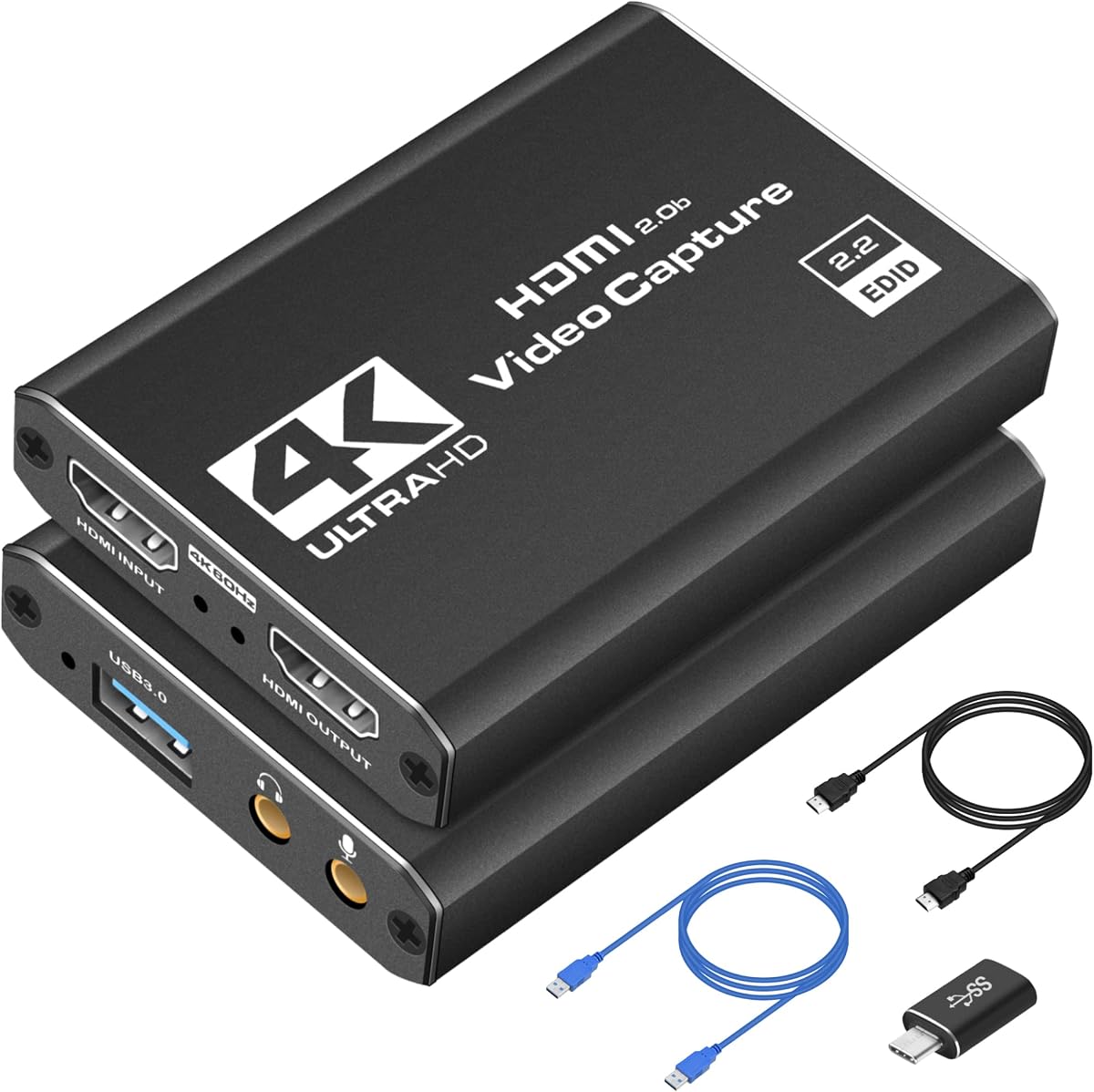


This capture card offers a budget-friendly solution for those looking to start streaming or recording gameplay without breaking the bank. It supports 1080P 60FPS video capture and works with a wide range of HDMI devices including consoles and cameras.
We may earn a commission when you buy through this link, at no additional cost to you.
The device features true plug and play functionality requiring no drivers or external power supply. It uses high speed USB 3.0 technology to ensure stable transmission. The HDMI loop-out allows you to play games without noticeable delay while streaming.
While it supports 4K input at 30Hz the output is limited to 1080P at 60Hz or 2K at 30Hz. This might be a limitation for users requiring higher resolution output but it is sufficient for standard streaming needs on platforms like Twitch or YouTube.
It is an excellent choice for beginners or casual streamers who need a reliable and affordable capture solution. The inclusion of mic-in support adds versatility for commentary during live sessions making it a versatile tool for entry-level content creation.
Works with Windows and Mac OS and supports various HDMI devices like PS4 PS5 Xbox and DSLR cameras.
No drivers needed as the device is automatically identified as a webcam when plugged into the computer.
We may earn a commission when you buy through this link, at no additional cost to you.
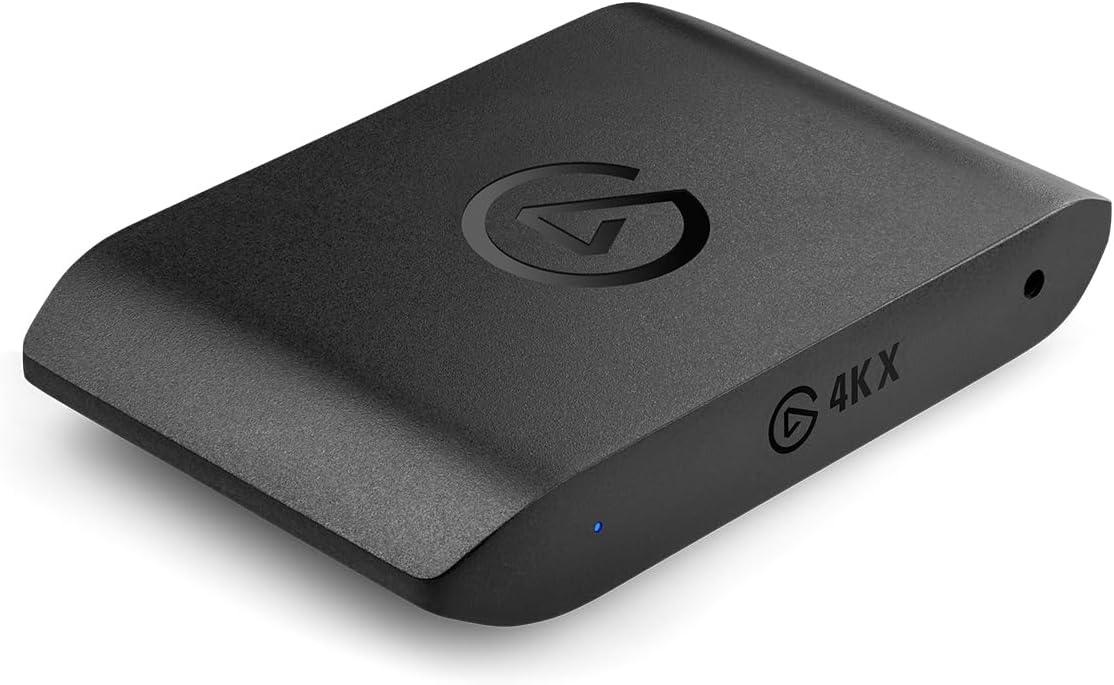
The Elgato 4K X Capture Card stands out for its ultra-low latency powered by USB 3.2 Gen 2 ensuring perfect synchronization between broadcast and gameplay. It delivers crystal-clear visuals at up to 144 frames per second in 4K resolution making it a top choice for serious streamers.
We may earn a commission when you buy through this link, at no additional cost to you.
It supports HDMI 2.1 in/out allowing you to document high frame rates up to 240fps in 1080p resolution. The VRR passthrough ensures smoothly smooth gameplay eliminating screen tearing. It connects effortlessly to various apps like OBS Streamlabs Twitch Studio and more.
While the card is priced higher than budget options the investment is justified by its professional-grade features and reliability. The ultra-low latency ensures that your broadcast and gameplay remain perfectly synchronized for an immersive experience.
This card is ideal for gamers and content creators who demand high-quality visuals and minimal delay. Whether streaming on YouTube Twitch Discord or Facebook Gaming it provides unparalleled flexibility and reach for your content.
Powered by USB 3.2 Gen 2 to ensure broadcast and gameplay remain perfectly synchronized.
Unleashes the full potential of your content with cutting-edge 4K resolution at up to 144fps.
We may earn a commission when you buy through this link, at no additional cost to you.
The Elgato 4K Pro Internal Capture Card offers an unrivaled gaming experience with 8K60 passthrough while capturing action in stunning 4K60 quality. It harnesses HDMI 2.1 in/out to record high frame rates up to 240fps in pristine 1080p resolution.
We may earn a commission when you buy through this link, at no additional cost to you.
It features Variable Refresh Rate passthrough technology for a flawlessly smooth gaming experience free of screen tearing. The ultra-low latency ensures every moment is captured with precision allowing for perfect synchronization between broadcast and gameplay.
As an internal card it requires installation but delivers professional-grade performance. The seamless broadcasting capabilities allow you to connect effortlessly to apps like OBS Streamlabs Twitch Studio and stream flawlessly on various platforms.
This card is perfect for professional streamers and gamers who demand the highest quality and performance. It ensures unparalleled flexibility and reach whether you are streaming to YouTube Twitch Discord or Facebook Gaming.
Immerse yourself in pure gameplay at an astounding 8K60 resolution.
Say goodbye to screen tearing with VRR passthrough technology.
We may earn a commission when you buy through this link, at no additional cost to you.
The UGREEN capture card offers a unique balance with 4K input and 2K output resolutions for post-production editing while maintaining compatibility. It features low latency 5 Gbps high data transfer speed with USB 3.0 technology for optimal performance.
We may earn a commission when you buy through this link, at no additional cost to you.
It comes with both USB A and USB C ports ensuring broad compatibility with modern devices including smartphones laptops tablets desktops and Quest 3. The driver-free design allows it to work seamlessly with Windows Mac OS Linux and phones.
The aluminum alloy casing dissipates heat effectively and shields against EMI ensuring stable signal transmission. It supports a wide range of streaming apps and can livestream gameplay from consoles directly to your computer or mobile devices.
This card is a great choice for users needing flexible connectivity options without compromising on quality. It supports multi-scenario streaming whether you are broadcasting camera footage mobile gaming or PC live streams.
Featuring both USB-A and USB-C interfaces for broad compatibility with modern devices.
No drivers needed supports Windows 11/10/8.1/7 MacOS Linux and phones/tablets seamlessly.
We may earn a commission when you buy through this link, at no additional cost to you.
This capture card is engineered for gamers and content creators who demand crisp 1080P 60FPS video quality. It works instantly out of the box with plug-and-play functionality and fully compatible with popular software like OBS Studio Streamlabs and XSplit.
We may earn a commission when you buy through this link, at no additional cost to you.
It supports seamless passthrough so you can play without lag while your audience watches every frame in real time. The low-latency performance minimizes delay between gameplay and broadcast making it suitable for competitive gaming and live broadcasts.
Its compact and portable design makes it perfect for creators who travel or switch gaming setups often. You can easily throw it in your bag and stream or record wherever you are at home events LAN parties or studio sessions.
This device is an excellent choice for those building their channel with high-quality engaging content on the go. It ensures reliable performance and ease of use whether you are streaming or recording gameplay.
Designed to work instantly out of the box without needing any additional drivers.
Minimizes delay between gameplay and broadcast for smooth streaming and recording.
We may earn a commission when you buy through this link, at no additional cost to you.
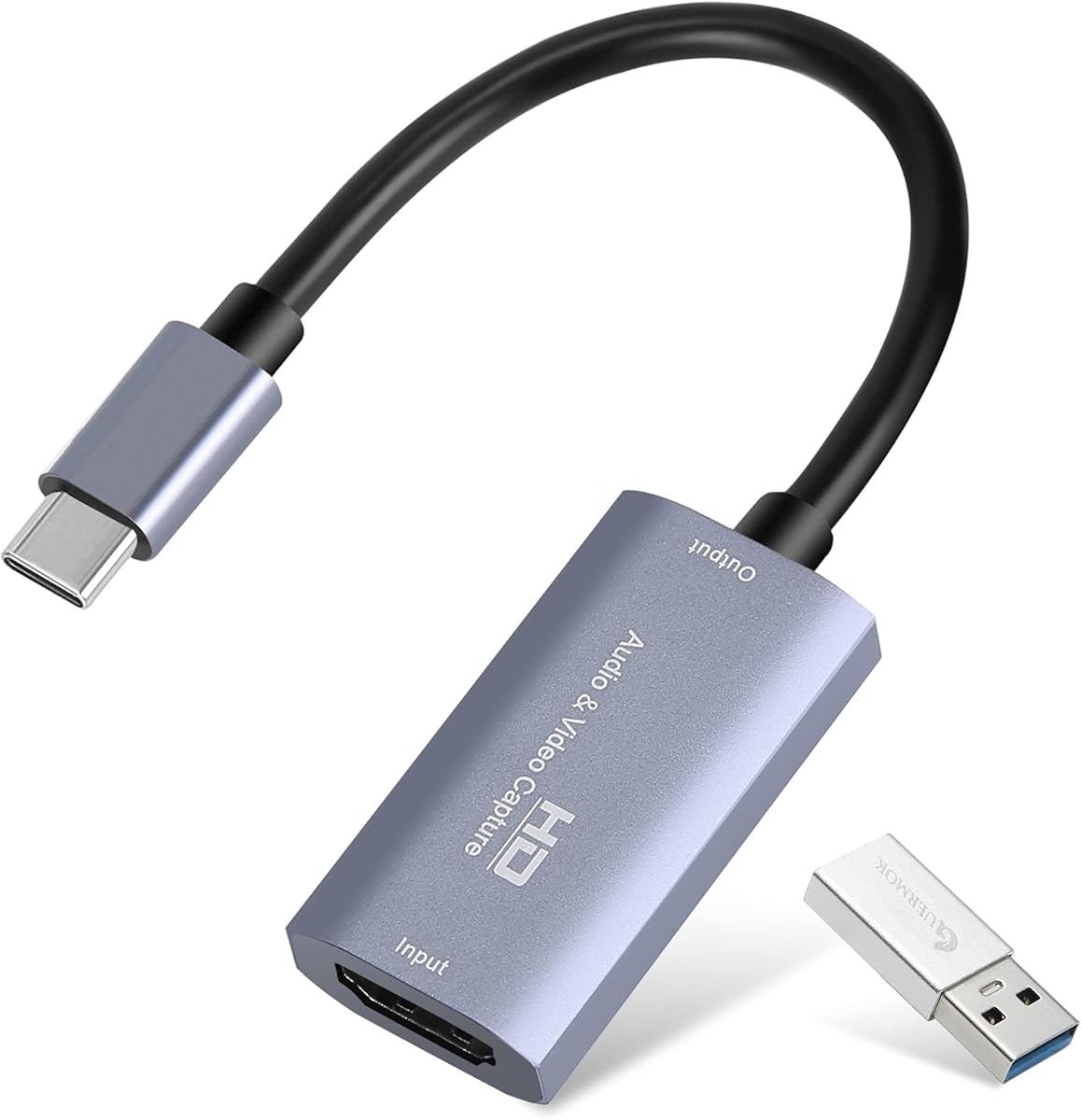
The Guermok capture card is based on USB 3.0 high speed transmission port supporting input up to 4K at 30Hz and output up to 2K at 30Hz or 1080P at 60Hz. It is designed for online capture real-time recording online meetings and live gaming.
We may earn a commission when you buy through this link, at no additional cost to you.
It features ultra low latency screen sharing with an aluminum alloy casing for strong heat dissipation. This helps avoid blue screens and lag allowing you to enjoy high quality video and audio recording and streaming.
The small and lightweight design makes it easy to carry for outdoor live streaming or emergencies. It supports Windows 7 8 10 Mac OS Linux and Android and works with various software like OBS Studio Potplayer VLC and ZOOM.
This card is a great option for sharing content in game recording video conference video recorder and online teaching. It ensures a better visual enjoyment with its capabilities and wide compatibility with operating systems and software.
Made of good quality aluminum alloy with strong heat dissipation to avoid blue screens and lag.
Works on several Operating Systems and various software including Windows Mac Linux Android and more.
We may earn a commission when you buy through this link, at no additional cost to you.
This capture card allows you to seamlessly capture and stream gameplay in 1080p or stunning 4K resolution. It supports 4K60 HDR and VRR passthrough enabling you to play at up to 4K60 1440p144 or 1080p240 while recording.
We may earn a commission when you buy through this link, at no additional cost to you.
It also supports VRR recording and ultrawide modes allowing you to record VRR up to 1440p60 or 1080p240. The 5.1 audio capture capability ensures high-quality sound recording when using the Streaming Center or Streaming Center Plug for OBS.
The card works with Windows 10/11 macOS 13/14+ and iPadOS 17+ allowing for capture of unencrypted HDMI from PS5 Xbox Series X/S Switch 2 or PC. It is a versatile choice for console PC and Mac users.
If you need HDR and VRR features along with 4K60 passthrough this card is an excellent option. It delivers a seamless and immersive streaming experience for your content across various platforms.
Play at up to 4K60 1440p144 or 1080p240 with HDR and VRR passthrough.
Capture 5.1-channel audio on Windows with Streaming Center or Streaming Center Plug for OBS.
We may earn a commission when you buy through this link, at no additional cost to you.
This USB 3.0 capture card features stunning clarity with 4K input and smooth 1080P@60Hz output. It utilizes YUY2 technology to deliver richer colors than MJPEG for lifelike live streaming and recording with minimal latency.
We may earn a commission when you buy through this link, at no additional cost to you.
It includes a mic-in for easy commentary allowing you to plug in a headset or mic directly to stream or record voice. This eliminates post-editing hassle from mismatched audio-visuals and keeps voice synced perfectly with video.
The card is plug and play with no extra drivers or external power needed. It works flawlessly with streaming apps like Twitter YouTube Facebook OBS XSplit and VLC and devices including Switch PS5 PS4 Xbox DSLR cameras PC macOS and Android.
With worry-free after-sales support this card is a reliable choice for newcomers and seasoned users. It ensures HD quality intact and eliminates compatibility headaches while you are gaming streaming or hosting video calls.
Features YUY2 technology to deliver richer colors than MJPEG for lifelike live streaming and recording.
Plug in a headset or mic directly to stream or record voice without extra adapters.
We may earn a commission when you buy through this link, at no additional cost to you.
This 4K capture card supports 4K60 passthrough and recording allowing you to capture ultra-high-definition video footage while losslessly outputting gameplay. It also supports ultra1440p144 and 1080p240 capture rates for high performance streaming.
We may earn a commission when you buy through this link, at no additional cost to you.
It fully supports HDR and VRR immersive visuals accurately reproducing color details and eliminating screen tearing. The ultra-low latency ensures smooth real-time synchronization for competitive gaming and live streaming eliminating audio and video latency.
The card is plug and play with no manual drivers needed. It features a high-speed USB-C 3.0 port for stable transmission and works seamlessly with popular streaming tools like OBS and Streamlabs including built-in ezcap Link software.
This one-stop professional streaming solution perfectly supports Windows 10/11 and macOS 11/12. It provides comprehensive professional support from high-quality video capture to multi-scenario streaming making it ideal for serious content creators.
Fully supports HDR and VRR to accurately reproduce color details and eliminate screen tearing.
Ensures smooth real-time synchronization for competitive gaming and live streaming without audio and video latency.
We may earn a commission when you buy through this link, at no additional cost to you.
This portable capture card is tiny but mighty offering premium Elgato capture hardware the size of a smartphone. It allows you to connect your console gaming screen and computer or iPad easily for setup.
We may earn a commission when you buy through this link, at no additional cost to you.
It supports 4K60 HDR passthrough so there is no need to reduce your console resolution while streaming or recording. It captures 1080p60 allowing you to record or stream stunning Full HD content with excellent quality.
The card is super compatible allowing you to capture PlayStation Xbox Switch or any console seamlessly. Its portable design makes it ideal for users who want a compact solution without sacrificing performance.
If you are looking for a premium portable capture solution this card delivers on quality and ease of use. It is a great choice for streamers who need to capture content across various platforms without bulky equipment.
Tiny but mighty premium Elgato Capture hardware the size of a smartphone.
No need to reduce your console resolution when capturing content.
We may earn a commission when you buy through this link, at no additional cost to you.
Selecting the right capture card requires understanding several technical factors that affect performance and usability. This guide outlines key considerations to help you make an informed decision.
Resolution and frame rate determine the quality of your captured video. Look for cards that support at least 1080P at 60Hz if you want smooth streaming. Higher-end models offer 4K support which is crucial for ultra-high-definition content.
Prioritize models matching your source device capabilities to avoid bottlenecks.
Low latency ensures that what you see on your screen matches what your audience sees during live streams. This is vital for competitive gaming where reaction time matters. Many cards advertise ultra-low latency powered by high-speed USB standards.
Check user reviews and specifications for actual latency numbers before buying.
Most capture cards use USB 3.0 or USB-C for connection. USB-C is more versatile for modern laptops while USB 3.0 offers broad compatibility. Some high-end cards use HDMI 2.1 for better bandwidth supporting higher resolutions and frame rates.
Choose a connection type that matches your computer's available ports.
Audio is as important as video for a complete streaming experience. Look for cards that support audio pass-through or have mic-in ports for commentary. Some models support multi-channel audio which is essential for professional setups.
Verify audio support aligns with your streaming platform requirements.
Your capture card must work with your preferred streaming software such as OBS or Streamlabs. Most cards are driver-free and work out of the box. Check for any bundled software that might enhance your workflow.
Ensure compatibility with your operating system before purchasing.
A well-built capture card ensures stable performance over time. Materials like aluminum alloy help dissipate heat and protect against interference. Compact designs are great for portability but ensure the build quality is robust.
Invest in durable hardware to avoid frequent replacements.
Capture cards range from affordable budget options to premium professional models. Determine your needs to decide if you need high-end features or if basic functionality suffices. Higher price often correlates with better latency and resolution support.
Balance cost against necessary features for your specific use case.
Passthrough allows you to view gameplay on your monitor while streaming. High-quality passthrough ensures no lag is introduced to your display. Some cards support HDR and VRR passthrough for enhanced visual experience.
Confirm passthrough specs match your monitor capabilities.
To start using your capture card plug the HDMI cable from your console or camera into the input port and connect the USB cable to your computer. Ensure you select the correct input source in your streaming software.
For optimal performance use a USB 3.0 or higher port to ensure sufficient bandwidth. If you experience lag check your settings to confirm the resolution and frame rate are within supported limits.
Keep the capture card clean and well-ventilated to prevent overheating. Avoid bending the cables excessively and store them properly when not in use to extend their lifespan and maintain signal quality.
Most modern capture cards are plug and play and do not require driver installation. They are automatically recognized as webcam devices by your operating system. However some specialized software may require additional setup for advanced features.
Lag can occur due to insufficient USB bandwidth or incorrect software settings. Ensure you are using a USB 3.0 port and check that your capture software resolution matches your card capabilities. Also verify your system meets the minimum requirements.
Many capture cards work with smartphones if they support USB-C connection and the required software. Ensure your phone supports the necessary video standards and check compatibility with your preferred streaming app before purchase.
Not all cards support 4K streaming output even if they support 4K input. Check the product specifications for output resolution limits. Some models are limited to 1080P or 2K output despite 4K input support.
HDMI loop-out allows you to pass the signal through the capture card to a monitor or TV without delay. This lets you play games on your regular display while streaming the feed from your computer separately.
Use a capture card with ultra-low latency features and ensure you are using the latest software versions. Adjust encoder settings to prioritize speed and ensure your internet connection is stable with sufficient upload bandwidth.
Most capture cards are compatible with both consoles and PCs as they rely on HDMI input. Ensure your console supports HDMI output and disable HDCP if necessary. Some cards offer specific optimizations for different devices.
Many capture cards are compatible with Mac OS but check the product details for specific version requirements. Some models may require updates or specific software versions to function properly on macOS systems.
Choosing the right low latency capture card can significantly enhance your streaming and recording experience. Whether you prefer the compact portability of the Elgato Game Capture Neo or the high-performance features of the Elgato 4K X these top picks offer something for every creator.
Prioritize features like resolution support and latency performance based on your specific needs. If budget is a concern consider models like the UGREEN capture card which balances performance and affordability effectively without sacrificing essential quality.
Remember to check current prices and availability as they fluctuate frequently. Ensure your system meets the technical requirements for the card you choose to avoid any compatibility issues before finalizing your purchase.