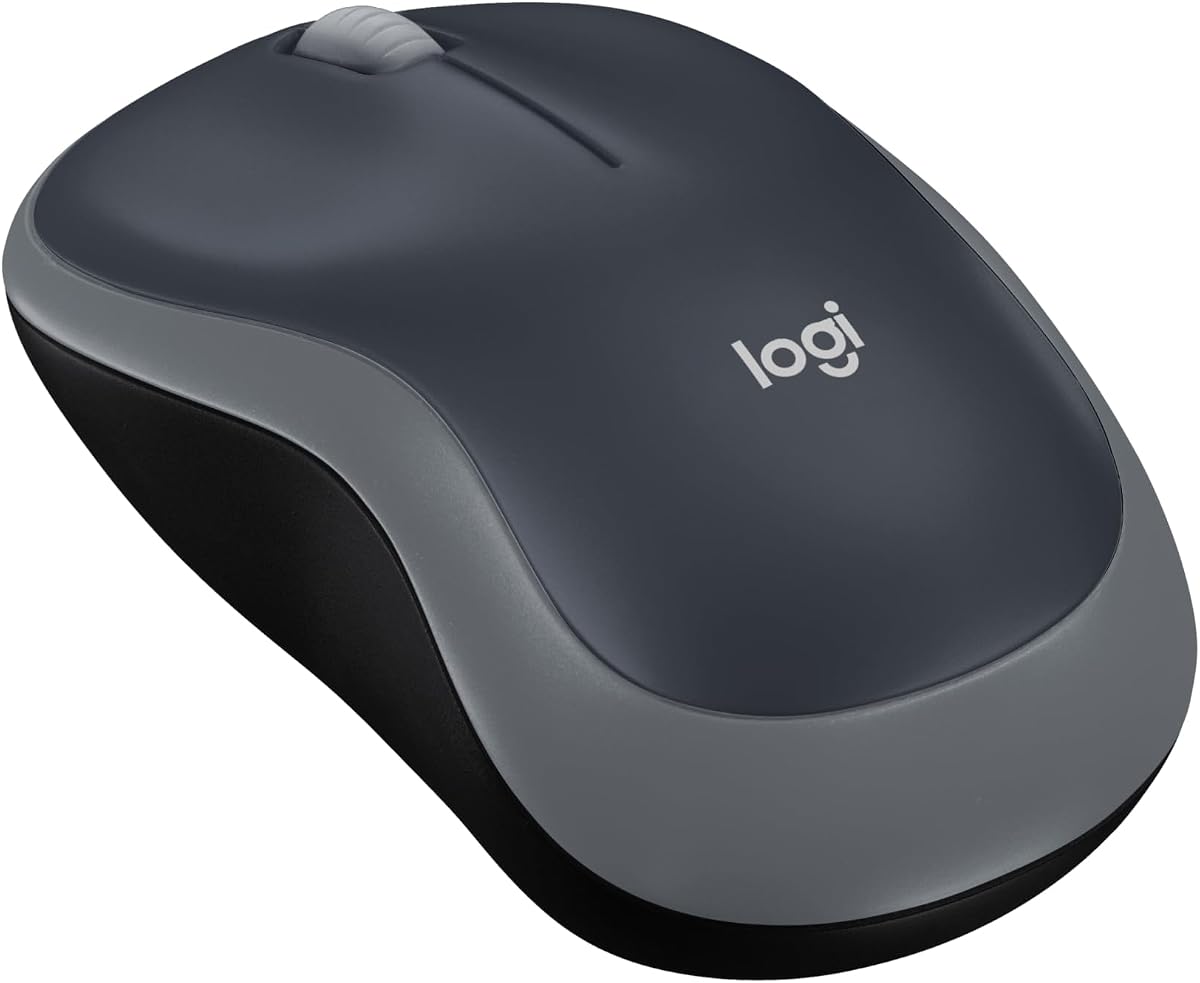
Logitech M185 Compact Ambidextrous 2.4 GHz Wireless Mouse – Swift Grey
4.4Editor score
Compact and portable design
One year battery life
Universal device compatibility
Plug and play setup
This guide compares the top ten Logitech wireless mice for productivity and gaming, featuring detailed reviews on comfort and performance.
Finding the right wireless mouse can transform your daily workflow and comfort levels significantly. Logitech has established itself as a leader in this space, offering a wide range of options for every user type. Whether you need precision for design work or speed for gaming, there is a model tailored to your needs.
We have carefully selected ten distinct models based on performance, build quality, and user feedback. Our comparison covers everything from budget-friendly office tools to high-end productivity beasts. Each product was evaluated on key metrics including battery life, connectivity stability, and ergonomic design features.
Each pick in this list highlights specific strengths to help you narrow down your choice effectively. You will find detailed breakdowns of features that matter most for your specific use case. Please note that product availability and pricing can change frequently across different retail channels.
4.4Editor score

4.6Editor score

4.2Editor score
This table provides a side-by-side overview of the key specifications and features for all ten selected wireless mice to help you compare them quickly.
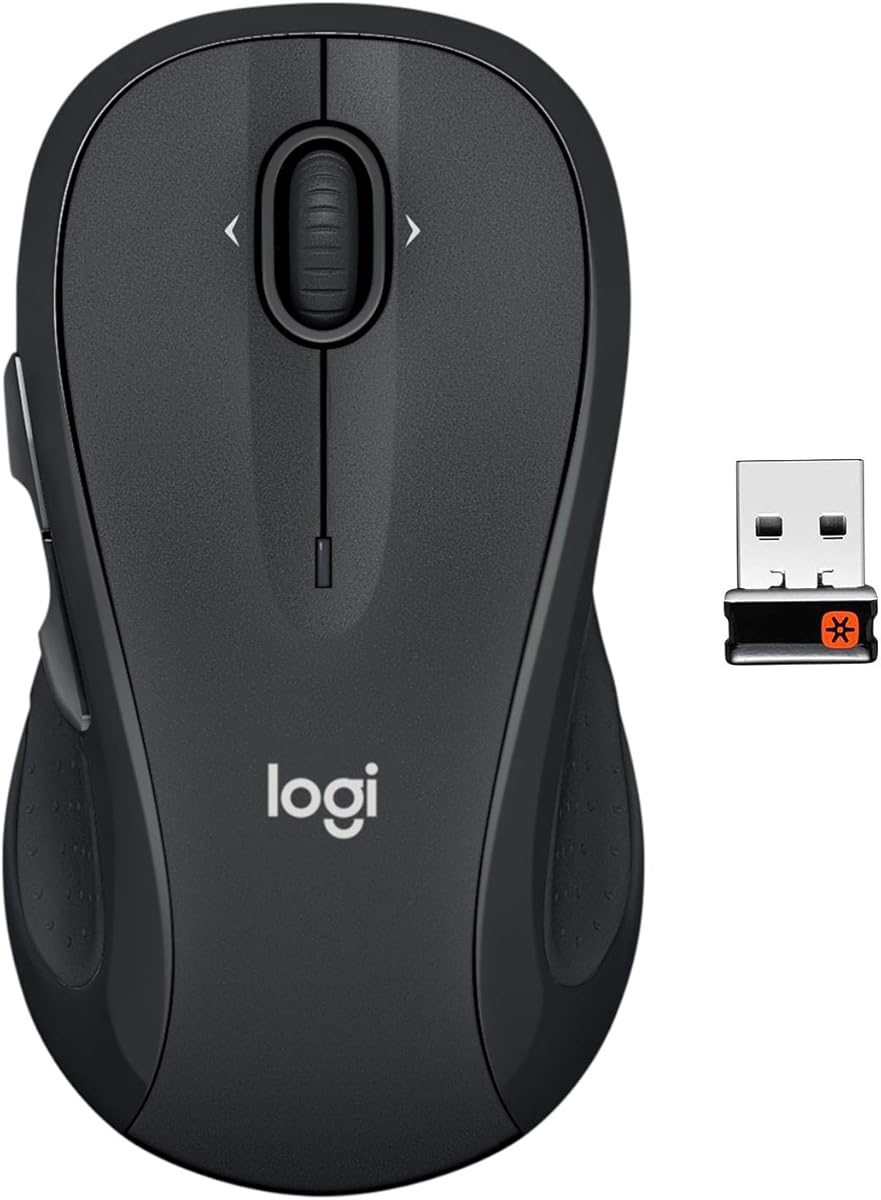


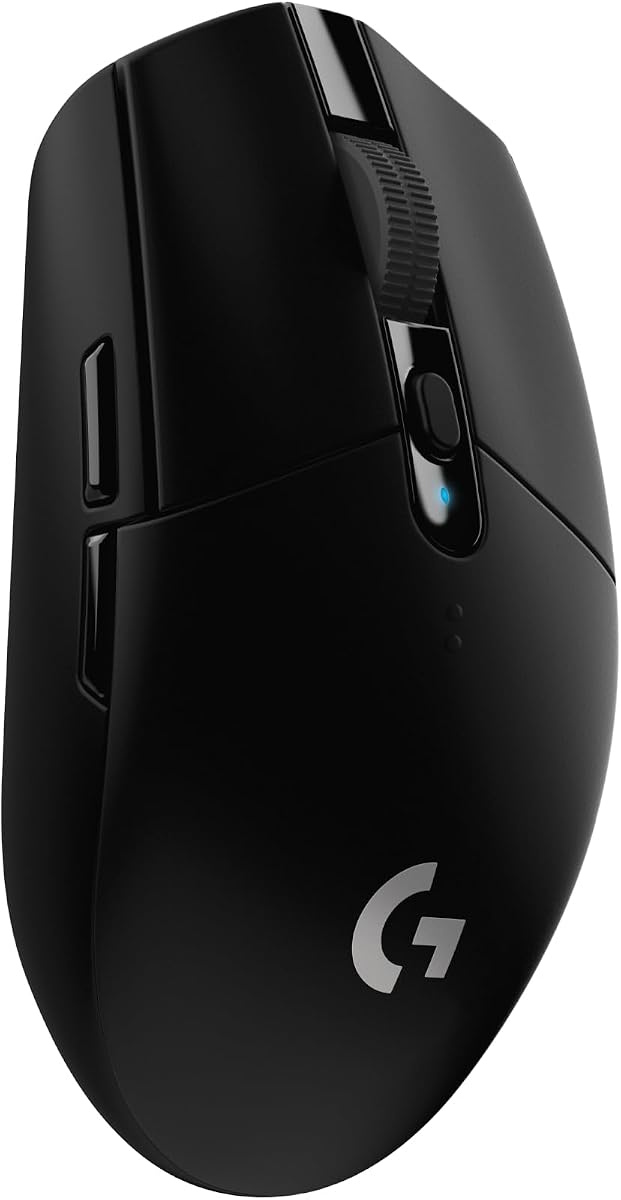


The Logitech M510 stands out as a top choice for users seeking comfort without breaking the bank. With a rating of 4.6 stars, it is clear that many users appreciate its full-size design and ergonomic features. This mouse is built to support your hand during extended work sessions, reducing strain effectively.
We may earn a commission when you buy through this link, at no additional cost to you.
Its contoured shape and soft rubber grips provide a secure hold that feels natural over time. The inclusion of back and forward buttons allows for quick navigation through web pages or documents without reaching for keyboard shortcuts. Side to side scrolling is a unique feature that adds versatility to your workflow significantly.
One trade-off is that some advanced features require specific software which might not be ideal for all users. However, the basic functionality is robust enough for most daily tasks without needing setup. The battery life is impressive, eliminating the need for frequent replacements and reducing hassle.
This mouse is ideal for office workers or students who need a reliable and comfortable device for daily use. Its full-size design ensures that even those with larger hands will find it comfortable. We recommend it for anyone prioritizing ergonomics and battery longevity in a wireless mouse.
The ergonomic design ensures your hand relaxes hour after hour with broad palm support and soft rubber grips for a better grip.
With side to side scrolling and additional buttons you can manage complex documents and spreadsheets with greater efficiency.
We may earn a commission when you buy through this link, at no additional cost to you.
The Logitech M705 is renowned for its exceptional battery life, earning it the title of Marathon mouse among tech enthusiasts. Rated at 4.5 stars, it promises up to three years between battery changes which is a rare feat in wireless mice. This makes it an incredibly convenient option for those who dislike frequent maintenance.
We may earn a commission when you buy through this link, at no additional cost to you.
Its hyper-fast scrolling feature allows you to navigate long documents with a single spin of the metal wheel. The laser grade tracking ensures smooth cursor control even on polished or wood grain surfaces where optical mice might struggle. Customizable thumb buttons add another layer of efficiency for power users.
While the battery life is outstanding, the weight of the mouse might be a consideration for users who prefer lightweight devices. The scroll wheel has two modes which might take a moment to adjust to initially. However, once mastered, it provides a superior navigation experience for heavy document readers.
This mouse is perfect for professionals who spend hours reading and navigating lengthy digital documents daily. Its durability and long battery life make it a set and forget solution for office environments. We suggest it for users who value performance and reliability over sleek minimalism.
Enjoy up to three years of use on a single battery charge thanks to efficient power management and a smart sleep mode.
Work on any surface without frustration as the laser sensor delivers precise control on polished or wood grain tables.
We may earn a commission when you buy through this link, at no additional cost to you.
The Logitech MX Master 3S represents the pinnacle of productivity mouse design with its advanced features and quiet operation. Holding a 4.6 star rating, it is celebrated for its ability to reduce click noise while maintaining a satisfying tactile feel. This makes it an excellent choice for shared workspaces or quiet offices.
We may earn a commission when you buy through this link, at no additional cost to you.
Its 8K DPI sensor allows for precise tracking on any surface including glass which expands your workspace possibilities significantly. The MagSpeed scrolling wheel is faster and more precise than standard wheels, enabling you to navigate through huge datasets effortlessly. You can also customize buttons for app specific tasks via Logi Options+ software.
The only downside is that it relies solely on Bluetooth which means no USB receiver is included in the package. Some users might prefer the stability of a dedicated receiver for certain wireless setups. Despite this, the multi device connectivity allows you to switch between up to three devices seamlessly.
This mouse is best suited for creative professionals and power users who need precision and silence in their work environment. The ability to transfer files between computers with FLOW is a game changer for multi computer workflows. We highly recommend it for those seeking a premium and quiet computing experience.
Experience 90 percent less click noise without sacrificing the satisfying feel you expect from a quality mouse.
Work on glass or uneven surfaces with ease thanks to the advanced 8000 DPI sensor technology.
We may earn a commission when you buy through this link, at no additional cost to you.
The Logitech MX Master 4 introduces groundbreaking features like haptic feedback and the Actions Ring to enhance user interaction. While it holds a 4.2 star rating, its innovative approach to customization sets it apart from previous models. This device is designed to keep you in a state of flow with intuitive gestures and feedback.
We may earn a commission when you buy through this link, at no additional cost to you.
The Haptic Sense Panel provides customizable tactile responses to specific actions or notifications making your workflow more interactive. The Actions Ring adapts to your active application providing quick access to tools without breaking your focus. Connectivity has also been improved with a USB-C dongle for stronger performance.
As a new model, some users might find the unique controls require time to adjust to for daily productivity. The price point reflects its premium features which may not fit every budget. However, for early adopters the benefits of haptics are significant for specialized tasks.
This mouse is ideal for users who want the latest tech and are willing to invest in cutting edge ergonomics. It suits professionals in creative industries who benefit from tactile feedback and dynamic tool access. We suggest it for those looking to future proof their desktop setup with advanced interaction methods.
Feel customizable feedback on specific actions that enhance productivity through tactile responses to your work.
Access favorite tools and shortcuts dynamically with an overlay that adapts to each app you use.
We may earn a commission when you buy through this link, at no additional cost to you.
The Logitech M185 is a staple in the world of compact wireless mice offering reliability in a small package. With a 4.4 star rating, it is favored by students and travelers who need a mouse that fits easily in a bag. Its ambidextrous design ensures comfort regardless of your handedness.
We may earn a commission when you buy through this link, at no additional cost to you.
Despite its small size, it offers a contoured shape that provides better control than a laptop touchpad. The included nano receiver is tiny enough to stay plugged into your laptop without obstructing other ports. Battery life is solid at one year which minimizes maintenance for casual users.
While it lacks advanced features like side scrolling or programmable buttons it excels in simplicity and portability. It is not designed for heavy gaming or complex professional tasks but handles everyday browsing well. The build is functional and durable enough for regular travel use.
This mouse is perfect for students and professionals on the go who need a backup device for meetings. It is also a great choice for home users with limited desk space. We recommend it for anyone needing a no fuss wireless replacement for a touchpad.
Feel great in either hand with a compact shape that fits easily in laptop bags for travel.
Start working in seconds by plugging in the nano receiver with no software installation required.
We may earn a commission when you buy through this link, at no additional cost to you.
The Logitech M720 Triathalon is designed to bridge the gap between multiple devices seamlessly with ease. Rated 4.5 stars, it is highly effective for users who switch between a computer, tablet, and phone frequently. The ability to connect to up to three devices via Bluetooth or Unifying receiver is a key selling point.
We may earn a commission when you buy through this link, at no additional cost to you.
Its ergonomic design features a sculpted shape that supports the hand comfortably during long work sessions. The hyper-fast scrolling mode lets you breeze through documents and the instant stop feature gives you control when needed. Battery life extends up to twenty four months ensuring reliability for daily tasks.
One consideration is that the full potential of switching and customizations requires installing Logitech software. Without software the mouse still works well but you lose some automation features. The size is substantial so it may not be ideal for small hands or tight spaces.
This mouse is best for users managing a mixed ecosystem of Apple and Windows devices. It eliminates the need for multiple mice on your desk by consolidating input devices into one unit. We recommend it for tech savvy users who value seamless multi device interaction.
Move text and files across multiple computers easily with the touch of a button using Logitech FLOW.
Choose between Bluetooth or Unifying receiver to connect to laptops, tablets, and desktops effortlessly.
We may earn a commission when you buy through this link, at no additional cost to you.
The Logitech G305 brings high performance gaming features to the wireless arena at an affordable price point. With a 4.6 star rating, it delivers lag free performance that rivals many wired competitors. The Lightspeed wireless technology ensures a 1 ms report rate that is critical for competitive gaming.
We may earn a commission when you buy through this link, at no additional cost to you.
It is incredibly lightweight at 3.4 oz which reduces fatigue during long gaming sessions. The HERO sensor offers high precision and energy efficiency allowing for hundreds of hours of gameplay on a single battery. Its compact design makes it easy to carry for LAN parties or travel.
While it lacks some of the extra buttons found on higher end gaming mice it covers the basics perfectly. The reliance on a single AA battery is efficient but means you still need to swap batteries eventually. It is a straightforward option without excessive frills or software bloat.
This mouse is perfect for gamers on a budget who refuse to compromise on performance or latency. It is also suitable for casual users who prefer a lightweight mouse for general use. We recommend it for FPS players who need speed and accuracy without a heavy device.
Enjoy a lag free gaming experience with a 1 ms report rate that matches wired performance.
Get up to 10x the power efficiency with a sensor that delivers incredible precision and low power use.
We may earn a commission when you buy through this link, at no additional cost to you.
The Logitech G733 is included here as a companion device for those building a full wireless gaming setup. Rated 4.4 stars, it offers total freedom with a wireless range of up to twenty meters for gaming anywhere. The battery life supports up to twenty nine hours of continuous play which is impressive.
We may earn a commission when you buy through this link, at no additional cost to you.
Its suspension headband and soft memory foam ensure comfort during extended gaming sessions without fatigue. The LIGHTSYNC RGB lighting allows you to personalize the look to match your setup with vibrant colors. PRO-G drivers provide clear audio which is essential for immersive gaming experiences.
While this is a headset and not a mouse it complements wireless mouse setups for a clean desktop. Some users might find the microphone is adequate but not studio quality for professional streaming. It is a solid choice for casual gamers who prioritize comfort and aesthetics.
This headset is ideal for gamers who want to eliminate cable clutter while maintaining audio quality. It is especially good for PlayStation users looking for a wireless stereo solution. We recommend it for those building a cohesive wireless ecosystem for entertainment.
Move around with up to 20 m range and keep playing with a battery that lasts up to 29 hours.
Enjoy long play sessions with reversible suspension headbands and soft memory foam earpads.
We may earn a commission when you buy through this link, at no additional cost to you.
The Logitech Signature M650 L is designed for quiet comfort in office environments where noise can be distracting. Rated 4.5 stars, it features SilentTouch technology that reduces click noise by 90 percent without losing tactile feedback. This makes it perfect for open offices or libraries.
We may earn a commission when you buy through this link, at no additional cost to you.
Its SmartWheel allows you to switch between line by line and fast scrolling modes with a simple flick of your wrist. The ergonomic shape includes soft thumb grips that keep your hand snug and reduce strain over hours. It connects easily via Bluetooth Low Energy or Logi Bolt receiver.
The large size is beneficial for those with bigger hands but might feel bulky for others. Battery life is robust at 24 months ensuring you do not need to worry about recharging often. It supports multiple platforms including Linux and Android which increases its versatility.
This mouse is perfect for professionals who need a silent and comfortable tool for daily tasks. Its quiet operation is a major benefit for shared workspaces. We recommend it for office workers who value noise reduction and long term comfort.
Enjoy 90 percent less click noise for a quieter workspace that helps you focus better.
Switch modes with a flick to navigate documents or web pages with precision or speed.
We may earn a commission when you buy through this link, at no additional cost to you.
The Logitech G502 Lightspeed is a powerhouse for gamers who need extensive control and precision in one device. Rated 4.6 stars, it features an advanced HERO 25K sensor that offers 1:1 tracking and up to 25,600 DPI. This level of precision is unmatched for competitive gaming.
We may earn a commission when you buy through this link, at no additional cost to you.
It includes eleven customizable buttons allowing you to map macros and shortcuts for different games. The hyper fast scroll wheel lets you switch between ratchet and free spin modes for quick menu navigation. It supports the PowerPlay wireless charging system for continuous power without cable clutter.
While it offers exceptional features, the weight is higher than lightweight gaming mice which may affect speed. The PowerPlay charging system is an extra cost which might not be necessary for all users. However, the build quality and sensor accuracy are top tier for serious gamers.
This mouse is best for hardcore gamers who need every advantage and can utilize multiple buttons effectively. It is also great for productivity users who want high customization and performance. We recommend it for those willing to invest in premium gaming gear.
Experience zero smoothing or acceleration with advanced tracking that supports high DPI sensitivity.
Review menus and long web pages rapidly with a scroll wheel that stops on a pixel.
We may earn a commission when you buy through this link, at no additional cost to you.
Selecting the right mouse depends on your specific needs such as comfort, battery life, and connectivity options.
Ergonomics is crucial for preventing wrist strain during long use. Look for shapes that support your palm naturally and have rubber grips for stability.
Choose a model that fits your hand size to ensure long term comfort and reduce fatigue.
Wireless mice come with Bluetooth or proprietary receivers. Bluetooth saves USB ports while receivers offer more stable connections.
Consider if you need multi device switching to work across different systems seamlessly.
Battery life ranges from months to years depending on the model and usage. Some use AA batteries while others use rechargeable packs.
Check the battery type to see how long it lasts to minimize interruptions to your workflow.
High DPI sensors allow for precise cursor movement on different surfaces. This is especially important for design work and gaming.
Ensure the sensor works on your preferred surface to avoid tracking issues.
Hyper-fast scrolling allows you to navigate long documents quickly while standard scrolling offers more control. Some models let you switch modes easily.
Select a scrolling mechanism that fits your document navigation habits.
Programmable buttons and software support allow you to tailor the mouse to your apps. This can speed up tasks significantly.
If you need shortcuts consider models with software compatibility for easy setup.
Durable materials ensure the mouse lasts through daily wear and tear. Look for reinforced buttons and sturdy casings.
Investing in quality build reduces the need for frequent replacements.
Prices vary widely based on features and branding. Determine your budget to find the best value for your specific needs.
Sometimes spending a little more yields better features that justify the cost.
To set up your mouse simply plug in the USB receiver or enable Bluetooth on your computer. If using software, download the Logitech Options or G HUB app for customization.
Keep the sensor lens clean by wiping it gently with a soft cloth. Dust can interfere with tracking accuracy and cause cursor jitter.
To extend battery life, switch the mouse off when not in use. Avoid leaving it in hot or humid environments to preserve internal components.
Most Logitech mice are compatible with Mac systems via Bluetooth or USB receiver. Software like Logi Options+ supports macOS for button customization and settings.
Yes, many models like the M720 and MX Master support tablets via Bluetooth. Ensure your tablet has Bluetooth capability to pair the device properly.
Lightspeed is optimized for gaming with low latency, while Unifying is a general purpose solution for office peripherals. Both offer reliable wireless connections.
Models with rechargeable batteries use a USB cable to charge. Some newer models support wireless charging docks like PowerPlay for convenient top ups.
Warranty terms vary by region but Logitech generally offers limited hardware warranties. Check the official support site for details on your specific purchase region.
Yes, you can connect multiple devices but typically only one input is active at a time. The FLOW software allows smooth switching between computers with a single mouse.
We have explored ten distinct options ranging from budget-friendly compact mice to premium productivity tools. Each offers unique strengths tailored to specific workflows and preferences.
Prioritize ergonomics and battery life if you work long hours daily. For gaming, focus on sensor precision and response time to get the best experience.
Always check current availability and offers before purchasing to ensure you get the best deal on these models.