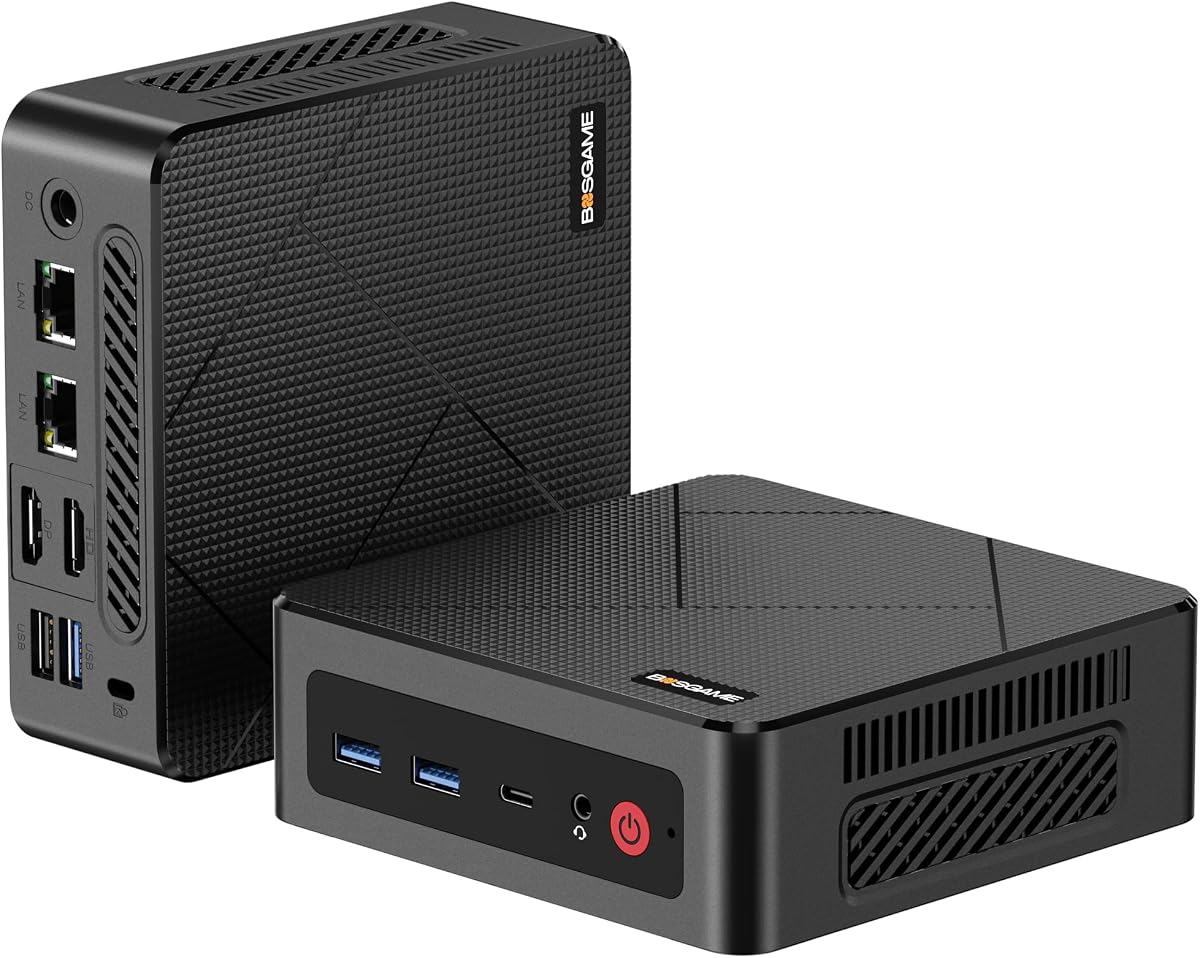
BOSGAME E4 Air
4.2Editor score
Ryzen 5 3500U CPU
Triple 4K output
Affordable price point
Discover the top Linux Mini Pcs for 2026. This guide compares performance, compatibility, and value for developers and home users seeking open-source desktops.
Linux Mini Pcs offer a powerful blend of efficiency and flexibility for developers and enthusiasts. These compact devices run open-source operating systems, providing security and customization without the bulk of traditional towers.
We evaluated ten top models based on processor power, memory expandability, and Linux compatibility. Our analysis focuses on real-world performance for coding, virtualization, and daily productivity tasks.
Each pick highlights key strengths and potential limitations to help you choose wisely. Prices and availability change frequently, so verify current details before purchasing to ensure the best deal.
4.2Editor score

4.5Editor score

4.7Editor score
This side-by-side comparison highlights the core specifications of each model to help you find the right balance of power and price for your specific Linux needs.


The TK Node Mini PC stands out as a top choice for those seeking a reliable Linux desktop without the hassle of manual OS installation. It ships with Zorin OS Core, an Ubuntu-based system designed for familiarity and ease of use. The hardware is robust, featuring an AMD Ryzen R2314 processor that handles daily tasks efficiently while maintaining low power consumption.
We may earn a commission when you buy through this link, at no additional cost to you.
Its standout feature is the exceptional expandability. With dual SO-DIMM slots supporting up to 64GB of RAM and dual NVMe SSD slots for up to 4TB of storage, this device grows with your needs. It is ideal for virtualization, container management, and professional workloads that require significant resources. The triple 4K display support ensures you can multitask across multiple screens seamlessly.
While it offers great potential, users should note that memory and storage are selected based on needs, meaning you might start with a base configuration and upgrade later. The graphics are sufficient for productivity and light media but not for heavy gaming. However, the US-based warranty and 24/7 operational design make it a dependable choice for continuous use.
This mini PC is perfect for developers, system administrators, and home lab enthusiasts who value stability and flexibility. Its compact footprint allows for discreet placement under a monitor or in a cabinet. We recommend it for anyone looking to transition from Windows to a secure, open-source environment without sacrificing performance.
Zorin OS provides a polished desktop experience that mirrors Windows layouts, reducing the learning curve for new Linux users while offering superior security and privacy.
The dual NVMe and RAM slots ensure this device remains relevant for years, allowing you to upgrade storage and memory without replacing the entire unit.
We may earn a commission when you buy through this link, at no additional cost to you.
The Beelink SER3 offers a compelling balance of performance and affordability for entry-level Linux setups. Equipped with an AMD Ryzen 3 3200U processor and 16GB of DDR4 RAM, it handles multitasking well for office work and media consumption. The 500GB SSD ensures quick boot times and responsive application loading, which is crucial for a smooth desktop experience.
We may earn a commission when you buy through this link, at no additional cost to you.
Its integration of Radeon Vega 3 graphics allows for decent visual performance, supporting dual 4K displays effectively. This makes it suitable for users who need multiple screens for coding or spreadsheet work. The build quality is sturdy, and the inclusion of lifetime technical support adds significant value for long-term users.
However, the processor is a dual-core model, which may struggle with heavily threaded tasks compared to newer quad-core options. Additionally, it lacks Wi-Fi 6, relying on older standards for connectivity. Despite these limitations, it remains a strong contender for budget-conscious buyers who need reliable daily computing power.
We recommend this mini PC for students, home office workers, and anyone seeking a no-frills Linux desktop. Its compact design fits easily into small spaces, and the ample memory ensures it won't bog down during routine use. It is a practical choice for basic productivity and light creative tasks.
With 16GB of RAM, this model avoids the bottlenecks common in lower-spec mini PCs, allowing for smoother switching between browser tabs and applications.
Multiple USB ports and dual HDMI outputs provide versatile connectivity for peripherals and external monitors, enhancing workspace flexibility.
We may earn a commission when you buy through this link, at no additional cost to you.
The ASUS NUC 14 Pro is a powerhouse designed for professionals and power users who demand top-tier performance from their Linux environment. It features the latest Intel Core Ultra 7 155H processor with 16 cores and 22 threads, delivering exceptional speed for demanding workloads. The 64GB DDR5 RAM and 2TB PCIe Gen4 SSD ensure that data processing and storage are blazing fast.
We may earn a commission when you buy through this link, at no additional cost to you.
Linux Mint comes pre-installed, offering a stable and developer-friendly OS that is easy to manage. The inclusion of Thunderbolt 4 ports allows for high-speed data transfer and versatile docking options, while Intel Arc graphics provide robust visual performance for AI tasks and media editing. The cooling system is engineered to handle sustained loads without noise.
The primary trade-off is the cost, which places it in the premium category. It may be overkill for simple web browsing or document editing. However, for AI research, virtualization, and heavy coding, the performance gap between this and budget models is significant. The VESA mount support helps integrate it neatly into professional setups.
This mini PC is best suited for developers, researchers, and businesses needing a compact yet powerful workstation. Its build quality and advanced connectivity justify the investment for those who rely on their computer for critical daily tasks. We suggest it for users who need future-proof hardware that can handle evolving software demands.
The combination of a high-core CPU and DDR5 RAM makes this device ideal for running local LLMs, compiling code, and training machine learning models efficiently.
With Thunderbolt 4, you can connect ultra-fast external storage and high-resolution displays through a single cable, simplifying your desk setup.
We may earn a commission when you buy through this link, at no additional cost to you.
The Beelink Mini S12 Pro delivers impressive efficiency for its size and price point. Powered by the Intel N100 processor, it offers a significant performance boost over older entry-level chips while maintaining low power usage. This makes it an excellent choice for 24/7 operations such as home servers or digital signage where energy costs matter.
We may earn a commission when you buy through this link, at no additional cost to you.
It comes with 16GB of DDR4 RAM, which is ample for multitasking and running lightweight Linux distributions. The storage options allow for both M.2 SSD expansion and a SATA drive, providing flexibility for storage needs. Dual HDMI 4K support ensures smooth media playback and clear text rendering on modern monitors.
While the single RAM slot limits maximum expansion to 16GB, this is usually sufficient for general office tasks and media centers. The cooling system is designed to remain quiet even under load. It lacks the raw power of higher-end models but excels in reliability and cost-effectiveness for specific use cases.
We recommend this mini PC for home lab enthusiasts, light office users, and anyone building a compact media center. Its low power draw and solid connectivity options make it versatile. It is a smart buy for those who prioritize energy efficiency and reliability over high-performance computing.
The N100 chip is designed for low power consumption, making it ideal for always-on applications like home servers or network monitoring tools.
Support for both M.2 and SATA drives allows you to balance speed and capacity without needing external enclosures.
We may earn a commission when you buy through this link, at no additional cost to you.
The KAMRUI Pinova P2 offers a well-rounded package for users needing multitasking power in a small form factor. Its AMD Ryzen 7 3300U processor with Zen3 architecture provides a significant boost in single-core and multi-core performance compared to previous generations. This ensures smooth performance for coding and web browsing.
We may earn a commission when you buy through this link, at no additional cost to you.
A key highlight is the triple 4K display support, allowing you to connect three external monitors for enhanced productivity. The LPDDR4X memory ensures quick responsiveness, though it is not upgradeable. The design includes an improved cooling system that keeps noise levels low during operation, which is a plus for quiet work environments.
Storage is limited to 256GB out of the box, which may require external drives for large media libraries. However, expansion slots are available to add more storage later. The build quality is sleek, and the VESA mount makes it easy to hide behind a monitor. It strikes a good balance between price and performance.
This mini PC is ideal for home users and small businesses needing a compact desktop for multi-monitor setups. Its ability to handle graphics-intensive tasks better than many peers in this category makes it versatile. We recommend it for those who need reliable performance without the bulk of a traditional PC tower.
Support for three 4K displays simultaneously allows for extensive workspace real estate, perfect for financial trading or complex project management.
The sleek silver case and compact dimensions ensure it fits into any modern office or home environment without taking up valuable desk space.
We may earn a commission when you buy through this link, at no additional cost to you.
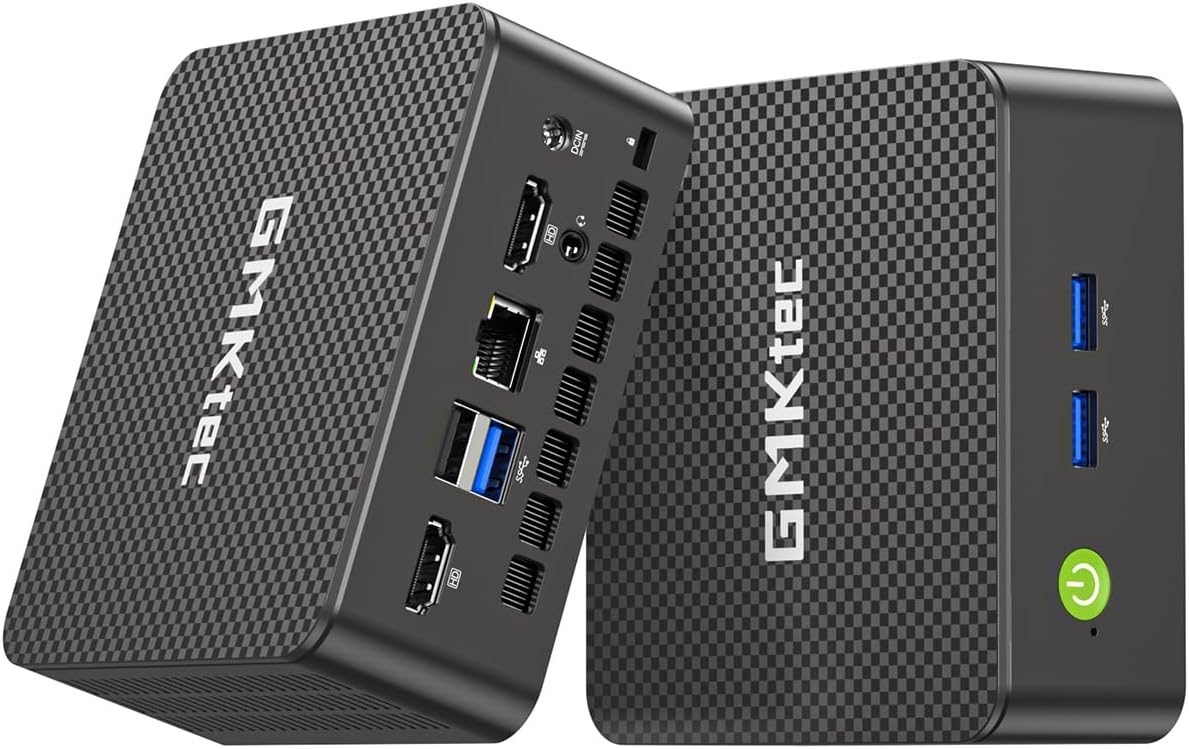
The GMKtec G11 is designed specifically for networking and server tasks, featuring dual 2.5GbE Ethernet ports that are rare in this category. It uses the Ryzen Embedded R2514 processor, which offers solid performance for virtualization and firewall duties. This makes it perfect for building a home lab or a dedicated router server.
We may earn a commission when you buy through this link, at no additional cost to you.
It includes 16GB of dual-channel DDR4 RAM, ensuring that data pathways between memory and CPU are optimized for speed. The GPU is capable enough to drive three 4K displays, offering flexibility for monitoring network traffic across multiple screens. The design supports 24/7 operation, essential for continuous server uptime.
While excellent for networking, it may not be the best choice for general desktop usage due to the specialized nature of its design. However, for technical users who need a robust firewall or NAS solution, it is a strong contender. The cooling and build quality are geared towards reliability over aesthetic appeal.
We recommend this mini PC for IT enthusiasts and network administrators looking to build a dedicated virtual environment. Its dual LAN ports provide versatility for routing and firewall tasks that other mini PCs cannot match. It is a niche but valuable tool for advanced home networking setups.
Dual 2.5GbE ports enable seamless creation of virtual routers and firewall appliances with high throughput capabilities.
Built for continuous operation, this unit ensures stability for long-term server tasks without overheating issues.
We may earn a commission when you buy through this link, at no additional cost to you.
The CyberGeek Mini PC offers serious performance with its 11th Gen Intel i9-11900H processor. This chip provides eight cores and 16 threads, delivering desktop-level power in a compact chassis. It is an excellent choice for developers and power users who need to run multiple virtual machines or compile complex projects locally.
We may earn a commission when you buy through this link, at no additional cost to you.
With 32GB of DDR4 RAM and a 1TB PCIe SSD, it handles large datasets and fast storage operations with ease. Ubuntu Linux is pre-installed, offering a clean environment for development work. The triple display support and numerous USB ports allow for a highly customizable workspace setup with multiple monitors and peripherals.
However, the high performance generates heat, leading to fan noise under heavy load. It is also slightly bulkier than typical mini PCs. While these are minor trade-offs, they are important considerations for quiet office environments. The build quality is robust enough to handle continuous operation.
We recommend this mini PC for professionals requiring high computational power in a portable form factor. It serves well as a development station or gaming console for Linux-compatible titles. It is a strong option for those who want to avoid building a full tower but need premium performance.
The 8-core architecture allows for efficient multitasking and heavy lifting like video editing or data processing.
With Ubuntu pre-installed, users can jump straight into development or system administration tasks without OS setup hassle.
We may earn a commission when you buy through this link, at no additional cost to you.
The BOSGAME E5 focuses on connectivity and storage speed, making it ideal for office and server applications. It features the Ryzen 3 5300U processor, which offers stable performance for daily workflows. The 16GB RAM and 512GB NVMe SSD ensure quick response times and smooth multitasking across applications.
We may earn a commission when you buy through this link, at no additional cost to you.
Dual 2.5G LAN ports are a standout feature, allowing for high-speed network connections and redundancy. This is particularly useful for home labs or network administrators. The triple 4K display support provides ample screen real estate for productivity tasks. The Type-C port supports video output and power delivery for enhanced flexibility.
While Wi-Fi 5 is standard, the wired connectivity is excellent. The cooling system is optimized for quiet operation, maintaining a low noise profile even during usage. The compact design saves desk space, and the VESA mount allows for clean integration into existing monitor setups.
This mini PC is best suited for business users and IT professionals who prioritize network speed and stability. It is a practical choice for file servers or secure workstations. We recommend it for anyone needing a reliable Linux machine with advanced networking capabilities.
Dual 2.5G LAN ports enable robust network segmentation and high-speed data transfer for professional environments.
The small footprint and VESA mount options help keep workspaces clutter-free while maintaining powerful computing capabilities.
We may earn a commission when you buy through this link, at no additional cost to you.
The BOSGAME E4 Air is one of the most affordable options for a capable Linux mini PC. It uses the Ryzen 5 3500U processor, which provides a solid foundation for basic computing and media streaming. Despite the budget price, it supports triple 4K displays, allowing for a multi-screen setup without extra cost.
We may earn a commission when you buy through this link, at no additional cost to you.
With 8GB of RAM, it handles web browsing and office tasks effectively, though heavy multitasking may require upgrades if the slots allow. The SATA SSD ensures faster boot times than traditional HDDs, though it is slower than NVMe options. The build quality is reliable, with certifications ensuring safety and compliance.
The main trade-off is the limited memory and older storage type. However, for casual users or secondary setups, these limitations are acceptable. The system runs quietly, making it suitable for bedrooms or small offices. It offers a good entry point into the world of Linux mini PCs.
We recommend this mini PC for students or as a secondary device for light home use. Its price point makes it accessible for those testing the Linux ecosystem. It is a solid choice for basic productivity and entertainment needs on a budget.
At an accessible price point, it provides reliable performance for essential tasks without a heavy financial commitment.
Triple display support allows for expanded workspace, which is a rare feature at this price level.
We may earn a commission when you buy through this link, at no additional cost to you.
The GMKtec G3S is designed for efficiency and basic tasks, offering the latest Intel N95 processor. This chip provides good single-core performance and energy efficiency, making it ideal for light computing. It includes 8GB of RAM and a 256GB M.2 SSD, which are sufficient for standard web and document applications.
We may earn a commission when you buy through this link, at no additional cost to you.
Dual 4K HDMI support ensures you can connect multiple high-resolution displays for better workflow. The AV1 decoding capability means it handles modern video codecs well, streaming smoothly without stuttering. It is a small and quiet device that blends well into any home or office setting.
While the RAM is limited to 8GB and storage is single-slot, this unit meets the needs of casual users. It does not support heavy virtualization but excels as a home theater or basic office PC. The build quality is decent, and the warranty provides peace of mind.
We recommend this mini PC for users needing a compact, low-cost solution for media and basic work. It is perfect for streaming boxes or light office tasks. It is a great option for those who want a reliable mini PC without spending much.
With AV1 decoding and dual 4K support, this model handles modern video content efficiently for home entertainment.
The small size and low power consumption make it ideal for spaces where desk real estate is limited.
We may earn a commission when you buy through this link, at no additional cost to you.
Choosing the right Linux Mini PC involves balancing hardware specs with your specific workflow needs. This section breaks down the critical factors to consider.
Not all Linux distributions run equally well on every hardware. Check if the manufacturer supports the kernel drivers you need for Wi-Fi and graphics.
Opt for models with pre-installed Linux or strong open-source support to avoid driver headaches.
Cores and threads determine multitasking ability. Look for 4-core or higher CPUs for smooth virtualization and development work.
Prioritize newer architectures like Ryzen 5000 or Intel 12th Gen for better efficiency.
RAM and storage directly affect speed. Ensure at least 16GB RAM for comfortable multitasking on modern systems.
Check for upgradeable slots to extend the device's life without buying a new unit.
Multiple monitors boost productivity. Verify HDMI and DisplayPort capabilities to ensure they match your resolution needs.
Triple display support is a significant advantage for complex workflows.
Ports like USB-C and Ethernet determine flexibility. Ensure you have enough USB ports for peripherals.
Dual LAN ports are crucial for network enthusiasts building servers or firewalls.
Mini PCs run hot due to compact sizes. Check cooling reviews to ensure the fan isn't too loud during peak usage.
Passive or quiet cooling designs are preferred for home office use.
Support availability is key for Linux hardware. Look for manufacturers offering US-based or dedicated technical support.
A solid warranty protects your investment against defects.
Energy efficiency matters for 24/7 usage. Lower TDP models save on electricity and generate less heat.
Select models with eco-friendly ratings if you run servers or always-on devices.
Place your mini PC in a well-ventilated area to ensure proper airflow. Avoid enclosing it in tight spaces that trap heat.
Use a high-quality power adapter and surge protector to prevent power fluctuations from damaging sensitive components.
Regularly update your Linux kernel and firmware to maintain security and compatibility with new software.
Most models in this guide come with Linux pre-installed or have verified compatibility. Always check the product details for specific distributions like Ubuntu or Linux Mint before purchasing.
Yes, you can wipe the pre-installed Linux and install Windows or any other operating system. Ensure you have the correct drivers for the hardware components.
Ubuntu and Linux Mint are highly compatible and user-friendly. For servers, Debian or Proxmox are preferred for stability and efficiency.
Yes, many models support Intel VT-x and AMD-V virtualization technologies. Check the CPU specifications to confirm virtualization features are enabled.
Most models allow RAM upgrades, but some use soldered memory. Check the specific product page for upgradeable SO-DIMM slots before purchasing.
Use the available HDMI, DisplayPort, and USB-C ports. Some models require specific adapters for higher resolutions like 4K or 5K.
We have reviewed ten top Linux Mini Pcs that cater to various needs from entry-level use to high-end development. The TK Node Mini PC leads as our Editor's Choice for its balance of power and expandability.
When selecting a model, prioritize CPU performance and memory capacity to ensure longevity. For networking tasks, the GMKtec G11 offers unique advantages with its dual LAN ports.
Prices and availability fluctuate often in the tech market. Always check current deals and warranty terms before purchasing to ensure you get the best value for your investment.