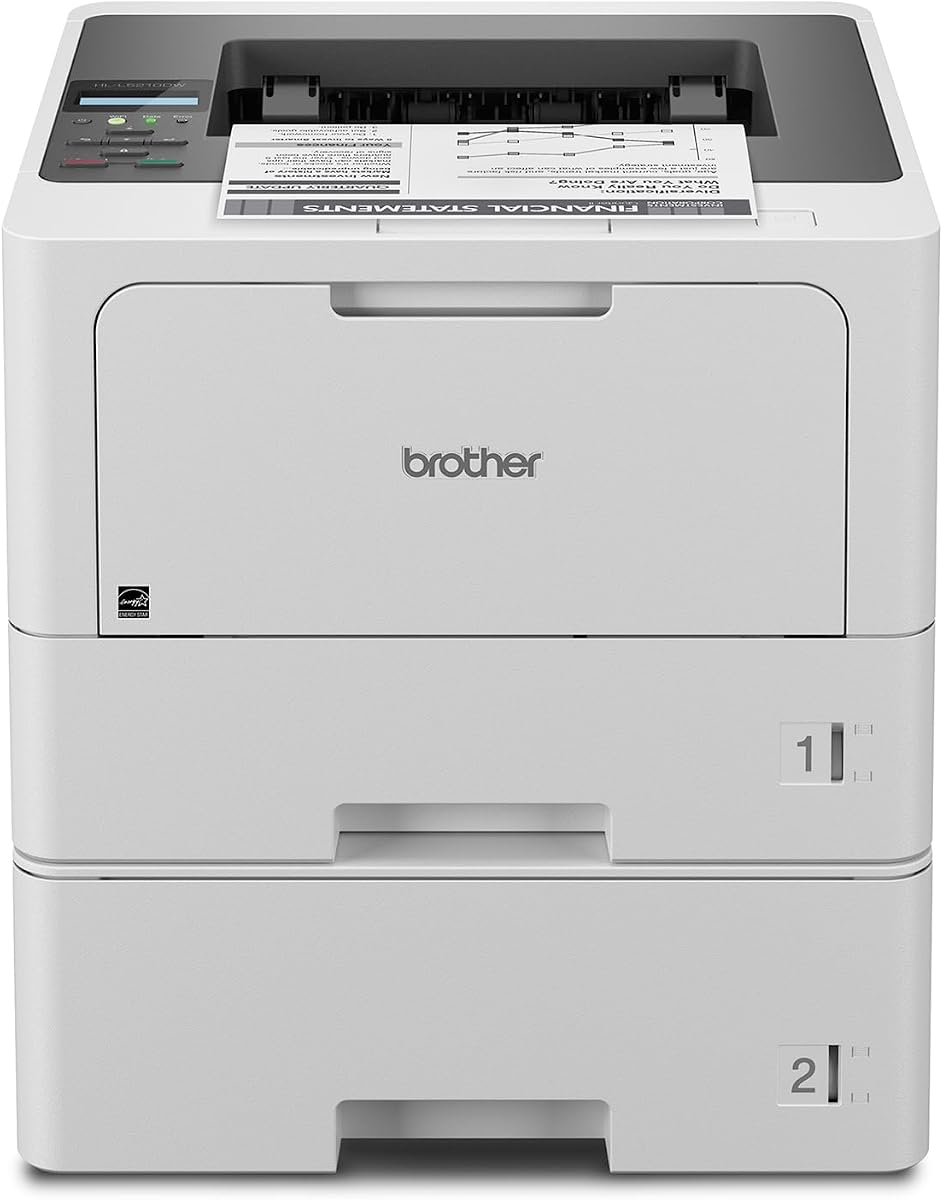
Brother HL-L5210DWT
4.3Editor score
48 ppm monochrome output
Dual paper tray configuration
Gigabit Ethernet networking
This comprehensive guide compares the top laser printers for large workgroups based on speed, security, capacity, and total cost of ownership for enterprise
Modern offices demand reliable printing solutions that can handle high volumes without compromising on speed or quality. A suitable laser printer for large workgroups must offer robust connectivity, advanced security, and sufficient paper capacity to keep teams productive throughout the day.
We evaluated leading models from trusted manufacturers like Brother and HP focusing on real-world performance metrics. Our analysis considers print speeds, document handling capabilities, network features, and long-term reliability to help you identify the right device for your specific business needs.
Each selection below highlights key specifications and practical benefits tailored to enterprise environments. Note that availability and pricing may vary by region and vendor, so always verify current stock and support terms before making your final purchasing decision for your office.
4.3Editor score
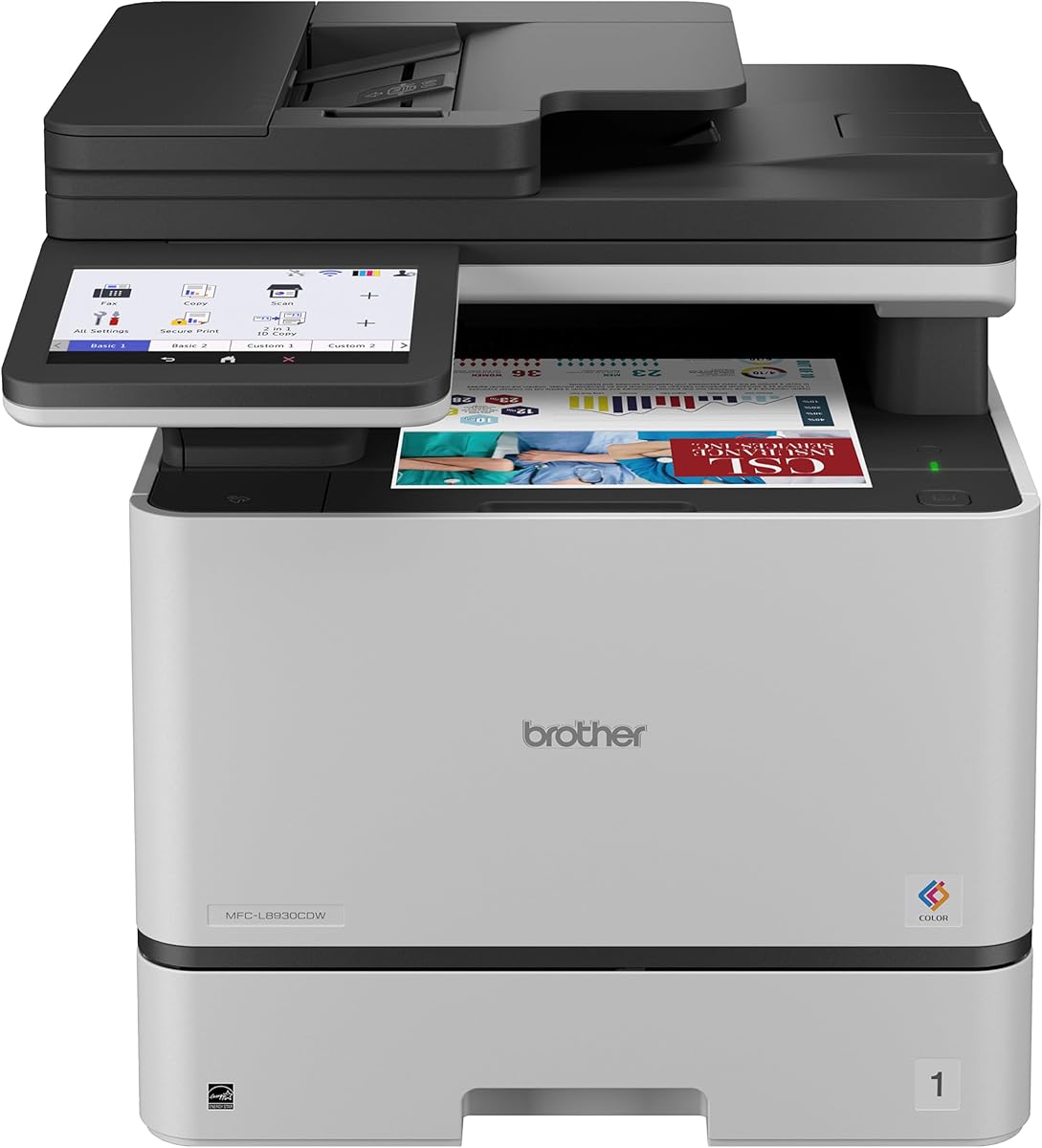
4.4Editor score

The following table provides a side-by-side overview of key specifications for each model to help you quickly identify which device aligns best with your office workflow requirements.


The Brother MFC-L8930CDW stands out as a top choice for businesses needing reliable color printing. With a strong rating and professional output quality it delivers fast performance suitable for busy office environments.
We may earn a commission when you buy through this link, at no additional cost to you.
Its 33 ppm speed ensures documents are produced quickly while the 80-page auto document feeder streamlines scanning tasks. Advanced security features protect sensitive data making it ideal for corporate use.
While the upfront investment is higher the included toner and low-cost replacement options help manage long-term expenses. The compact design also saves valuable office space compared to older models.
This printer is best for teams requiring color capabilities without sacrificing speed or security. It balances performance and cost effectively making it a smart investment for growing workgroups.
The high-speed duplex scanning allows for rapid digitization of documents reducing bottlenecks in document management.
Built-in security protocols protect data in transit ensuring compliance with business security standards.
We may earn a commission when you buy through this link, at no additional cost to you.
The Brother HL-L5210DWT offers exceptional value for offices prioritizing speed and volume over color. Its high rating reflects consistent performance that keeps workflows moving efficiently throughout the workday.
We may earn a commission when you buy through this link, at no additional cost to you.
With print speeds up to 48 ppm this model handles high-volume tasks with ease. Dual paper trays reduce refilling interruptions ensuring continuous operation for large teams.
Cost-saving features like high-yield toner options make it economically viable for long-term use. While it lacks color capabilities it excels at producing crisp black and white documents.
Ideal for departments focused on text-heavy documentation this printer delivers reliability at an affordable price point. It is a practical choice for cost-conscious businesses needing robust output.
Dual trays allow for different paper types or sizes reducing the need for manual changes.
Gigabit Ethernet ensures stable connections for shared access across the office network.
We may earn a commission when you buy through this link, at no additional cost to you.
HP LaserJet Enterprise M406dn provides solid performance for enterprises needing secure and efficient monochrome printing. Its design focuses on reliability with features that support daily operational demands.
We may earn a commission when you buy through this link, at no additional cost to you.
Print speeds of 42 ppm help maintain productivity while automatic duplex printing conserves paper. HP Wolf Security adds layers of protection to safeguard sensitive business data effectively.
The straightforward interface simplifies management reducing IT overhead. Firmware updates ensure the device remains current with the latest features and security patches.
Best for wired network environments this model offers dependable performance. It suits businesses that value security and simplicity over advanced connectivity options.
Self-healing defenses detect and neutralize threats protecting the printer and network integrity.
Automatic duplex printing reduces paper usage lowering operational costs and environmental impact.
We may earn a commission when you buy through this link, at no additional cost to you.
The Brother MFC-L6810DW excels in speed and capacity making it suitable for high-demand workgroups. Its enterprise-level features ensure documents are handled securely and efficiently.
We may earn a commission when you buy through this link, at no additional cost to you.
With print speeds reaching 52 ppm productivity is significantly boosted. The 80-page ADF enables rapid scanning of multi-page documents reducing manual handling time.
Expanded paper capacity means fewer interruptions for refills. Security features like NFC authentication add a layer of access control for sensitive documents.
This model is ideal for busy offices requiring speed and robust paper handling. It delivers professional results while maintaining security standards essential for enterprise use.
Two-sided scanning speeds up document digitization improving workflow efficiency.
Expandable trays support extended printing without frequent manual intervention.
We may earn a commission when you buy through this link, at no additional cost to you.
The Brother HL-6210DW offers impressive speed and connectivity for monochrome printing needs. Its high output speed ensures quick document availability for team members.
We may earn a commission when you buy through this link, at no additional cost to you.
Dual-band wireless and Gigabit Ethernet provide flexible network options. This flexibility helps accommodate various office setups without compromising performance.
Cost-efficient toner options reduce operational expenses over time. The robust design supports sustained high-volume usage without frequent interruptions.
Suitable for teams needing fast wireless output without multifunction needs. It balances speed and cost effectively for departments focused on document production.
Dual-band WiFi ensures stable connections reducing dropouts during peak usage.
Extended page yield reduces frequency of replacements lowering maintenance needs.
We may earn a commission when you buy through this link, at no additional cost to you.
The Brother MFC-L5915DW delivers balanced performance with fast printing and scanning. It supports efficient workflows through reliable connectivity and high-volume capabilities.
We may earn a commission when you buy through this link, at no additional cost to you.
50 ppm print speeds ensure quick turnaround times for urgent documents. The 70-page ADF simplifies scanning tasks reducing manual effort and time.
Cost-efficient toner options help manage long-term budgets effectively. Built-in security features protect data during transmission and storage.
Best for teams needing reliable all-in-one functionality without color. It supports high productivity with minimal downtime and manageable operational costs.
Fast print speeds keep teams productive and reduce wait times for documents.
Security features protect sensitive information and prevent unauthorized access.
We may earn a commission when you buy through this link, at no additional cost to you.
The HP LaserJet Enterprise M507n prioritizes security and management for businesses. Its design focuses on protecting data while providing consistent print quality.
We may earn a commission when you buy through this link, at no additional cost to you.
Over 200 security features help detect and prevent threats. Centralized control via HP Web JetAdmin simplifies administration across multiple devices.
Toner cartridges ensure high-quality output reducing reprints and waste. The reliability makes it suitable for demanding environments.
Ideal for organizations with strict security protocols. It offers robust performance with management tools that reduce IT workload.
Embedded security features detect and stop attacks continuously.
Management tools allow easy device updates and policy enforcement.
We may earn a commission when you buy through this link, at no additional cost to you.
This HP model provides unmatched capacity and speed for enterprise settings. Its design supports heavy daily usage with minimal interruptions.
We may earn a commission when you buy through this link, at no additional cost to you.
With input capacity reaching 2300 sheets refills are rare. Fast 55 ppm speeds handle high volumes effortlessly improving overall productivity.
Security and workflow automation reduce administrative tasks. The 9-inch touchscreen simplifies complex operations for users.
Best for large organizations with intense printing needs. It combines high capacity with security to support demanding workloads.
Large paper capacity minimizes downtime from refilling trays.
Touchscreen controls automate tasks and reduce manual steps.
We may earn a commission when you buy through this link, at no additional cost to you.
The Brother HL-L8430CDWT delivers vibrant color printing at a reasonable cost. Its design supports productivity with flexible connectivity and duplex printing.
We may earn a commission when you buy through this link, at no additional cost to you.
Dual trays allow for efficient paper management. Low-cost toner options make color printing sustainable for daily use.
EPEAT Gold rating reflects environmental responsibility. Network options accommodate modern office setups easily.
Ideal for teams needing color without multifunction features. It offers a balance of performance and budget efficiency.
Low-cost toner options help manage color printing expenses effectively.
Energy Star certification reduces power consumption and environmental impact.
We may earn a commission when you buy through this link, at no additional cost to you.
The Brother HL-L6310DW offers high speed and connectivity for enterprise use. It supports secure and efficient printing for large teams.
We may earn a commission when you buy through this link, at no additional cost to you.
Device management allows easy configuration and updates. Voice assistant integration provides convenient control options.
Expandable trays reduce interruptions. Secure authentication safeguards sensitive documents.
Best for departments needing fast monochrome output. It delivers reliability and control for enterprise workflows.
Alexa compatibility allows for hands-free status checks and controls.
Centralized tools simplify configuration for multiple devices.
We may earn a commission when you buy through this link, at no additional cost to you.
Selecting the right printer involves evaluating several key factors that impact performance and long-term value for your team.
Print speed measured in pages per minute directly affects workflow efficiency. Large workgroups benefit from higher speeds to handle concurrent requests without delays.
Prioritize models with speeds above 40 ppm for optimal performance in busy environments.
Large input capacities reduce downtime caused by frequent refilling. Look for printers with expandable trays to support high-volume operations seamlessly.
Aim for at least 500 sheets standard capacity with options to expand further.
Flexible connectivity options like Gigabit Ethernet and dual-band WiFi ensure reliable access across devices. Secure wireless protocols are essential for protecting network traffic.
Ensure the printer supports current network standards to maintain stability.
Security layers protect sensitive documents and prevent unauthorized access. Look for authentication options and data encryption capabilities.
Choose models with enterprise-grade security to safeguard confidential information.
Consider long-term expenses beyond the initial purchase price. High-yield toner options can significantly reduce per-page costs over time.
Calculate estimated supply costs to make an informed budget decision.
All-in-one models consolidate printing scanning copying and faxing into one device. This saves space and streamlines office workflows.
Select a multifunction printer if your team frequently needs scanning capabilities.
Energy-efficient models reduce power consumption and heat generation. Look for certifications like ENERGY STAR to confirm environmental compliance.
Energy-saving features help lower utility bills and extend equipment lifespan.
Centralized management tools simplify device administration across multiple printers. Vendor support availability ensures timely maintenance and updates.
Verify that the manufacturer offers robust support options for your business size.
Begin by connecting the printer to your network following the manufacturer's guidelines. Proper configuration ensures all users can access the device seamlessly.
Keep the printer clean and dust-free to maintain optimal performance. Regular cleaning of rollers and sensors prevents paper jams and print defects.
Monitor toner levels and replace cartridges as needed using approved supplies. Following maintenance schedules extends the lifespan of your printer significantly.
For large workgroups a print speed of at least 40 ppm is recommended. This ensures documents are produced quickly enough to avoid bottlenecks during peak usage hours.
Security features protect data from unauthorized access and malware. Models with encryption and authentication help businesses meet compliance requirements effectively.
Multifunction printers save space and simplify workflows by combining tasks. They are generally better for teams needing scanning and copying alongside printing.
Look for at least 500 sheets standard capacity with expansion options. Higher capacity reduces the frequency of refills and minimizes disruptions.
Use high-yield toner cartridges and enable duplex printing by default. These strategies significantly lower the cost per page and reduce waste.
Gigabit Ethernet and secure wireless options are essential for modern offices. Ensure the printer supports both for flexibility and reliability.
Alexa compatibility offers convenient voice control and status checks. It is useful for tech-savvy teams but not essential for all environments.
Follow the manufacturer's maintenance schedule which usually includes monthly cleaning and firmware updates. Regular service ensures consistent performance and reduces failures.
The models reviewed offer a range of solutions tailored to diverse enterprise needs from speed to security. Selecting the right balance ensures your team operates efficiently without unnecessary interruptions.
Prioritize features that align with your specific workflow such as high paper capacity or advanced security. Understanding your unique requirements will lead to a better investment outcome.
Remember to check current availability and support terms before purchasing. Keeping an eye on product updates ensures you get the most reliable performance available.