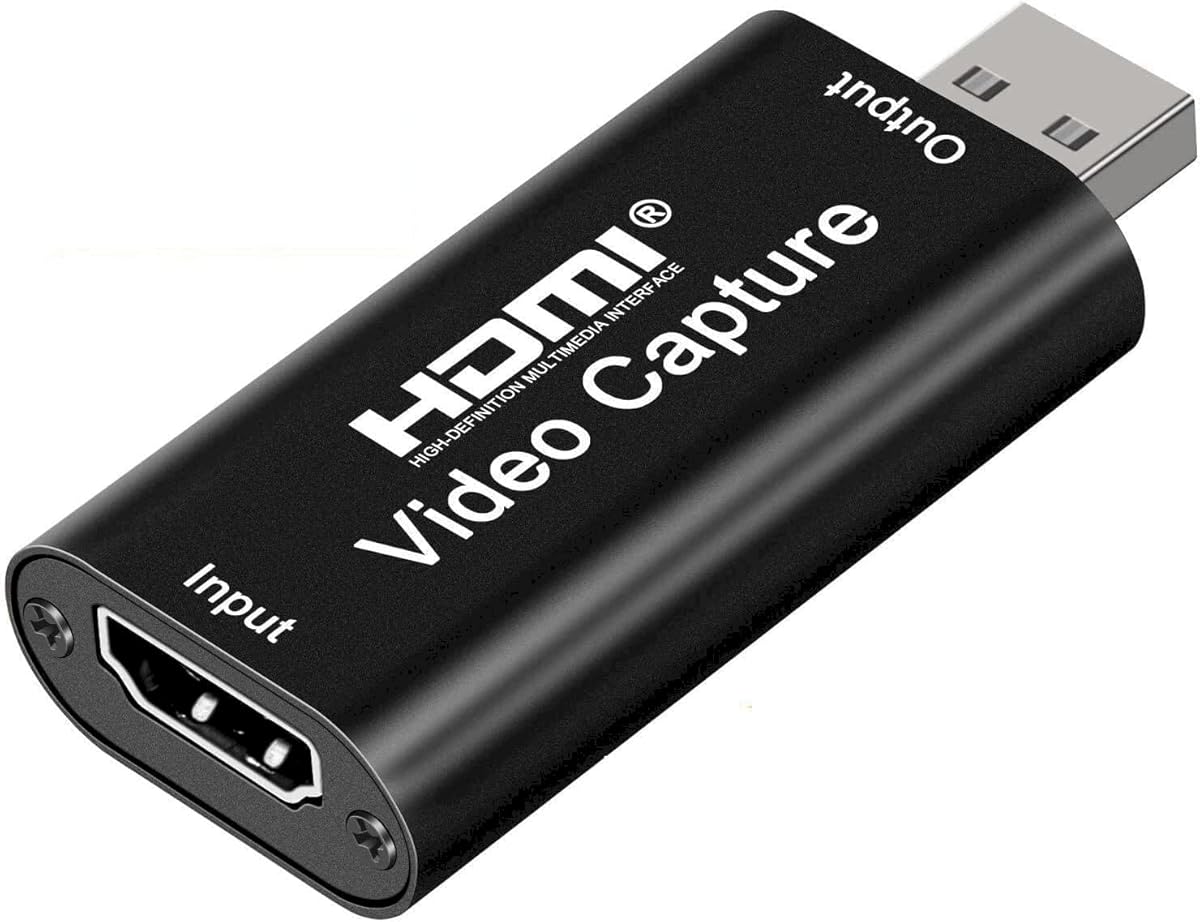
Audio Express AXHDCAP
4.4Editor score
Affordable price point
Plug and play design
Low latency streaming
Finding the right HDMI recorder can transform how you capture gaming sessions or preserve memories. These devices allow you to record high-quality video directly from your console or camera without needing a powerful computer.
Our team analyzed ten top models based on performance features and user feedback. We looked at resolution support ease of use and compatibility with different sources to build this reliable list for you.
Each pick highlights key strengths and potential limitations so you can choose wisely. Note that product availability and pricing fluctuate frequently so check current details before making your final purchase decision today.
4.4Editor score
4.0Editor score

4.1Editor score
As an Amazon Associate we earn from qualifying purchases.
This side-by-side comparison breaks down the core specifications and unique capabilities of each model to help you find the perfect fit for your recording needs.



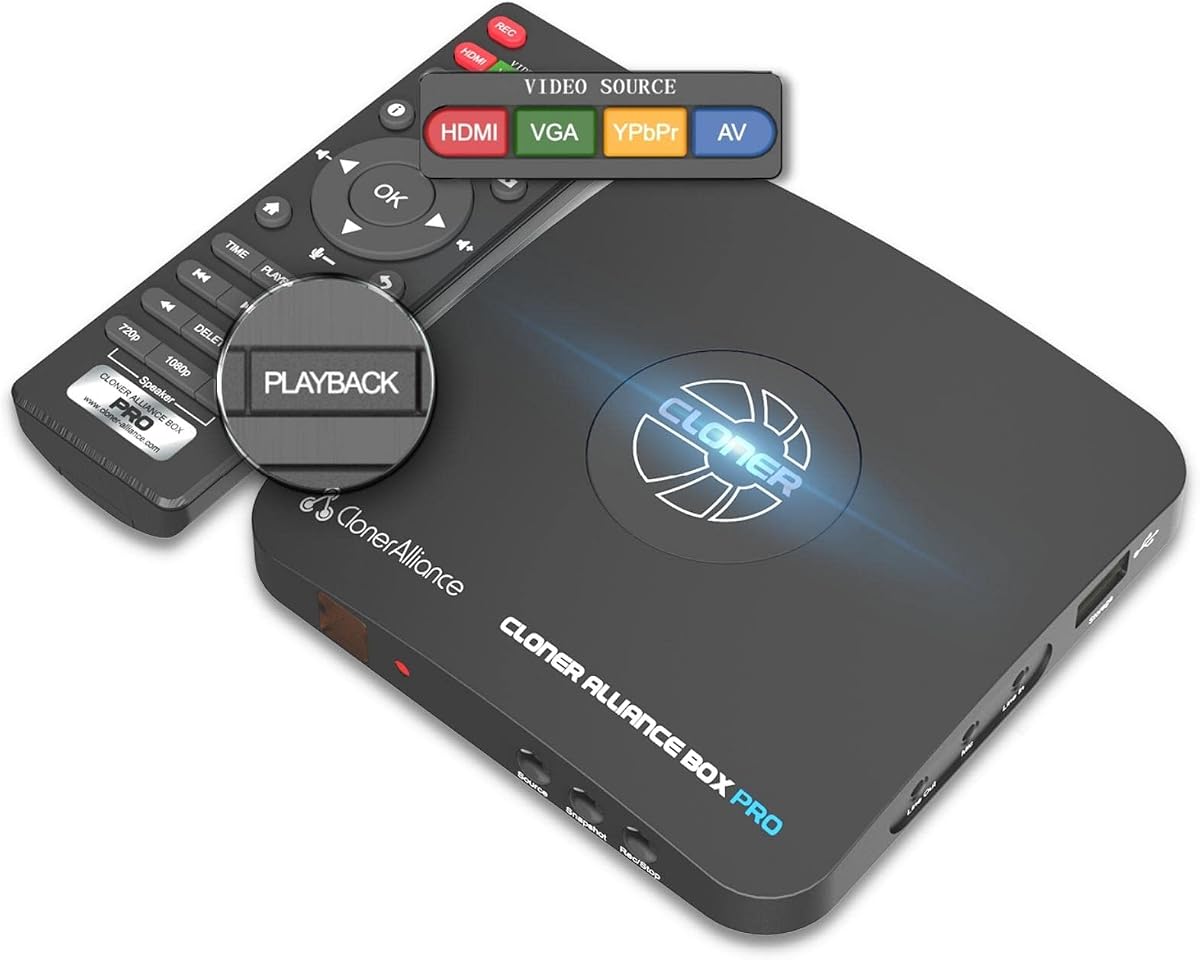
The ClonerAlliance Box Pro stands out as a top contender for those needing a standalone recording solution without relying on a computer. It captures 1080p at sixty frames per second and allows you to record directly to a USB storage device while watching playback on your TV.
We may earn a commission when you buy through this link, at no additional cost to you.
This device is particularly useful for digitizing older analog content like VHS tapes or capturing gameplay from consoles that do not have built-in recording features. The inclusion of RCA and VGA inputs makes it versatile for various legacy setups ensuring you can connect almost any video source to it.
While it offers excellent flexibility one limitation is the lack of support for HDCP protected content which means some modern streaming devices might not work with it. Additionally the included editing software only runs on Windows systems which could be a hurdle for Mac users looking to edit their captured footage.
If you need a reliable device to archive memories or record sessions without the hassle of setting up a capture card on a PC this model is an excellent choice. Its simplicity and broad compatibility make it a strong candidate for home users seeking a straightforward recording tool.
Recording without a PC means you save system resources and can use a TV screen for immediate playback and verification of your clips.
Supporting RCA and VGA inputs allows you to connect older camcorders and gaming consoles that lack modern HDMI ports.
We may earn a commission when you buy through this link, at no additional cost to you.
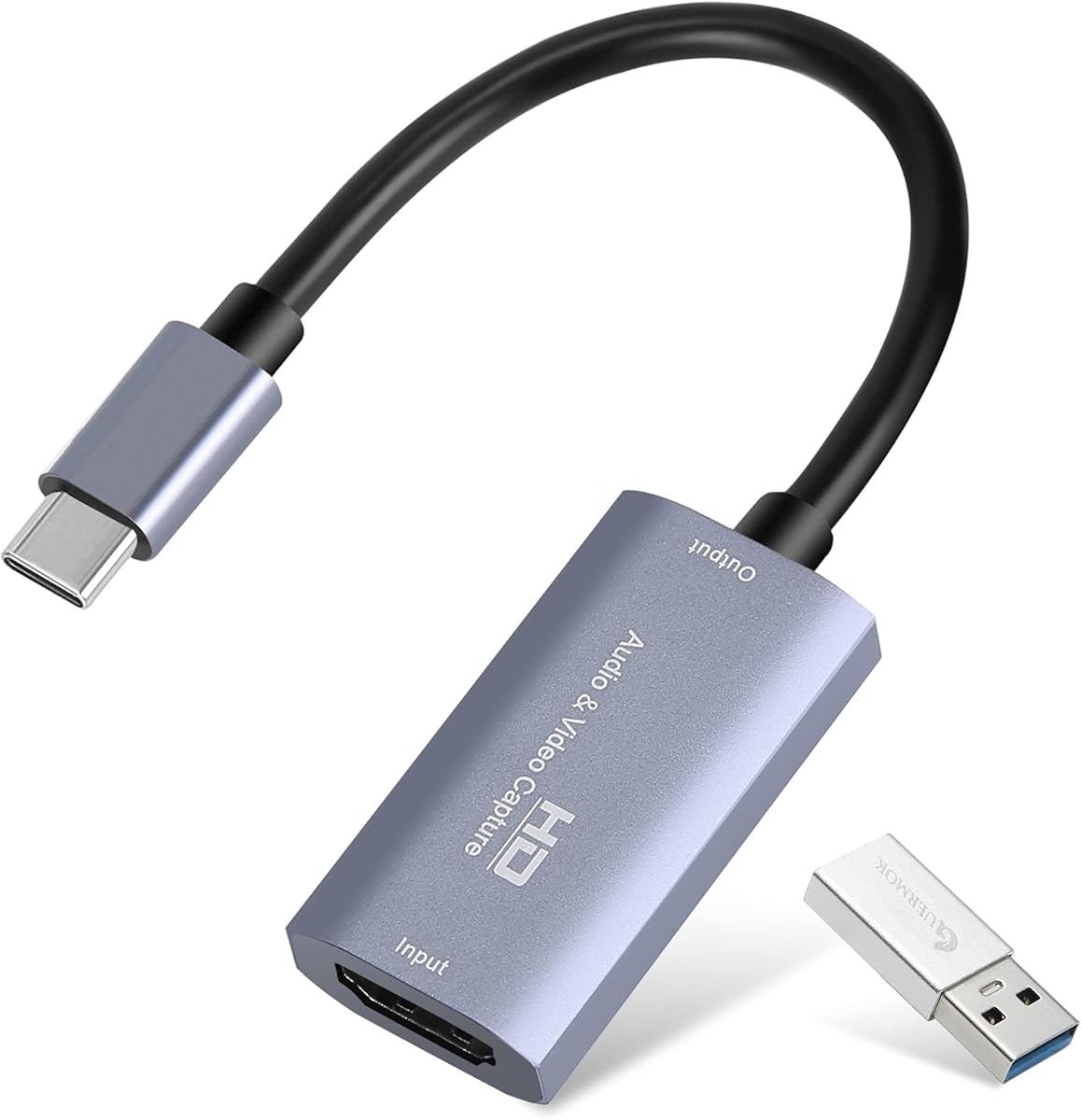
The Guermok Video Capture Card is an affordable entry point for streamers and gamers who want to capture high quality video through their computers. It supports input up to 4K at thirty frames per second and outputs a crisp 1080p signal that works well for most streaming platforms.
We may earn a commission when you buy through this link, at no additional cost to you.
Its USB C interface and aluminum alloy build ensure good heat dissipation and connectivity with modern laptops. The device works seamlessly with popular software like OBS Studio and VLC making it easy to integrate into existing streaming or recording setups without complex configuration steps.
However users should note that this is a one-way transmission device requiring software to function and does not provide a direct monitor output. This means you cannot use it to mirror a screen without running the capture software which adds a dependency on your PC performance and software settings.
For those looking to start streaming or recording gameplay without a large investment this card offers solid performance and reliability. Its ease of use and broad system compatibility make it a practical tool for content creators on a budget.
The USB C port ensures compatibility with newer laptops and tablets that may not have traditional USB A ports.
Works well with OBS and other streaming tools allowing you to mix audio and video sources easily.
We may earn a commission when you buy through this link, at no additional cost to you.
The ClonerAlliance UHD Pro takes standalone recording to the next level by supporting true 4K video capture. It uses the H.265 codec which provides better compression and quality efficiency than standard codecs making it ideal for long recording sessions without filling up storage too quickly.
We may earn a commission when you buy through this link, at no additional cost to you.
Its ability to pause and resume recording within the same file adds a layer of convenience that standalone recorders often lack. This is particularly useful for capturing live events or gaming sessions where you might need to stop and start recording multiple times without creating separate fragmented files.
Similar to other standalone devices it does not support HDCP protected content so streaming boxes might not work with it. The included editing software is also limited to Windows which could be a slight inconvenience for users on other operating systems who want to make quick edits.
If you require high resolution recording capabilities without the complexity of a PC setup this device is a top tier choice. Its cinematic frame rate support and robust feature set make it suitable for professional or serious hobbyist recording needs.
Using the H.265 codec reduces file sizes while maintaining high quality making storage management easier for long recordings.
Support for 24fps allows you to create a more filmic look for your recorded content directly on the device.
We may earn a commission when you buy through this link, at no additional cost to you.
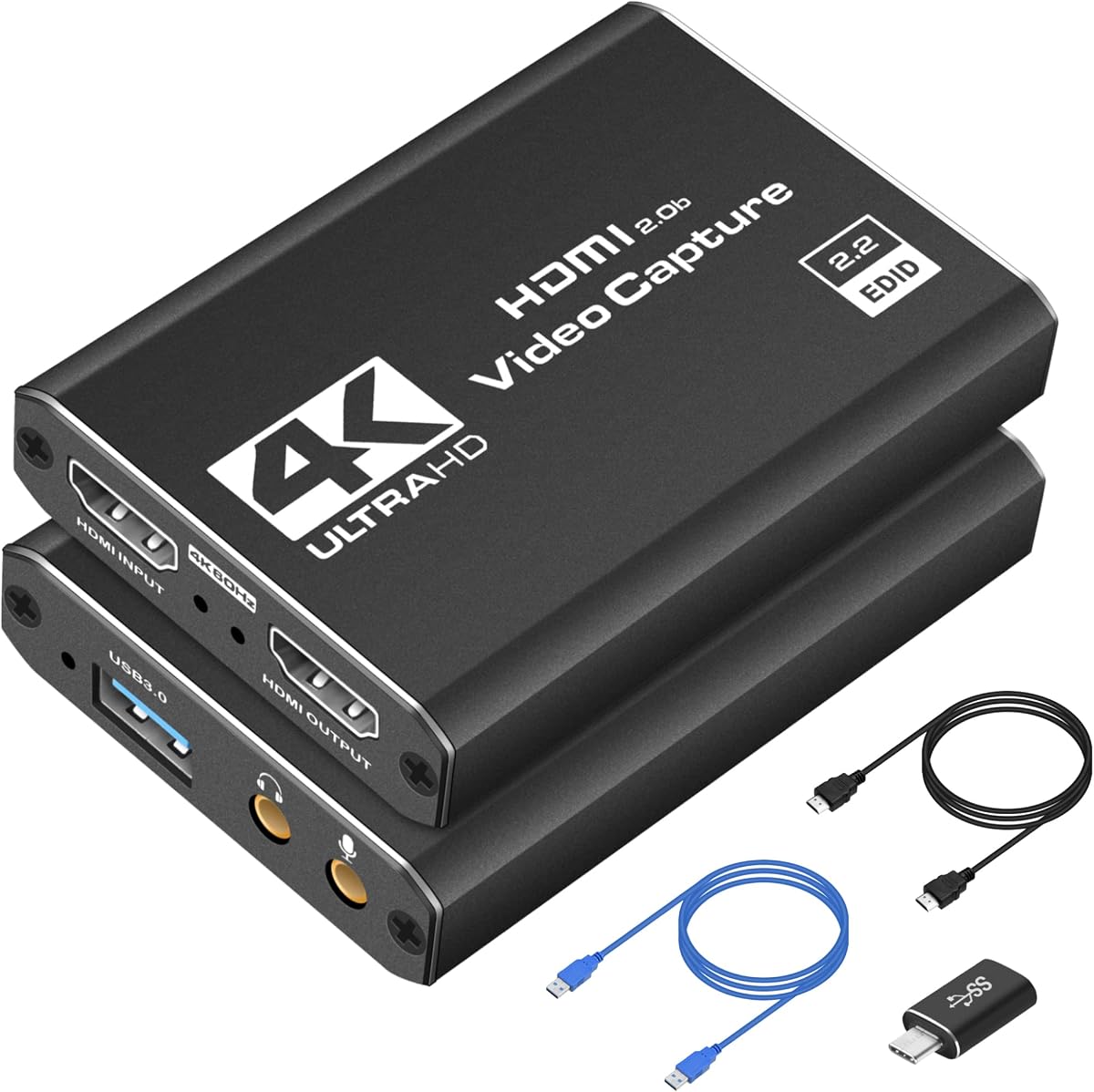
This capture card is designed with streaming in mind offering a loop out port that allows you to play games with zero latency while the video is sent to your PC. The inclusion of a microphone input is a valuable feature that lets you add commentary without needing a separate audio interface.
We may earn a commission when you buy through this link, at no additional cost to you.
It supports 1080p at sixty frames per second for smooth gameplay capture which is sufficient for most streaming platforms. The plug and play functionality means you do not need to install drivers making it accessible for users who want a quick setup without technical hurdles.
While it accepts 4K input the output is limited to 1080p which is standard for streaming but might not be enough for local 4K recording. Additionally it relies on your computer for storage so you will need sufficient hard drive space for your recorded files.
For streamers looking for a balance of features and ease of use this card is a strong contender. Its loop out and mic inputs add versatility that many budget cards lack making it a solid choice for live broadcasting.
The loop out port ensures you see your game on a monitor with no delay while the capture card sends the feed to your PC.
Having a dedicated mic input allows you to easily add voice commentary directly through the card without extra cables.
We may earn a commission when you buy through this link, at no additional cost to you.
The Audio Express AXHDCAP offers an extremely affordable way to turn your camera or console into a streaming source. It supports 4K input and delivers 1080p at thirty frames per second which is acceptable for casual streaming and video conferencing but may feel slightly less smooth for fast paced gaming.
We may earn a commission when you buy through this link, at no additional cost to you.
Its plug and play design ensures that you can start using it immediately without any driver installation. The device works with major operating systems including Windows Mac and Linux making it a flexible option for users with diverse tech setups.
Since it uses USB 2.0 the data transfer speed is lower than USB 3.0 cards which limits the maximum frame rate and resolution. This means it might struggle with high bit rate recording or very high frame rate capture which could be a limitation for professional streaming.
For those on a strict budget who need a reliable capture solution for teaching or casual streaming this card is hard to beat. It provides the essentials without extra cost ensuring you can start creating content right away.
The device works well for online meetings allowing you to use a DSLR or camcorder as a high quality webcam.
At a very low price point it offers the core functionality needed for basic streaming without breaking the bank.
We may earn a commission when you buy through this link, at no additional cost to you.
This capture card is designed for portability making it an ideal choice for content creators who travel or switch between setups frequently. It supports USB 3.0 for high speed data transfer and delivers a smooth 1080p at sixty frames per second for gameplay capture.
We may earn a commission when you buy through this link, at no additional cost to you.
Its compact size means it fits easily in a bag allowing you to stream from anywhere with a laptop. The device is fully compatible with popular streaming software like OBS and Streamlabs ensuring you have the tools you need to broadcast professionally without extra configuration.
Unlike some other cards it does not include a built-in microphone input which might require an external audio interface for commentary. However the low latency performance ensures that what you see on your screen matches what your audience sees in real time.
For creators who value mobility and performance this card strikes a great balance. It provides the speed and compatibility needed for high quality streaming in a small and lightweight package.
The small form factor allows you to easily transport it between different locations for LAN parties or events.
Using USB 3.0 ensures sufficient bandwidth for 1080p60fps video without stuttering or lag during recording.
We may earn a commission when you buy through this link, at no additional cost to you.
This capture box offers a unique dual input capability allowing you to connect two video sources simultaneously. It features a built-in seven inch screen which lets you preview and control your recordings without needing a separate monitor or TV connected to it.
We may earn a commission when you buy through this link, at no additional cost to you.
The Picture in Picture feature allows you to show two streams at once which is great for reaction videos or split screen gaming. Additionally the ability to run on a battery makes it highly portable for field recordings or events where power outlets are scarce.
Despite its advanced features the device does not support HDCP protected content which limits its use with streaming services. The price is also higher than single input cards which might not be justifiable for casual users who do not need dual inputs.
For professionals or enthusiasts who need to record two sources at once this box provides a dedicated solution. Its screen and battery options add a level of convenience that standalone recorders rarely offer.
Connecting two sources allows for more complex recording setups like recording a host and a guest simultaneously.
The 7 inch display allows you to frame your shot and monitor audio levels on the device itself.
We may earn a commission when you buy through this link, at no additional cost to you.
The ZowieREC 4K HDMI Video Recorder focuses on design and convenience with its sleek aluminum casing. It supports 4K recording and allows you to schedule recordings at specific times which is useful for capturing events that you cannot be present for in person.
We may earn a commission when you buy through this link, at no additional cost to you.
Its ability to record directly to TF cards or USB drives means you do not need a computer to manage your files. The device also features a pass-through connection so you can watch content while it is being recorded on your TV without interruption.
However user reviews suggest that performance can be inconsistent which is reflected in its lower rating. Additionally the price point is relatively high compared to other standalone recorders offering similar features which might deter budget conscious buyers.
If you value a premium build and need a standalone solution for scheduled recording this device is worth considering. Just be aware of potential inconsistencies and check recent reviews before purchasing.
You can set specific times to start and stop recording ensuring you capture content even when you are away.
The HDMI pass-through ensures your TV shows the video without lag while the device records it.
We may earn a commission when you buy through this link, at no additional cost to you.
The ClonerAlliance ViewPro is a portable recording solution that includes a seven inch LCD screen for immediate playback. It records in 1080p at sixty frames per second and supports both HDMI and analog inputs making it versatile for different types of sources.
We may earn a commission when you buy through this link, at no additional cost to you.
Its portability allows you to use it in different locations without needing a TV or monitor connected. The included remote control and scheduled recording features add to its convenience allowing you to set it up and forget it for automated recording.
While the screen is a nice addition it might add bulk compared to simpler capture cards. Also like many ClonerAlliance devices the software is limited to Windows which could be a consideration for users on other platforms who need to edit files.
For field recording or scenarios where a screen is needed on the go this device is a practical choice. It combines standalone recording with a display for a self-contained workflow.
The built-in screen lets you monitor and playback recordings directly without needing another display.
Support for AV and VGA inputs allows you to capture footage from older cameras or consoles.
We may earn a commission when you buy through this link, at no additional cost to you.
The Blackmagic Design UltraStudio Express is a professional grade capture device that uses SDI instead of HDMI for video input. It is designed for high end production workflows where reliability and color accuracy are paramount. The device offers loop out capabilities for monitoring while recording.
We may earn a commission when you buy through this link, at no additional cost to you.
It is part of the Blackmagic ecosystem which provides powerful software for editing and managing video. This makes it a strong choice for studios that already use other Blackmagic products and need a seamless integration into their existing hardware.
However the use of SDI means it is not directly compatible with standard HDMI sources without an adapter. This adds to the cost and complexity making it less suitable for casual users or home gamers who just need basic capture functionality.
For professional environments that require broadcast quality recording this unit is a standard choice. Its robust build and software support justify the higher price for those with specific production needs.
Using SDI ensures long distance signal transmission with higher quality than consumer HDMI connections.
Works seamlessly with other Blackmagic devices and software for a unified workflow.
We may earn a commission when you buy through this link, at no additional cost to you.
Choosing the right HDMI recorder requires understanding your specific needs and the types of sources you plan to connect. This guide breaks down the key factors to consider.
Standalone recorders do not require a computer to function and often include built-in screens for preview. Capture cards on the other hand require a PC and software to record which allows for more flexible editing and streaming features but depends on your system resources.
Choose a standalone unit if you want simplicity and portability. Choose a capture card if you want to integrate your recording into a PC workflow.
Ensure the device supports the resolution and frame rate of your source. Most devices offer 1080p60fps which is standard for gaming but some support 4K input or output. Higher resolutions provide better quality but require more storage space.
Check both input and output specs to ensure you are not downgrading your source quality. If you have a 4K console look for a recorder that supports 4K.
Many HDMI recorders do not support HDCP which is a copy protection system used by streaming services and some consoles. If you plan to record from a Netflix box or similar device verify compatibility first.
Be aware that if HDCP is not supported the video might show a black screen. Check the product details to see if this feature is explicitly included.
Some recorders save directly to SD cards or USB drives while others rely on your computer's hard drive. Consider the storage capacity you need and how easy it is to transfer files.
Standalone units often need external drives for long sessions. PC based capture cards will use your system storage which you can manage through software.
For gaming low latency is critical to avoid delay between your actions and what you see on screen. Capture cards with loop out ports generally have lower latency for gameplay.
If you are doing live streaming ensure the device supports low latency modes so your broadcast does not lag behind the source.
Look at the inputs available on the device. Some support HDMI while others include RCA or VGA for older consoles. Ensure you have the right cables to connect your source.
USB type also matters. USB 3.0 provides more bandwidth for high quality video than USB 2.0 so choose accordingly for your needs.
Prices vary significantly from affordable capture cards to premium standalone recorders. Set a budget that aligns with your needs and avoid paying for features you will not use.
Entry level cards are great for beginners. Professional tools offer more features but at a higher cost.
Start by connecting your video source to the input port on the recorder using the appropriate cable. If you are using a standalone device insert a formatted USB or SD card into the slot to enable storage.
Configure the settings on the device to match your preferred resolution and frame rate. For PC based capture cards install the necessary drivers if required and launch your recording software to verify the input is detected.
To ensure longevity keep the device in a well ventilated area to prevent overheating and avoid touching the video ports directly. Regularly update firmware or software to maintain optimal performance and compatibility with new sources.
Not necessarily. Standalone HDMI recorders allow you to record directly to a USB or SD card without a computer. However capture cards require a PC and software to function and manage your video files.
This is often due to HDCP copy protection. Many streaming boxes and consoles prevent recording to protect content. Check if your device supports HDCP or try using a different source that is not protected.
Yes some models include RCA or VGA inputs specifically for capturing analog signals. Look for a recorder that supports these inputs to digitize your old tapes effectively.
1080p is standard high definition while 4K offers higher resolution and detail. 4K files are larger and require more storage and faster transfer rates so ensure your hardware can handle the load.
For standalone recorders simply remove the storage card or unplug the USB drive and plug it into your computer. For capture cards the files are saved directly to your computer's hard drive during recording.
Most HDMI recorders capture audio along with video as long as it is embedded in the HDMI signal. Some models also include a microphone input for adding commentary during recording.
We have reviewed ten top models ranging from portable standalone units to powerful capture cards for PC streaming. Each option offers distinct advantages depending on whether you prioritize ease of use or advanced editing features.
When making your decision focus on what matters most to you such as resolution support storage methods and compatibility with your existing devices. This will ensure you get a tool that fits your workflow seamlessly.
Remember that product availability and pricing change frequently so verify the current details before purchasing. Check your source device capabilities to ensure a smooth setup and recording experience.