
Digital TV Converter Box ATSC Tv Tuner
3.8Editor score
Full HD 1080p output resolution
TV recording with external USB drive
Supports MP3 music playback
Auto tuning and timer functions
This guide compares the top 10 Freeview Box models for 2026, evaluating performance, connectivity, and features to help you choose the right set top box.
Finding the right Freeview Box can transform your home entertainment setup significantly. These devices allow you to access a wide range of digital channels without needing a cable subscription. A good model ensures stable signal reception and clear picture quality for all your favorite shows.
We have carefully reviewed ten different models to provide you with a comprehensive comparison. Our analysis focuses on key aspects such as build quality, software features, and connectivity options. Each product on this list offers unique benefits depending on your specific viewing needs and budget constraints.
Each pick below highlights the core strengths and potential limitations of the device. We aim to give you clear insights so you can make an informed decision. Please note that product availability and pricing may change frequently across different online retailers.
3.8Editor score

4.0Editor score
This table provides a side-by-side comparison of all ten Freeview Box models evaluated in this guide. You can quickly identify key specifications and features to find the device that best matches your requirements.




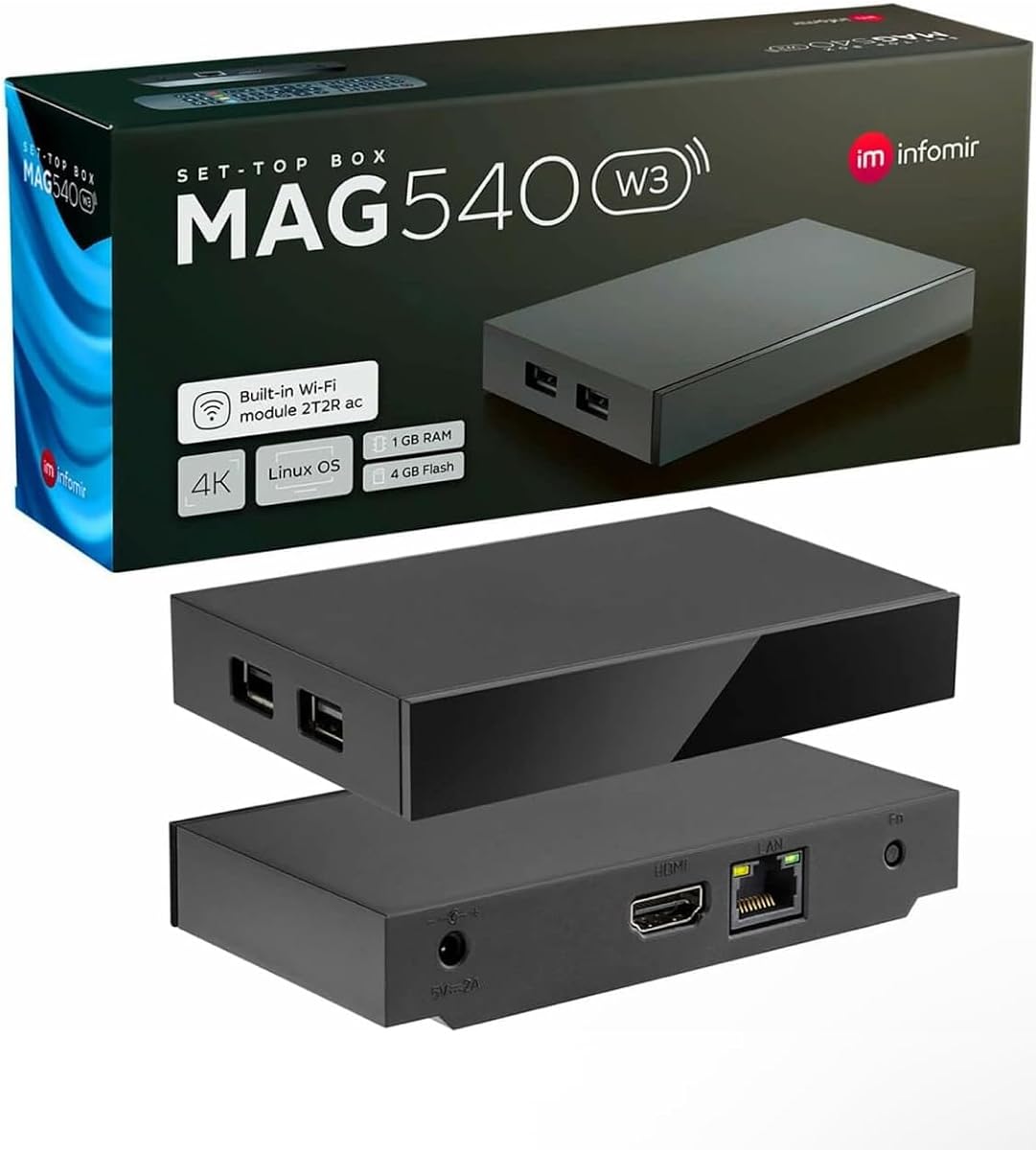
The Infomir MAG544w3 stands out as a top-tier choice for those seeking premium performance. It carries a solid rating from users who value speed and reliability. Its standout qualities include a powerful chipset that ensures smooth operation across all tasks.
We may earn a commission when you buy through this link, at no additional cost to you.
This device is powered by the Amlogic S905Y4-B chipset with a Quad-Core ARM Cortex-A35 processor. This next-gen hardware significantly outperforms previous models for a smooth, lag-free user experience. It supports Ultra HD 4K and HDR with stunning 2160p resolution at 60 FPS. The built-in 2T2R ac Wi-Fi module ensures high-speed wireless networking while Ethernet provides a reliable wired option.
While excellent for authorized services, it may be complex for casual users not familiar with Linux ecosystems. The system is optimized for integration with official operator applications. Some users might find the configuration steps involved compared to simpler consumer boxes.
If you need a robust solution for professional-grade home cinema setups, this is the ideal pick. It supports eight-channel Dolby Digital Plus and handles various professional formats. It is highly recommended for users who demand high fidelity and reliable performance.
Supports eight-channel Dolby Digital Plus for immersive sound and 2160p resolution at 60 FPS.
Features Dual-Band Wi-Fi and Ethernet port for steady network integration and high-speed wireless networking.
We may earn a commission when you buy through this link, at no additional cost to you.
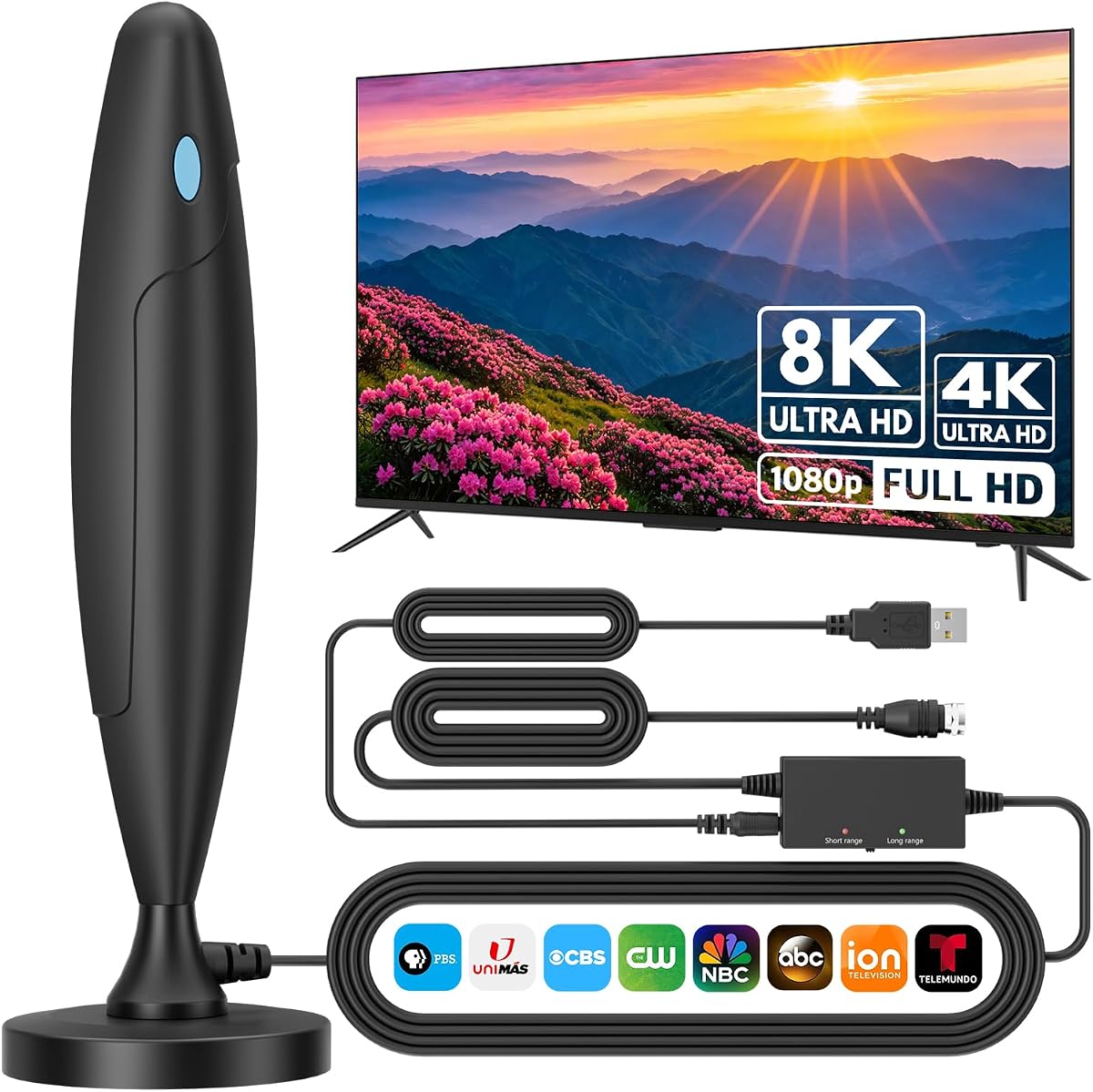
This indoor TV antenna provides an excellent way to access local broadcast signals without a subscription. It has a high user rating due to its ability to pick up free channels reliably. The key benefit is its upgrade IC chip which filters interference for clearer reception.
We may earn a commission when you buy through this link, at no additional cost to you.
Equipped with an upgraded Smart IC chip, this HD antenna helps filter out cellular and FM interference for clearer reception. It supports 4K, UHD, and 1080p broadcast signals where available. The device features two selectable modes to match your distance from broadcast towers for optimal signal reception.
Placement is critical for performance as actual picture quality depends on signal strength in your location. You should place the antenna near a window and always re-scan for channels after moving it. Using the wrong mode for your distance may result in poor reception.
Anyone wanting to cut cable costs should consider this antenna alongside their box setup. It allows you to enjoy free programs like ABC, CBS, NBC, and FOX. Just ensure you check your distance from local towers before selecting a mode.
Upgraded Smart IC chip helps filter out cellular and FM interference for clearer signal and image quality.
Includes short-range and long-range modes to match your distance from broadcast towers for optimal reception.
We may earn a commission when you buy through this link, at no additional cost to you.
This affordable converter box brings free over-the-air TV to your analog setups effectively. It holds a decent rating among users looking for a basic upgrade path. Its main advantage lies in the recording function which allows saving programs for later viewing.
We may earn a commission when you buy through this link, at no additional cost to you.
The device receives over-the-air ATSC digital TV broadcast via external antenna and converts it to your analog TV. The 1080p output resolution allows you to watch and record free to air television depending on signal quality. It also lets you select view Photos, play MP3 music files and view movie files from USB storage.
It does not have built-in storage so you will need an external drive to save recordings. The device is offline and firmware updates are infrequent which might limit future feature additions. You may need to contact the seller if software updates are needed.
Budget-conscious users upgrading older TVs will find this device very practical and easy to use. It provides essential functions like parental control and timer settings. Just remember you will need to buy an antenna separately to get the signals.
The 1080p output resolution allows you to watch and record free to air television depending on signal quality.
You can select view Photos, play MP3 music files and view movie files and recorded TV program from USB storage.
We may earn a commission when you buy through this link, at no additional cost to you.
This digital converter box allows you to watch TV channels on your analog TV or computer monitor easily. It is well-rated for its ability to bridge the gap between old and new broadcasting standards. The built-in digital clock is a useful feature for scheduling recordings.
We may earn a commission when you buy through this link, at no additional cost to you.
The iView-3300STB digital converter box supports TV program saving function. You may save TV programs for future watch. It also acts as a universal media player where you may save media files in the USB drive and play videos, music, and watch photos via USB port.
It is region specific as the box only works on USA, Canada and Mexico region. A new firmware update is available to resolve existing issues and enhance overall performance though you may need to contact support for details. It supports ClearQAM to watch unscrambled cable channels.
Homeowners with older TVs who want to keep using them will benefit greatly from this solution. It handles both analog to digital conversion and acts as a media player. Ensure you are within the supported region before purchasing this device.
This converter box supports ClearQAM and can be used with a cable provider to watch unscrambled cable channels.
You may save your media files in the USB drive and play videos music and watch photos via USB port.
We may earn a commission when you buy through this link, at no additional cost to you.
This mini digital converter box is designed for convenience and easy integration into any setup. It earns good ratings for its small size which lets you hide it behind your TV. The IR infrared sensor allows seamless control integration with your existing system.
We may earn a commission when you buy through this link, at no additional cost to you.
It is 75% smaller than normal ATSC tuner that can be plugged into your TV HDMI port and powered by TV USB or 5V USB charger. The IR infrared sensor and 2-in-1 Remote control with learning function so you dont have to use the old remote control as well. It features HDMI output supporting 1080P HD resolution.
It cannot replace cable boxes so an external antenna is required for Over-The-Air signals. CH3/CH4 channel switching is not supported on this model which may limit compatibility with some older displays. It is best suited for those who want a neat setup without visible cables.
Small apartment dwellers looking to save space will appreciate this discreet tuner. It handles HDMI, 3RCA and component outputs well and includes all necessary cables. Just ensure your TV can accept HDMI or AV signals.
Its compact design lets you conveniently hide it behind your TV and is powered by TV USB port.
Features HDMI output and offers three video output options: HDMI, 3RCA and component video.
We may earn a commission when you buy through this link, at no additional cost to you.
This high-performance 4K STB is designed for those who need the best in speed and visual quality. It offers a CPU upgrade that promises smoother operation for demanding media tasks. Its strong potential makes it a top choice for advanced home cinema users.
We may earn a commission when you buy through this link, at no additional cost to you.
The device features a High-Performance 4K STB with ARM Cortex-A35 CPU Upgrade which ensures rapid processing. It includes WiFi connectivity to stream content without cables. As a latest set top box, it supports modern standards for video playback and internet access.
Specific feature details are limited compared to other models so you should verify compatibility with your preferred services. It is generally suited for users looking for powerful hardware capable of handling 4K streams efficiently. Always check the latest firmware support for security and features.
Enthusiasts who want a powerful system without relying on proprietary streaming sticks will like this. It delivers the processing power needed for high-quality media consumption. Ensure you have the necessary network setup to take full advantage of it.
High-Performance 4K STB with ARM Cortex-A35 CPU Upgrade ensures fast and smooth operation.
WiFi connectivity included to ensure seamless streaming and internet access without extra cables.
We may earn a commission when you buy through this link, at no additional cost to you.
This upgraded antenna focuses on providing stable reception and safety for your setup. It has a solid rating for its reliability in delivering clear images with minimal freezing. The surge protection adds a layer of safety for your equipment during storms.
We may earn a commission when you buy through this link, at no additional cost to you.
Adopted upgraded signal amplifier chip and 8-stage filter system, it fully covers VHF and UHF bands. It amplifies weak long range signals and blocks electromagnetic interference delivering stable 4K/1080P HD images and clear audio. The strong magnetic base allows flexible placement anywhere.
You may need to adjust the position to get the best signal which can be a slight inconvenience. It is tool-free to install but you should run a channel scan immediately after placement to maximize results. The flame-retardant cable adds to its durability.
Homeowners concerned about equipment safety will appreciate the lightning prevention features. It is easy to carry when moving and fits well in various indoor environments. Place it near a window for the best long range reception.
Designed with built-in surge protection and full-layer isolated structure for reliable lightning and electric shock prevention.
Compact design paired with strong magnetic base allows flexible placement anywhere and easy to carry when moving.
We may earn a commission when you buy through this link, at no additional cost to you.
This box provides a functional way to convert signals for digital viewing on various displays. It receives a moderate rating for its ability to handle signal conversion effectively. It is a practical option for those needing basic DVR capabilities.
We may earn a commission when you buy through this link, at no additional cost to you.
It converts video signals from one type to another which allows compatibility with different devices. The device allows signal conversion from one form to another ensuring your analog setup can receive digital broadcasts. It serves as a bridge for Over The Air digital TV signals.
The specifications are not fully detailed so you should check compatibility with your specific TVs and monitors. It is best suited for basic conversion tasks rather than advanced media playback. Ensure your cables match the output ports on your device.
Users who need a simple solution to access digital channels on analog screens will find this useful. It handles the core task of conversion reliably. Always test the output connection before final installation.
Converts video signals from one type to another for broader compatibility with your displays.
Supports recording capabilities to save your favorite shows for future watching.
We may earn a commission when you buy through this link, at no additional cost to you.
This new firmware version improves performance for older analog TV users looking to upgrade. It shares a similar rating with its predecessors due to consistent functionality. The recording function allows you to watch shows at a more convenient time.
We may earn a commission when you buy through this link, at no additional cost to you.
The digital TV converter box converts digital air channels to your analog TVs. Allow you to watch TV channels on your analog TV or computer monitor. You may record TV programs for future watch. It also works as a media player to play videos music and watch photos via USB.
The iView converter box only works on USA, Canada and Mexico region which may limit global buyers. It supports ClearQAM to watch unscrambled cable channels if available. Ensure your USB drives are compatible before attempting to save content.
Those with older televisions can extend their lifespan with this converter. It is a straightforward way to get digital channels and record programs. Just ensure you are within the supported regions to use it properly.
This converter box supports ClearQAM and can be used with a cable provider to watch unscrambled cable channels.
You may save your media files in the USB drive and play videos music and watch photos via USB port.
We may earn a commission when you buy through this link, at no additional cost to you.
This box features a sturdy metal case that protects the internals and looks professional. It has a moderate rating for its reliable performance and clear QAM support. The front display panel adds convenience for checking channels and time.
We may earn a commission when you buy through this link, at no additional cost to you.
The new improvements included LARGE Remote Control 5 ft HDMI Cable Front Display Panel and support hard drive up to 2TB. Receive Over-The-Air ATSC Digital Broadcast to your Analog and Digital TV. Record and Pause Live TV and play back your favorite photo music and video from USB.
It does not support ATSC 3.0 which is important for future-proofing your setup. The box does not work with TIVO or other major cable companies so it is strictly for OTA or Clear QAM. Make sure to have an external hard drive ready for recording.
Users who want a robust device with a good remote will find this appealing. It supports Dolby Digital Audio and offers a 12 hr AM/PM feature. Check your TV type and desired features before buying.
Features a metal case build for durability and professional look on your entertainment center.
Includes large remote control and front display panel to show channel number sub-channel and clock.
We may earn a commission when you buy through this link, at no additional cost to you.
Choosing the right Freeview Box involves understanding your specific viewing needs and technical requirements. This guide outlines the key factors to consider before making a purchase.
Look for devices that support at least 1080p HD resolution for clear pictures. Many modern boxes now offer 4K support which provides sharper images on larger screens. Ensure the HDMI version matches your TV for best results.
Higher resolution options like 4K ensure you get the most from high-definition broadcasts.
Check if the box has dual-band Wi-Fi and Ethernet ports for stable internet. A wired connection is often better for streaming video without interruptions. USB ports are important for media playback and recording functions.
Multiple connectivity choices ensure the device fits well in your home network setup.
DVR features allow you to save shows for later viewing which is very convenient. Verify that the box supports external USB storage of adequate size for your needs. Some models may not include internal storage so external drives are essential.
Recording capabilities enhance your viewing experience by saving time-shifted content.
Ensure the device supports common video formats like MP4 MKV and audio formats like FLAC. Dolby Digital Plus support can significantly improve sound quality on compatible systems. This matters if you use external soundbars or home theater setups.
Wide format compatibility ensures you can play media files without conversion issues.
A decent processor and RAM are key to avoiding lag and freezing during use. Look for Quad-Core options which handle multitasking and high bitrate streams better. 1GB RAM or more is generally recommended for smooth performance.
Strong hardware specs ensure a responsive user interface and fast channel switching.
Choose a model with an intuitive interface and clear remote control. The setup process should be straightforward without needing complex technical knowledge. Some Linux-based models may require more setup time for advanced users.
A user-friendly interface makes daily use pleasant for all household members.
Verify that the device works in your region and supports local broadcast standards. ATSC tuners are common in North America while other standards exist elsewhere. Check firmware availability for your area to ensure ongoing support.
Regional compatibility is critical to ensure the device functions correctly with local signals.
Solid build quality ensures longevity especially if the device runs 24/7. Look for models with metal casings for better heat dissipation and durability. A good warranty period provides peace of mind against manufacturing defects.
Strong build quality and warranty protect your investment over the long term.
To set up your Freeview Box connect it to your TV via HDMI or composite cables. Plug it into power and connect to your network either via Wi-Fi or Ethernet. Once connected turn on your TV and select the corresponding input source.
Scan for channels using the device menu to find all available over-the-air signals. If you want to record shows ensure you connect a formatted USB drive before starting. You can schedule recordings using the timer settings available in the interface.
Keep the device well-ventilated to prevent overheating during long use. Avoid placing it directly on heat sources or in enclosed cabinets without airflow. Regularly check for firmware updates to maintain security and performance stability.
Yes typically you need an external antenna to receive over-the-air digital signals. The box itself processes the signals but does not receive them directly. Some models support cable inputs but for free local channels an antenna is necessary.
Many modern Freeview Boxes support recording features using an external USB storage drive. You can schedule recordings for specific times or pause live TV. Ensure your drive is formatted correctly for the device to recognize it.
1080p offers Full HD resolution which is clear for most screens. 4K provides significantly higher detail and sharpness ideal for larger TVs. Ensure your TV supports 4K to benefit from a 4K capable box.
Yes many converter boxes are designed to work with analog TVs using composite cables. They convert digital signals to a format older TVs can display. This extends the life of existing televisions without buying new ones.
Check for updates periodically to ensure security and feature improvements. Some devices may not offer frequent updates so contact support if needed. Updating can fix bugs and improve overall performance stability.
Most Freeview Boxes do not require a monthly subscription as they use free over-the-air signals. However accessing additional streaming apps may need internet connectivity. Check specific features for any hidden requirements.
Storage needs vary by usage but a drive of at least 500GB is recommended. Larger capacities allow for more shows and longer recording periods. Always check device compatibility for supported storage limits.
We have reviewed ten excellent Freeview Box models that cover a range of needs and budgets. The Infomir MAG544w3 stands out for premium performance while the Digital TV Converter Box offers great value for basic setups.
When selecting a device prioritize resolution support and connectivity options that match your home network. Recording features and build quality should also influence your decision to ensure satisfaction over time.
Always check current prices and availability before purchasing as these can vary. Compare the features of your top choices to find the perfect fit for your entertainment system.