
Comgrow 3D Printer Filament Dryer Box
4.4Editor score
Compact design for single spool
Simple LCD touch control interface
Silicone cable sheath outlet
This guide compares the top filament dryers for 3D printing in October 2026, analyzing features, capacity, and drying performance to help you choose the right
Moisture in 3D printing filament causes stringing, bubbling, and poor adhesion. A quality filament dryer prevents these issues by removing water vapor before and during printing sessions. Selecting the right unit ensures consistent results across various materials like PLA, PETG, and Nylon.
We evaluated ten leading filament dryers based on capacity, heating technology, temperature control, and user feedback. Each model offers unique features such as multi-spool storage, real-time humidity monitoring, and advanced PTC heating systems. Our analysis highlights the strengths and limitations of every option available.
Every pick in this guide showcases specific benefits for different user needs, from hobbyists to high-volume farms. Note that availability and details may shift slightly over time. Check current listings for the most up-to-date specifications and shipping options before making your final decision today.
4.4Editor score

4.6Editor score

4.5Editor score
The following table provides a side-by-side overview of all ten reviewed models. It highlights key specifications such as capacity, heating power, temperature range, and special features to help you quickly identify the best fit for your workflow.



The Creality Space Pi X4 stands out as a top choice for users needing high capacity. It holds four standard 1kg spools or two large 2kg spools. Its rating reflects strong user satisfaction with drying efficiency and build quality.
We may earn a commission when you buy through this link, at no additional cost to you.
Dual independent heating chambers allow faster moisture removal compared to single-chamber dryers. The ability to reach 85C makes it suitable for engineering filaments like ABS, PC, and PA. Real-time humidity monitoring ensures you know exactly when the material is ready.
The size is considerable, so it may not fit on smaller workbenches. The price is higher than entry-level options, but the dual functionality as a dryer and sealed storage box justifies the investment for serious makers.
Ideal for farms or users printing with multiple spools, this model ensures consistent quality. If you need to dry several filaments at once without opening the box, this is the best choice for your setup.
The spacious design accommodates up to four 1kg spools, reducing the need for frequent refills or reordering.
Two independent 200W chambers speed up drying times by 30 percent compared to standard single-heater models.
We may earn a commission when you buy through this link, at no additional cost to you.
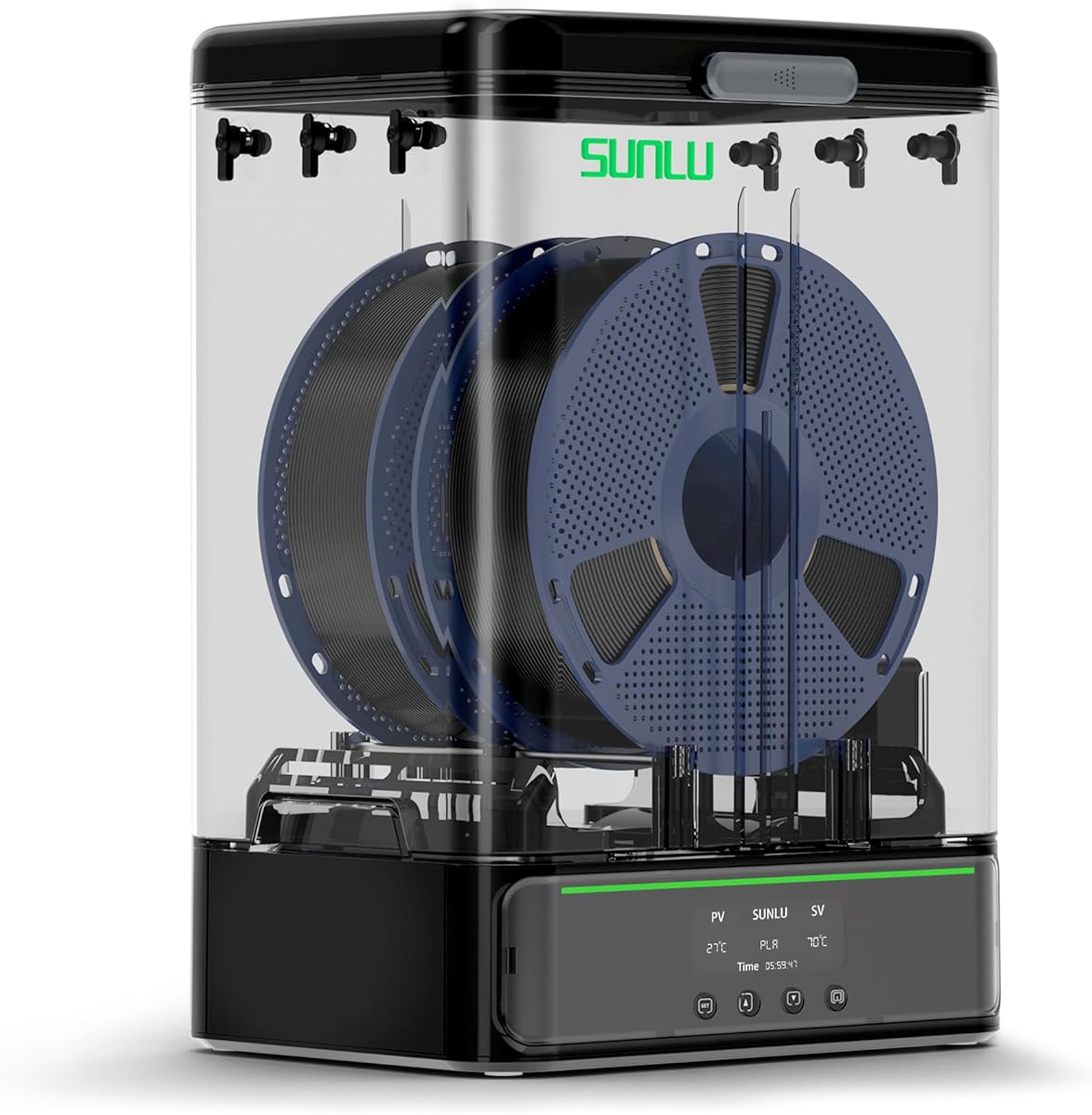
The SUNLU S1 Plus offers a balance of features and affordability for most users. It includes an upgraded fan design to help discharge excess water from filaments faster. This model is highly rated for its simplicity and effectiveness in standard printing environments.
We may earn a commission when you buy through this link, at no additional cost to you.
The fan design is a key upgrade that aids in even drying across the spool. The LCD screen allows precise control over temperature and time settings. It handles common materials like PLA, PETG, and TPU well, ensuring smooth prints without stringing.
While it lacks advanced humidity monitoring, it covers the basics effectively. The maximum temperature of 55C is sufficient for most plastics but may not work for high-temp engineering filaments. Users seeking advanced features might need to look elsewhere.
This dryer is perfect for hobbyists or home users who print regularly with standard filaments. It provides reliable moisture removal without complexity or high cost, making it a great starting point for drying needs.
An internal fan circulates air to speed up moisture removal, improving results over passive heating models.
Simple buttons and a clear display make setting temperature and time straightforward for any skill level.
We may earn a commission when you buy through this link, at no additional cost to you.
The Comgrow SH01 is a practical choice for users with limited desk space. It stores two 1kg spools and offers reliable drying for common materials. Users appreciate its straightforward design and effective moisture removal capabilities.
We may earn a commission when you buy through this link, at no additional cost to you.
Its compact size makes it ideal for small home studios. The internal size allows two spools to sit comfortably. The silicone cable sheath and Teflon tube ensure smooth feeding and good sealing when not in use.
Temperature settings are limited to 50C, which restricts use on high-heat filaments like PC or PEEK. It is best suited for PLA, ABS, and PETG. The screen provides clear information but lacks advanced customization options.
For those who need a simple, effective dryer for daily prints, this box works well. It prevents clogging and stringing efficiently while taking up minimal room on your work surface.
Designed to fit into smaller areas while still accommodating two standard spools for convenient drying and storage.
Sealed structure prevents moisture re-entry after drying, keeping filaments dry when the unit is powered down.
We may earn a commission when you buy through this link, at no additional cost to you.
The SUNLU S4 excels for multi-printer environments thanks to its eight exit holes. It holds four 1kg spools and features a 350W heater with three fans. Its rating is driven by high performance and robust build quality.
We may earn a commission when you buy through this link, at no additional cost to you.
The heater is 50% more efficient than previous models. Three fans ensure temperature consistency across the chamber. This prevents hot spots and ensures every part of the spool dries evenly. It supports a wide range of materials from PLA to Nylon.
Its physical size is large, which can be challenging on cramped desks. The weight is also notable at 4kg. However, the capacity and heating efficiency make it a worthwhile trade-off for serious users.
If you run several printers or need to dry large volumes at once, this dryer is ideal. It streamlines workflows by feeding multiple machines simultaneously from one dry source.
Eight exit holes allow you to feed up to eight different printers at once, boosting overall production efficiency.
A 350W PTC heater with circulation fans ensures rapid and uniform heating throughout the entire drying chamber.
We may earn a commission when you buy through this link, at no additional cost to you.
The Creality Space PI Plus offers convenience with 12 preset drying profiles. It features a 360 hot-air system and real-time humidity monitoring. Users value its ease of use and modern interface.
We may earn a commission when you buy through this link, at no additional cost to you.
Preset options simplify drying for common and composite filaments like PLA-CF and ASA. The touch screen supports Celsius and Fahrenheit switching. The 110W PTC heater heats quickly and saves energy compared to older styles.
The max temperature of 70C is solid but lower than the X4 model. It is a solid choice for general use but may struggle with very high temp engineering materials. The dual-spool capacity is good for average users.
For those who want a smart dryer without complex manual tuning, this unit is excellent. The presets ensure correct drying parameters are used every time without guesswork.
Twelve one-key settings for common filaments reduce manual input and ensure accurate drying parameters for every material.
Real-time humidity monitoring helps you verify that conditions inside remain dry for consistent print results.
We may earn a commission when you buy through this link, at no additional cost to you.
Polymaker Polydryer focuses on drying and storage in one seamless unit. It includes a built-in hygrometer and desiccant support. Users like that it maintains dry conditions without exposing filament to air.
We may earn a commission when you buy through this link, at no additional cost to you.
The design allows moving from drying to storage without breaking the seal. This is crucial for hygroscopic materials like Nylon. The hygrometer helps track status without guesswork between sessions. It supports PLA, PETG, and PA.
Its maximum temperature is not specified in general terms but is suited for common plastics. It prioritizes sealed protection over extreme heat. The single spool capacity may limit high-volume workflows but suits individuals well.
For those who deal with moisture-sensitive filaments often, this is a smart choice. The integrated sealing helps extend shelf life and ensures material is ready whenever printing begins.
The storage box design keeps filament sealed between prints to prevent moisture re-absorption in humid environments.
A built-in hygrometer tracks interior humidity to help you judge filament readiness accurately.
We may earn a commission when you buy through this link, at no additional cost to you.
The Creality Space PI SE emphasizes thermal efficiency and safety. It includes insulation cotton on the inner walls and heats to 65C in 15 minutes. Users appreciate its ready-out-of-box convenience.
We may earn a commission when you buy through this link, at no additional cost to you.
The insulation keeps the chamber warm and safe to touch during printing. Real-time humidity monitoring helps track progress. The knob interface is simple and intuitive, suitable for quick adjustments without digital menus.
The timer tops at 24 hours, which is shorter than some competitors. The max temp of 65C is enough for most materials but not for high-performance resins. It fits well for casual to moderate printing needs.
Ideal for users who want a reliable dryer with built-in safety features. The insulation helps energy efficiency and ensures stable temperatures during long prints.
Added insulation cotton keeps the outer surface cool and prevents accidental burns during use.
The PTC heater reaches 65C in 15 minutes, allowing you to start drying quickly.
We may earn a commission when you buy through this link, at no additional cost to you.
The SUNLU S4 Pro mirrors the capabilities of the S4 with high performance. It offers 350W power and three fans. Users value its capacity to hold four spools and support multiple printers.
We may earn a commission when you buy through this link, at no additional cost to you.
The eight exit holes are a major advantage for farms. The 350W heater provides efficient heating with fan circulation. This setup ensures uniform drying even when multiple spools are loaded at once.
The large footprint may not suit smaller desks. The 4kg weight requires stable placement. Despite this, its reliability and power make it a top performer in its class.
This dryer is best for multi-printer setups that need consistent feed from dry sources. It removes moisture efficiently while feeding multiple machines simultaneously.
Eight exit points allow feeding multiple printers at once, reducing setup time and boosting productivity.
Three circulation fans distribute heat evenly to ensure all parts of the spool dry at the same rate.
We may earn a commission when you buy through this link, at no additional cost to you.
The SUNLU SP2 supports larger spools up to 3kg, offering flexibility for heavy users. It includes a 250W heater and a detachable storage base. Users like the quiet operation and quick heat-up.
We may earn a commission when you buy through this link, at no additional cost to you.
It has a slider latch for sealing and bottom gaskets to keep temperature stable. The HD touch screen is easy to read from various angles. Desiccant containers help maintain dry conditions between drying cycles.
While it supports up to two 1kg spools effectively, it may not hold large 2kg spools simultaneously. Its focus on larger rolls makes it ideal for bulk printing workflows.
If you work with 3kg spools or need quick heating, this dryer is a great fit. It combines drying and storage in a seamless workflow.
Rollers and holders support up to 3kg spools, making it suitable for bulk filament usage.
The 250W PTC heater reaches 70C in 15 minutes for rapid drying cycles.
We may earn a commission when you buy through this link, at no additional cost to you.
The SUNLU S2 features a built-in spindle that spins the filament for even drying. It has a translucent lid to check without opening. Users appreciate the spinning mechanism and broad temperature range.
We may earn a commission when you buy through this link, at no additional cost to you.
Continuous spinning prevents hot spots and ensures the whole spool gets exposed to heat. The capacity is 265x274x118mm. It supports most filament diameters. The touch screen is simple for setting times and temps.
Moving parts may require more maintenance than static dryers. The size is larger than minimal boxes. However, the even drying results are often worth the trade-off.
Best for users prioritizing uniformity in drying. The spinning ensures moisture is removed evenly across the spool for consistent prints.
The spindle spins the filament during heating to remove moisture evenly across the entire spool.
A translucent lid lets you view the filament without interrupting the drying process.
We may earn a commission when you buy through this link, at no additional cost to you.
Choosing the right dryer depends on your material needs, print volume, and workspace. This section breaks down the key factors to consider before making a purchase.
Different dryers use PTC heaters, heating pads, or fans. PTC heaters are energy efficient and heat quickly. Fan-assisted dryers circulate hot air for uniform drying, while static models rely on conduction.
Prioritize PTC heaters with fan assistance for even results across the spool.
Capacity determines how many spools you can dry simultaneously. Single or dual spool units suit home users, while multi-spindle models support farms or high-volume production.
Match the capacity to your typical print volume to avoid frequent refills.
Common dryers reach 50C to 70C. Engineering materials like ABS or Nylon may require up to 85C. Ensure the unit can reach the temps needed for your materials.
Check max temperature limits to support all filaments you plan to use.
Models with hygrometers let you track interior moisture levels. This helps verify drying completion and prevents over-drying. Basic models rely on timers instead of real-time data.
Select a model with humidity monitoring for precision and better control.
After drying, filament must stay dry. Units with sealed lids, gaskets, or vacuum options protect against re-absorption. Good sealing extends shelf life.
Choose a unit that combines drying and sealed storage for maximum convenience.
Outlets should support your printer's feed path. Look for Teflon tubes or silicone sheaths that reduce friction. Multiple outlets are useful for multi-printer setups.
Ensure the outlet design matches your printer's feed path to prevent jams.
Timers allow scheduling without supervision. Some units offer presets for common materials. Touch screens are more intuitive than knobs or buttons for fine tuning.
Look for customizable timers and easy control interfaces to simplify workflow.
Larger dryers hold more but take up bench space. Weight matters for stability during long drying cycles. Measure your workspace before purchasing.
Balance capacity with physical footprint to ensure the unit fits your desk.
Place spools inside the dryer and thread the filament through the outlet into your printer. Ensure the lid is sealed tightly to maintain internal heat and humidity levels.
Set the temperature and timer according to your filament manufacturer's recommendations. Most PLA or PETG prints dry at 50C to 60C for a few hours. Engineering materials may need longer durations.
After drying, keep the unit powered on during printing or transfer spools to a sealed storage box. Regular cleaning of the interior and vents prevents dust buildup and maintains efficiency.
Drying times vary by material and moisture level. Standard PLA or PETG usually take 4 to 6 hours. Engineering materials like Nylon may require up to 12 hours or more depending on humidity conditions.
Yes, models with multi-spool capacity allow drying multiple rolls simultaneously. Look for units supporting two or more spools if you have high-volume printing needs.
No, only some models include hygrometers. Basic units rely on timers or presets to estimate drying progress without real-time data.
PLA typically dries at 45C to 60C. Higher temperatures may damage the material, so consult the filament manufacturer's guidelines for best results.
Yes, most dryers are designed to allow printing while connected. Ensure the filament path is clear and sealed to prevent ambient moisture from entering during the process.
Most standard dryers accommodate both 1.75mm and 2.85mm filaments. Check product specs to confirm compatibility with your specific filament diameter before purchasing.
We reviewed ten top options, from compact models to high-capacity systems. The Creality Space Pi X4 leads for capacity while the SUNLU S1 Plus offers budget-friendly efficiency.
Prioritize features like humidity monitoring and temperature range based on your materials. Larger farms should consider multi-exit models while home users can benefit from sealed storage options.
Prices and availability may change, so verify current listings before buying. A good dryer reduces print failures and keeps your filament in optimal condition for longer.