
DARKROCK 3-Pack 120mm Black Computer Case Fans
4.6Editor score
Hydraulic bearing design
Low noise 32.1 dBA
Nine fan blades design
This guide compares the top 10 exhaust fans for PC cases and servers based on airflow, noise levels, bearing types, and compatibility to help you choose the
Keeping your computer system cool is essential for performance and longevity. An exhaust fan for PC helps remove hot air from the case, preventing overheating and maintaining stable operation during intense tasks like gaming or rendering.
We evaluated ten top-rated models based on airflow capacity, noise output, bearing durability, and installation ease. Each product was reviewed against standard cooling needs to ensure reliability across different case sizes and hardware configurations.
Every selection shows key specs, pros, cons, and real-world performance insights. Prices and availability can change frequently, so check current listings before purchasing to ensure you get the best deal for your specific setup needs.
4.6Editor score

4.8Editor score

4.7Editor score
This table provides a side-by-side comparison of all ten products, highlighting key specifications like dimensions, airflow, noise levels, and bearing types to help you quickly identify the best fit for your PC cooling needs.




The Noctua NF-P12 redux-1700 PWM is a high-performance cooling fan designed for quiet operation. With a 4.8 rating, it stands out for its pressure-optimised blade design that ensures strong airflow while maintaining low noise levels.
We may earn a commission when you buy through this link, at no additional cost to you.
Its standout features include a maximum speed of 1700 RPM, delivering strong CFM for air-based CPU coolers and water cooling radiators. The fan supports automatic motherboard speed control via 4-pin PWM, providing powerful airflow when needed and being virtually silent at idle.
While the price point is slightly higher than budget options, the quality justifies the investment. The fan is renowned for its reliability, with an MTTF exceeding 150,000 hours, making it a long-term solution for users prioritizing performance and silence.
This fan is ideal for builders seeking a premium exhaust fan for PC setups who value quiet operation and longevity. It balances performance and quietness effectively, earning it over 100 awards from international hardware communities.
The pressure-optimised blade design ensures outstanding quietness of operation while delivering high static pressure for better cooling performance.
With a mean time to failure of over 150,000 hours, this fan offers exceptional reliability for continuous operation in demanding environments.
We may earn a commission when you buy through this link, at no additional cost to you.
The DARKROCK 3-Pack 120mm Black Computer Case Fans offers exceptional value for budget-conscious builders. With a 4.6 rating, these fans are designed to provide good cooling effects while maintaining a relatively quiet environment at 32.1 dBA.
We may earn a commission when you buy through this link, at no additional cost to you.
Each fan features a hydraulic bearing design that ensures stable rotation and prolongs service life, with an average operational lifespan of 30,000 hours. The nine fan blade design allows for maximum speeds up to 1200 RPM, effective for general case ventilation.
While these fans lack PWM control, they offer simplicity with a 3-pin interface compatible with all standard cases. The use of PBT environmental protection material ensures good insulation and heat resistance, making them durable for everyday PC use.
This 3-pack is perfect for users needing multiple affordable fans for comprehensive case airflow. The easy installation process and reliable performance make it a top budget choice for exhaust fan for PC needs.
Equipped with soft silicone cushions, these fans absorb vibration to keep noise levels low, ensuring a quiet working environment.
Constructed from PBT material, the fans offer excellent insulation and heat resistance, ensuring durability and tough quality.
We may earn a commission when you buy through this link, at no additional cost to you.
The Thermalright 5 Pack TL-C12C-S CPU Fan combines high performance with aesthetic appeal. Rated 4.7, these fans feature automatic speed control via 4-pin PWM, reaching up to 1550 RPM for effective cooling of cases and CPU coolers.
We may earn a commission when you buy through this link, at no additional cost to you.
Key features include S-FDB bearings that solve blade shaking issues, ensuring minimal noise and maximum cooling. The high-brightness LED atomizing ARGB fan blades offer up to 17 modes of light effects, synchronized through the motherboard for a polished look.
While the price is higher, the quality and aesthetic value are clear. The 55cm cable length facilitates PWM series control of multiple fans, and the high airflow of 66.17 CFM ensures improved cooling performance in demanding setups.
Ideal for users wanting a premium exhaust fan for PC, these fans balance cooling efficiency with visual customization. Their compatibility with CPU coolers and radiators makes them a versatile choice for advanced PC builds.
The S-FDB bearings minimize noise while providing maximum cooling performance, ensuring stability and longevity.
High-brightness LED blades reflect light softly, offering 17 ARGB modes for perfect case matching and synchronization.
We may earn a commission when you buy through this link, at no additional cost to you.
The Computer Fan with AC Plug is a versatile cooling solution for various devices. Rated 4.4, this 120mm axial fan allows speed adjustment from 700 to 2800 RPM, offering flexibility for powerful cooling or quiet work environments.
We may earn a commission when you buy through this link, at no additional cost to you.
It features dual-ball bearings with a lifespan of 50,000 hours and comes with a multi-speed controller. The AC plug design means it powers from a standard outlet, making it easy to set up for PCs, server cabinets, or entertainment equipment.
With a high airflow of 95.8 CFM, it effectively maintains optimal operating temperatures. While it requires an AC outlet, its versatility and speed control make it ideal for users needing robust cooling beyond standard motherboard-powered fans.
This fan is best for those seeking an exhaust fan for PC that also supports other devices like routers or greenhouses. Its robust design and reliable speed adjustment ensure consistent performance across different applications.
The included controller allows free adjustment of fan speed to suit environmental needs, balancing performance and noise.
Powered directly from an AC outlet, it eliminates the need for motherboard connectors, simplifying setup for various devices.
We may earn a commission when you buy through this link, at no additional cost to you.
The X1 USB Cooling Fan is a portable solution designed for quiet and efficient cooling. With a 4.4 rating, it operates at a whisper-quiet 18dB, making it ideal for home offices and gaming setups where noise is a concern.
We may earn a commission when you buy through this link, at no additional cost to you.
Equipped with a 120mm fan delivering 55.8 CFM airflow, it effectively drops device temperatures by up to 20%. The USB-powered setup with a 530mm cable allows easy connection to chargers or power banks without extra wires.
While it is quieter than library silence, its airflow is less than AC options. However, its shock-absorbing pads and scratch-proof design ensure it protects surfaces and reduces vibration during operation.
This fan serves as an excellent exhaust fan for PC peripherals like routers or consoles. Its portability and silent operation make it a practical choice for users needing flexible, noise-sensitive cooling solutions.
At just 18dB, this fan operates quieter than rustling leaves, ensuring no noise interference during use.
USB-powered with a long built-in cable, it connects easily to various power sources without extra adapters.
We may earn a commission when you buy through this link, at no additional cost to you.
The be quiet! Pure Wings 3 120mm Silent PWM is designed for peak performance and silence. With a 4.7 rating, it uses 7 airflow-optimized fan blades to reduce noise while ensuring performance under demanding configurations.
We may earn a commission when you buy through this link, at no additional cost to you.
Its long-life rifle bearing provides an operating lifetime of 80,000 hours, ensuring reliability. The fan can operate at very low minimum RPM for quiet performance, making it ideal for systems needing cooling without disruptive noise.
German engineering ensures consistent quality, though it lacks additional aesthetic features like RGB. The frame is optimized for radiators and standard cases, delivering maximum airflow efficiently while maintaining a quiet user experience.
This fan is perfect for users prioritizing silence as an exhaust fan for PC. Its focus on quiet performance and German quality makes it a reliable choice for silent builds and cooling systems.
The fan frame is designed for peak performance on radiators, ensuring efficient airflow even in tight spaces.
German design and engineering standards guarantee high-quality construction and performance consistency over time.
We may earn a commission when you buy through this link, at no additional cost to you.
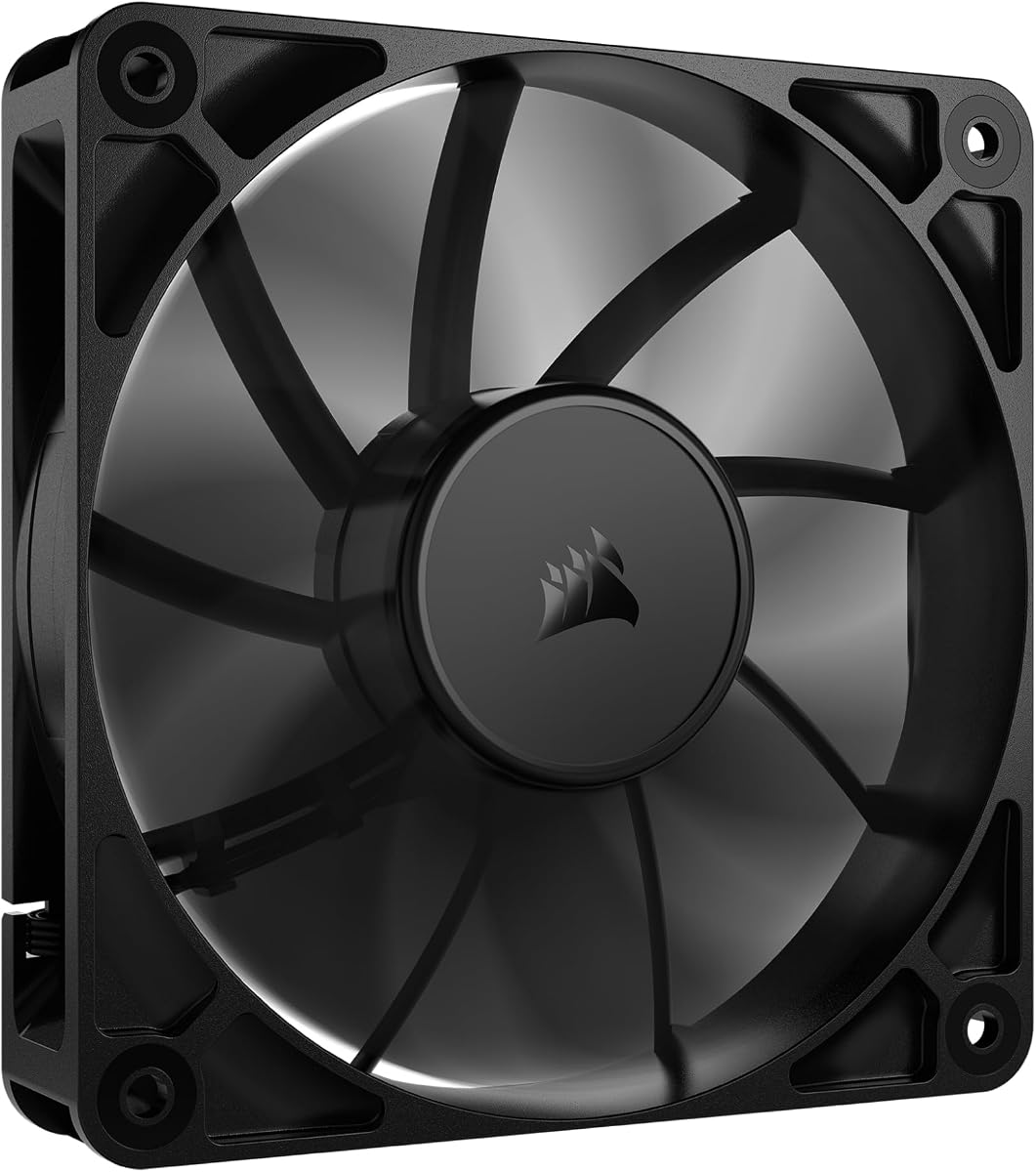
The CORSAIR RS120 120mm PWM Fan offers streamlined connectivity and high pressure. Rated 4.6, it features daisy-chain connections allowing multiple fans to be controlled through a single 4-pin PWM connector, simplifying cable management.
We may earn a commission when you buy through this link, at no additional cost to you.
With up to 72.8 CFM airflow and a static pressure of 4.15mm-H2O, it pushes air through obstructions effectively. The Magnetic Dome bearing minimizes noise and friction, contributing to longevity and quiet performance during operation.
AirGuide technology directs airflow at hot components when mounted to a radiator or heatsink, enhancing cooling efficiency. While it has a solid feature set, it does not include additional accessories like mounting brackets.
This fan excels as an exhaust fan for PC radiators and high-pressure needs. Its daisy-chain capability and strong performance make it ideal for users looking to manage multiple fans efficiently.
Connect multiple fans through a single PWM connector, reducing clutter and simplifying cable management in cases.
With 4.15mm-H2O static pressure, this fan pushes air through obstructions effectively for better radiator cooling.
We may earn a commission when you buy through this link, at no additional cost to you.
The Kingwin 80mm Silent Fan is designed for compact cooling needs. With a 4.5 rating, this fan features optimized blade design for excellent ventilation and airflow to reduce system heat buildup effectively in smaller setups.
We may earn a commission when you buy through this link, at no additional cost to you.
It offers quiet operation with low noise levels, making it perfect for office desktops and home servers. The long-life bearing ensures extended lifespan, and its rugged black frame provides lasting use in mining rigs or GPU farms.
While airflow is less than 120mm fans, its size fits standard 80mm mounts easily. This makes it an ideal replacement fan for PC cases or CPU coolers that require smaller exhaust solutions.
This fan is best as an exhaust fan for PC setups constrained by size. Its balance of quiet operation and durability makes it suitable for diverse environments from offices to mining operations.
Designed for silent operation, this compact fan delivers excellent airflow while maintaining low noise in offices.
Built for high-performance environments like crypto mining rigs, it minimizes overheating risks with durable construction.
We may earn a commission when you buy through this link, at no additional cost to you.
The Wathai 12038 120mm x 38mm PWM Computer PC Case Fan is built for maximum airflow. Rated 4.5, it operates at a high speed of 5300 RPM, delivering an impressive 230 CFM airflow to tackle heat buildup in demanding environments.
We may earn a commission when you buy through this link, at no additional cost to you.
Features include dual-ball bearings with a 67,000-hour lifespan and 4PIN PWM support for intelligent speed regulation. It can be entered via BIOS to set trigger temperatures, increasing speed only when needed to manage noise.
While the noise can reach 60 dBA at full speed, the cooling performance is unmatched. Its thicker 38mm design suits projects requiring deep airflow, such as server GPU chassis and mining rig cooling.
This fan is the ultimate exhaust fan for PC users needing extreme ventilation. The ability to regulate speed via BIOS allows it to balance high performance with acceptable noise levels for industrial cooling.
With 230 CFM airflow, this fan delivers massive cooling power for servers, mining rigs, and GPU chassis.
BIOS-supported speed regulation increases RPM only when temperatures rise, managing noise effectively.
We may earn a commission when you buy through this link, at no additional cost to you.
The Thermalright TL-C12C-S X3 CPU Fan 120mm ARGB offers high performance and visual customization. With a 4.7 rating, it reaches up to 1550 RPM, delivering 66.17 CFM airflow to cool cases and CPU coolers effectively.
We may earn a commission when you buy through this link, at no additional cost to you.
Key features include S-FDB bearings that ensure minimal noise and maximum cooling stability. The ARGB lighting supports up to 17 modes, synchronized through the motherboard, making it ideal for aesthetic-focused builds needing quality exhaust fans.
This pack of three provides cost-effective cooling for multiple mounting positions. While the price is moderate, the quality and features justify it, offering better airflow than many standard fans in its range.
Ideal for those wanting an exhaust fan for PC that adds flair, these fans balance cooling efficiency with customization. Their compatibility with radiators and CPU coolers ensures they fit diverse PC configurations well.
S-FDB bearings ensure stable fan rotation, reducing noise while delivering maximum cooling performance.
With 17 ARGB modes, these fans allow perfect color management and synchronization for a customized PC look.
We may earn a commission when you buy through this link, at no additional cost to you.
Selecting the right exhaust fan for PC involves considering airflow, noise, and compatibility. This guide breaks down the critical factors to help you make an informed decision for your cooling setup.
Airflow capacity, measured in CFM (Cubic Feet per Minute), determines how effectively the fan can move hot air out of the case. Higher CFM values mean better cooling performance, which is essential for systems with high heat output from CPUs and GPUs. Look for fans with at least 50 CFM for standard cases, and more for larger or high-performance builds.
For most setups, a balance of CFM and static pressure ensures efficient cooling. If you need to cool dense radiators, prioritize static pressure over raw airflow.
Noise levels are crucial for users who value a quiet environment. Noise is measured in decibels (dBA), with lower values indicating quieter operation. Fans with silent bearings and optimized blade designs typically offer noise levels below 30 dBA, making them ideal for home offices or gaming rooms.
Always check the rated noise levels and consider fans with PWM control to adjust speed based on cooling needs, allowing for quieter operation at lower RPMs.
The bearing type significantly impacts the fan's lifespan and performance. Dual-ball bearings and S-FDB bearings offer longer lifespans, often exceeding 50,000 hours, ensuring durability. Hydraulic or rifle bearings are quieter but may wear faster under heavy loads.
Choose bearings based on your priorities. For longevity and stability, dual-ball bearings are excellent; for quiet operation, hydraulic bearings may suit better.
PWM (Pulse Width Modulation) control allows the fan to adjust speed automatically based on system temperature. This feature ensures optimal cooling without unnecessary noise when the system is idle. Fans with 4-pin PWM connectors are standard for modern motherboards.
If your motherboard supports PWM, selecting a fan with this feature helps manage power usage and noise levels efficiently across varying workloads.
Compatibility with your case and other components is essential. Most PCs use 120mm fans, but smaller cases may require 80mm fans. Check your case's dimensions and mounting points to ensure the fan fits properly without interference.
Additionally, consider connector types and voltage requirements. Ensure the fan connects to your motherboard or power source as needed, and verify the size matches your exhaust points.
Static pressure measures the fan's ability to push air through obstructions like radiators or dust filters. High static pressure is critical for radiators and tight spaces. Fans optimized for high static pressure perform better in such scenarios compared to those focused purely on airflow.
If your setup includes radiators, prioritize fans with higher static pressure ratings to ensure effective airflow through dense components.
Build quality affects the fan's durability and aesthetic appeal. Look for materials like PBT or ABS plastic that offer heat resistance and durability. Features like shock-absorbing pads or anti-vibration mounts can further enhance stability and reduce noise caused by vibrations.
A well-built fan not only lasts longer but also provides a more reliable cooling experience, reducing the need for replacements.
Aesthetics can be a key factor for custom PC builds. Fans with RGB or ARGB lighting allow for color customization that matches your setup. While this does not impact cooling directly, it enhances the visual appeal of your system.
Consider whether lighting is important to your build. If not, fans without RGB may offer better performance or value for the same price.
Install the fan in a position that allows it to effectively expel hot air from the case. Typically, placing exhaust fans at the rear or top of the case creates optimal airflow paths when paired with intake fans at the front.
Secure the fan properly using screws or brackets to minimize vibrations. Ensure cables are managed neatly to prevent any interference with the fan blades or airflow paths.
Regularly clean the fan blades and surrounding area to prevent dust buildup. Dust accumulation can reduce cooling efficiency and increase noise, so use compressed air to clean the fan every few months.
Most standard PC cases support 120mm or 140mm exhaust fans. Check your case specifications for available mounting points. Smaller cases may require 80mm fans. Always ensure the dimensions match your case's design for proper fit and airflow.
Typically, one exhaust fan at the rear and one at the top works well for balanced airflow. For high-performance systems, two or more exhaust fans may help expel heat faster. Ensure intake fans match or exceed exhaust capacity for pressure balance.
Yes, you can mix brands, but airflow and noise levels may vary. Using similar models ensures consistent performance and aesthetics. Consider PWM control for uniform speed regulation across all fans in your system.
Yes, exhaust fans help remove hot air that accumulates around the GPU, improving overall thermal performance. By expelling hot air efficiently, you prevent it from recirculating to cooling critical components like the GPU.
PWM control is not strictly necessary but highly beneficial. It allows automatic speed adjustment based on temperature, balancing cooling and noise. If your motherboard supports PWM, using compatible fans ensures optimal system control.
Turn off the PC and disconnect it from power. Use compressed air to blow dust off the fan blades and surrounding area. Avoid touching the blades with bare hands to prevent oil transfer. Regular cleaning every few months maintains performance.
The Noctua NF-P12 redux-1700 PWM, DARKROCK 3-Pack 120mm Black Computer Case Fans, and Thermalright TL-C12C-S X3 are top picks offering performance, value, and aesthetics respectively. Each brings unique strengths to different cooling needs and build styles.
When selecting an exhaust fan for PC, prioritize airflow capacity, noise levels, and compatibility with your case and motherboard. High static pressure is vital for radiators, while PWM control offers dynamic speed management.
Prices and availability change frequently, so verify current listings before purchasing. Ensure the fan meets your cooling requirements and fits your setup to maintain optimal performance and longevity of your PC components.