
Nulea M501
4.4Editor score
Rechargeable battery
Three device switching
Adjustable DPI levels
Thumb control design
Discover the top ergonomic trackball mice for comfort and precision. This guide compares ten leading models to help you choose the perfect mouse for your
Ergonomic trackball mice offer a unique solution for reducing wrist strain and improving comfort during long computer sessions. These devices allow precise cursor control without moving your hand across the desk. They are especially helpful for users with limited workspace or those recovering from repetitive strain injuries.
Our team analyzed ten highly rated trackball mice based on ergonomics, connectivity, battery life, and user feedback. We considered factors like tilt angles, button customization, and overall build quality. This list highlights the best options available today for various needs and budgets.
Each pick includes detailed insights into design, performance, and real world usability. You will find information on connectivity options and battery longevity too. Remember that prices and availability can change, so verify details before purchasing to ensure you get the best deal.
4.4Editor score
4.5Editor score

4.4Editor score
This side-by-side comparison highlights the key specifications and features of ten top trackball mice. It helps you quickly identify which model fits your needs regarding comfort connectivity and usability.




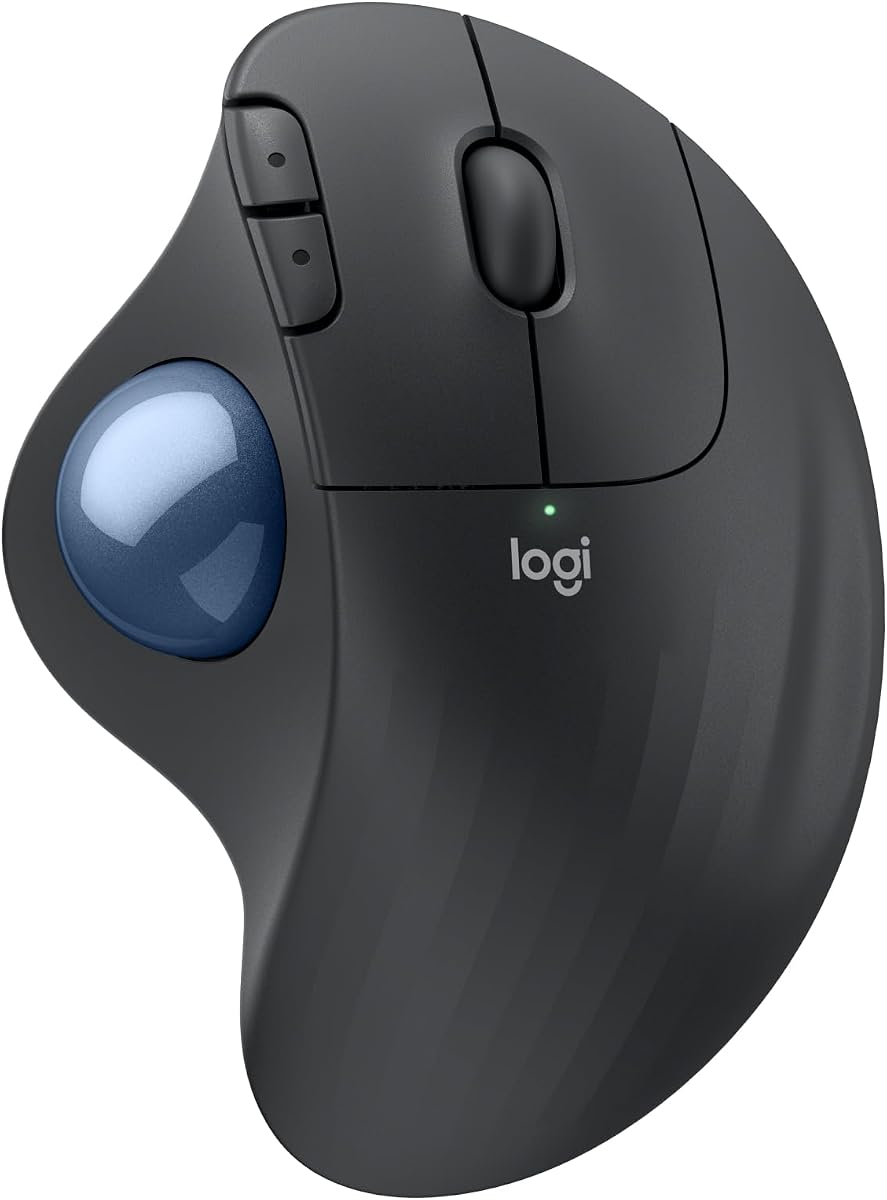
The Logitech Ergo M575S stands out as a top choice for users seeking comfort and precision. It holds a high rating from users who value ergonomic design and wireless convenience. The trackball allows you to move the cursor without moving your wrist significantly.
We may earn a commission when you buy through this link, at no additional cost to you.
Its sculpted shape supports your hand in a natural position which reduces muscle strain over time. The quiet clicks make it ideal for shared office environments where noise is a concern. You can connect via Bluetooth or a USB receiver for flexibility with different devices.
While the battery life is impressive at up to eighteen months, it uses a standard AA battery rather than being rechargeable. Some users might find the size slightly small if they have larger hands. However the overall comfort and precision outweigh these minor drawbacks for most people.
This mouse is perfect for anyone wanting a reliable ergonomic solution without spending too much. It balances features, comfort, and price well making it a strong recommendation for daily use. The included Logi Options plus app also adds extra customization for productivity.
The shape reduces muscle strain and helps maintain better forearm posture throughout the day.
Connect to multiple devices using Bluetooth or the included Logi Bolt USB receiver easily.
We may earn a commission when you buy through this link, at no additional cost to you.
The Nulea M501 offers excellent value for those looking for an affordable ergonomic trackball mouse. It features a smooth thumb control design that minimizes wrist movement and strain during use. The built in rechargeable battery saves you from buying disposable cells frequently.
We may earn a commission when you buy through this link, at no additional cost to you.
You can connect up to three devices and switch between them easily using a button on the bottom. This makes it great for people who work across a laptop and a desktop simultaneously. The DPI adjustment helps tailor the speed to your specific needs and preferences.
One limitation is that the buttons are not programmable which limits customization options for power users. Charging requires using the included cable and avoiding fast chargers to prevent battery damage. Despite this the overall performance and cost make it a strong budget contender.
Ideal for students or casual users who need comfort without breaking the bank. The sleek design fits well on small desks while providing reliable tracking on various surfaces. It is a smart pick for entry level ergonomic needs.
Say goodbye to disposable batteries with a built in rechargeable cell for long term use.
Switch seamlessly between three devices using Bluetooth or the USB dongle for efficiency.
We may earn a commission when you buy through this link, at no additional cost to you.
This black version of the Logitech Ergo M575S shares the same ergonomic benefits as its blue counterpart. It holds a slightly higher rating due to its consistent performance and comfortable shape. The trackball design allows precise control without moving your arm across the desk.
We may earn a commission when you buy through this link, at no additional cost to you.
It supports improved forearm posture which helps reduce strain during extended work sessions. The wireless connectivity is straightforward with options for Bluetooth or a USB receiver. Battery life is long lasting which means less frequent replacements for standard AA cells.
Like other models in this line it does not offer rechargeable options and has limited button customization. The black finish may show dust more easily than lighter colors but looks professional. Overall it remains a reliable choice for ergonomic comfort and ease of use.
Recommended for anyone seeking a proven trackball mouse in a sleek dark finish. It works well for office tasks and general navigation. The balance of features and price makes it a solid investment for daily comfort.
The ergonomic shape realigns your forearm into a better posture throughout the work day.
Connect quickly via Bluetooth or the included USB receiver without complicated setup steps.
We may earn a commission when you buy through this link, at no additional cost to you.
The Logitech MX Ergo S is an advanced trackball mouse designed for professionals needing precision and comfort. It features a unique tilt angle that reduces muscle strain significantly compared to traditional mice. The USB C charging offers modern convenience and long battery life on a single charge.
We may earn a commission when you buy through this link, at no additional cost to you.
You can switch between speed and high precision tracking with the tap of a button. This flexibility helps with both quick navigation and detailed design work. Six customizable buttons allow you to create shortcuts that boost productivity throughout the day.
The price is higher than basic models which might not fit tight budgets. It is also designed for medium to large hands so smaller users may find it too big. However the build quality and features justify the cost for power users.
Perfect for designers and heavy computer users who demand top tier ergonomics. The quiet clicks ensure you can work late without disturbing others nearby. Investing in this mouse can greatly improve daily comfort and workflow efficiency.
A wireless ergonomic mouse with a tilt angle for better forearm posture reducing muscle strain.
Switch between speed and high precision tracking easily with a dedicated button tap.
We may earn a commission when you buy through this link, at no additional cost to you.
The TECKNET Wireless Trackball Mouse offers a distinctive vertical design to promote natural hand posture. Its sixteen degree vertical angle helps reduce muscle strain by up to fifty percent for users. The rechargeable battery provides quick charging which gets you back to work fast after a short charge.
We may earn a commission when you buy through this link, at no additional cost to you.
You can pair with up to three devices and switch instantly between them for a seamless workflow. The DPI adjustment allows you to control sensitivity across five levels for different tasks. This makes it versatile for both browsing and detailed design work on various surfaces.
Users may need a couple of weeks to get used to the vertical shape and trackball control. The size is designed for medium to large hands which might be too big for some. However the strain reduction benefits are significant for those with wrist discomfort.
Great for anyone looking to try a vertical trackball solution without spending a fortune. The silent operation makes it suitable for quiet environments like libraries or shared offices. It is a strong contender for ergonomic comfort and usability.
Featuring a unique vertical angle this mouse promotes better forearm posture and reduces strain.
Built with a rechargeable battery that charges quickly for a full day of use.
We may earn a commission when you buy through this link, at no additional cost to you.
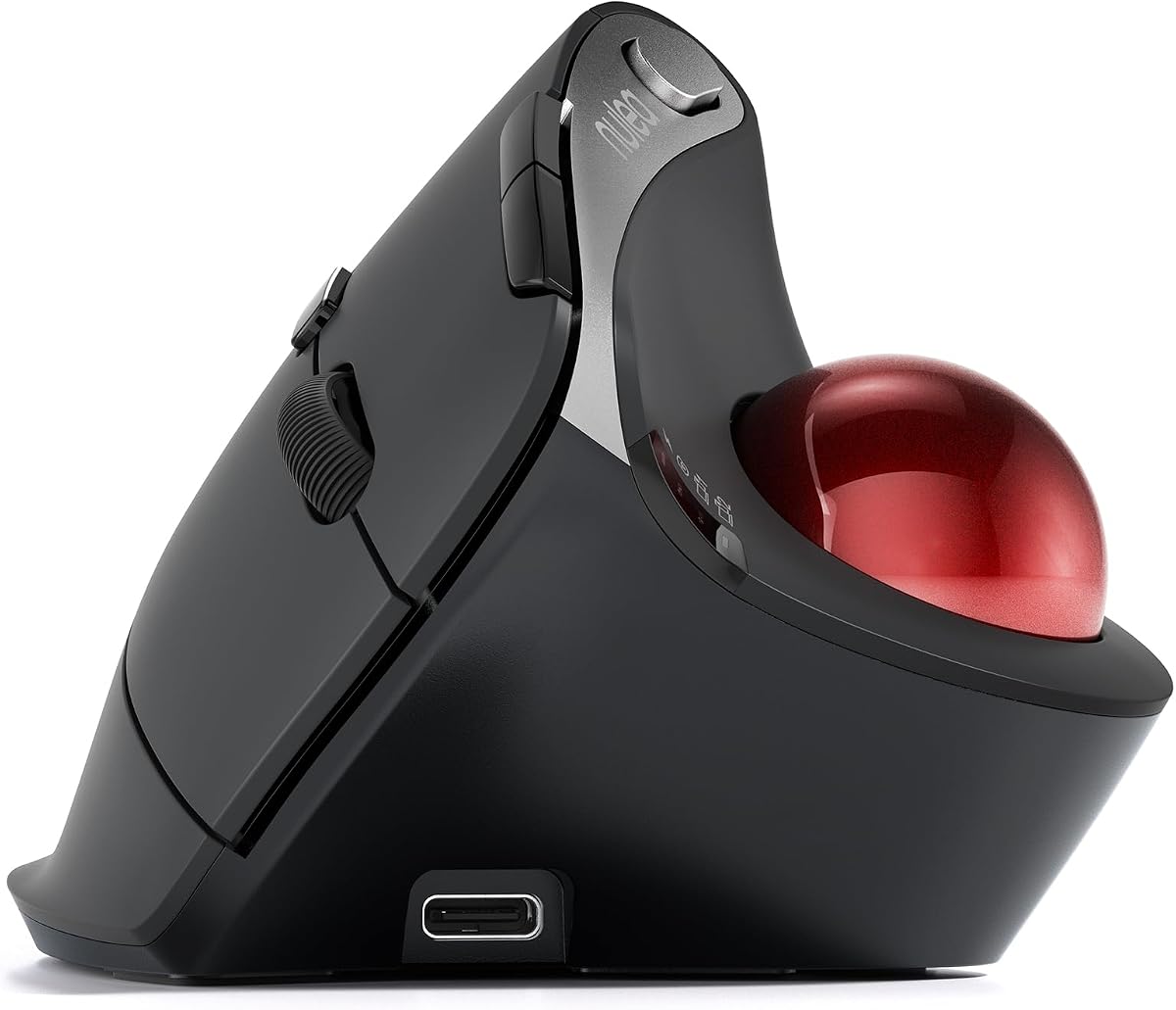
The Nulea M506 delivers a vertical design that keeps wrists and forearms in a natural relaxed position. It holds a high rating from users who appreciate the ergonomic benefits and smooth thumb control. The detachable trackball allows easy cleaning to maintain precise cursor control over time.
We may earn a commission when you buy through this link, at no additional cost to you.
You can connect to three devices using two Bluetooth channels and one USB receiver. Switching is instant which supports a multi device setup for work or personal tasks. The battery lasts up to twenty one days on a single charge which reduces maintenance needs.
While the price is slightly higher than entry models it offers better build quality and features. There is limited software support for advanced customization compared to major brands. Still the ergonomic design and reliability make it a popular choice for comfort seekers.
Ideal for users who want a vertical trackball for wrist relief and long use. The textured surface offers a steady grip and helps prevent fatigue during long hours. It is a reliable tool for daily office and creative tasks.
The vertical structure keeps your wrists and forearms in natural relaxed positions for comfort.
The trackball is removable for easy cleaning to ensure smooth rolling and precise control.
We may earn a commission when you buy through this link, at no additional cost to you.
This Nulea model features a sixty five degree ergonomic angle to keep your wrist naturally relaxed. It includes an infinite scroll wheel that switches between precise and fast modes based on your speed. The entire device operates silently which is perfect for quiet shared spaces.
We may earn a commission when you buy through this link, at no additional cost to you.
You can connect up to three devices and switch instantly between them for a seamless workflow. The thumb controlled trackball helps minimize arm movement and fatigue over long sessions. It is compatible with various systems including PCs and Macs for wide use.
The lack of a rechargeable battery means you will need to replace AA cells occasionally. Software support is basic compared to higher end models which limits advanced customization. However the comfort and silence features make it a great daily driver.
Best for users who value silence and a vertical design without spending much. The wave textured surface fits your palm well for effortless control all day. It is a solid pick for those needing wrist relief.
The infinite scroll wheel switches between precise and fast modes based on scrolling speed.
Experience completely noise free operation from trackball to every button and scroll wheel.
We may earn a commission when you buy through this link, at no additional cost to you.
The Nulea Wireless Trackball Mouse includes a twenty one degree tilt stand for a natural wrist position. This elevated design fits your palm precisely and delivers a comfortable grip during use. Silent operation ensures that you can work without distracting clicks in shared spaces.
We may earn a commission when you buy through this link, at no additional cost to you.
You can connect to three devices using Bluetooth or a USB receiver and switch with a tap. The DPI levels let you choose sensitivity for drawing or fast navigation needs. It works across PC Mac and tablet systems for versatile use.
The buttons are not programmable which reduces customization options for advanced workflows. There is no dedicated app for customizing shortcuts like some other brands offer. Still the tilt design and silence make it a unique ergonomic tool.
Perfect for users who want a tilted mouse for wrist relief at a fair price. The smooth trackball helps minimize strain and fatigue over long desk hours. It is a smart choice for daily productivity and comfort.
Comes with a tilt stand for a more natural wrist position and comfortable grip.
Experience completely noise free operation ideal for shared spaces and late night work.
We may earn a commission when you buy through this link, at no additional cost to you.
This Logitech M575 Business model is ideal for companies needing ergonomic mice for multiple employees. It offers enterprise grade features that allow remote deployment and monitoring with Logitech Sync. The sculpted shape promotes better forearm posture which reduces muscle activity during long work days.
We may earn a commission when you buy through this link, at no additional cost to you.
You can personalize buttons with shortcuts in the Logi Options plus app for efficiency. The battery lasts up to eighteen months on a single AA cell which is great for low maintenance. It works well in tight spaces since the trackball stays fixed in place.
The business focus means fewer flashy features compared to consumer models but more reliability. It does not include rechargeable options which might be less eco friendly for some users. However the durability and support make it worth it for office deployments.
Best for IT managers looking for a proven ergonomic trackball to scale across teams. The smooth tracking and quiet design suit professional environments well. It ensures employees stay comfortable without constant hardware replacements.
Wireless trackball ideal to deploy at scale for employees wanting ergonomic comfort.
Up to eighteen months of use from a single AA battery for reduced maintenance.
We may earn a commission when you buy through this link, at no additional cost to you.
This Logitech MX Ergo S model combines advanced features with strong security options for professionals. It includes an encrypted dongle for secure wireless connections on sensitive systems. The USB C rechargeable design offers fast charging and long life on a full charge.
We may earn a commission when you buy through this link, at no additional cost to you.
Six programmable buttons allow you to create custom shortcuts for daily tasks and workflows. The tilt angle reduces muscle strain and keeps your forearm in a better posture. It supports Bluetooth and the dongle for flexible connection options.
The price is at the higher end which might be a barrier for casual users. It does not come with a carrying case which is a minor downside for portability. However the security and ergonomics make it a top pick for pros.
Ideal for enterprise users and professionals needing secure and comfortable trackball solutions. The precision mode helps with detailed work while reducing movement strain. It is a premium tool for productivity and health focused workflows.
Bluetooth and encrypted dongle provide secure wireless connectivity for sensitive tasks.
Enjoy long life with fast USB C charging for convenient daily use.
We may earn a commission when you buy through this link, at no additional cost to you.
Selecting the right ergonomic trackball mouse requires evaluating several key factors to ensure comfort and performance.
Look for shapes that support your hand in a natural position to reduce wrist strain. Features like tilt angles and contoured shells help maintain better forearm posture during long use. A comfortable grip surface can also prevent slipping and fatigue over time.
Decide between Bluetooth or USB receivers based on your device ports and preferences. Some mice offer multi device switching which is useful if you work on a laptop and desktop. Ensure the connection is stable and supports your operating system like Windows or Mac.
Rechargeable batteries offer convenience but AA cells might last longer in some models. Consider how often you are willing to charge or replace batteries based on your usage. Long battery life ensures you are not interrupted frequently during work sessions.
Programmable buttons allow you to create shortcuts that boost your productivity and workflow. Check if the mouse supports software for custom actions or if buttons are fixed. More customization helps with complex tasks like editing or browsing long documents.
Thumb controlled trackballs are common and help minimize arm movement for reduced strain. Ensure the trackball rolls smoothly and is easy to clean for consistent performance. A removable trackball can help maintain hygiene and long term functionality.
Choose a size that fits your hand comfortably to avoid cramping or awkward posture. Smaller hands might prefer compact designs while larger hands need more room for grip. Trying different sizes or reading reviews can help you find the right fit.
Adjustable DPI lets you switch between precision and speed for different tasks. Higher DPI is useful for detailed work while lower DPI helps with quick navigation. Multiple levels give you flexibility to adapt to various screen sizes and tasks.
Determine how much you want to spend while balancing features and comfort. Budget models offer basic ergonomics while premium ones add rechargeable batteries and software. Invest in a mouse that provides long term comfort and reliability for your needs.
Start by positioning the mouse so your hand rests naturally without stretching your fingers. Adjust the sensitivity to a level where you can move the cursor smoothly without lifting your hand. Practice using the thumb to control the ball until it feels intuitive.
Clean the trackball regularly by removing it and wiping away dust or debris. Use a soft cloth to clean the internal sensors to prevent tracking issues. This simple maintenance keeps the mouse performing well and extends its lifespan.
Update any companion software to access all features like custom buttons and DPI settings. Switch between devices if your mouse supports multi device connectivity to streamline your workflow. Keep your desk tidy to ensure the trackball rolls freely without obstruction.
Trackball mice can be beneficial for carpal tunnel because they reduce wrist movement. By using your thumb to control the cursor you keep your wrist in a neutral position. This design lowers strain on the tendons which may help alleviate symptoms over time.
To clean your trackball mouse gently pop out the ball and wipe it with a damp cloth. Use a cotton swab to clean the sensors inside the cage to remove dust and hair. Reinsert the ball carefully and test the movement to ensure smooth tracking.
Trackball mice do not require a specific surface since the ball moves internally instead of moving the whole mouse. This makes them ideal for use on any desk table or even on your lap. You do not need a mouse pad to use them effectively.
Optical trackballs use light sensors to track movement and work on most surfaces. Laser trackballs can work on a wider variety of surfaces including glass. For trackballs the internal mechanism usually works similarly but sensitivity and precision may vary by model.
Yes you can use a trackball mouse on a laptop via Bluetooth or USB. It is space saving since it does not require room to move across the desk. This makes it a great choice for laptops used on small tables or in tight spaces.
Battery life varies by model but many trackball mice last up to eighteen months on a single AA cell. Rechargeable models may offer weeks to months on a full charge depending on usage. Always check the specs to choose a battery type that suits your needs.
Some trackball mice are ambidextrous or come in left handed versions. Many models are designed for right handed use so left handed users should check for symmetry or specific left handed options. Customizing settings can also help adapt to your dominant hand.
Most ergonomic trackball mice work as plug and play devices without software. However companion apps can unlock features like custom buttons and sensitivity settings. Installing software is optional but can enhance productivity and personalize your mouse experience.
We reviewed ten top ergonomic trackball mice offering options for different needs and budgets. The Logitech Ergo M575S stands out for comfort while the Nulea M501 offers great value. High end models like the MX Ergo S provide advanced features for professionals.
Prioritize ergonomics and battery life to ensure long term comfort and convenience. Consider your workspace size and whether you need multi device connectivity for your workflow. A trackball mouse can significantly reduce strain and improve your daily work experience.
Remember to check current prices and availability before purchasing to get the best deal. Prices may vary over time so comparing offers helps you save money. Investing in the right ergonomic mouse is a small change with big benefits for your health.