
Amazon Fire HD 10 tablet
4.5Editor score
Vibrant Full HD display
Long lasting battery life
Alexa voice assistance built in
Choosing the right tablet for older adults requires careful consideration of interface simplicity, screen clarity, and reliable connectivity features that support daily digital tasks without overwhelming complexity or confusion.
We evaluated ten leading tablet models based on user feedback, technical specifications, and accessibility features to identify devices that prioritize ease of use, robust support, and seamless integration with family communication tools.
Each selection highlights specific strengths such as simplified navigation, large icons, secure networks, or versatile app ecosystems. Prices and availability may change frequently, so verify current details before making your final purchasing decision online.
4.5Editor score

4.2Editor score
4.7Editor score
As an Amazon Associate we earn from qualifying purchases.
The following comparison table outlines key specifications and features for each tablet model reviewed, helping you quickly identify which device best aligns with specific needs regarding screen size, storage capacity, and connectivity options.




The GrandPad stands out as a dedicated solution for older adults seeking a secure and simplified digital experience. It combines tablet and phone functions with a private network designed to eliminate spam and scams, ensuring peace of mind for users and families alike.
We may earn a commission when you buy through this link, at no additional cost to you.
Its interface prioritizes large icons and intuitive navigation, making it easy for beginners to connect via video calls or share photos without confusion. The system includes curated apps and games to keep seniors engaged while preventing unwanted access to risky online content.
While the requirement for a monthly plan and limited wireless carrier compatibility might seem restrictive, these constraints directly support the device's core mission of safety and simplicity. The included support services and fraud prevention features justify the ongoing cost for many families.
Families looking for a worry-free communication tool should consider this tablet if they value security over flexibility. It is an ideal choice for seniors who need reliable connection without the complexity of standard smartphone or tablet interfaces found elsewhere.
The network blocks spam and scams automatically, allowing seniors to browse safely without constant supervision or technical knowledge required for traditional internet security.
Companion apps let family members share photos and videos directly to the device, fostering closeness without requiring seniors to navigate complex file systems or email attachments.
We may earn a commission when you buy through this link, at no additional cost to you.
The Pix Star Touch aims to simplify digital interaction through a carefully designed interface that highlights key functions. It supports standard applications like email and video conferencing while offering a zoom feature to adjust text and button sizes for better visibility.
We may earn a commission when you buy through this link, at no additional cost to you.
Its interface is built so that even complete beginners can navigate basic tasks like sending photos or searching the web without extensive tutorials. The device allows installation of additional apps via Google Play Store for expanded functionality if needed.
Despite its focus on simplicity, user feedback indicates some challenges with performance and reliability compared to more established brands. This might require patience or technical support during initial setup and ongoing use by less tech-savvy individuals.
This tablet is suitable for seniors who prefer a traditional Android experience but want some simplified navigation aids. Consider it if flexibility and app variety are priorities over premium build quality or long-term support assurances.
The clever zoom feature allows users to enlarge or reduce the interface as needed, making text and buttons easier to see for those with vision impairments.
Access to Google Play Store means seniors can install familiar apps for entertainment or communication, offering more flexibility than closed systems like GrandPad.
We may earn a commission when you buy through this link, at no additional cost to you.
The Amazon Fire HD 10 offers a balanced combination of performance, screen quality, and battery life at a competitive price. It features a vibrant Full HD display ideal for reading, watching videos, or video calling family members with clarity.
We may earn a commission when you buy through this link, at no additional cost to you.
Voice commands through Alexa make navigation easier for those who prefer speaking over typing. Users can ask for recipes, news updates, or smart home control without needing to locate specific icons on the screen, reducing cognitive load.
The device lacks native Google Play Store access, which limits app choices to Amazon Appstore offerings. However, many essential apps like Zoom, Facebook, and streaming services are available directly through Amazon for most common senior needs.
For families on a budget who want a reliable, versatile device, this tablet provides excellent value. It is particularly well suited for seniors focused on entertainment, reading, and basic communication rather than complex productivity tasks.
Alexa simplifies daily tasks by responding to voice requests, allowing seniors to check the weather, set reminders, or play music without navigating menus.
Micro-SD card support enables users to store thousands of photos and videos locally without worrying about running out of internal space over time.
We may earn a commission when you buy through this link, at no additional cost to you.
Samsung Galaxy Tab A11+ delivers a robust Android experience with a large 11 inch screen and premium audio features. Its fast charging capability ensures minimal downtime when battery levels drop, making it convenient for daily use without frequent plugging.
We may earn a commission when you buy through this link, at no additional cost to you.
The interface supports intelligent features like Circle to Search and Google Gemini for on-the-spot assistance. These tools help seniors find information quickly without navigating through multiple menus or typing lengthy search queries manually.
While powerful, the device may feel heavier than smaller tablets and setup could require guidance for those unfamiliar with Android systems. The learning curve is manageable but may benefit from initial help from family members.
Ideal for seniors who want a full-featured Android tablet with Google services and ample storage. It suits those who prioritize screen size for reading or video calls and appreciate rich multimedia capabilities for movies and music.
Circle to Search lets users draw on screen items to get quick info via search engines, simplifying research or product comparison tasks significantly.
Quad speakers powered by Dolby Atmos provide immersive sound, making movies and calls more enjoyable without needing external speakers or headphones often.
We may earn a commission when you buy through this link, at no additional cost to you.
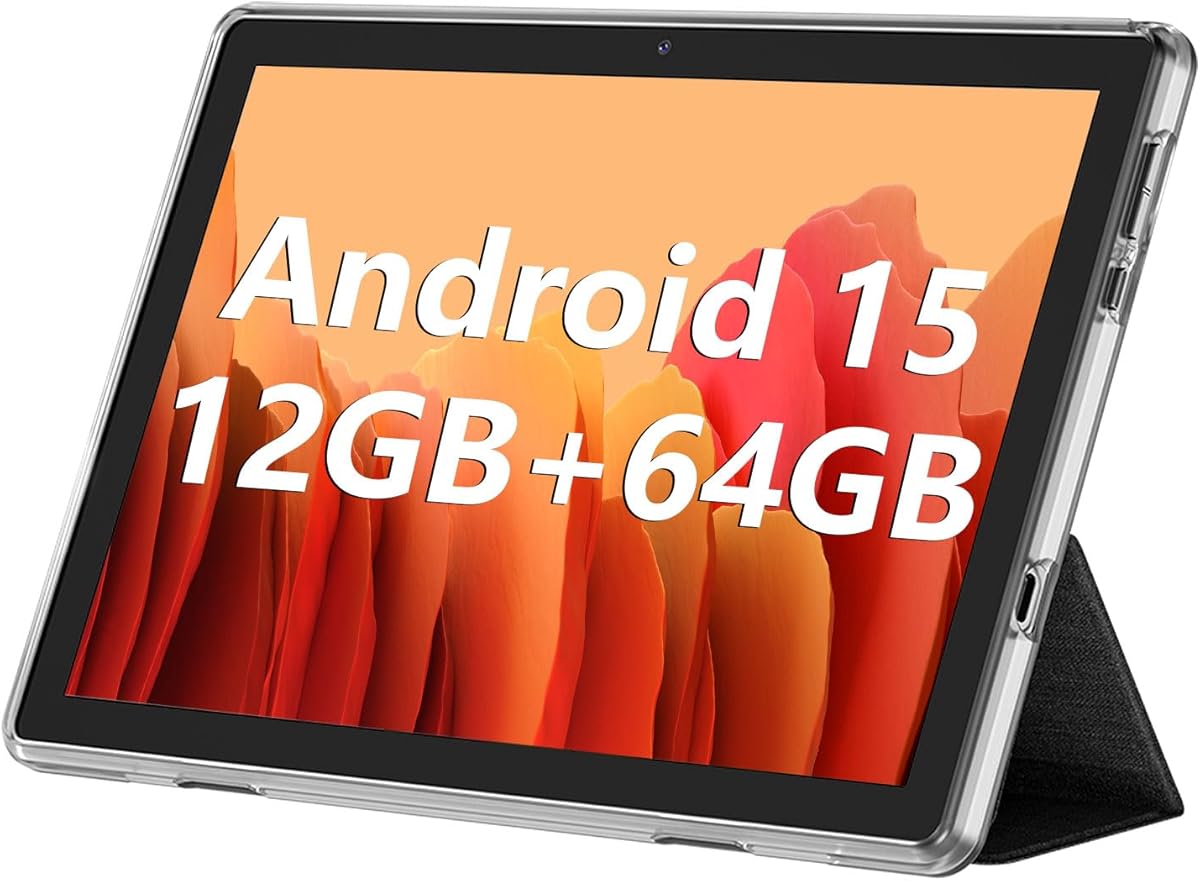
ECOPAD offers a large 10.1 inch IPS touchscreen at an accessible price point. It runs Android 15 and includes dual cameras for video calls, making it suitable for basic communication and media consumption without high cost barriers.
We may earn a commission when you buy through this link, at no additional cost to you.
The device supports massive storage expansion up to 1TB via SD card, ideal for storing large media libraries locally. Dual band WiFi ensures stable internet connections for streaming or browsing without frequent disconnection issues.
User feedback suggests performance may vary compared to premium brands. It works well for light usage but might struggle with multitasking or demanding apps over time. Support policies are comprehensive though warranty periods apply.
This tablet is best for budget-conscious buyers needing a straightforward Android device. Consider it if you want Google Play access and large storage at minimal cost, accepting potential compromises in build refinement or long-term reliability.
Expansion support up to 1TB allows storing thousands of photos and videos locally without relying on cloud services or subscription storage plans.
Both front and rear cameras enable video calls and photo capture, essential for staying connected with family or documenting memories regularly.
We may earn a commission when you buy through this link, at no additional cost to you.
The Amazon Fire HD 8 provides a compact alternative with an 8 inch display perfect for one-handed use. It offers similar Alexa features and long battery life as larger models, making it easy to carry around the house or travel with.
We may earn a commission when you buy through this link, at no additional cost to you.
Despite smaller dimensions, the HD display delivers clear visuals for reading books or watching shows. Four GB memory ensures smooth responsiveness for basic tasks like browsing web pages or checking emails without lagging.
Like the HD 10, it lacks native Google Play Store access but covers most essential apps via Amazon Appstore. The reduced weight might appeal to seniors with weaker grip strength or limited mobility who need less bulk.
Best for seniors prioritizing portability and ease of handling. It suits those who mainly use tablets for media consumption or simple communication and prefer lighter devices over larger screens for extended sessions.
Thin and lightweight design makes it comfortable to hold for long periods, ideal for reading or video chatting without arm fatigue.
Up to 13 hours of battery life supports all-day usage for reading or browsing without needing frequent recharges during daily activities.
We may earn a commission when you buy through this link, at no additional cost to you.
Lenovo Tab One emphasizes portability with a design weighing less than a pound, fitting easily into bags. It includes a folio case with built-in stand for hands-free viewing, adding convenience for watching videos or video calling family.
We may earn a commission when you buy through this link, at no additional cost to you.
The 8.7 inch HD display offers decent viewing quality while keeping the device manageable for smaller hands. Security patches for two years ensure the system stays updated against vulnerabilities, which is critical for senior users.
Performance is adequate for streaming and basic browsing but may not handle heavy multitasking smoothly. The inclusion of a physical case reduces need for separate purchases, simplifying setup and protection right out of box.
Suitable for seniors seeking a lightweight tablet for travel or casual home use. The included accessories make it a complete package without extra costs, appealing to those who want ready-to-use protection and stability.
The folio case provides protection and a built-in stand for hands-free viewing, reducing the need for additional purchases and simplifying setup.
Two years of security patches keep the device safe from emerging threats, ensuring peace of mind without complex management from users.
We may earn a commission when you buy through this link, at no additional cost to you.
FEONAL 11 inch tablet combines latest Android 16 OS with cellular connectivity options via dual SIM slots. This allows seniors to stay connected even without home WiFi, making it ideal for travel or outdoor activities where mobile data matters.
We may earn a commission when you buy through this link, at no additional cost to you.
Its 11 inch Incell display delivers vibrant visuals for entertainment. The 7000mAh battery supports extended usage without frequent charging, which benefits users who forget to plug in devices daily or use them for hours at a time.
Split-screen functionality enables multitasking between apps like video calling and reading simultaneously. However, brand reputation is less established compared to major manufacturers, which might affect long-term support expectations for software updates.
Best for seniors needing reliable internet on the go. The cellular feature bridges gaps where WiFi is unavailable, ensuring uninterrupted connection for video calls or navigation without relying solely on home network setups.
Dual SIM 4G LTE support enables internet access without WiFi, useful for travel or areas with weak home internet connections.
7000mAh battery provides up to 480 hours standby, allowing days of use between charges for light users or moderate browsing.
We may earn a commission when you buy through this link, at no additional cost to you.
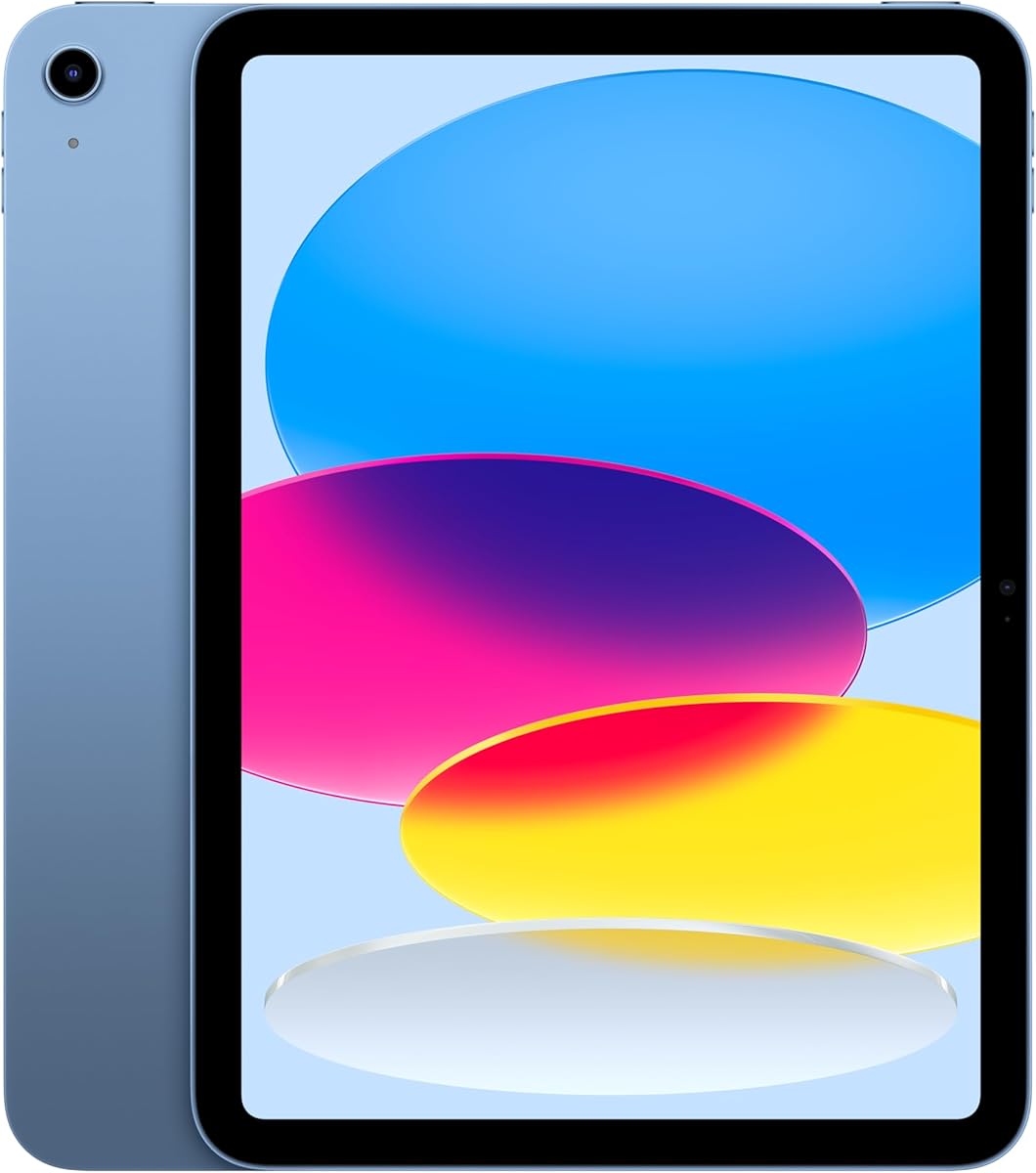
Apple iPad 11-inch delivers top-tier performance with the A16 chip and stunning Liquid Retina display. It offers intuitive gestures and consistent software updates, making it highly reliable for seniors seeking long-term usability and access to premium applications.
We may earn a commission when you buy through this link, at no additional cost to you.
Center Stage camera technology automatically keeps the user centered during video calls, enhancing interaction quality. Touch ID built into the top button allows secure unlocking without passwords, simplifying access while maintaining strong security against unauthorized use.
Higher cost may be a barrier, but the longevity and ecosystem integration offer value over time. It suits seniors already invested in Apple products or those needing professional-grade tools for creative tasks or detailed digital activities.
Ideal for users prioritizing quality, app availability, and long-term support. This choice fits those who value premium experiences and are comfortable with iOS interface, ensuring consistent performance across multiple years of use.
Front camera automatically pans to keep you in frame during calls, improving video call quality without manual adjustments or tripod needed.
Apple provides years of OS updates, ensuring the device stays secure and compatible with new apps much longer than many competitors.
We may earn a commission when you buy through this link, at no additional cost to you.
Samsung Galaxy Tab A11 WiFi Model offers a compact 8.7 inch display with 90Hz refresh rate for fluid screen interaction. It serves as a lightweight alternative for basic tasks like browsing or video calls, suitable for limited mobility scenarios.
We may earn a commission when you buy through this link, at no additional cost to you.
Storage expands via microSD card to 2TB, allowing ample space for personal media. Bluetooth 5.3 supports modern accessories like headphones or keyboards, enhancing versatility for communication or entertainment needs at home.
International version setup might require selecting a country during initial configuration, which could confuse some users. Lack of warranty coverage adds risk, so consider backup options if repairs or issues arise post-purchase.
Best for budget-conscious buyers needing a portable Android device with decent specs. It suits seniors comfortable with basic setup steps and seeking flexibility without cellular costs or premium brand pricing.
90Hz refresh rate ensures smoother scrolling and animations, reducing eye strain during extended use and improving general responsiveness.
Bluetooth 5.3 connects easily with wireless headphones or speakers, expanding audio options for calls and entertainment without cables.
We may earn a commission when you buy through this link, at no additional cost to you.
Selecting the right tablet depends on balancing interface simplicity, hardware capabilities, and support features to match individual comfort levels and usage needs.
Look for devices with large icons, customizable home screens, and clear labeling. Simplified interfaces reduce cognitive load and help seniors locate apps without confusion.
Prioritize tablets with intuitive layouts or dedicated senior modes that limit unnecessary options.
Larger screens like 10 inches improve readability but increase weight. Balance clarity with comfort; HD or higher resolutions ensure text remains sharp without excessive zooming.
Consider anti-glare features if seniors will use tablets near windows or bright lights.
Decide between Wi-Fi only and cellular models. Cellular tablets offer mobility beyond home networks, useful for travel or outdoor use but require data plans.
Wi-Fi only devices are simpler and cheaper if home internet is reliable and accessible.
Long-lasting batteries reduce daily charging stress. Aim for 10 hours or more to support full day usage without interruption for reading or video calls.
Fast charging is a bonus for quick power-ups during frequent short usage periods.
Internal storage should match media needs. SD card support allows growing libraries without paying for expensive built-in capacity.
Check for at least 64GB internal or ensure expandability is available for future needs.
Devices with reliable warranty and regular security updates protect against vulnerabilities. Established brands often provide better resources for troubleshooting or replacement.
Long software support extends device life and maintains compatibility with new apps.
Built-in voice assistants allow hands-free control for tasks like making calls or checking schedules. This reduces typing barriers for seniors with dexterity issues.
Check compatibility with preferred voice services and ease of activation.
Reinforced builds or included protective cases prevent damage from accidental drops. Lightweight materials reduce hand fatigue during prolonged sessions.
Consider ruggedized options if tablets may travel or face frequent handling.
Start by setting up accounts securely and adjusting text size for comfortable reading. Enable auto-updates to maintain security without manual intervention.
Use voice commands where available for quick access to calls or information. Practice basic navigation gestures to build confidence over time.
Protect the device with a case and avoid extreme temperatures. Charge regularly and wipe screens with soft cloths to preserve display clarity.
An easy-to-use tablet features large icons, simple navigation, and minimal clutter on the home screen. Voice assistance, adjustable text sizes, and secure networks also help older adults interact comfortably.
Cellular tablets offer connectivity anywhere without relying on home Wi-Fi, which suits active seniors or those traveling. However, they add monthly costs and complexity that may not suit everyone.
Most tablets allow text size adjustments in accessibility settings. Navigate to Display settings and use the slider to increase font size until it feels comfortable for your eyes.
Look for tablets offering at least 10 hours of battery life to avoid daily charging. Fast charging features also help reduce downtime when power runs low quickly.
Protective cases and stands are highly recommended for safety and ease of viewing. Headphones with large buttons can also improve audio clarity during calls or videos.
Ideally, tablets should receive monthly security patches and yearly feature updates. This ensures protection against threats and compatibility with new apps over time.
Yes, many apps work offline for reading or media stored locally. However, communication features like email or video calls require active internet connections.
Tablets with front cameras featuring auto-tracking or large high-resolution displays are best for video calls. Devices with dedicated video apps like Zoom ensure smooth and clear conversations.
The GrandPad, Amazon Fire HD 10, and Apple iPad 11-inch represent diverse approaches to ease of use. Each offers distinct strengths tailored to specific needs ranging from security to budget or premium performance.
Prioritize features that directly impact daily comfort such as screen clarity, battery life, and interface simplicity. Consider whether cellular connectivity or voice assistance align with lifestyle habits.
Always verify current pricing and model availability before purchasing. Technology evolves rapidly, so checking the latest updates ensures your choice remains optimal for years to come.