
Crucial Pro Overclocking Edition
4.7Editor score
Single 16GB Module
6000MHz Data Rate
UDIMM Standard Design
This guide compares the top DDR5 RAM for overclocking to help enthusiasts choose high-performance memory for gaming and demanding computing workloads.
Choosing the right DDR5 RAM for overclocking is crucial for unlocking the full potential of your modern gaming and workstation build. High-speed memory ensures smoother multitasking, faster load times, and improved frame rates in demanding applications.
We evaluated ten top-rated kits based on speed, latency, compatibility, and stability. Each product was analyzed for its ability to handle extreme frequencies while maintaining reliable operation under load.
Each pick highlights key features and performance benefits for your specific platform. Keep in mind that stock levels and availability may vary so checking current inventory is always recommended before buying.
4.7Editor score

4.8Editor score

4.7Editor score
The table below provides a side-by-side comparison of all ten DDR5 kits, highlighting their core specifications and unique selling points for your reference.




This Crucial Pro 32GB DDR5 kit delivers reliable performance for modern gaming and multitasking with its 6000MHz speed and CL36 latency. It earns top marks for stability and compatibility with both Intel and AMD platforms.
We may earn a commission when you buy through this link, at no additional cost to you.
The kit features Micron memory chips known for durability and consistency. Its extended timings of 36-38-38-80 ensure smooth operation even under heavy loads like AAA gaming or video editing.
While it lacks RGB features, its understated black design blends seamlessly into professional builds. The lack of flashy lighting helps focus on raw performance and system stability.
This module is ideal for users prioritizing reliability over aesthetics. It suits gamers and creators needing dependable memory without compromising on speed or capacity.
Operating at 6000MHz with CL36 latency, this kit ensures faster data access for responsive gameplay and quick multitasking.
Intel XMP 3.0 and AMD EXPO profiles allow easy optimization on both Intel Core and AMD Ryzen systems.
We may earn a commission when you buy through this link, at no additional cost to you.
Corsair Vengeance RGB RS combines performance with style through its dynamically addressable RGB lighting and panoramic diffuser. This kit targets users who value visual appeal alongside high-speed memory.
We may earn a commission when you buy through this link, at no additional cost to you.
It supports both AMD EXPO and Intel XMP 3.0, allowing simplified tuning for either platform. Onboard voltage regulation enhances stability during overclocking sessions by managing power delivery efficiently.
Performance depends heavily on motherboard and CPU support. Users must adjust BIOS settings to reach maximum speeds which may challenge novice builders.
This kit suits enthusiasts seeking aesthetic upgrades without sacrificing speed. It is best for systems with RGB control software like Corsair iCUE.
Individually addressable RGB LEDs deliver customizable lighting effects visible from all viewing angles.
Onboard voltage regulation ensures consistent power delivery to maintain stability at high frequencies.
We may earn a commission when you buy through this link, at no additional cost to you.
The Crucial Pro 32GB 6400MHz kit offers exceptional speed with its CL32 latency for high-end gaming and computing tasks. Its performance targets those pushing DDR5 memory boundaries.
We may earn a commission when you buy through this link, at no additional cost to you.
Extended timings of 32-40-40-103 enable stable overclocking while reducing latency for quicker response. The heat spreader design improves thermal management under demanding workloads.
Users with newer Intel Core Ultra or AMD Ryzen 9000 series CPUs gain most from this kit. Older platforms may not fully support the 6400MHz speeds.
This kit is perfect for enthusiasts seeking maximum bandwidth. It delivers elite performance for memory-intensive applications and competitive gaming.
6400MHz speed paired with CL32 latency provides minimal wait times for rapid data access and multitasking.
Battle-ready heat spreader maintains optimal operating temperatures even during extended gaming sessions.
We may earn a commission when you buy through this link, at no additional cost to you.
The Crucial Pro Overclocking Edition offers a single 16GB DDR5 module running at 6000MHz for budget-conscious users. It is ideal for those needing a straightforward memory upgrade.
We may earn a commission when you buy through this link, at no additional cost to you.
Compliant with standard UDIMM specifications, this module fits most DDR5 motherboards without compatibility issues. Its black finish ensures it blends with any build theme.
Because it is sold as a single module, pairing another unit is necessary for dual-channel performance. This adds some complexity but keeps initial costs lower.
This option suits entry-level overclockers or builders with limited budgets. It provides solid performance without the premium of larger kits.
The single module design reduces initial costs while maintaining reliable 6000MHz DDR5 speeds.
Easily add another module later to expand capacity and enable dual-channel performance.
We may earn a commission when you buy through this link, at no additional cost to you.
The G.SKILL Flare X5 Series delivers premium performance with AMD EXPO optimization and Intel XMP 3.0 support. Its matte black finish complements minimalist builds while providing powerful speeds.
We may earn a commission when you buy through this link, at no additional cost to you.
Rated for up to 6000MT/s, this kit includes JEDEC default profiles and overclock profiles for enhanced performance. It supports a wide range of motherboard chipsets for flexibility.
Overclocking requires BIOS adjustments and matching system components. Mixing kits is discouraged to avoid instability, so users should always buy matched pairs.
This kit is ideal for AMD platform users seeking high speeds. It balances aesthetics and performance for those valuing both style and speed.
AMD EXPO profiles ensure seamless integration and stable overclocking for Ryzen processors.
Matte black finish and compact design keep the memory discreet yet high-performing.
We may earn a commission when you buy through this link, at no additional cost to you.
Patriot Viper Venom emphasizes low latency with CL30 timings at 6000MHz for snappy performance. It appeals to users seeking quick response times without complex RGB features.
We may earn a commission when you buy through this link, at no additional cost to you.
Tested across latest DDR5 platforms, this kit ensures compatibility and reliability. The included lifetime warranty offers peace of mind for long-term usage.
With XMP 3.0 and EXPO support, tuning is straightforward on both Intel and AMD boards. It is suited for gamers focused on performance over looks.
This module is ideal for budget builders wanting premium speeds. It delivers solid results for gaming and productivity tasks.
CL30 timings minimize delay in data transfers for responsive gaming and multitasking.
A limited lifetime warranty covers defects and ensures manufacturer support throughout ownership.
We may earn a commission when you buy through this link, at no additional cost to you.
CORSAIR Vengeance RGB offers customizable ten-zone RGB lighting and onboard voltage regulation for precise tuning. Its gray finish provides a sophisticated look distinct from typical black modules.
We may earn a commission when you buy through this link, at no additional cost to you.
Designed for AMD and Intel platforms, it supports EXPO and XMP profiles for simplified overclocking. The iCUE software enables dynamic lighting synchronization with other Corsair components.
Users need iCUE installed to fully utilize lighting features. Those prioritizing aesthetics will appreciate the vivid lighting effects from any viewing angle.
This module suits those wanting a polished build with control. It balances visual appeal with strong DDR5 performance.
Ten individually addressable RGB zones offer extensive customization for unique build themes.
Onboard regulation enables more stable tuning with fine-tuned voltage adjustments.
We may earn a commission when you buy through this link, at no additional cost to you.
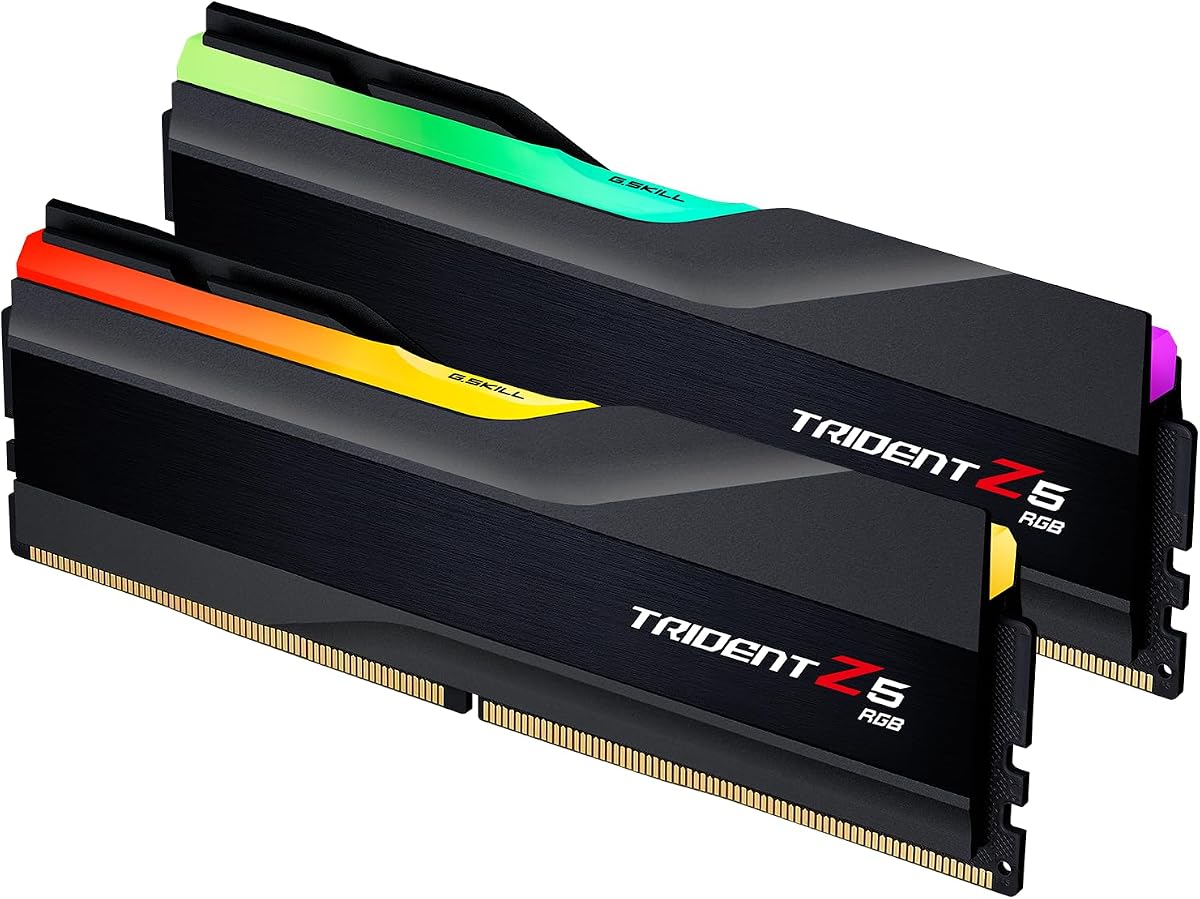
The Trident Z5 RGB series brings G.SKILL's iconic design with matte black styling and RGB lighting. It supports both AMD EXPO and Intel XMP 3.0 for flexibility.
We may earn a commission when you buy through this link, at no additional cost to you.
Rated up to 6000MT/s, this kit delivers fast speeds with tight CL36 timings for improved performance. It matches various motherboard chipsets for broad compatibility.
As with other kits, BIOS adjustments are needed to reach maximum speeds. Users should avoid mixing modules to maintain stability.
This kit is ideal for those wanting classic aesthetics. It balances performance and visual appeal effectively.
Trident Z5 RGB design combines high speed with stylish matte black RGB aesthetics.
CL36 timings reduce latency for smoother multitasking and gaming performance.
We may earn a commission when you buy through this link, at no additional cost to you.
CORSAIR Vengeance DDR5 focuses on performance with tightly screened memory chips and onboard voltage regulation. Its compatibility spans both AMD and Intel platforms effortlessly.
We may earn a commission when you buy through this link, at no additional cost to you.
Dual memory profiles allow users to switch between optimized settings. The design maximizes bandwidth and response times for demanding applications.
Users must adjust BIOS settings to utilize full speed potential. Without tuning, it runs at JEDEC defaults which may be lower.
This kit is great for performance-focused users. It offers high speeds and stability without RGB distractions.
Carefully screened chips ensure consistent overclocking potential and long-term reliability.
EXPO and XMP profiles let users pick the best settings for their CPU.
We may earn a commission when you buy through this link, at no additional cost to you.
G.SKILL Ripjaws S5 series provides reliable performance with JEDEC defaults and XMP/EXPO profiles. It suits users seeking straightforward overclocking without RGB distractions.
We may earn a commission when you buy through this link, at no additional cost to you.
Rated up to 6000MT/s, it offers solid speed for gaming and productivity. Its matte black design fits neatly into various builds without drawing attention.
Support spans many Intel and AMD chipsets. Users should consult motherboard QVLs for best compatibility.
This kit is ideal for practical builds. It balances performance, aesthetics, and ease of use well.
JEDEC default profile ensures system boots reliably before enabling overclocked speeds.
Matte black finish keeps the memory clean and understated in any system.
We may earn a commission when you buy through this link, at no additional cost to you.
Selecting the right DDR5 RAM involves considering speed, latency, capacity, and platform compatibility for optimal results.
Higher DDR5 speeds like 6000MHz or 6400MHz offer faster data transfer rates for better multitasking and gaming. Match the speed to your motherboard's rated support to ensure stability.
Prioritize speeds supported by your platform without pushing too far beyond manufacturer ratings.
Lower CAS latency (CL) means faster response times. CL30 or CL32 at 6000MHz provides excellent performance compared to CL36.
Balance speed and latency for the smoothest experience in latency-sensitive applications.
Most users benefit from 32GB (2x16GB) kits for modern gaming and content creation. Single modules may be cheaper but lack dual-channel performance.
Opt for matched dual-channel kits for best bandwidth.
Ensure your motherboard and CPU support DDR5 and the desired speed. Check QVL lists for verified compatibility with EXPO and XMP profiles.
Use the correct memory profile for your platform.
XMP 3.0 for Intel and EXPO for AMD simplify overclocking with pre-configured settings. Choose kits supporting your CPU's native standards.
Profiles enable easy speed adjustments via BIOS.
Higher voltage supports stability at increased frequencies. Kits with onboard voltage regulation offer better tuning control.
Manage voltage carefully to avoid hardware stress.
RGB lighting adds visual flair but costs more. Non-RGB kits often provide better cooling and quieter operation.
Choose based on your build's aesthetic goals.
Lifetime warranties indicate manufacturer confidence. Reliable brands offer better support for overclocking issues.
Invest in reputable brands for long-term peace of mind.
Install your DDR5 kit into the recommended slots for dual-channel operation, typically slots two and four from the CPU. Ensure they are fully seated and clips click into place.
Enter the BIOS to enable XMP 3.0 or EXPO profiles, then adjust voltage and timings gradually if tuning manually. Test stability with stress tools after changes.
Keep your system cool and dust-free for consistent performance. Avoid mixing different RAM kits to prevent instability or boot failures.
DDR5 RAM provides higher speeds and bandwidth ideal for modern overclocking. DDR4 kits are cheaper but lack the performance potential of DDR5 for new platforms.
Profiles must be enabled in BIOS. Once activated, the system runs at rated speeds without further manual adjustments unless overclocking.
It is not recommended. Different timings or voltage profiles may cause instability. Always buy matched kits for best results.
6000MHz CL30 to CL36 is the sweet spot for most users. 6400MHz or higher benefits advanced overclockers with compatible CPUs.
RGB adds power draw and heat which may affect stability. Non-RGB kits often overclock better due to simpler cooling.
Overclocking within manufacturer specs generally voids warranty. Excessive voltages or damage may void it completely.
Intel 12th Gen onward and AMD Ryzen 7000/9000 series fully support DDR5. Newer CPUs handle higher speeds more reliably.
This guide highlighted top DDR5 kits balancing speed, latency, and platform support. The Crucial Pro and G.SKILL options offer standout reliability and performance for most users.
Prioritize low latency, verified compatibility, and stable overclocking profiles. Match your RAM to your CPU and motherboard for best results.
Prices and availability change frequently so verify stock before purchase. Checking current listings ensures you get the best deal on these high-performance kits.