
reMarkable Paper Pro with Marker Plus
4.2Editor score
11.8 inch Canvas Color
Unmatched paper-like feel
Organized workflow system
Color E ink tablets have revolutionized digital reading and note-taking by combining the eye comfort of paper with the versatility of color displays. These devices reduce glare and strain, making them ideal for long sessions of work or leisure. Whether you are an artist, student, or avid reader, finding the right model ensures a seamless experience.
We analyzed ten leading color E ink tablets based on screen technology, processing power, stylus compatibility, and overall usability. Our comparison considers factors like refresh rates, color accuracy, and software ecosystems to provide a comprehensive overview. Each product brings unique strengths, catering to different preferences and professional needs in the modern digital landscape.
Each pick in this guide highlights specific advantages and trade-offs to help you make an informed decision. We include detailed specifications and real-world usage scenarios to clarify what each device offers. Please note that availability and configurations may vary, so verify current details before purchasing to ensure compatibility with your workflow.
4.2Editor score

4.3Editor score

4.0Editor score
As an Amazon Associate we earn from qualifying purchases.
The following table provides a side-by-side comparison of the ten selected color E ink tablets. It highlights key specifications such as screen size, resolution, storage, and unique features to help you quickly identify the device that aligns with your specific requirements and usage scenarios.



The Amazon Kindle Scribe Colorsoft stands out as a top choice for those seeking a premium reading and writing experience. With its 11 inch Colorsoft display, it offers high contrast and a paper-like feel that reduces eye strain significantly. The included pen provides precise control, making it ideal for annotating documents or sketching ideas.
We may earn a commission when you buy through this link, at no additional cost to you.
Key strengths include its advanced AI tools which allow users to summarize notes and convert handwriting to text effortlessly. The device is designed to be distraction-free, ensuring focus on content without notifications interrupting your workflow. Its lightweight design makes it comfortable to hold for extended periods during study or work sessions.
While the price point is higher than some competitors, the build quality and ecosystem integration justify the investment for serious users. The limitation in third party app support means it is best suited for dedicated reading and note-taking rather than general multimedia consumption. However, for its intended purpose, it performs exceptionally well.
This device is perfect for professionals and students who prioritize a clean, focused environment for productivity. If you need a reliable tool for organizing thoughts and reading large documents, the Kindle Scribe Colorsoft is a strong recommendation. Its balance of hardware and software features sets a high standard for color E ink tablets.
AI tools help organize and summarize handwritten notes, making information retrieval faster and more efficient.
The textured surface and responsive pen create a natural writing feel that mimics traditional paper.
We may earn a commission when you buy through this link, at no additional cost to you.
The reMarkable Paper Pro introduces color to the brand known for its exceptional paper-like writing experience. Its 11.8 inch Canvas Color display allows for sketching and reading in color while maintaining the low glare benefits of E ink technology. The included Marker Plus provides precise control with a built-in eraser for seamless editing.
We may earn a commission when you buy through this link, at no additional cost to you.
Its primary strength lies in the unmatched tactile feedback that mimics real paper more closely than any competitor. The software is designed to keep notes organized with folders and tags, ensuring your work is always easy to find. The adjustable reading light allows for comfortable use in various lighting conditions throughout the day.
The high price reflects the premium build quality and specialized software designed for productivity rather than entertainment. While it lacks the openness of Android based devices, this closed ecosystem ensures a stable and focused environment. Users who value a distraction-free space for deep work will appreciate this trade-off.
This tablet is ideal for creative professionals and note-takers who need a reliable digital paper alternative. If you prioritize writing quality and organization over app variety, the reMarkable Paper Pro is a top contender. Its design philosophy centers on enhancing focus and creativity without digital distractions.
The new color display supports vibrant illustrations and diagrams while keeping the classic E ink eye comfort.
Folders and tags help sort notes efficiently, making it easy to retrieve specific documents later.
We may earn a commission when you buy through this link, at no additional cost to you.
The BOOX Tablet Go Color 7 Gen II offers an accessible entry point into color E ink technology with strong performance. Running Android 13, it supports a wide range of third party apps for reading and productivity. Its 7 inch screen is compact yet detailed, making it easy to carry anywhere.
We may earn a commission when you buy through this link, at no additional cost to you.
Its key advantage is the flexibility of the Android ecosystem which allows for customization and app diversity. The device supports many document formats, making it versatile for various file types. While the stylus is not included, it supports active stylus technology for precise input when added.
Users may need to adjust to the E ink refresh rates which are slower than LCD screens but beneficial for eye health. The smaller screen size is a trade-off for portability, which might limit reading comfort for some. However, for casual users and commuters, it provides excellent value.
This tablet is recommended for those seeking a portable and affordable option for daily reading and notes. If you need flexibility in apps and a light device, the BOOX Go Color 7 Gen II fits the bill. It balances cost and functionality effectively for budget conscious buyers.
Running Android allows installation of various reading and productivity apps tailored to your workflow.
Weighing only 195 grams, this device is easy to carry in a bag for on the go use.
We may earn a commission when you buy through this link, at no additional cost to you.
The Ocean C 64GB delivers strong performance with an octa-core processor and 4GB RAM for smooth multitasking. Its 7 inch color display supports a variety of formats including comics and magazines. The device runs Android, allowing users to install preferred reading and note-taking applications.
We may earn a commission when you buy through this link, at no additional cost to you.
Key strengths include its high user rating and robust hardware that handles multiple tasks without lag. The support for Musnap stylus adds handwriting capability, though the pen must be purchased separately. This flexibility makes it suitable for both digital books and annotations.
Users should be aware that the stylus is not part of the box which adds to the total cost. Brand recognition might be lower than major competitors but performance often matches them. The interface is customizable to fit different preferences and reading habits.
This device is ideal for users who want powerful specs at a reasonable price. If you need a versatile reader that supports various file types and apps, the Ocean C 64GB is a solid choice. It offers a balance of performance and value for everyday use.
The octa-core processor ensures fast page turns and smooth navigation through complex documents.
Supports image and book formats like jpg epub and pdf for comprehensive media consumption.
We may earn a commission when you buy through this link, at no additional cost to you.
This bundle includes the reMarkable Paper Pro along with a protective folio and the Marker Plus pen. The 11.8 inch Canvas Color display offers a large workspace for professional writing and sketching. Users receive everything needed to start using the device immediately upon unboxing.
We may earn a commission when you buy through this link, at no additional cost to you.
Its main benefit is the convenience of a complete set that covers writing and protection needs. The folio provides durable protection in a stylish weave design while the pen ensures precise input. This package simplifies the setup process for new users.
While the cost is higher than the base device, it eliminates the need to buy accessories separately. The extra bulk from the folio might be a consideration for ultra-portability. However, it offers peace of mind for the device during travel.
This bundle is perfect for professionals needing a ready-to-use solution for work. If you want a complete package with protection and input tools, this option is highly recommended. It combines premium hardware with essential accessories for seamless productivity.
Includes pen and cover so you can start writing and protecting your device right away.
The Basalt Book Folio offers durable protection with a premium Mosaic weave design.
We may earn a commission when you buy through this link, at no additional cost to you.
The BOOX Note Air 5 C provides a large 10.3 inch display ideal for documents and spreadsheets. Running Android 15, it offers the latest features and security updates for a smooth experience. The device supports high resolution text with a 300 ppi display for clear reading.
We may earn a commission when you buy through this link, at no additional cost to you.
Key strengths include its ample RAM and storage which handle multiple apps and files efficiently. The fingerprint recognition adds a layer of security and quick access to your content. This model is suitable for users who need more screen real estate for work.
While powerful, the device is heavier than smaller models which may cause fatigue during long sessions. User reviews vary slightly which suggests checking compatibility with specific apps before purchase. The larger size is best for desk use or short trips.
This tablet is ideal for professionals dealing with large documents or complex layouts. If you need a spacious screen and advanced security features, the Note Air 5 C is a strong candidate. It balances performance and screen size effectively for intensive tasks.
Fingerprint recognition ensures your data is secure and provides quick access to the device.
Android 15 brings new features and improvements for app compatibility and performance.
We may earn a commission when you buy through this link, at no additional cost to you.
The Penstar eNote Pro C focuses on productivity with AI tools like voice to text and note summarization. Its 10.3 inch screen provides ample space for writing and reading documents. The included stylus offers 8192 pressure levels for detailed and expressive handwriting.
We may earn a commission when you buy through this link, at no additional cost to you.
Key strengths include its intelligent features that help organize and retrieve information quickly. The large storage capacity ensures you can keep thousands of documents on the device. Battery life is robust, supporting weeks of use on a single charge.
While it offers advanced features, it is a newer brand with a less established ecosystem. Users may need time to adapt to the specific workflows provided by the software. However, the AI tools significantly enhance efficiency for note-taking.
This device is perfect for users who need AI assistance to manage notes. If you value voice input and high pressure sensitivity, the eNote Pro C is an excellent choice. It aims to bridge the gap between digital tools and traditional note-taking.
Real-time voice conversion allows you to capture thoughts quickly without typing.
8192 levels of pressure enable precise control for detailed drawing and shading.
We may earn a commission when you buy through this link, at no additional cost to you.
This version of the BOOX Go Color 7 Gen II focuses on portability and ease of use. Its 7 inch screen makes it easy to hold in one hand for reading. The device supports Android apps which adds versatility for different reading and writing needs.
We may earn a commission when you buy through this link, at no additional cost to you.
Key strengths include its customizable refresh modes which help reduce ghosting during navigation. The compact size makes it ideal for travel or commutes. Active stylus support allows for precise input when paired with the InkSense pen.
Users should note that the stylus is sold separately and refresh rates are slower than LCD screens. This may affect scrolling on web pages but improves battery life and eye comfort. The device is best for static content like books and documents.
This tablet is ideal for travelers who want a lightweight reading companion. If you prioritize size and flexibility over screen speed, the BOOX Go Color 7 Gen II 4G is a good fit. It offers a balance of features for on the go use.
Different refresh modes help balance speed and quality based on your content.
Lightweight design ensures you can carry it anywhere without added burden.
We may earn a commission when you buy through this link, at no additional cost to you.
The reMarkable Paper Pro Move is designed to be smaller and more portable than its larger counterpart. Its 7.3 inch display offers a balance between screen real estate and ease of carrying. The device focuses on a distraction-free environment for focused work.
We may earn a commission when you buy through this link, at no additional cost to you.
Key strengths include cloud sync which ensures your notes are available across devices. The included Marker Plus provides a natural writing feel with high precision. Tags and folders help keep your thoughts organized for easy retrieval.
While it sacrifices some screen size for portability, it maintains the quality writing experience of the brand. The price remains premium reflecting the specialized nature of the hardware. It is best for users who value mobility and focus over screen size.
This device is ideal for commuters and travelers who need a notebook on the go. If you want a distraction-free space that fits in a jacket pocket, this tablet is a strong choice. It simplifies note-taking without digital clutter.
Minimalist interface ensures you focus on work without apps or notifications.
Notes are automatically synced to your cloud account for backup and access.
We may earn a commission when you buy through this link, at no additional cost to you.
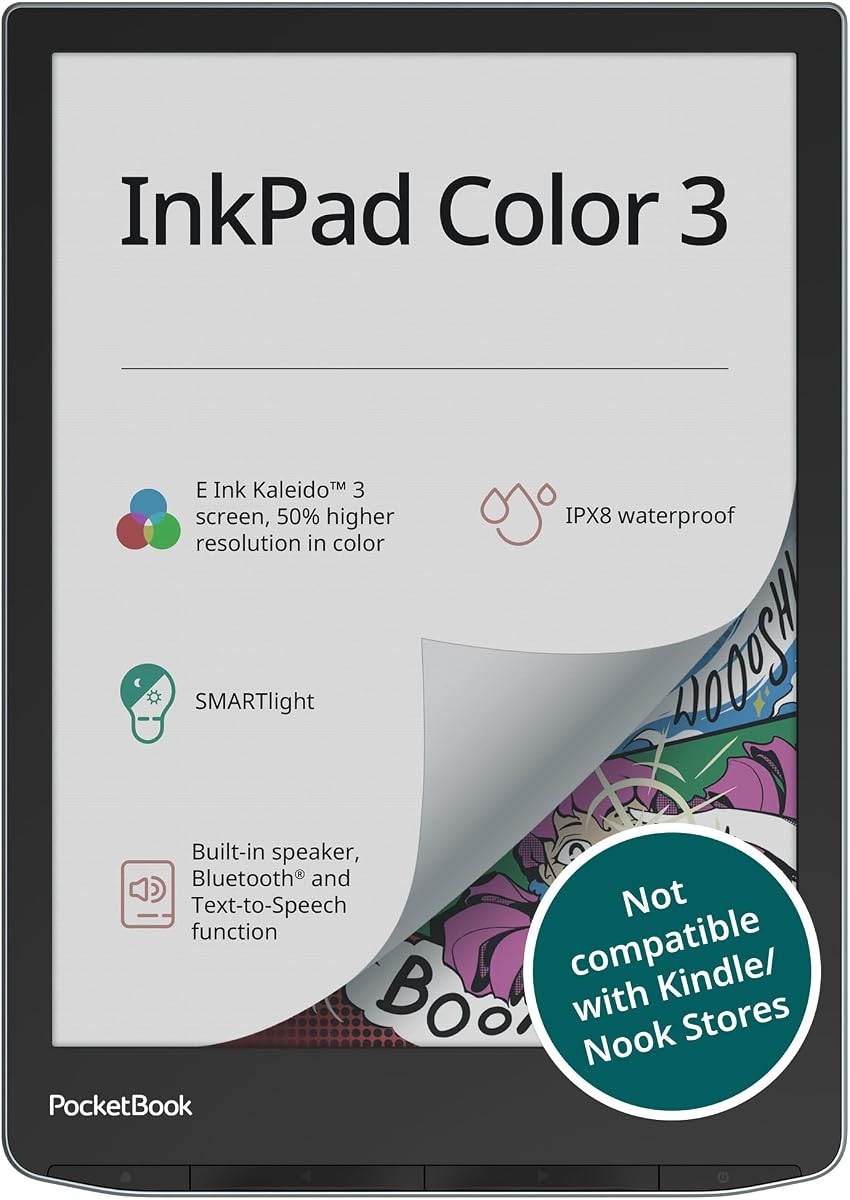
The PocketBook InkPad Color 3 is designed for reading with added audio features for versatility. Its 7.8 inch screen supports color content while the waterproof design makes it durable. Text-to-speech capabilities allow you to listen to books in various languages.
We may earn a commission when you buy through this link, at no additional cost to you.
Key strengths include its robust audio features and long battery life which supports months of reading. The SMARTlight display adjusts for comfortable reading day or night. It supports many formats and Bluetooth for wireless audio playback.
While it lacks advanced note-taking features, it excels as a dedicated reading and listening device. The waterproofing is rare in this category and great for outdoor use. It is best for those who prioritize content consumption over annotation.
This tablet is ideal for readers who enjoy audiobooks and want a versatile device. If you need a durable reader with audio options, the InkPad Color 3 is a great choice. It combines color reading with listening for a complete experience.
Text-to-speech and Bluetooth allow you to listen to books or audio files.
Waterproof design protects the device from water damage in wet conditions.
We may earn a commission when you buy through this link, at no additional cost to you.
Choosing the right color E ink tablet depends on your specific needs such as reading, writing, or both. This guide breaks down the most important factors to help you select a device that fits your workflow and budget.
Screen size affects comfort and portability. Larger screens like 10 inches are better for documents and drawing while smaller ones are easier to carry. Resolution determines text clarity with higher ppi ensuring sharper fonts for reading.
Select a size that matches your primary use case and how often you plan to carry the device.
If you plan to write frequently, check the pressure levels and latency of the stylus. Some devices include the pen while others sell it separately. Look for a model that offers a natural paper-like feel for comfortable annotation.
Ensure the stylus is compatible and included or affordable to avoid unexpected costs.
Android based devices offer more app flexibility than closed systems. Consider whether you need third party apps like Kindle or Dropbox. Some models limit functionality to focus on reading and writing which reduces distractions.
Choose an OS that supports the specific tools you need for your daily tasks.
E ink technology naturally extends battery life but color modes may reduce it. Check manufacturer claims and user reviews for real-world performance. Longer battery life means less frequent charging and better mobility.
Prioritize models with at least a week of usage on a single charge for convenience.
Storage determines how many books and documents you can keep locally. If you use cloud storage extensively, internal capacity may be less critical. However, larger files like comics require more space.
Opt for at least 64GB if you plan to store many large files on the device.
Look for devices with robust materials and protective features. Some models offer waterproofing which is useful for reading in different environments. A sturdy build ensures longevity and protection against daily wear.
Check for features like IP ratings or included cases to protect your investment.
Price varies significantly based on brand and features. Determine a budget and compare what is included in that price. Accessories like pens and cases often add to the total cost.
Balance the cost with the features you truly need to avoid overpaying.
Ensure the device supports the file types you use most such as PDF EPUB or DOCX. Some readers have limited support requiring conversion software. Compatibility affects how easily you can read your existing library.
Verify supported formats match your current collection to avoid hassle before buying.
To get started, charge your device fully before first use and familiarize yourself with the interface. Most tablets come with basic tutorials that explain navigation and settings. Take time to adjust brightness and color temperature to your preference.
Use the stylus with care to avoid scratching the screen. When writing, apply light pressure since the display is sensitive. Clean the surface with a soft dry cloth to remove dust or smudges regularly.
Keep your software updated to access new features and improvements. Store documents in cloud services for backup if the device is lost. Avoid exposing the tablet to extreme temperatures or direct sunlight for extended periods.
Yes many models run Android and support third party apps like Kindle or Dropbox. However some closed systems limit apps to focus on reading. Check device specifications for compatibility before purchasing.
No color E ink tablets require specific active or EMR styluses. Regular capacitive pens will not work for precise input. Ensure you buy the correct model for your device.
Battery life varies by model and usage but typically lasts weeks on a single charge. Color modes may reduce this time slightly. Check individual product reviews for accurate estimates.
Some models like the PocketBook InkPad Color 3 offer waterproof protection. Most do not have this feature so avoid using them near water. Check product specs for IP ratings if needed.
Yes most tablets include adjustable frontlights to help you read in the dark. Some offer warm and cold options for better comfort. Ensure the device has this feature if you read at night.
It depends on the model. Some like the Kindle Scribe include the pen while others sell it separately. Always check what is included before purchasing to avoid extra costs.
Yes all listed devices support PDF reading and annotation. Some offer better scaling tools for large documents. Verify support for your file types before buying.
We have reviewed ten top color E ink tablets that balance performance features and price. Each device offers unique strengths whether you prioritize writing quality reading comfort or app flexibility. The Kindle Scribe and reMarkable lead in specialized productivity while BOOX and Ocean offer versatile options.
When choosing prioritize the size that matches your workflow and check stylus compatibility. If you need an open ecosystem Android based devices are best. For focused work consider models with limited distractions.
Prices and availability change frequently so always check current details before making a purchase. We hope this guide helps you find a tablet that enhances your digital reading and writing experience.