
4K Vlogging Camera Pocket Digital
4.4Editor score
4K video recording capability
Rotating lens for solo vlogging
WiFi transfer to smartphone
This guide compares the best camera for social media content options available in 2026, helping you choose the perfect device for vlogging and creating
Creating engaging content for social media platforms requires the right tools, and having a reliable camera is essential for capturing high-quality visuals that resonate with your audience.
We have evaluated various options based on image quality, portability, ease of use, and specific features that cater to content creators who need to produce videos consistently and efficiently.
Each selection highlights unique strengths suitable for different creation styles and budgets, ensuring you find a device that meets your specific needs for professional-looking content creation.
4.4Editor score

4.5Editor score
5.0Editor score
This comparison table provides a side-by-side overview of the top-rated cameras and kits designed specifically for social media content creators in 2026.


The DJI Osmo Pocket 3 Creator Combo stands out as the premier choice for serious content creators who prioritize image quality and stability above all else.
We may earn a commission when you buy through this link, at no additional cost to you.
Its large one-inch sensor captures stunning detail and color depth, while the three-axis mechanical stabilization ensures your footage remains smooth regardless of movement.
While it commands a premium price compared to entry-level options, the investment pays off through superior performance in low-light conditions and professional-grade video capabilities.
This camera is ideal for creators aiming to produce high-end social media content that rivals broadcast quality without needing bulky camera equipment or extensive setups.
The one-inch CMOS sensor delivers exceptional clarity and dynamic range, making it perfect for detailed product reviews and cinematic storytelling.
Three-axis mechanical stabilization eliminates shake during motion, ensuring professional looking footage even when recording handheld or while moving.
We may earn a commission when you buy through this link, at no additional cost to you.
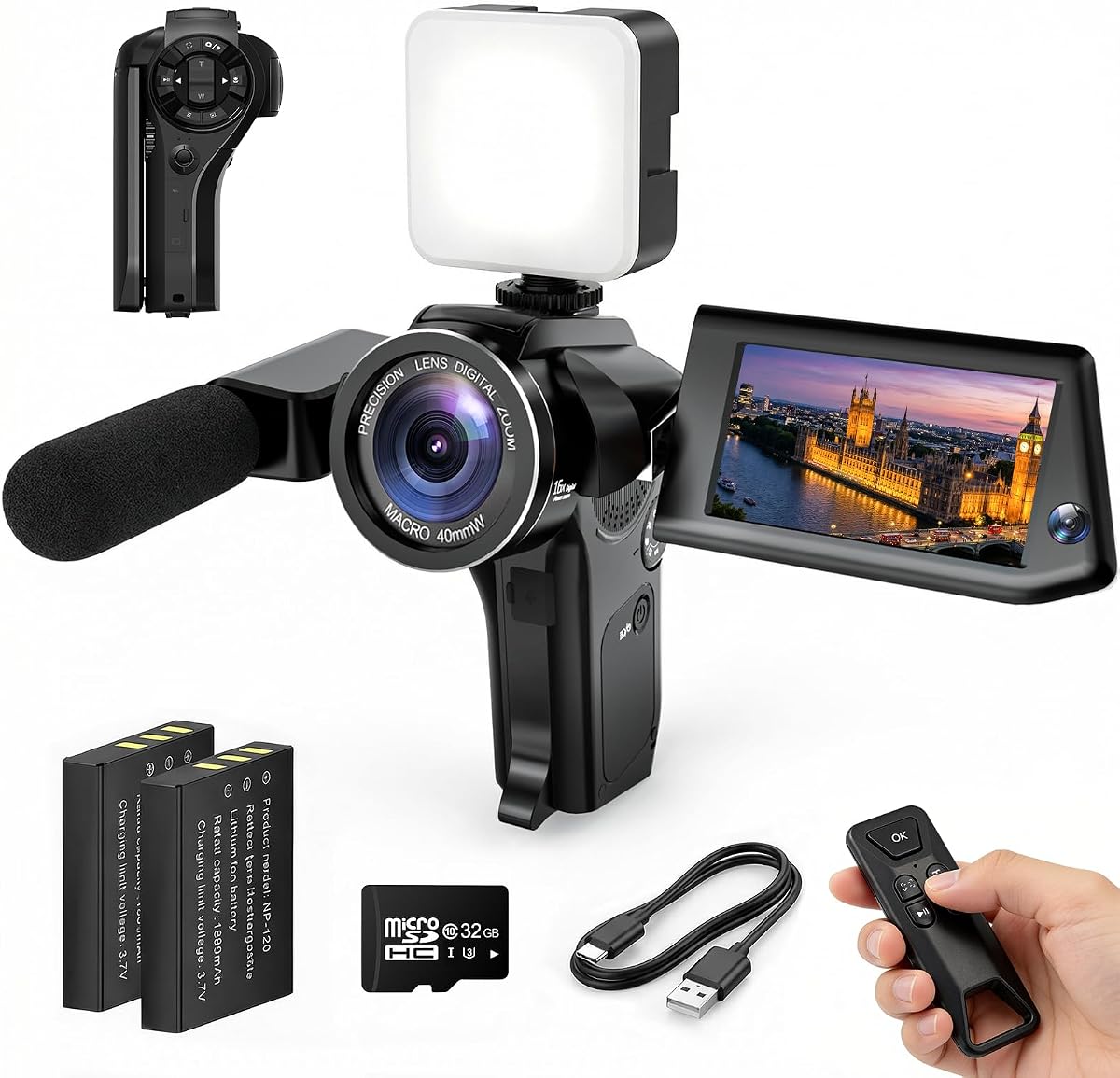
This 4K vlogging camera offers an excellent entry point for beginners looking to create content without breaking the bank or dealing with complex technical setups.
We may earn a commission when you buy through this link, at no additional cost to you.
Its unique rotating lens allows for easy self-recording, while the WiFi feature ensures quick transfer of clips to your smartphone for immediate sharing.
While it may lack the advanced features of professional cameras, it provides more than enough quality for standard social media posts and daily vlogging needs.
Perfect for students or casual creators, this camera comes with a tripod and memory card so you can start creating videos right out of the box.
The rotating lens lets you frame yourself easily for vlogs without needing a second person or complex tripod positioning.
Built-in WiFi enables fast transfer to mobile devices, speeding up your workflow from filming to posting on social platforms.
We may earn a commission when you buy through this link, at no additional cost to you.
This camera stands out for its unique picture-in-picture feature, allowing creators to capture their reactions while recording the subject simultaneously for maximum engagement.
We may earn a commission when you buy through this link, at no additional cost to you.
It transforms standard videos into personal experiences, making it ideal for family memories, tutorials, and reaction content where the creator's face matters.
While specialized, this feature opens up new creative possibilities that are difficult to replicate with traditional cameras or editing software alone.
Creators focusing on personal brands, family content, or educational tutorials will find this tool invaluable for building deeper connections with their audience.
Record yourself and the subject at the same time, adding context and emotion to your videos without complicated post-production editing.
Audiences connect better when they see the creator's genuine reactions, leading to higher watch times and stronger community building.
We may earn a commission when you buy through this link, at no additional cost to you.
Offering 8K video and 88MP photo capabilities, this camera provides high resolution options for those who want to future-proof their content or crop videos later.
We may earn a commission when you buy through this link, at no additional cost to you.
The inclusion of IR night vision allows for creative low-light recording, while the remote control and stabilizer make it ready for varied shooting scenarios.
Although higher resolution means larger files, the flexibility it offers in post-production and detail retention is valuable for quality-focused creators.
Best suited for users who want advanced technical specs without the price tag of professional cinema cameras, this kit is comprehensive and ready to shoot.
The 8K capability allows for high-quality crops and zooms in editing, ensuring your final output looks sharp even on large displays.
IR night vision expands your shooting window into darker environments, allowing you to capture unique content when light is limited.
We may earn a commission when you buy through this link, at no additional cost to you.
This camera balances high-resolution still photography with video capabilities, making it a strong choice for creators who need to produce both images and motion content.
We may earn a commission when you buy through this link, at no additional cost to you.
The 180-degree flip screen and 20x zoom allow for flexible framing in various environments, while the included SD card ensures you can start shooting immediately.
While the battery life may require planning for long shoots, the versatility it offers in terms of output formats and creative angles is excellent for general content creation.
Ideal for lifestyle bloggers and product reviewers, this camera handles both detailed photos and videos seamlessly within a compact body.
With 96MP photos and 8K video, this camera handles both stills and motion equally well, reducing the need for multiple devices.
The 20x zoom lets you capture details from a distance, useful for nature vlogs or street photography without intrusive presence.
We may earn a commission when you buy through this link, at no additional cost to you.
Designed for spontaneity, this mini camcorder fits easily in a pocket and offers a long battery life, making it perfect for travel and day-to-day recording.
We may earn a commission when you buy through this link, at no additional cost to you.
The one-button recording ensures you never miss a moment, appealing to users who prefer simplicity over technical control.
While it does not match the image quality of larger cameras, its reliability and ease of use make it a great secondary camera for capturing quick clips.
Perfect for travelers who want to document experiences without weighing down their bag, this camera delivers convenience above technical complexity.
With seven hours of recording time, you can shoot through a full day of travel without worrying about finding a power source.
The one-button operation means you can start recording immediately, reducing the risk of missing spontaneous or fleeting moments.
We may earn a commission when you buy through this link, at no additional cost to you.
If you already own a smartphone, this kit provides all the necessary accessories to elevate your video quality, including audio and lighting components.
We may earn a commission when you buy through this link, at no additional cost to you.
The wireless microphone ensures clear sound even in noisy environments, while the RGB fill light helps improve facial lighting for better aesthetics.
Combining stability options with flexible mounting solutions, this kit is a comprehensive way to upgrade a smartphone setup into a professional production station.
Ideal for budget-conscious creators who want to improve production values without investing in a dedicated camera body, this bundle offers excellent value.
Clear audio from the wireless mic and adjustable lighting from the RGB light significantly boost the professional quality of your smartphone videos.
With both rigid and flexible tripods, you can secure your phone on tables, branches, or irregular surfaces for steady shots anywhere.
We may earn a commission when you buy through this link, at no additional cost to you.
This kit features advanced face tracking technology that keeps you centered in the frame without manual adjustments, making it perfect for solo presentations.
We may earn a commission when you buy through this link, at no additional cost to you.
The tall tripod height and dual microphone setup ensure you are well-lit and heard clearly, which is crucial for live streaming and tutorials.
While it depends on your phone for image processing, the automation features like gesture control and tracking simplify the workflow significantly.
Creators who film tutorials or talking head content frequently will appreciate the automation that keeps their setup simple and their shots consistent.
Face tracking follows your movements automatically, allowing you to move naturally without worrying about framing or losing focus.
Having two wireless microphones means you can interview guests or capture ambient sound with clear quality from multiple sources.
We may earn a commission when you buy through this link, at no additional cost to you.
Designed specifically for streaming and meetings, this webcam delivers consistent 1080p video quality with auto-light features that ensure you look good in any room.
We may earn a commission when you buy through this link, at no additional cost to you.
The built-in microphone simplifies your setup, while the privacy cover provides peace of mind when the camera is not in use.
Because it connects easily via USB, it is a reliable choice for creators who spend long hours live streaming or hosting virtual workshops.
If your content focuses on online interaction rather than pre-recorded footage, this webcam provides the stability and features needed for professional communication.
The auto-light balance adjusts exposure in real-time, keeping you well-lit even if your background or room lighting changes frequently.
The integrated slide cover ensures your privacy is protected when you are not actively streaming, adding a layer of security to your setup.
We may earn a commission when you buy through this link, at no additional cost to you.
Similar to the top budget pick, this camera offers a great balance of features and price, making it another strong option for those starting their social media journey.
We may earn a commission when you buy through this link, at no additional cost to you.
The rotating lens and WiFi connectivity are key features that allow for efficient content creation and sharing across platforms.
While it may not have the build quality of higher-end devices, it reliably performs basic recording tasks well, making it a safe choice for daily use.
For beginners who want to test the waters of video creation without a major financial commitment, this camera provides the essential tools needed to start.
The simple interface and included accessories mean you can start creating content immediately without needing to learn complex settings.
WiFi transfer to smartphones allows you to edit and share videos quickly, which is vital for maintaining a consistent posting schedule.
We may earn a commission when you buy through this link, at no additional cost to you.
Selecting the right camera involves considering several factors that influence the quality and usability of your final content.
Higher resolution like 4K or 8K ensures your videos look sharp on modern screens, allowing for cropping and zooming during editing without quality loss.
Look for at least 4K resolution to future-proof your content and maintain professional standards across social media platforms.
Stabilization is critical for handheld shots, with optical or mechanical stabilization producing smoother footage than digital stabilization methods.
Choose a camera with good stabilization to avoid shaky footage that can distract viewers and reduce production value.
If you travel often or shoot on the go, a compact and lightweight camera ensures you can capture content without fatigue or burden.
Pocket-sized options are ideal for spontaneous recording, while larger cameras offer better quality at the cost of mobility.
Good audio is just as important as video, so consider cameras with built-in mics or external inputs for better sound capture.
Invest in a camera that supports external microphones to ensure your voice is clear and background noise is minimized.
User-friendly interfaces and automated features like face tracking help you focus on creating rather than managing technical settings.
Choose a camera that matches your technical comfort level, whether that means simple one-button recording or advanced manual controls.
Built-in WiFi or Bluetooth allows you to transfer files quickly to your phone for editing and sharing on social media instantly.
Ensure the camera connects seamlessly with your smartphone to speed up your workflow and keep your content fresh.
Long battery life means you can shoot for extended periods without interruption, which is essential for vlogs and travel content.
Look for cameras with long run times or the ability to use power banks for continuous recording on location.
High-quality video requires substantial storage, so ensure your camera supports large memory cards and offers sufficient onboard storage options.
Consider how much footage you shoot daily to choose the right storage capacity for your needs.
Start by setting up your camera with a full charge and a formatted memory card, ensuring that all settings match your desired video resolution and frame rate.
Test the stabilization and framing features before shooting to get comfortable with the controls and ensure your shots are steady and well-composed.
After shooting, transfer your files using the built-in WiFi to edit on your phone, and keep the camera clean and dry to maintain its condition over time.
The 4K Vlogging Camera Pocket Digital offers an excellent balance of features and affordability, making it ideal for beginners. It includes WiFi transfer and a rotating lens which are essential for content creators.
Not necessarily. Many smartphones and entry-level cameras produce high enough quality for social platforms. A dedicated camera helps with stabilization and low light, but a phone kit can suffice.
Stabilization is crucial for handheld vlogging to prevent shaky footage. Optical or mechanical stabilization ensures smooth movement which keeps viewers engaged.
Yes, webcams like the Logitech Brio 101 are great for live streaming or face-to-face content. They simplify setup and ensure consistent framing for online sessions.
Look for features like flip screens, good autofocus, and reliable audio. Connectivity options like WiFi also help you share content quickly after recording.
Most modern cameras have WiFi or Bluetooth that allows direct transfer to your smartphone. This lets you edit and share content directly from the device.
The cameras listed above offer a wide range of options to suit different needs, from high-end production to simple travel recording.
Prioritize features that align with your specific content goals such as stabilization for travel or audio for talking head videos.
Remember to check current prices and availability before purchasing to ensure you get the best deal on your chosen equipment.