
AOC 22B30HM2
4.7Editor score
100Hz Refresh Rate
Flicker-Free Technology
Adaptive Sync Support
AOC monitors have become a staple for gamers and professionals seeking high performance without breaking the bank. Whether you need a fast refresh rate for competitive play or a crisp display for creative work, AOC offers a diverse range of panels that cater to every need. Their commitment to quality ensures that every model delivers sharp visuals and reliable connectivity for any workspace.
To compile this list, we evaluated ten distinct models based on panel technology, refresh rates, resolution, and user feedback. We looked closely at how each monitor handles motion, color accuracy, and ergonomic adjustments to ensure they meet modern standards. Our goal is to provide a clear overview of the best options available right now for various budget levels and use cases.
Each pick in this guide highlights specific strengths like OLED clarity, rapid response times, or wide viewing angles. You will see detailed breakdowns of what makes each screen unique along with key specifications to consider. Please note that prices and availability can change frequently so always verify the current deal before making your final purchase decision.
4.7Editor score

4.6Editor score

4.4Editor score
As an Amazon Associate we earn from qualifying purchases.
This side-by-side comparison outlines the core specifications of each AOC model to help you quickly identify the right fit for your needs. We include screen size, panel type, refresh rate, and key features to highlight the differences between budget, mid-range, and premium options.



The AOC 27G41ZE is a top-tier gaming monitor that delivers exceptional speed and color accuracy for competitive play. With a 27-inch QHD IPS panel and a 240Hz refresh rate, it ensures smooth motion and sharp visuals. Its strong rating from users highlights its reliability and performance in demanding gaming scenarios.
We may earn a commission when you buy through this link, at no additional cost to you.
This monitor excels in clarity thanks to its QHD resolution and wide viewing angles provided by the IPS panel. The 0.3ms response time minimizes blur during fast-paced action, while Adaptive-Sync prevents screen tearing on both AMD and NVIDIA GPUs. The frameless design also makes it ideal for multi-monitor setups.
While the tilt adjustment is useful for ergonomics, the lack of height adjustment may require a stand for some users. The audio output is present but basic, so external speakers are recommended for immersive sound. These trade-offs are acceptable given the high performance and competitive pricing of the unit.
Gamers seeking a balance of resolution and speed should consider this model for their main display. It is perfect for those who need precise targeting and fluid motion without compromising on color quality. We highly recommend it for anyone building a high-end gaming station on a reasonable budget.
Features like Shadow Control and Game Mode presets allow for quick tuning of visuals to suit different game genres.
The three-sided frameless design with a textured black and red finish complements modern gaming aesthetics perfectly.
We may earn a commission when you buy through this link, at no additional cost to you.
The AOC 24G42HE offers incredible value for gamers who prioritize speed over resolution. With a 200Hz refresh rate and rapid 1ms response time, it delivers crisp Full HD visuals suitable for competitive titles. Users praise its ability to handle fast action without ghosting or tearing thanks to Adaptive-Sync technology.
We may earn a commission when you buy through this link, at no additional cost to you.
Color accuracy is a strong point here with 116% sRGB coverage ensuring true-to-life images. The frameless design allows for seamless multi-monitor setups without distracting bezels. It is also optimized for console gaming, supporting up to 120Hz frame rates on compatible systems to maximize performance.
The lower resolution might be a drawback for productivity tasks requiring more screen real estate but it is standard for this size. The lack of certified HDR means colors are vibrant but not as dynamic as higher-end models. However, for its price point these limitations are minor compared to its gaming performance.
Budget-conscious gamers or console players will find this monitor an excellent addition to their setup. It provides a significant boost in responsiveness without requiring a high-end graphics card. We recommend it for those looking to upgrade from older 60Hz displays immediately.
Designed to unlock up to 120Hz on consoles with ultra low latency for a competitive edge.
Includes flicker-free technology to reduce eye strain during long gaming sessions.
We may earn a commission when you buy through this link, at no additional cost to you.
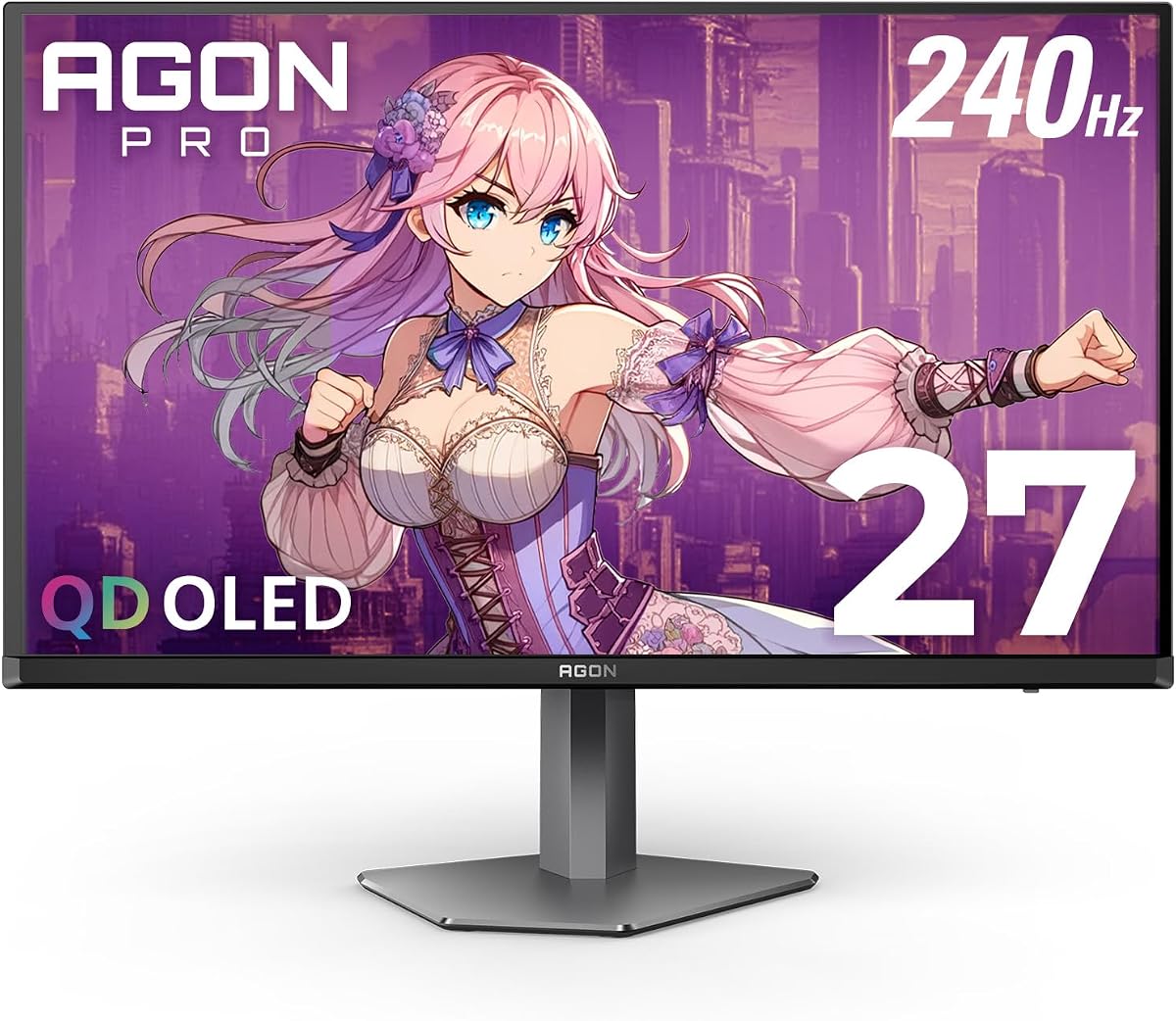
The AOC Agon Pro AG276QZD2 represents the pinnacle of display technology with its QD-OLED panel. This monitor delivers flawless image quality with perfect blacks and extreme color accuracy. The 240Hz refresh rate and 0.03ms response time ensure unprecedented fluidity for competitive gaming.
We may earn a commission when you buy through this link, at no additional cost to you.
With HDR400 support and a wide color gamut, visuals are rich and diverse. The height-adjustable stand with 130mm of travel allows for ergonomic positioning. Additionally, the built-in USB hub simplifies connectivity for peripherals making setup cleaner and more organized on your desk.
The main trade-off is the higher cost compared to traditional LCD monitors which may not fit all budgets. OLED panels also carry a theoretical risk of burn-in over time if static images are displayed for extended periods. AOC includes warranty protection to mitigate these concerns but it remains a consideration.
Enthusiasts and professionals who demand the absolute best visual fidelity should invest in this monitor. It is ideal for those who value deep contrast and fast response times equally. We recommend it for high-end gaming rigs where performance and quality are paramount.
OLED technology provides genuine blacks that enhance depth and immersion in dark scenes.
Features 2x HDMI 2.1 and DisplayPort along with a USB hub for versatile device connection.
We may earn a commission when you buy through this link, at no additional cost to you.
The AOC U27B3A is a robust choice for users who need high resolution for work and multimedia. With a 4K UHD IPS panel it produces over 1 billion colors for rich detail across your workspace. The built-in speakers add convenience by eliminating the need for external audio devices.
We may earn a commission when you buy through this link, at no additional cost to you.
Its 3-sided frameless design makes it perfect for creating seamless multi-monitor arrays for productivity. The HDR capability ensures that content looks vibrant with diverse contrast levels. Wide viewing angles mean colors remain accurate even when viewed from the side.
Lack of high refresh rate limits this model for gaming but it excels in static tasks like editing or coding. The standard stand lacks extensive ergonomic adjustments compared to gaming models. These limitations are acceptable given the focus on clarity and multimedia use cases.
Professionals and home office users will appreciate the sharpness of the 4K display. It is suitable for those prioritizing resolution over speed. We recommend it for design work or general computing where screen space is key.
4K resolution provides sharp text and images ideal for detailed creative work.
Built-in speakers deliver sufficient sound for media playback without extra cables.
We may earn a commission when you buy through this link, at no additional cost to you.
The AOC 27G51Z combines size and speed for an immersive competitive gaming experience. It features a 27-inch Full HD IPS panel that can be overclocked to 260Hz for ultra-smooth motion. The 0.5ms response time ensures crisp visuals and fast reaction capabilities during play.
We may earn a commission when you buy through this link, at no additional cost to you.
Its sleek frameless design supports easy multi-monitor integration for wider fields of view. The G-Menu software allows for easy customization of game modes and settings. Additionally Eco Mode keeps power usage efficient which is great for long gaming sessions.
The FHD resolution on a larger screen might appear less sharp compared to QHD but it helps maintain high frame rates. The tilt-only stand limits ergonomic flexibility but VESA compatibility offers a workaround. These factors are balanced well by the high refresh rate and value.
Gamers who need speed over resolution will find this model highly effective. It offers a significant upgrade in fluidity for fast-paced titles. We recommend it for shooters and racing games where motion clarity is essential.
Eco Mode reduces power consumption without sacrificing visual performance.
G-Menu software provides intuitive tuning for different game genres and preferences.
We may earn a commission when you buy through this link, at no additional cost to you.
The AOC CQ32G4VE offers a large curved display that wraps around your vision for immersion. Its 32-inch QHD VA panel with 1500R curvature provides a cinematic feel. The 180Hz refresh rate ensures smooth gameplay and the high contrast ratio delivers deep blacks.
We may earn a commission when you buy through this link, at no additional cost to you.
Color coverage is impressive with over 120% of the sRGB space for vibrant images. It supports HDR for better dynamic range and includes ample connectivity options like HDMI and DisplayPort. The zero-bright-dot warranty adds significant peace of mind for buyers.
VA panels typically have slightly slower response times which can result in minor ghosting in dark scenes. The lack of height adjustment on the stand may require an arm for perfect ergonomics. These trade-offs are minor compared to the immersion of the curve.
Movie lovers and immersive gamers will enjoy the wide field of view this monitor provides. It is excellent for titles with rich environments and storytelling. We recommend it for single player experiences where immersion matters most.
1500R curvature brings edges closer to your eyes for a more natural viewing experience.
Includes a 3-year advance replacement warranty for reliable support and confidence.
We may earn a commission when you buy through this link, at no additional cost to you.
The AOC C32G2ZE combines the speed of 240Hz with the immersion of a 32-inch curve. This unique blend is ideal for those who want high frame rates and a wide field of view. It works well with consoles like Xbox and PlayStation supporting high refresh rates up to 120Hz.
We may earn a commission when you buy through this link, at no additional cost to you.
AMD FreeSync Premium ensures smooth variable refresh rates across a wide range. The frameless design aids in multi-monitor setups and looks sleek on any desk. The 3-3-1 Re-Spawn Program offers strong warranty coverage for unexpected hardware issues.
Using FHD on a 32-inch screen can lead to visible pixelation up close compared to QHD. VA technology may show slight ghosting in dark scenes but brightness levels are strong. These aspects are acceptable for gamers prioritizing frame rate over text clarity.
Console players and big-screen gamers will find this model perfectly suited for their needs. It offers a competitive edge with fast refresh rates in a large form factor. We recommend it for those wanting a cinema-like gaming experience.
Optimized for Xbox and PS5 to unleash up to 120Hz in supported titles.
Includes a 3-3-1 Re-Spawn program for extended protection against hardware failures.
We may earn a commission when you buy through this link, at no additional cost to you.
The AOC Q27G4ZD brings OLED technology to a high refresh rate gaming format. Its 27-inch QHD panel delivers extreme color accuracy and perfect blacks for stunning visuals. The 240Hz refresh rate makes it incredibly fast and suitable for competitive esports titles.
We may earn a commission when you buy through this link, at no additional cost to you.
HDR10 support enhances the contrast and color depth for rich details in games. It supports NVIDIA G-SYNC and AMD Adaptive-Sync for tear-free gameplay across different GPUs. The self-luminous nature of OLED allows for pixel-level control of brightness and black levels.
The premium price tag places it in a high-end category for serious enthusiasts. Stand options are limited compared to ergonomic gaming stands which might affect positioning. However the visual fidelity and speed make it a top choice for many.
Visual enthusiasts and esports pros will appreciate the speed and clarity of this screen. It delivers a premium experience without compromising on motion performance. We recommend it for those seeking the best in display technology.
Wide color gamut coverage ensures every shade is rendered accurately on screen.
0.03ms response time ensures near-instant reaction to pixel changes for blur free action.
We may earn a commission when you buy through this link, at no additional cost to you.
The AOC 27G41ZE continues to impress with its blend of speed and resolution. The overclocked 260Hz rate offers ultra-fluid motion that is rare in this class. The QHD resolution ensures that every pixel counts for sharp image quality across all genres.
We may earn a commission when you buy through this link, at no additional cost to you.
The high contrast ratio and bright display make visuals pop even in well-lit rooms. Users find the graphical OSD menu intuitive for tuning performance settings quickly. Connectivity is covered with multiple HDMI and DisplayPort inputs for versatile setup.
Lack of USB ports means peripherals must be connected to the PC directly. The tilt-only stand is functional but less versatile than adjustable bases. Still the performance per dollar makes this an appealing choice for many builders.
Gamers looking for a fast and reliable monitor for competitive play will love this. It balances features and price effectively for high refresh needs. We recommend it for FPS and competitive shooters where reaction time matters.
Multiple input ports allow easy connection of PC and console simultaneously.
User-friendly OSD and G-Menu software simplify performance customization tasks.
We may earn a commission when you buy through this link, at no additional cost to you.
The AOC 22B30HM2 is an ideal choice for smaller desks and entry-level gaming. With a 100Hz refresh rate it offers smoother motion than standard 60Hz screens. The 1ms response time ensures clear visuals during fast-paced action in competitive titles.
We may earn a commission when you buy through this link, at no additional cost to you.
Its compact 21.5-inch size fits comfortably in tight spaces without sacrificing performance. Blue Light Filter and Flicker-Free technology protect your eyes during long sessions. The frameless design supports clean setups and VESA mounting options provide flexibility.
It lacks HDR support and advanced features like height adjustment but is sufficient for casual gaming. The renewed version may show minor cosmetic wear but functions fully. This makes it a practical entry point for those upgrading their first gaming monitor.
Students and casual gamers needing a budget-friendly option will find this monitor reliable. It offers a smooth experience at a very low cost point. We recommend it for secondary displays or first-time builds on a tight budget.
Built-in filters reduce eye strain to ensure comfortable extended viewing sessions.
Compact footprint makes it perfect for dorm rooms and small workspaces.
We may earn a commission when you buy through this link, at no additional cost to you.
Choosing the right AOC monitor depends on your specific needs for gaming, productivity, or entertainment. We outline key factors to help you make an informed decision.
Panel technology defines color quality and contrast. IPS panels offer accurate colors and wide viewing angles which are great for productivity. VA panels deliver higher contrast ratios for deeper blacks which suits movie watching. OLED panels provide perfect blacks and speed but come at a higher price point.
Choose IPS for color work VA for contrast and OLED for premium speed and image quality.
Refresh rate determines how many frames are shown per second. Gamers benefit from high rates like 144Hz or 240Hz for smoother motion. Productivity users often find 60Hz sufficient for general tasks. Higher refresh rates reduce motion blur and make gameplay feel more responsive.
Prioritize high refresh rates for competitive gaming to gain a visual edge.
Response time measures how fast pixels can change color. Lower values like 1ms or 0.5ms reduce ghosting during fast action. Most AOC gaming monitors achieve low response times via MPRT settings. This metric is critical for maintaining clarity in fast-paced games.
Select models with low response times to ensure sharp and clean motion.
Resolution defines the number of pixels on the screen. 4K offers incredible clarity for detail work but requires powerful hardware. QHD provides a balanced sweet spot for gaming and office tasks. FHD is cost-effective and maintains high frame rates on standard PCs.
Balance resolution with your graphics card power for optimal performance.
Screen size impacts immersion and desk footprint. Smaller sizes like 24 inches fit well in tight spaces. Larger sizes like 32 inches offer a cinematic experience especially when curved. Choose based on your viewing distance and available desk area.
Ensure the size fits your viewing distance to avoid eye strain.
Check that the monitor has the inputs you need. HDMI and DisplayPort are standard for modern PCs and consoles. USB hubs can reduce cable clutter by connecting peripherals to the screen. Audio outputs allow easy connection to speakers or headphones.
Verify your required ports to avoid using adapters later.
Ergonomic features reduce neck strain during long sessions. Height adjustable stands allow perfect alignment with your eye level. Tilt and swivel options help position the screen against glare. VESA mount compatibility provides flexibility for third-party monitor arms.
Prioritize ergonomic stands or VESA mounts for comfort.
Extra features can enhance the user experience. Adaptive Sync technologies prevent screen tearing for smoother visuals. Built-in speakers save desk space but are rarely high quality. Eye care features like blue light filters improve comfort for long usage.
Look for Adaptive Sync if you game on different GPU brands.
Proper setup ensures you get the best performance from your AOC monitor. Start by connecting via DisplayPort for the highest refresh rates and bandwidth. Adjust brightness and contrast settings to match your room lighting and reduce eye strain.
Keep your screen clean by using a soft microfiber cloth to wipe away dust. Avoid using harsh chemicals or sprays directly on the glass surface as they may damage coatings. Turn off the monitor before cleaning to prevent accidental damage from moisture.
To extend the lifespan of your monitor enable power saving modes when not in use. Update your graphics drivers regularly to ensure compatibility with features like G-Sync. Proper care keeps your display looking great for years of usage.
Yes AOC monitors are highly regarded in the competitive gaming community. They offer high refresh rates and fast response times crucial for aiming and timing. Many models feature Adaptive-Sync to prevent screen tearing during intense matches.
Most AOC gaming and professional monitors include standard VESA mount holes. This allows you to attach the screen to ergonomic monitor arms or wall mounts. Always check the specific model's specifications before purchasing a mount accessory.
IPS panels provide better color accuracy and viewing angles while VA panels offer higher contrast and deeper blacks. IPS is generally preferred for creative work and general gaming. VA is great for media consumption and immersive gaming experiences.
Yes many AOC gaming monitors support consoles via HDMI 2.0 or higher connections. They often feature optimized modes to support high refresh rates like 120Hz on compatible consoles. Ensure your console settings match the monitor's supported refresh rate for best results.
Some models include built-in speakers while many gaming focused models do not. Built-in speakers are convenient for basic audio but external options sound better. Check the specifications section to confirm if speakers are included before buying.
Use the OSD menu to set brightness and contrast to recommended levels. Software calibration tools can also help adjust color temperature and gamma. Start with factory presets then tweak settings based on your environment and color needs.
AOC usually provides a three year limited warranty for most products. Some models include specific perks like a zero bright dot guarantee or advance replacement. Check the product page for exact terms as they can vary by model.
This guide reviewed ten top AOC monitors covering everything from budget options to premium OLED displays. Each model offers distinct strengths whether you need speed for gaming or clarity for work. We highlighted the AOC 27G41ZE for performance and the 22B30HM2 for affordability.
When selecting a monitor consider your primary use case and budget constraints carefully. Refresh rate and panel type should drive your decision for gaming while resolution matters more for productivity. Ensure the monitor fits your desk space and includes the necessary connectivity options.
Remember that prices and availability change regularly so check current listings before finalizing your purchase. Investing in the right display can significantly improve your daily computing experience. We hope this guide helps you find the perfect AOC monitor for your setup.