
Samsung Galaxy Tab S10+ Plus
4.7Editor score
12.4 Inch Dynamic AMOLED 2X
Galaxy AI Features Included
S Pen Support and IP68
AI tablets are reshaping how we work, learn, and create by integrating smart tools directly into everyday tasks. These devices offer intuitive interfaces, powerful processors, and features like real-time translation and sketch enhancement that adapt to your workflow seamlessly.
We evaluated ten leading models based on display quality, battery life, storage capacity, and AI capabilities. Our analysis focuses on how each tablet handles productivity, creativity, and entertainment while ensuring long-term value and reliability for diverse users.
Each pick highlights unique strengths such as stylus support, screen technology, and ecosystem integration. Prices and availability may change frequently, so verify current details before purchasing to ensure you get the best deal for your specific requirements.
4.7Editor score

5.0Editor score

4.4Editor score
As an Amazon Associate we earn from qualifying purchases.
The following table provides a side-by-side overview of the top ten AI tablets available this month. Compare key specifications like processor type, screen size, memory, and unique AI features to find the model that fits your usage patterns and budget.




The Lenovo Yoga Tab AI Tablet leads our list with a perfect rating and robust feature set designed for creators and professionals. Its high-end specifications and intuitive AI tools make it a top choice for productivity and creativity tasks.
We may earn a commission when you buy through this link, at no additional cost to you.
Powered by the Qualcomm Snapdragon 8 Gen 3 processor, this device handles demanding applications with ease. The 12GB RAM ensures smooth multitasking while the included Pro Pen and keyboard transform it into a versatile workstation for note-taking and design.
While the price is higher than average, the included accessories and premium build justify the investment for power users. The IP53 rating adds durability for daily use without worrying about minor spills or dust exposure during travel.
Ideal for creators, students, and professionals who need a reliable device that balances performance with portability. This tablet delivers a seamless experience across work and entertainment with advanced AI features enhancing every interaction.
Intelligent AI tools streamline creative tasks with features like live transcription and smart writing assistance that save time.
The 3.2K display with 144Hz refresh rate offers sharp visuals and smooth motion for immersive media consumption.
We may earn a commission when you buy through this link, at no additional cost to you.
Samsung Galaxy Tab S10+ Plus offers a large premium display and powerful AI features that redefine productivity and entertainment. Its sleek design and top-tier performance make it ideal for users seeking high-end capabilities.
We may earn a commission when you buy through this link, at no additional cost to you.
The Dynamic AMOLED 2X screen provides vivid colors and reduced glare for comfortable viewing in any lighting condition. Galaxy AI tools like Sketch to Image and Note Assist enhance creativity and organization during work sessions.
The IP68 rating ensures resistance against dust and water splashes adding peace of mind for daily use. However the price reflects its flagship status and some accessories may need separate purchase for full functionality.
Best for professionals and creatives who value screen quality and smart features. This tablet excels in delivering a seamless ecosystem experience with robust tools for note-taking and image manipulation.
Tools like Circle to Search and Note Assist allow quick information retrieval and efficient note organization.
The 12.4 inch display provides ample space for multitasking and media consumption without sacrificing portability.
We may earn a commission when you buy through this link, at no additional cost to you.
TCL NXTPAPER 11 Gen 2 delivers excellent value with an eye-friendly display and essential AI productivity tools. It is perfect for students and casual users who need a reliable device without breaking the bank.
We may earn a commission when you buy through this link, at no additional cost to you.
The NXTPAPER 4.0 technology reduces glare and blue light ensuring comfortable reading and writing sessions. With an included T-PEN stylus it supports note-taking and digital art effectively for creative learning activities.
While not as powerful as flagship models it handles everyday tasks smoothly and offers expandable storage options. The lightweight build makes it easy to carry around campus or during daily commutes for entertainment.
Recommended for budget-conscious buyers seeking a functional tablet with good display quality. This device balances cost and features well for students needing tools for study and creative projects.
NXTPAPER technology filters blue light and reduces glare for extended reading without eye strain.
Switching between display modes allows the screen to act like paper for notes or vibrant for media.
We may earn a commission when you buy through this link, at no additional cost to you.
The Samsung Galaxy Tab S11 combines flagship screen quality with practical features for everyday productivity and entertainment. Its robust build and smart tools make it a reliable choice for diverse user needs.
We may earn a commission when you buy through this link, at no additional cost to you.
With 12GB RAM it switches between apps smoothly while the Dynamic AMOLED display ensures clear visuals for reading and design. Galaxy AI features like Note Assist keep ideas tidy during meetings and lectures effectively.
The IP68 rating protects against spills and dust making it safe for outdoor use or environments with elements. Expandable storage allows you to add files without running out of space for offline media.
Ideal for students and professionals needing a durable device with smart capabilities. This tablet offers a strong mix of performance and protection at a competitive price point for Samsung users.
Galaxy AI organizes notes and sketches automatically saving time during lectures and work sessions.
The Dynamic AMOLED 2X display delivers vivid colors and sharp text for all content types.
We may earn a commission when you buy through this link, at no additional cost to you.
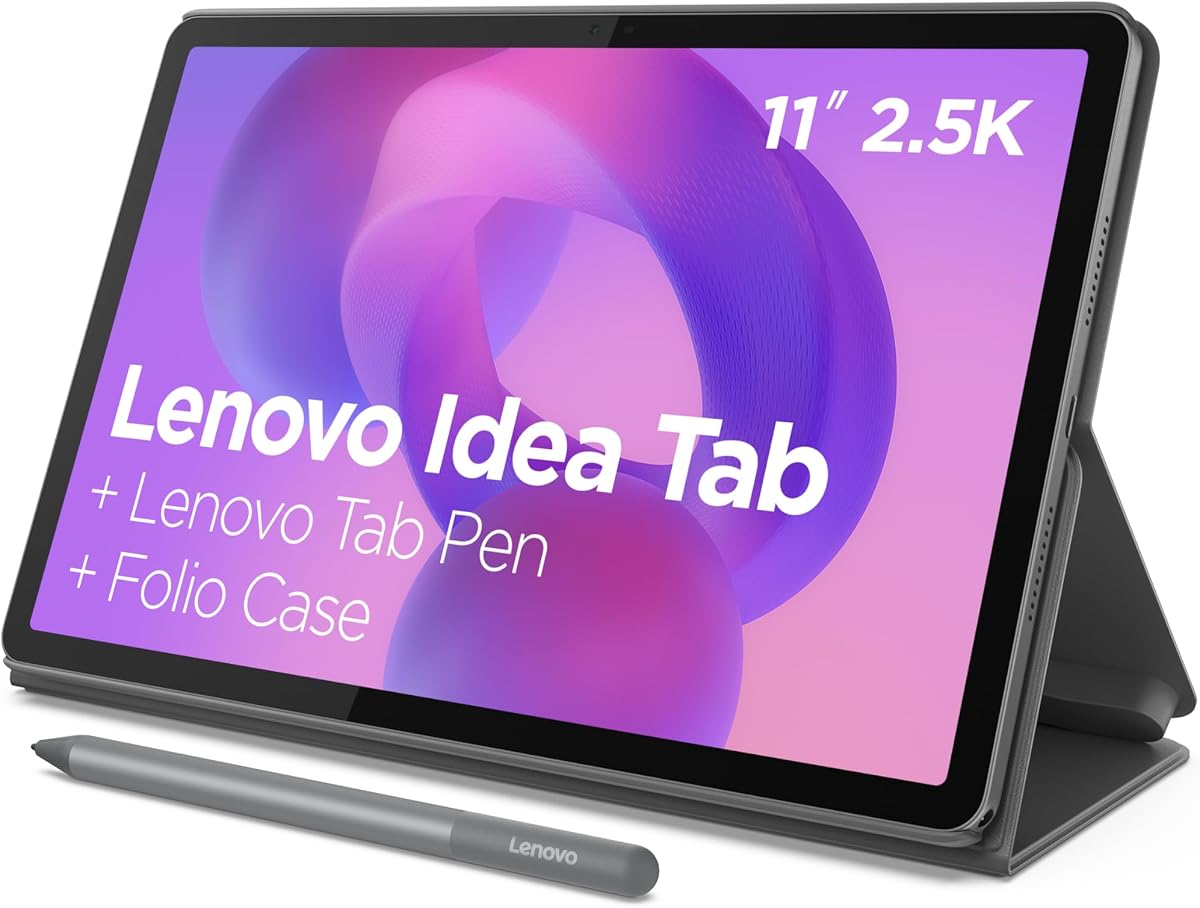
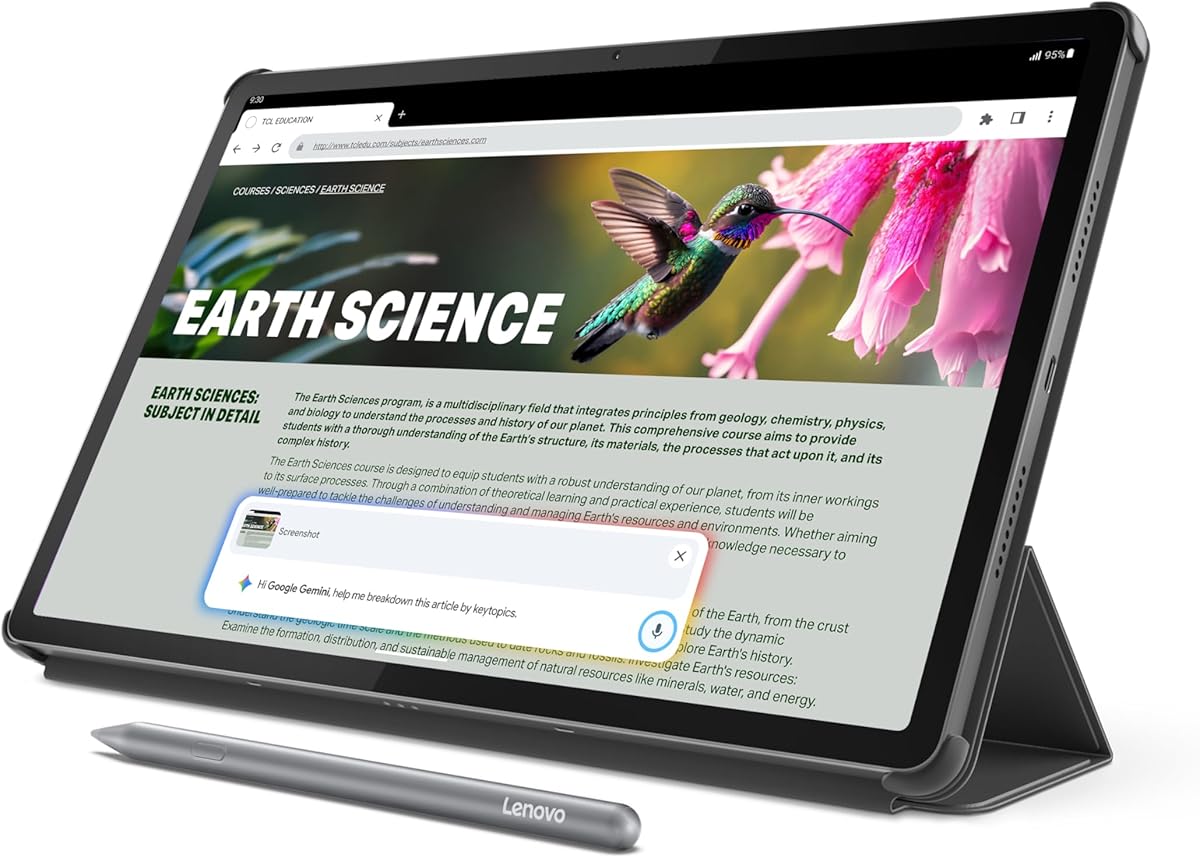
The Lenovo Idea Tab is designed specifically for students with AI-powered apps and tools to enhance learning. Its affordable price and included accessories make it accessible for campus life and study sessions.
We may earn a commission when you buy through this link, at no additional cost to you.
MediaTek Dimensity 6300 handles coursework smoothly while the 90Hz display ensures responsive touch input. Circle to Search lets you find answers instantly without switching apps making research faster and more efficient.
Built-in learning apps like Lenovo AI Note and Nebo help organize notes and calculations seamlessly. The included Tab Pen and folio case add value and protection for daily carry and note-taking.
Best for students seeking a practical device with study-focused features. This tablet balances cost and functionality to support academic needs and entertainment without unnecessary expense.
Integrated apps streamline note-taking and calculations keeping students focused on their coursework.
Low Blue Light hardware solutions protect eyes during long reading or streaming sessions.
We may earn a commission when you buy through this link, at no additional cost to you.
Samsung Galaxy Tab A11+ offers a large screen and ample storage perfect for streaming movies and games for all family members. Its simple interface and reliable performance make it suitable for general entertainment tasks.
We may earn a commission when you buy through this link, at no additional cost to you.
With 256GB storage it handles large files and apps without constant deletion. The quad speakers with Dolby Atmos deliver immersive audio for movies and music making entertainment more enjoyable at home.
Fast charging ensures minimal downtime between uses and the bright screen supports clear viewing indoors. AI Assist helps manage tasks and settings efficiently for all user profiles on the device.
Ideal for families needing a shared device for streaming and casual play. This tablet balances price and capacity to support everyday media consumption reliably and easily.
Dolby Atmos speakers provide cinema-like sound for movies and music at home.
256GB storage allows plenty of space for downloads and media files.
We may earn a commission when you buy through this link, at no additional cost to you.
The Lenovo Idea Tab Pro features a large high-resolution display and powerful processor for creative work and learning. Its support for Google Gemini adds intelligent assistance for students and professionals needing quick answers.
We may earn a commission when you buy through this link, at no additional cost to you.
With a 3K LCD screen visuals are sharp and colors are rich for design work and streaming. The included Tab Pen Plus allows precise input for sketching and annotation during study sessions.
Google Gemini acts as a super-assistant helping brainstorm ideas and solve problems efficiently. Fast charging and long battery life ensure you stay productive throughout the day without frequent plugging in.
Best for students and creators needing a capable device for design and multitasking. This tablet provides a balanced setup for creative tasks and academic work with essential accessories included.
Included pen supports sketching and design with precision on a high-res display.
Google Gemini helps brainstorm ideas and answer questions quickly during work.
We may earn a commission when you buy through this link, at no additional cost to you.
The TCL NXTPAPER 14 offers a massive display perfect for reading comics and drawing digitally. Its paper-like screen and large battery make it ideal for creators needing space and comfort.
We may earn a commission when you buy through this link, at no additional cost to you.
With a 14.3 inch 2.4K display you have plenty of room for multi-window productivity and detailed work. The included T-PEN stylus supports 4096 levels of pressure for natural sketching and writing.
Eye Comfort technology filters blue light and reduces glare ensuring long sessions do not strain eyes. The large battery supports all-day use and reverse charging allows you to power phones on the go.
Best for artists and students needing a large screen for detailed work. This tablet prioritizes visual comfort and size making it a strong choice for digital art and media.
Switch between Color Paper and Ink Paper modes for different creative and reading needs.
Large battery capacity ensures all-day usage with fast charging support for quick recharges.
We may earn a commission when you buy through this link, at no additional cost to you.
CHUWI Hi10 Max AI Tablet brings desktop performance to a portable device with an Intel Ultra 5 processor. Its full size ports and high speed SSD make it versatile for work and productivity tasks.
We may earn a commission when you buy through this link, at no additional cost to you.
With 12GB RAM and 512GB SSD it handles office software and creative apps efficiently. The 3:2 aspect ratio display provides more vertical space for documents and spreadsheets improving workflow.
Supports a keyboard for laptop-like typing and includes multiple ports for external monitors and storage. This hybrid design allows seamless switching between tablet and workstation modes easily.
Ideal for professionals needing a portable workstation with desktop power. This tablet supports complex tasks and connectivity options that standard tablets often lack effectively.
Multiple ports including HDMI and USB-C allow connection to external monitors and devices.
Intel Ultra 5 processor delivers fast performance for heavy multitasking and workflows.
We may earn a commission when you buy through this link, at no additional cost to you.
This Android 16 Tablet offers basic AI features and reliable performance at an extremely low entry price. It is suitable for casual browsing and media consumption for budget-conscious buyers.
We may earn a commission when you buy through this link, at no additional cost to you.
With 32GB RAM it handles multitasking smoothly for everyday apps and entertainment. The 8000mAh battery ensures long usage times and GPS support allows navigation for travel and commuting.
Expandable storage lets you add up to 2TB for files and media easily. Face ID and WiFi 6 provide convenience and connectivity for secure access and stable internet connections.
Best for users needing an affordable device for basic tasks and browsing. This tablet prioritizes battery life and cost savings for simple daily use.
Large 8000mAh battery supports all-day use without frequent charging needed.
Expandable up to 2TB for vast media and file storage options.
We may earn a commission when you buy through this link, at no additional cost to you.
Selecting the right AI tablet involves evaluating several key factors that impact performance usability and longevity. This guide breaks down what to look for to ensure you find a device that meets your specific needs.
The processor determines how quickly the tablet can handle tasks while memory affects multitasking ability. For AI features look for models with NPUs or optimized chips that support local processing and smart tools.
Choose at least 8GB RAM and a modern processor to ensure smooth performance for daily apps and AI tasks.
Screen quality is crucial for reading drawing and viewing media. Consider resolution brightness and refresh rate to find a display that suits your workload and eye comfort needs.
Prioritize OLED or high refresh IPS screens for vivid visuals and smooth motion during creative and entertainment use.
Different tablets offer varying levels of AI tools from simple voice assistants to advanced creative generators. Assess which features like live transcription or image editing are most important for your workflow.
Select devices with active AI support that align with your study work or creative goals for maximum productivity gains.
Battery capacity impacts how long you can use the tablet away from a charger. Look for models with sufficient capacity for your typical usage patterns and fast charging options for convenience.
Aim for batteries that last at least 8 to 10 hours of active use to cover a full work or study day.
Storage space is essential for apps photos and files. Internal storage should match your needs but expandability via microSD cards can provide flexibility for media libraries.
Choose models with enough internal storage for apps and consider expandable options for large media collections.
Build quality affects longevity and portability. Water and dust resistance ratings protect against accidental exposure while weight impacts ease of carrying in a bag.
Look for IP ratings and lightweight materials if you plan to use the device outdoors or travel frequently.
Many productivity tasks require additional accessories like keyboards and styluses. Check if these are included or sold separately and whether the ecosystem supports necessary apps and tools.
Factor in accessory costs and availability when comparing total package value for your specific needs.
Balance cost with features to get the best value for your budget. Consider warranty coverage and brand reputation for after-sales support and long term reliability.
Invest in models that offer the right mix of performance and features without overspending on unnecessary extras.
Start by setting up the device with a secure account and updating the operating system to the latest version. Enable AI features in settings to take advantage of smart tools like live transcription and translation.
Use the stylus and keyboard accessories if included to maximize productivity. Organize apps into folders and customize widgets on the home screen to access frequently used tools quickly.
Maintain your tablet by avoiding extreme temperatures and keeping it clean with a microfiber cloth. Regularly check for software updates and manage storage to ensure optimal performance over time.
An AI tablet is a device that integrates artificial intelligence tools directly into its operating system. These tools help with tasks like real-time translation, image generation, and note organization to improve productivity.
While not always required, a stylus enhances interaction with AI features like handwriting recognition and sketch-to-image tools. Many models include one in the box or sell it separately.
Some AI tools process data locally on the device's processor or NPU allowing them to function without an internet connection. However, features relying on cloud servers require online access.
Yes, many tablets include dedicated study tools like note-taking apps and focus modes. Their portability and battery life make them ideal for lectures and research on campus.
Models with stylus support and high refresh rate screens are well-suited for digital art. Look for pressure-sensitive pens and color-accurate displays for best results.
Most Android and Samsung tablets integrate well with smartphones and PCs for file sharing and messaging. Some allow screen mirroring and ecosystem-wide features for seamless workflows.
With proper care and software updates, tablets can last 3 to 5 years. Regular updates and maintenance help ensure performance remains consistent over time.
Samsung and Lenovo are leading brands with integrated AI features like Galaxy AI and intelligent creative tools. Check specific model capabilities before purchase to match your needs.
The Lenovo Yoga Tab AI Tablet leads our list with powerful performance and included accessories that support creativity and work. Its high-end specs make it a top choice for users needing a reliable workstation.
Consider your budget and primary use cases when choosing between premium and budget options. Samsung and TCL offer strong alternatives with unique features like large screens and eye comfort technology.
Always verify current prices and availability before purchasing to ensure you get the best deal. These tablets offer advanced tools that enhance productivity and entertainment in meaningful ways.