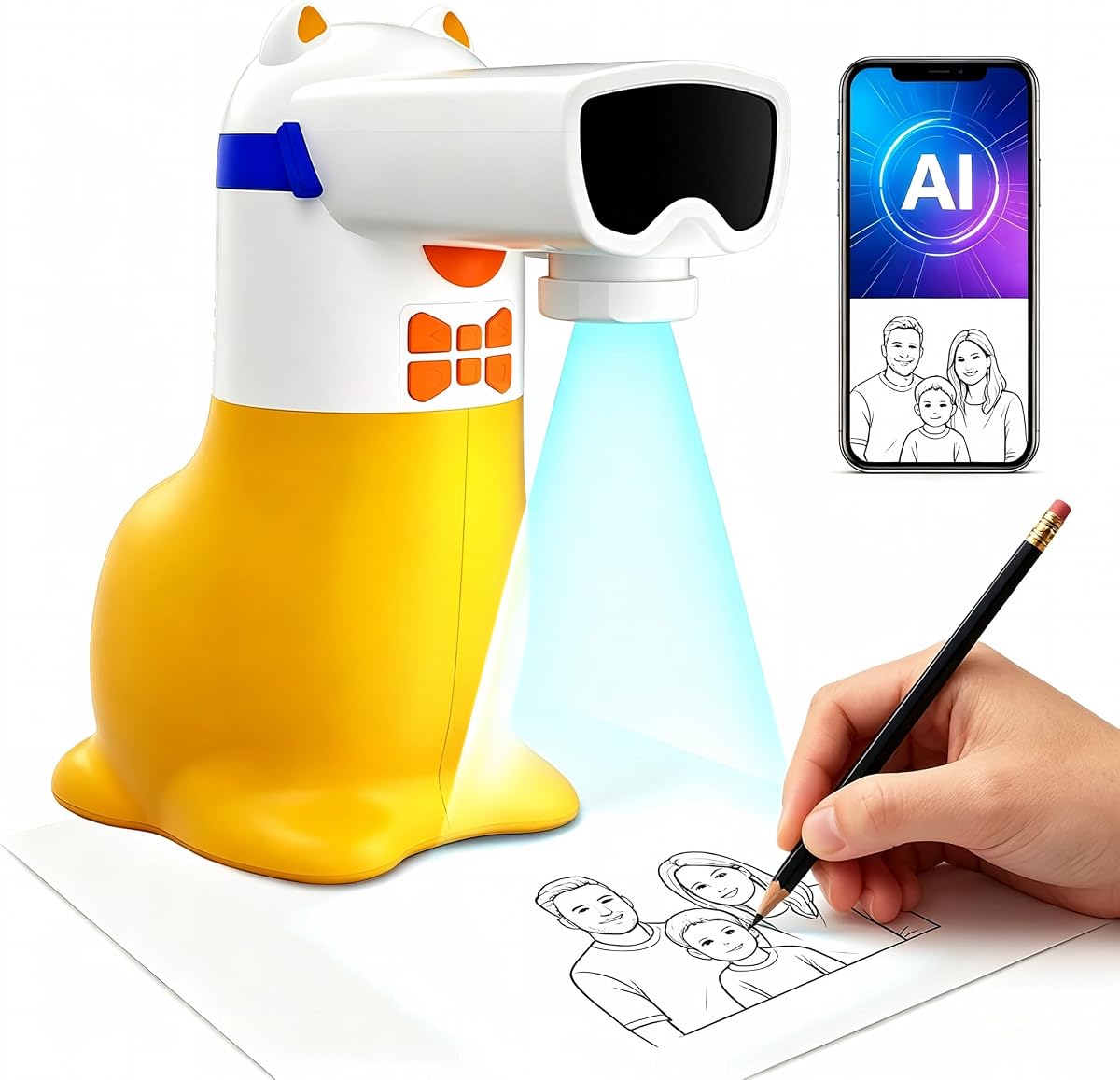
AI Drawing Projector for Kids
4.4Editor score
Fifty built-in pictures
Learning packs with sound
Corded power design
This expert guide compares the top ten AI drawing projector models available in October 2026 to help you find the perfect creative tool for your needs.
Artificial intelligence has transformed how we create visual art, making professional techniques accessible to everyone. An AI drawing projector uses smart algorithms to convert ideas or photos into traceable outlines instantly. These devices bridge the gap between digital imagination and physical creation, allowing users of all skill levels to produce detailed artwork with confidence and ease.
We have analyzed ten leading models to determine which ones offer the best balance of features, ease of use, and creative potential. Our evaluation considers image quality, connectivity options, software capabilities, and suitability for different age groups and artistic goals. This comprehensive review helps you navigate the market to find a device that matches your specific creative requirements and budget constraints effectively.
Each selection in this list highlights unique strengths, from kid-friendly learning tools to professional-grade equipment for serious artists. Prices and availability change frequently, so verify current details before purchasing. We focus on factual specifications and user experiences to ensure you receive accurate information for making an informed decision about your next creative investment.
4.4Editor score

4.6Editor score

4.0Editor score
This table provides a side-by-side overview of all ten products, highlighting key specifications and unique features to help you compare options quickly.


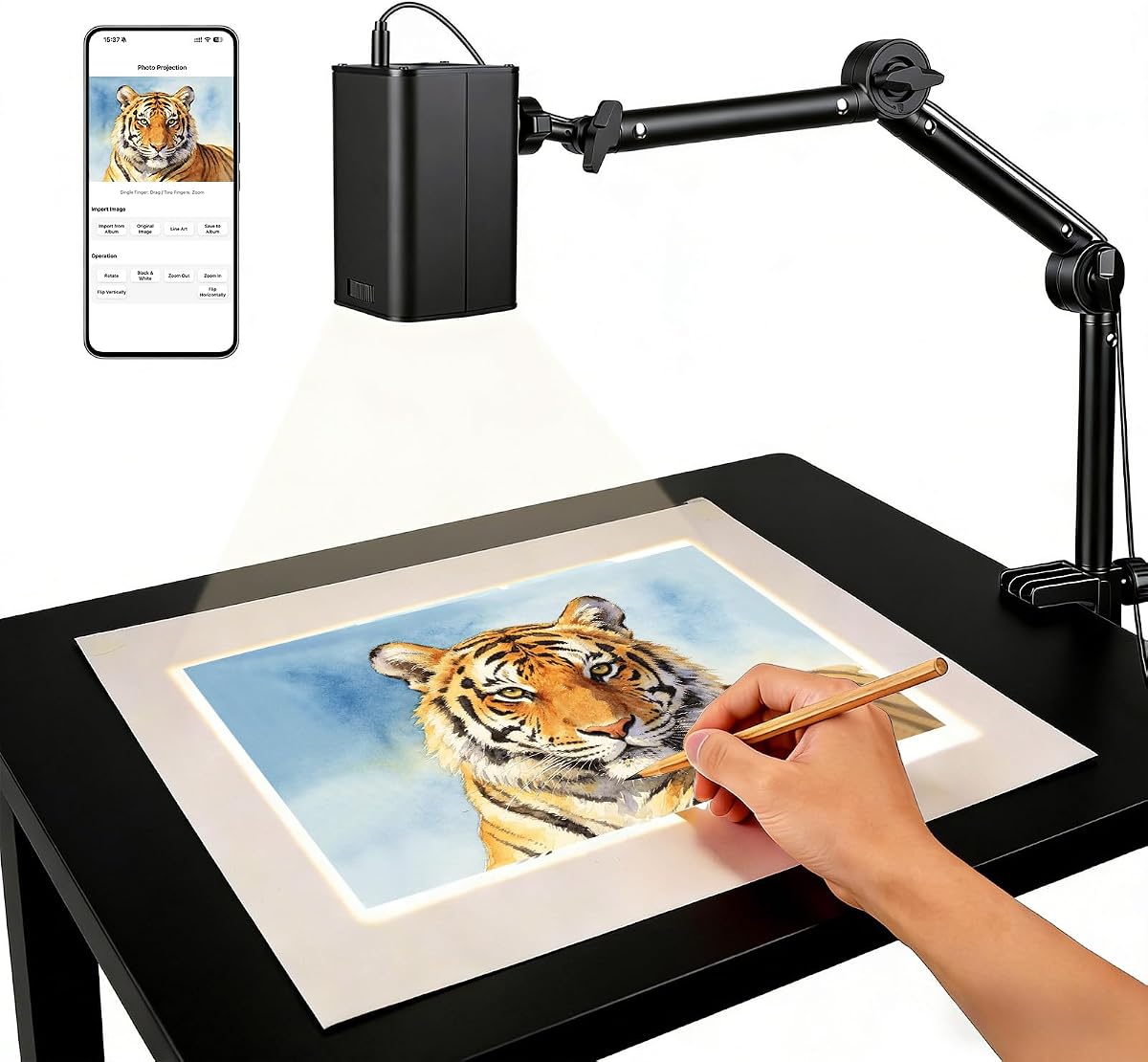

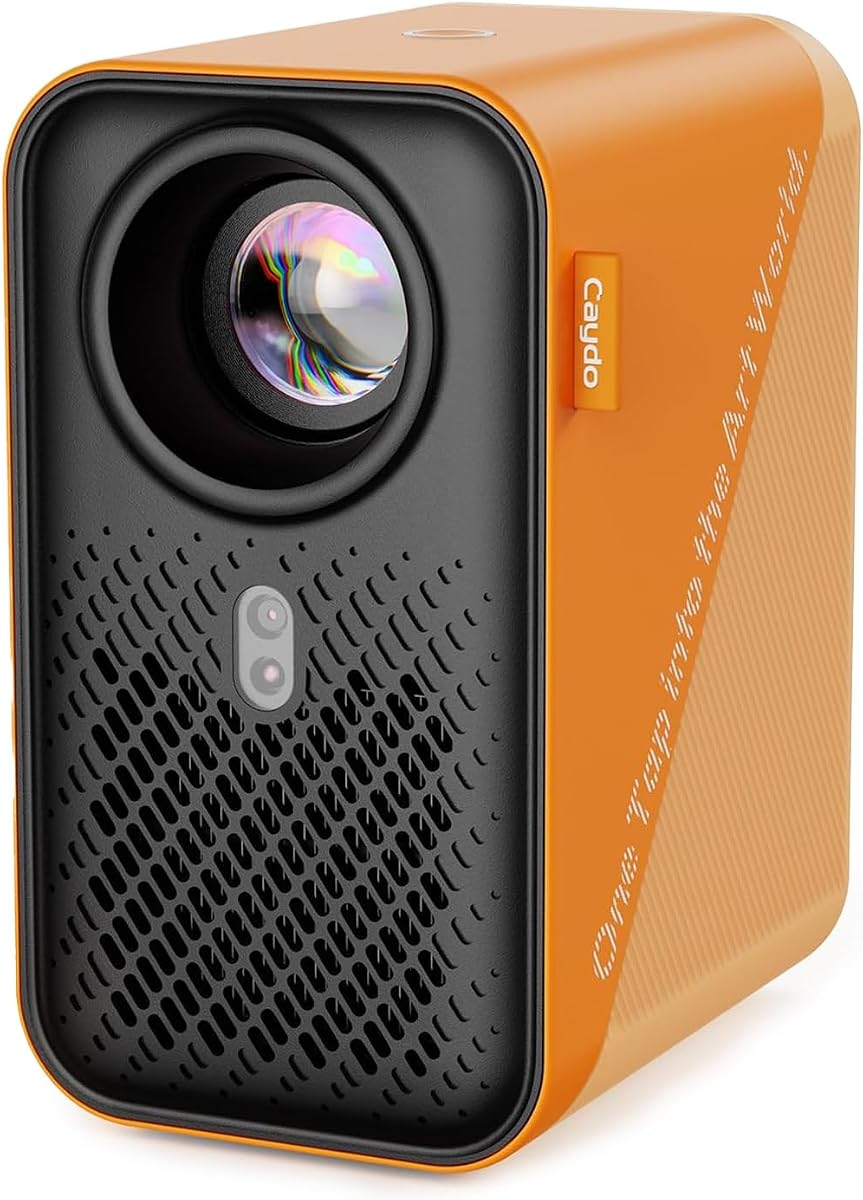

The Caydo T3 AI Drawing Projector stands out as a versatile creative companion for children aged five and up. With a solid rating from users, it combines educational value with advanced features like photo-to-outline conversion. This device transforms simple ideas into detailed tracing projects, fostering confidence and artistic skill development in young creators.
We may earn a commission when you buy through this link, at no additional cost to you.
Key strengths include its native 720P resolution which ensures crisp outlines for accurate tracing. The built-in WiFi and Bluetooth allow users to stream cartoons after drawing sessions, extending the device's utility beyond art. Safety features like SGS certified RG0 blue light protection and adjustable timers promote healthy usage habits without compromising visual comfort.
While the price is higher than entry-level options, the added functionality justifies the investment for families seeking longevity. Some users note that optimal performance depends on a stable internet connection for app features. These trade-offs are acceptable given the device's dual role as an art tool and entertainment hub.
This projector is ideal for parents looking to nurture a child's interest in art while providing safe screen-free play. The ability to turn personal photos into drawings adds a personal touch that keeps kids engaged. For those prioritizing quality and versatility, the Caydo T3 offers a comprehensive solution for creative exploration.
The projector shines light downward onto paper rather than directly at eyes, reducing strain during extended creative sessions.
Beyond drawing, the device supports video streaming and music playback, making it a multi-purpose tool for playtime.
We may earn a commission when you buy through this link, at no additional cost to you.
This AI Drawing Projector for Kids offers an accessible entry point into digital art creation with a focus on simplicity and education. Designed for ages five to twelve, it comes with fifty built-in pictures and optional learning packs that introduce numbers and words through sound. It is an excellent choice for parents seeking a no-fuss creative toy without complex setup requirements.
We may earn a commission when you buy through this link, at no additional cost to you.
The device allows kids to type ideas and generate custom pictures to project and trace. This feature encourages imagination by turning text prompts into visual art. The included learning packs provide educational value, helping children associate numbers and words with images while they trace and color. It is a thoughtful gift that combines play with learning effectively.
A notable limitation is the corded power requirement, meaning it cannot operate on battery power alone. While this ensures consistent performance, it reduces portability compared to wireless models. Additionally, content is primarily limited to built-in options unless additional packs are purchased. These constraints are minor for home use but may affect travel scenarios.
For families on a budget who want a reliable art tool for children, this projector delivers significant value. The premium gift box packaging makes it ready for birthdays or holidays. It fosters creativity through traceable art while teaching basic skills, making it a well-rounded option for young artists.
Built-in speakers announce numbers and words when learning packs are selected, reinforcing educational concepts during play.
No SD cards or complicated connections are needed, allowing kids to start drawing immediately after plugging in.
We may earn a commission when you buy through this link, at no additional cost to you.
The Caydo P3 Art Projector is designed for artists who demand precision and flexibility in their creative workflow. With 400 ANSI lumens, it delivers vivid images even in daylight, eliminating the need for dark rooms. Its native 1080P resolution ensures that intricate details remain sharp, making it suitable for professional sketching and detailed work.
We may earn a commission when you buy through this link, at no additional cost to you.
A standout feature is the exclusive drawing assistant which includes zoom, rotation, and grid tools. This allows artists to adjust reference images to fit their canvas perfectly. The projector supports auto focus and keystone correction, ensuring that the projected image remains accurate regardless of angle or distance. These features save time and reduce manual adjustment effort significantly.
While the price reflects its premium status, the versatility justifies the cost for serious creatives. Some users may find the software features require a learning curve to master fully. However, once configured, the device offers a seamless experience from image transfer to final tracing, enhancing overall productivity in the studio.
This projector is ideal for professionals or enthusiasts working on large projects like murals or detailed portraits. The ability to project onto various surfaces including walls and easels adds significant flexibility. For those prioritizing quality and advanced tools, the Caydo P3 represents a robust investment in artistic equipment.
High lumens output allows clear visibility even in well-lit rooms, expanding workspace options beyond dark studios.
Built-in tools like grids and zoom help artists scale images accurately to match their specific canvas dimensions.
We may earn a commission when you buy through this link, at no additional cost to you.
The Caydo T3 Joy AI Drawing Projector is engineered for younger children who are just beginning their artistic journey. With a high user rating, it is praised for its ease of use and engaging design. The device features one hundred twenty built-in patterns across fun themes, allowing kids to choose and start drawing immediately without setup hassle.
We may earn a commission when you buy through this link, at no additional cost to you.
Each pattern is broken down into simple steps, teaching patience and building confidence as children progress. This approach helps beginners feel accomplished rather than overwhelmed by complex art. Safety is prioritized with SGS certified RG0 protection, ensuring that the light does not harm young eyes during use. It creates a comfortable screen-free creative environment.
While it offers an AI feature through a companion app for custom outlines, the core value lies in the built-in content. Some users note that the device relies on an external connection for full AI capabilities. These limitations are minor given the device's primary focus on structured, beginner-friendly learning activities.
For parents seeking a toy that encourages artistic independence and fun, the T3 Joy is an excellent choice. The cute sloth design and stickers make it appealing to children. It effectively combines play with skill development, making it a cherished gift for birthdays or holidays.
Complex images are divided into manageable steps, helping kids learn patience and feel proud of their finished work.
RG0 certified safety ensures no blue light hazard, giving parents peace of mind during extended play sessions.
We may earn a commission when you buy through this link, at no additional cost to you.
The Flycatcher smART Sketcher AI Drawing Projector caters to older kids, teens, and adults who want to draw realistic images. Its unique feature allows users to describe what they want to draw via voice or typing, which the AI then converts into a traceable outline. This intuitive interface makes it accessible for users who prefer verbal prompts over complex settings.
We may earn a commission when you buy through this link, at no additional cost to you.
It is designed to build real drawing skills by training hand-eye coordination and proportion through tracing. The high resolution ensures that complex subjects like portraits or landscapes are projected clearly. Users can trace on paper, canvas, or even fabric, offering flexibility for different artistic mediums. This versatility makes it a favorite for hobbyists.
A limitation is the cartridge system which requires purchasing additional cartridges for new images. Unlike app-based models, it does not support wireless streaming or unlimited digital downloads. However, the focused design ensures high quality for the included content. The trade-off is acceptable for those who prefer a dedicated tool without app distractions.
For artists looking to improve their hand-drawing skills with AI assistance, this projector is a strong contender. The ability to turn any idea into a drawing encourages experimentation. It is an excellent gift for tweens and adults seeking a creative outlet that blends technology with traditional art techniques.
Describe a scene in words or type it, and the AI generates a traceable outline for you to draw.
Tracing projects help develop proportion and confidence, mirroring techniques used by professional art students.
We may earn a commission when you buy through this link, at no additional cost to you.
This Art Projector for Tracing and Drawing distinguishes itself with an app-free web control interface. Users can manage settings like rotation and scaling directly from a browser by scanning a QR code. This simplifies the setup process and avoids the need to install separate applications on mobile devices. It is a practical choice for those who prefer streamlined connectivity.
We may earn a commission when you buy through this link, at no additional cost to you.
The device features dual-band WiFi for stable, low-latency tracing which is crucial for accurate real-time mirroring. It supports both online and offline modes, making it suitable for studios or remote locations without reliable internet. The adjustable stand allows for projection on various surfaces, from horizontal canvases to vertical walls.
While the web control is convenient, it relies on browser compatibility which may vary slightly across devices. Manual focus adjustment is required for optimal clarity, which can be less automated than other models. However, these factors do not detract from its overall effectiveness for general creative tasks.
For artists or educators who value flexibility and simplicity in connectivity, this projector is an excellent option. It provides a robust tool for architectural plans, teaching art, or decorating projects. The combination of stability and ease of use makes it a reliable choice for diverse creative environments.
Control settings via a web browser instead of downloading a dedicated app, saving storage space on your devices.
The adjustable stand allows you to change height and tilt, accommodating different workspace layouts easily.
We may earn a commission when you buy through this link, at no additional cost to you.
This Art Projector for Tracing and Drawing offers an upgraded 5G dual-band WiFi chip for enhanced connectivity. It is designed to reduce latency significantly, ensuring that intricate lines are traced with real-time precision. The FCC ID certification ensures safety and performance reliability for users concerned about technical standards. It appeals to those needing consistent performance for complex sketches.
We may earn a commission when you buy through this link, at no additional cost to you.
The web control feature allows users to manage settings directly from a phone browser without additional apps. The stand is adjustable to adapt to various workspaces, making it versatile for both studio and remote use. It supports online and offline connections, providing flexibility for different working environments and scenarios.
Despite its technical advantages, user reviews are mixed regarding ease of use and connection stability in some cases. This might suggest that the hardware is capable but requires careful setup to perform optimally. For tech-savvy users willing to troubleshoot, the benefits of 5G precision may outweigh these initial challenges.
For professional users who prioritize connection stability and reduced lag during tracing, this model is a strong candidate. It is particularly useful for detailed work where precision is paramount. With proper setup, it can deliver high-quality results for architectural or artistic projects.
The 5G dual-band module offers faster data transmission, which helps in maintaining smooth real-time mirroring.
The sturdy adjustable mount adapts to horizontal or vertical surfaces, allowing creative flexibility in workspace setup.
We may earn a commission when you buy through this link, at no additional cost to you.
The Caydo P2 Art Projector provides artists with a dedicated drawing assistant featuring tools like zoom and grids. With native 1080P resolution, it projects clear images suitable for detailed tracing work. The auto focus and keystone correction ensure that the projected image remains sharp and aligned automatically. It is a functional tool for those needing technical precision.
We may earn a commission when you buy through this link, at no additional cost to you.
It offers dual-band WiFi and Bluetooth 5.4 for flexible audio connections. You can connect it as a standalone speaker or pair with external systems for immersive sound. The rotating base allows for seamless adaptation across different angles and surfaces, enhancing its utility in various studio setups. This versatility is beneficial for creative professionals.
One limitation is the brightness level which is lower than the P3 model. This may require a dimmer environment for optimal visibility. Some users find the drawing app requires time to master for full benefit. However, for those prioritizing specific art tools over raw brightness, it remains a useful device.
For artists seeking a dedicated art projector with built-in software tools, the P2 is a solid choice. It balances projection quality with creative assistance features. The ability to work offline without relying on mirroring adds value for uninterrupted creative sessions.
The built-in app provides grids and zoom tools to help compose reference images accurately without external software.
The rotating base allows you to adjust projection angles easily, adapting to walls, ceilings, or tabletops.
We may earn a commission when you buy through this link, at no additional cost to you.
The Caydo P1 Art Projector is a compact yet powerful option for artists needing portability. It features a sealed optical core that prevents dust entry, ensuring long-lasting image quality. The exclusive drawing app includes zoom and rotation tools to facilitate precise work. It balances size with functionality for users who move between studios or locations.
We may earn a commission when you buy through this link, at no additional cost to you.
With dual-band WiFi and Bluetooth 5.0, it supports fast data transmission and audio connections. The lamp life is rated at 10,000 hours, providing long-term use. The compact design makes it easy to store and transport. This appeal to freelancers or hobbyists who need a reliable tool without bulky equipment.
Compared to premium models, it has a shorter lamp life and simpler remote functionality. However, for those prioritizing portability, it offers a practical solution. The sealed core reduces maintenance needs which is a significant advantage. It remains a strong contender for general art creation.
The sealed design prevents dust from entering the lens, reducing image degradation and maintenance over time.
Its small footprint makes it easy to transport, suitable for artists who work in multiple locations.
We may earn a commission when you buy through this link, at no additional cost to you.
This generic Art Projector for Tracing and Drawing offers essential features at a competitive price point. It includes a web-based online control for easy management via browser. The focus adjustment button ensures you can fine-tune the image for clarity. It is a practical choice for casual users or educational settings requiring basic functionality.
We may earn a commission when you buy through this link, at no additional cost to you.
The stand is designed to be stable and versatile, supporting various angles and heights. FCC certification adds a layer of safety assurance for users. The device supports online and offline modes which adds flexibility for different working conditions. These basics make it suitable for straightforward tracing tasks.
While it lacks advanced features like AI content generation, it delivers on core tracing capabilities. Some users report mixed satisfaction depending on connection stability. For those seeking an affordable entry into projection tracing, it provides the necessary tools to get started without major investment.
For educators or beginners on a budget, this model serves as a functional tool. It simplifies the process of transferring digital images to physical surfaces. Its focus on basic utility and safety makes it a reasonable option for specific project needs.
Provides core tracing capabilities and control features at a lower price point for cost-conscious buyers.
The sturdy adjustable stand ensures stable projection at different angles, suitable for various project types.
We may earn a commission when you buy through this link, at no additional cost to you.
Choosing the right AI drawing projector requires understanding key features that impact performance and usability for your specific creative needs.
Higher resolution like 1080P ensures clearer outlines for precise tracing which is vital for detailed artwork. Brightness measured in ANSI lumens determines visibility in different lighting conditions with higher values allowing use in daylight. Consider these specs based on whether you work in dim studios or bright environments.
Look for native high resolution and at least 250 ANSI lumens for consistent results across various spaces.
Dual-band WiFi and Bluetooth improve connection stability and reduce latency during real-time tracing. Some models offer app-free web control while others rely on dedicated apps which can affect ease of use. Ensure compatibility with your devices and internet infrastructure for seamless workflow.
Prioritize models with stable dual-band connections and flexible control methods to avoid interruptions during creative sessions.
Eye protection is critical especially for children with certifications like RG0 ensuring no blue light hazard. Projectors that shine light downward onto paper rather than directly at eyes reduce strain. Check for adjustable timers to encourage breaks during extended use.
Always verify safety certifications and design features that minimize eye exposure to bright light sources.
Advanced models include AI features that turn text ideas or photos into traceable outlines. Dedicated drawing assistants offer tools like grids and zoom to help scale images accurately. Consider whether you need these intelligent features or basic projection is sufficient.
Select a device with software tools that match your skill level and creative goals for maximum productivity.
Some units are corded requiring constant power which limits mobility while others may support battery use. Adjustable stands allow projection on walls or easels adding flexibility to workspace setup. Compact designs are better for storage and moving between locations.
Choose between corded reliability and portable convenience based on how often you move your creative setup.
Kids-friendly models often include fun themes and safety features while professional ones offer higher precision and tools. Step-by-step guidance is helpful for beginners while pros may prefer advanced customization options. Ensure the interface matches the age and skill of the primary user.
Match the projector's complexity and features to the user's experience to ensure enjoyment and effective learning.
Some projectors support video streaming or music playback adding value beyond just drawing. These features extend the device utility making it a multi-purpose tool for families. Check for HDMI inputs or built-in apps if you plan to use it for entertainment.
Consider secondary features like video playback if you want a single device for art and leisure activities.
Prices vary widely from budget options to premium models with advanced specs. Evaluate which features are essential versus optional to find the best value for your needs. Higher cost may be justified by longevity and versatility in professional settings.
Set a budget and prioritize must-have features to balance cost with the required performance for your projects.
To start, place the projector on a stable surface and connect it to power. Ensure your creative surface is flat and clean. Turn on the device and launch the control app or scan the QR code to connect via browser.
Upload your desired image through the app or select built-in content. Adjust settings like zoom and rotation to fit your canvas. Use the focus button to ensure the outline is sharp before you begin tracing.
After use, let the projector cool down before turning it off. Wipe the lens with a soft cloth to remove dust. Store the device in a dry place away from direct sunlight to preserve performance and extend its lifespan.
An AI drawing projector converts digital images or text ideas into traceable outlines projected onto physical surfaces. It helps artists and children create accurate drawings by tracing the projected lines. This simplifies the process of transferring digital art to paper or canvas manually.
Some models allow offline use via USB drives or built-in content, but features like AI generation require internet connectivity. Always check the specific device capabilities before purchasing to ensure it fits your connectivity needs.
Many modern projectors include safety certifications like RG0 blue light protection and direct light away from eyes. Always choose models with these safety features for young users to prevent eye strain or damage during use.
Yes most of these projectors support various surfaces including canvas walls and easels. Ensure the surface is stable and flat for best results when tracing larger works.
Many devices have built-in apps or web control so no external software is needed. Some may require downloading a companion app for full features which is usually free and available on standard app stores.
Lamp life typically ranges from 10,000 to 30,000 hours depending on the model. Check the specifications of the specific unit you choose to understand its long-term durability and maintenance needs.
Yes several models are designed specifically for professionals with high resolution and precision tools. They are excellent for sketching detailed portraits or murals with accurate proportions and alignment.
Kids models are typically designed for ages five to twelve with simpler interfaces and safety features. Always check the manufacturer recommendations to ensure the device matches the child's skill level and maturity.
The top picks in this guide highlight the diversity available in the current market from budget friendly kids tools to professional grade projectors. Each model offers unique strengths that cater to different skill levels and creative needs ensuring there is a suitable option for everyone.
Prioritize features like safety certifications and resolution when making your choice to ensure a satisfying user experience. Consider how often you plan to use the device and whether portability or advanced software tools are more important for your workflow.
Remember that prices and availability change frequently so check current listings before purchasing. With the right AI drawing projector you can unlock new creative possibilities and enjoy the process of bringing your ideas to life on paper.