
Raywego 49 Inch Curved Ultrawide Gaming Monitor
4.6Editor score
165Hz refresh rate
DQHD 5120×1440
1500R curvature
Finding the right screen can transform your sim racing experience from a casual hobby into a deeply immersive virtual track session. A 49 inch ultrawide monitor offers a panoramic view that mimics real peripheral vision, allowing drivers to see apexes and track limits without constant head tracking.
We evaluated ten leading models based on resolution, refresh rate, curvature, and color accuracy to ensure they meet the demanding needs of simulation racing. Our analysis focuses on how each display handles motion clarity, input lag, and wide field of view compatibility with popular racing titles like Assetto Corsa Competizione and iRacing.
Each pick in this list highlights specific strengths such as budget-friendly performance, OLED contrast, or high refresh rates for competitive play. Please note that product availability and pricing fluctuate frequently so verify current details before purchasing your next sim racing display upgrade today.
4.6Editor score

4.3Editor score

4.4Editor score
As an Amazon Associate we earn from qualifying purchases.
This side-by-side comparison evaluates the key specifications of each monitor to help you decide which model best fits your sim racing rig requirements and budget constraints.




This Samsung OLED monitor represents the pinnacle of visual fidelity for sim racing enthusiasts seeking true-to-life shadows and vibrant colors. With a 4.3 star rating it stands out for its ability to render dark tire marks and shadow details without any light bleed interference.
We may earn a commission when you buy through this link, at no additional cost to you.
The QD-OLED panel delivers infinite contrast which helps you distinguish track details in low light night racing scenarios. The 0.03ms response time eliminates motion blur ensuring that fast steering corrections appear instantly on screen for precise feedback during cornering.
While the price is premium the thermal modulation and screen saver features mitigate burn-in risks from static HUD elements like tachometers. The wide view remains crisp and clear allowing you to monitor both the track and telemetry without shifting your gaze frequently.
Serious racers looking for the best visual experience should consider this model despite the higher cost. Its superior motion handling and contrast make it worth the investment for immersive single player or competitive online racing sessions.
The OLED panel ensures black levels are truly black which improves visibility of asphalt texture and debris in dark conditions.
Fast refresh rates combined with OLED response times ensure your input commands translate visually without delay or ghosting.
We may earn a commission when you buy through this link, at no additional cost to you.
The Raywego monitor offers an accessible entry point into ultrawide sim racing with a strong 4.6 star rating from users. It provides a massive DQHD screen that fills your field of view effectively without the steep cost of premium OLED panels.
We may earn a commission when you buy through this link, at no additional cost to you.
Its 165Hz refresh rate and 1ms response time deliver smooth motion which is crucial for high speed racing simulations. The VA panel ensures deep contrast making track textures visible even in less illuminated environments or night race scenarios.
Though it lacks advanced HDR brightness the 127% sRGB gamut ensures road and livery colors look accurate and distinct. It acts as a replacement for dual monitors allowing you to run chat or telemetry overlays alongside the game without bezel interruptions.
For racers on a budget who still demand immersion this is a top recommendation. It balances cost and performance well enough to enhance gameplay significantly without compromising on the essential ultrawide experience.
The flexible connectivity options support both HDMI and DisplayPort making it compatible with most modern gaming PCs and consoles. Setup is straightforward with an adjustable stand that helps achieve comfortable viewing angles during long race sessions.
The 32:9 aspect ratio expands your visual horizon significantly enhancing the feeling of speed and presence in the cockpit.
PIP and PBP modes let you monitor race data or watch streams simultaneously keeping your workflow efficient during downtime.
We may earn a commission when you buy through this link, at no additional cost to you.
This Samsung G9 model provides a deeply immersive experience with its aggressive 1000R curve that wraps around your vision perfectly. With a 4.4 rating it is highly regarded for reducing eye strain during extended sessions while maintaining sharp image quality.
We may earn a commission when you buy through this link, at no additional cost to you.
The 144Hz refresh rate and 1ms response time ensure fluid gameplay critical for fast-paced competitive racing. DisplayHDR 600 support brings out details in bright sunlit tracks and dark tunnels alike enhancing the visual realism of the simulation.
Its ergonomic stand allows full height and tilt adjustments which are essential for fitting into triple monitor setups or standalone rigs. AMD FreeSync Premium Pro minimizes tearing and stuttering keeping the motion smooth even when frame rates fluctuate during heavy loads.
If you seek maximum immersion and top tier build quality this monitor is an excellent choice. The curved design aligns with human peripheral vision making the virtual cockpit feel more natural and engaging than flatter panels.
Auto Source Switch+ technology helps you transition quickly between game and telemetry tools without manual input switching. This convenience adds up during long practice sessions where efficiency and focus are paramount for performance improvement.
The 1000R radius matches the curvature of the human eye which helps keep edges sharp and reduces the need to turn your head.
HDR brightness ensures highlights like sunlight reflections on cars remain distinct without clipping or losing color nuance.
We may earn a commission when you buy through this link, at no additional cost to you.
The INNOCN 49C1R stands out for its USB-C connectivity allowing a single cable to deliver video and power to laptops. Its 4.2 rating reflects solid performance for both gaming and productivity tasks without overwhelming complexity in setup.
We may earn a commission when you buy through this link, at no additional cost to you.
With a 120Hz refresh rate it handles motion adequately for sim racing though not as smooth as higher Hz alternatives. The 5K2K resolution provides sharp details of track signs and telemetry which helps with precise timing and strategy.
Built-in speakers provide a convenient solution for audio without extra peripherals but they are best for system sounds not immersive effects. The 1800R curve offers a balanced viewing angle that reduces strain compared to flat panels during long practice runs.
This model is ideal for users who want a clean desk setup with minimal cabling and still need high resolution. It bridges the gap between office work and gaming allowing you to switch roles easily without changing hardware.
Adaptive-Sync support ensures frame rate synchronization reducing tearing that might distract during critical braking moments. The adjustable stand supports various viewing heights which helps maintain a comfortable posture over multiple hours of racing.
USB-C delivery reduces cable clutter on your desk making it easier to integrate with other racing sim hardware.
The high resolution ensures track markers and road details are clearly visible which aids in learning new circuits.
We may earn a commission when you buy through this link, at no additional cost to you.
This Samsung G9 Series model is designed for competitive racers who need the fastest refresh rates possible. A 4.1 rating indicates strong performance but users note it requires careful calibration to maximize its high end capabilities effectively.
We may earn a commission when you buy through this link, at no additional cost to you.
The 240Hz refresh rate offers exceptionally smooth motion which helps in reacting to sudden track events or opponent movements. HDR1000 brightness ensures that bright highlights and deep shadows are rendered with high contrast for better depth perception.
Its 1000R curve matches the field of view closely reducing the need to move your head while keeping the center focus sharp. AMD FreeSync Premium Pro ensures that even with frame rate drops the visual experience remains consistent and fluid.
If you prioritize speed and visibility above all else this monitor provides a distinct advantage in competitive settings. The advanced features like Auto Source Switch+ let you jump into your racing titles quickly without manual input toggling.
The Hexa stand offers flexible positioning which is useful when mounting the monitor in complex multi-device sim racing rigs. It supports eye comfort technology that reduces flicker and blue light to help maintain focus during intense practice sessions.
The 240Hz capability ensures the screen keeps up with high frame rate GPUs reducing latency in visual feedback.
High peak brightness helps combat glare in well lit rooms ensuring track details remain visible even during day races.
We may earn a commission when you buy through this link, at no additional cost to you.
The CRUA monitor balances price and performance effectively earning a 4.4 rating from users looking for reliable ultrawide gaming. It delivers a 165Hz refresh rate and DQHD resolution that supports smooth gameplay without premium pricing demands.
We may earn a commission when you buy through this link, at no additional cost to you.
Color accuracy is strong with 120% sRGB coverage which makes vehicle liveries and track environments look vibrant and true. The 1500R curve wraps around your vision providing an immersive feel that helps keep attention focused on the road ahead.
Lack of built-in speakers means you will need external audio but this is a minor trade-off for the visual performance. The height adjustable stand allows you to find the perfect eye level which reduces strain during long endurance race simulations.
This model fits well into a budget conscious setup that still demands high visual fidelity and motion smoothness. It supports AMD FreeSync to minimize tearing ensuring your input commands are visually represented accurately on screen.
Wall mount compatibility offers flexibility in case you want to integrate it into a larger triple monitor array. The design minimizes bezel distractions so your racing view remains unbroken across the entire display surface.
Wide color gamut ensures that track signs and vehicle colors are vivid which aids in quick visual recognition.
Tilt and lift adjustments allow you to maintain a comfortable posture regardless of chair height or desk setup.
We may earn a commission when you buy through this link, at no additional cost to you.
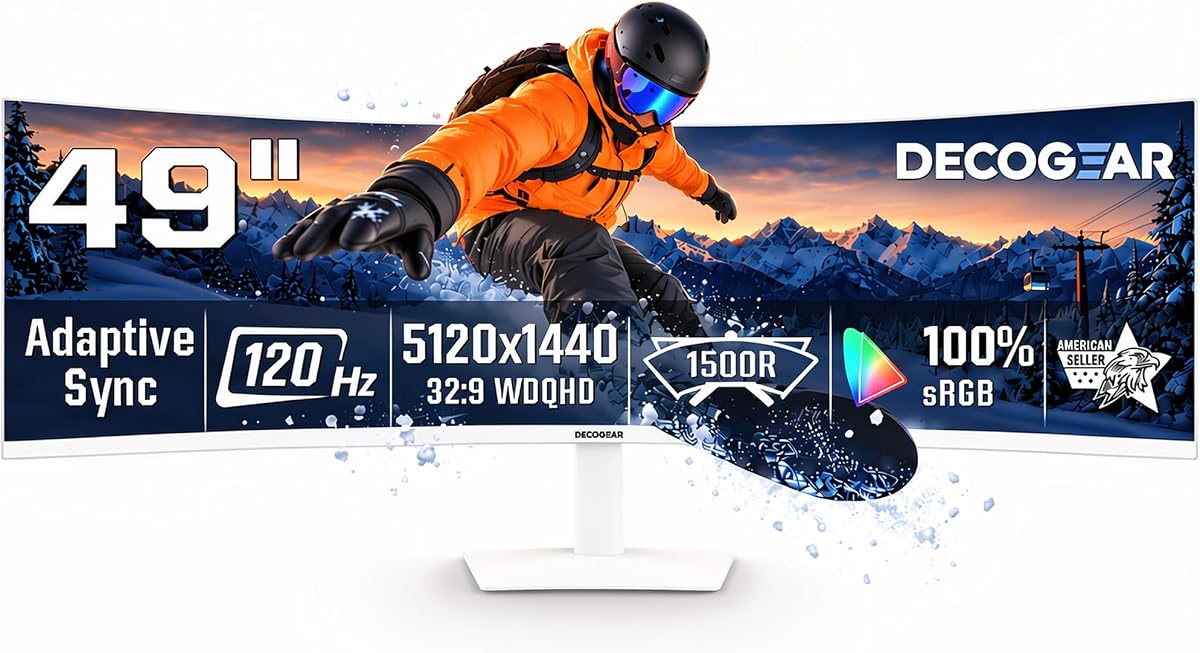
The Deco Gear monitor serves both office productivity and sim racing needs with a versatile feature set. Its 4.1 rating reflects satisfaction with its broad connectivity and high resolution which supports clear text and track details.
We may earn a commission when you buy through this link, at no additional cost to you.
A 120Hz refresh rate is adequate for racing though not as fast as higher Hz competitors. It handles motion smoothly enough for casual racing while the high resolution ensures maps and telemetry data are easy to read during analysis.
Built-in speakers and KVM functionality simplify your desk setup allowing you to switch between devices effortlessly. This dual purpose makes it ideal for users who also use their rig for work or content creation outside of racing.
The 1500R curvature enhances immersion making the screen feel like a continuous visual field rather than a flat pane. Adaptive Sync helps reduce visual artifacts which keeps the viewing experience steady during dynamic scenes.
USB-C connectivity with 65W power delivery reduces cable clutter and supports laptop users who want a clean desk environment. Its tilt and swivel options allow you to adjust the view for comfort over extended hours of use.
The wide canvas allows you to view race data alongside your game window without needing a secondary monitor.
Multiple inputs including HDMI and USB-C make it easy to connect various gaming and work devices simultaneously.
We may earn a commission when you buy through this link, at no additional cost to you.
The ASUS ROG XG49VQ offers an affordable entry into the 49 inch ultrawide category with solid performance metrics. It holds a 4.4 rating indicating that users appreciate its smooth motion handling and comfortable viewing experience for racing.
We may earn a commission when you buy through this link, at no additional cost to you.
The 144Hz refresh rate provides fluid motion which is essential for maintaining visual clarity during high speed laps. Although resolution is lower than DQHD the pixel density is still sufficient for track visibility when seated at proper distance.
Eye Comfort technology minimizes strain which is beneficial during long training sessions. The 1800R curve wraps around your vision enhancing immersion and helping you keep track of apexes without frequent head movement.
This monitor is a great starting point for those new to ultrawide racing who do not want to spend heavily on OLED. Its design supports various mounting options making it compatible with existing sim rigs or desk setups.
GamePlus overlays can add useful information such as crosshairs or timers without affecting gameplay visuals. It offers a balance of cost and utility for beginners looking to upgrade from standard monitors to a wider perspective.
Flicker-free and blue light filtering features help reduce eye fatigue during multi-hour race practice sessions.
GameVisual modes adjust color settings for better track visibility depending on the lighting conditions in your games.
We may earn a commission when you buy through this link, at no additional cost to you.
The Z-Edge monitor impresses with its combination of high refresh rate and high resolution at a competitive price point. A 4.5 rating suggests strong user satisfaction regarding its performance in gaming and multitasking environments.
We may earn a commission when you buy through this link, at no additional cost to you.
A 240Hz refresh rate delivers exceptional smoothness which is ideal for competitive racing where split second reactions matter. The 5K2K resolution ensures that even fine track details and HUD elements remain crisp during fast paced action.
Built-in speakers and USB-C support provide convenient connectivity and audio output without extra peripherals. The 1800R curve offers a comfortable immersive view that aligns well with natural human peripheral vision.
This monitor is a strong contender for users seeking high speed performance without the cost of premium brands. It supports PIP and PBP modes which help you manage telemetry data or stream feeds simultaneously with gameplay.
Color accuracy meets professional standards making it suitable for content creation too. The flexible connectivity options ensure you can hook up various consoles or PCs easily without adapter issues.
240Hz ensures that motion remains smooth and clear which is critical for maintaining precision at high speeds.
High resolution ensures that distant track markers are visible which helps with early braking points and turns.
We may earn a commission when you buy through this link, at no additional cost to you.
This Samsung OLED model delivers exceptional visual quality with true black levels that enhance track realism. A 4.1 rating reflects strong performance though users note it requires proper calibration for best results in sim racing.
We may earn a commission when you buy through this link, at no additional cost to you.
The 240Hz refresh rate ensures fluid motion which is critical for competitive racing scenarios. HDR True Black 400 provides deep shadows that help you see track features clearly even in dark or low light conditions.
The premium metal finish and thin design make it an attractive addition to any high end sim rig. It offers a range of inputs including HDMI 2.1 and DisplayPort ensuring compatibility with next gen consoles and powerful PCs.
This monitor is best for users who prioritize visual fidelity above all else and have the budget for it. Its wide view wraps around your vision creating a feeling of presence that is hard to match with LCD panels.
Auto Source Switch+ speeds up your setup time which is helpful when switching between racing games and other applications. The curved design aligns with your eyes natural arc which helps reduce strain during prolonged track sessions.
OLED ensures dark areas remain truly dark which helps distinguish shadows on asphalt for better depth perception.
The 0.03ms response time keeps the screen in sync with your inputs so there is no lag between action and display.
We may earn a commission when you buy through this link, at no additional cost to you.
Selecting the right ultrawide monitor involves balancing resolution, refresh rate, and curvature to ensure your sim racing experience is immersive and responsive.
Resolution determines how sharp track details like signage and road markings appear. A DQHD 5120×1440 panel offers significantly better clarity than lower resolutions helping you read telemetry data without squinting during intense racing sessions.
Higher pixel density ensures that text remains crisp even at wide angles making it easier to monitor multiple windows simultaneously.
Refresh rate affects how smoothly motion appears on screen and is vital for high speed racing. A rate of 144Hz or higher reduces blur and ensures that fast steering inputs are visually updated without delay for better reaction times.
Prioritize models with higher refresh rates if you play competitive racing titles that require precise timing and fast tracking.
Curvature helps wrap the screen around your peripheral vision enhancing the feeling of being inside the car. A curve between 1000R and 1800R provides a balance between immersion and eye comfort depending on your seating distance.
Choose a tighter curve for maximum immersion but ensure your viewing distance matches the curvature to avoid distortion at the edges.
Panel type dictates contrast and color performance which influences how well you see shadows and dark details on track. OLED panels offer infinite contrast and true blacks while VA panels provide deep contrast levels suitable for dim environments.
Higher contrast ratios help distinguish track features in shadowed areas improving your ability to see corners and hazards clearly.
Response time measures how quickly pixels change color and low response times reduce motion blur and ghosting effects. For racing a 1ms response is ideal to ensure that visual feedback matches your physical actions instantly.
Fast response times are critical for maintaining accuracy in steering and braking inputs during high speed driving.
Ensure the monitor supports the necessary inputs for your gaming PC or console such as HDMI 2.1 or DisplayPort 1.4. USB-C connectivity can simplify setup by providing both video and power in a single cable for laptops.
Check for adaptive sync technologies like FreeSync or G-Sync to prevent screen tearing during variable frame rate scenarios.
Adjustability features like height tilt and swivel allow you to align the screen with your eye level reducing physical strain. A sturdy stand ensures the monitor remains stable even when adjusting camera angles or leaning during intense gameplay.
Good ergonomics help you maintain focus over long sessions by reducing fatigue and maintaining a consistent viewing angle.
HDR support enhances brightness and color depth making scenes look more vibrant and realistic. While not essential for all users HDR can improve contrast in sunlit and shadowed tracks adding to immersion.
Accurate color reproduction ensures that vehicle livery and track details appear true to life helping you recognize cues better.
Position your monitor at a distance that matches its curvature to minimize eye strain. Sitting too close can cause peripheral distortion while sitting too far reduces immersion.
Use adaptive sync settings in your graphics driver to align the refresh rate with your game's frame rate for smoother visuals. This reduces screen tearing and maintains visual consistency during fast motion.
Keep the screen clean with a soft microfiber cloth and avoid using harsh chemicals that may damage the panel. Proper maintenance extends the monitor's lifespan and keeps your image sharp and clear.
A 49 inch ultrawide monitor provides a wide field of view that enhances immersion without requiring multiple screens. It is well suited for racing games as it allows you to see both track edges and your HUD without turning your head.
For competitive racing a refresh rate of 144Hz or higher is recommended to ensure smooth motion and reduce blur. Higher rates allow you to react more quickly to visual cues and opponent movements.
Proper curvature aligns with your peripheral vision to keep the image clear across the screen. A moderate curve helps maintain accuracy by reducing the need to shift your focus or rotate your head.
Yes these monitors are versatile enough for work tasks and gaming. Features like PIP and PBP modes let you monitor telemetry and gameplay simultaneously improving productivity.
Yes driving a high resolution wide screen requires a strong GPU to maintain high frame rates. Ensure your PC meets the recommended specs to take full advantage of the monitor's capabilities.
OLED panels offer superior contrast and faster response times which enhances immersion and clarity. However they are more expensive so choose based on your budget and preference for visual quality.
Adjust the monitor height so the top is at or slightly below eye level to maintain a neutral neck position. Use eye care features like flicker-free technology to reduce fatigue over time.
Use DisplayPort 1.4 or HDMI 2.1 cables to support high refresh rates and resolutions. Check the manufacturer's documentation to ensure you use the correct cable for your setup.
The monitors reviewed here provide a range of options from budget friendly models to premium OLED displays ensuring there is a choice for every sim racer. Top picks like the Samsung OLED G9 offer unmatched visual fidelity while budget options like Raywego deliver strong value.
Prioritize refresh rate and resolution based on your gaming PC's capabilities and your racing style. A balance of motion clarity and image sharpness will improve both performance and immersion in your virtual cockpit.
Remember to check current prices and availability as product offerings and deals change frequently. Invest in a monitor that aligns with your long term racing goals for the best return on your sim setup.