
RubensTab T11 Pro
4.4Editor score
10.1-inch Full HD IPS screen
5800mAh battery for portable use
Pre-installed professional drawing apps
Finding a drawing tablet with no PC needed changes how you create art on the go. These standalone devices combine powerful hardware with intuitive software to let you sketch, paint, and design without relying on a computer. Whether you are a student or a professional, mobility and performance are key.
We evaluated ten top models based on screen quality, pen sensitivity, battery life, and software availability. Each product was assessed for its ability to function independently while delivering a smooth, lag-free artistic experience. Our goal is to help you find the perfect tool for your creative workflow.
Each pick highlights key strengths and ideal use cases so you can decide quickly. Note that product availability and pricing may change over time. We recommend checking current listings before purchasing to ensure you get the best deal available today for your chosen tablet.
4.4Editor score

4.2Editor score

4.5Editor score
As an Amazon Associate we earn from qualifying purchases.
The following comparison table lists all ten models side by side to help you evaluate their core specifications quickly. Review each row to compare screen size, storage capacity, and standout features that define the user experience for independent digital creation.


The HUION KAMVAS Slate 11 stands out as a top contender for artists seeking a fully independent creative tool. With a high rating and robust hardware, it delivers a seamless experience that rivals connected setups. Its standalone design means you can draw anywhere without worrying about cables or power adapters.
We may earn a commission when you buy through this link, at no additional cost to you.
Its 90Hz refresh rate ensures that every stroke appears instantly on the 10.95-inch display, minimizing lag during quick sketches. The H-Pencil offers 4096 levels of pressure sensitivity and tilt recognition, allowing for natural shading and varied line weights. Full-lamination technology keeps the cursor aligned perfectly with your pen tip for precision.
While the price point is higher than entry-level options, the performance justifies the investment for serious creators. The aluminum back provides durability and a premium feel, though it adds some weight. The pre-installed apps like Clip Studio Paint provide immediate value upon unboxing.
This tablet is ideal for professional illustrators, students, and anyone needing a reliable portable studio. If you prioritize screen quality and pen accuracy, the KAMVAS Slate 11 is a top choice. Check current availability to ensure you get the latest bundle offers.
The 90Hz refresh rate makes animations and quick strokes look fluid without jitter or delay on the screen.
The nano-etched matte surface reduces glare and provides a tactile feel that mimics drawing on traditional paper.
We may earn a commission when you buy through this link, at no additional cost to you.
The RubensTab T11 Pro is an excellent entry point for those wanting a standalone drawing tablet without breaking the bank. It balances affordability with essential features like a clear display and pressure-sensitive pen. Artists can start creating immediately without needing extra hardware or complex setups.
We may earn a commission when you buy through this link, at no additional cost to you.
Its 10.1-inch screen delivers vibrant colors and sharp details thanks to the Full HD IPS panel. The built-in battery supports roughly five hours of continuous work, which is sufficient for most sketching sessions. The pen requires no charging and offers adjustable pressure sensitivity for varied strokes.
While the battery life is moderate, you can extend it with a power bank during travel. The pre-installed apps are great for beginners, though advanced users might want to install more via Wi-Fi. It is a solid investment for students and hobbyists.
Choose this model if you need a portable, cost-effective solution for digital art and note-taking. It simplifies the creative process by removing the need for a computer entirely. Verify the current price to secure the best deal for your budget.
Simply power it on and start drawing thanks to the fully self-contained design and pre-installed software suite.
Beyond art, use it for meeting notes, classroom work, or brainstorming sessions with its versatile functionality.
We may earn a commission when you buy through this link, at no additional cost to you.
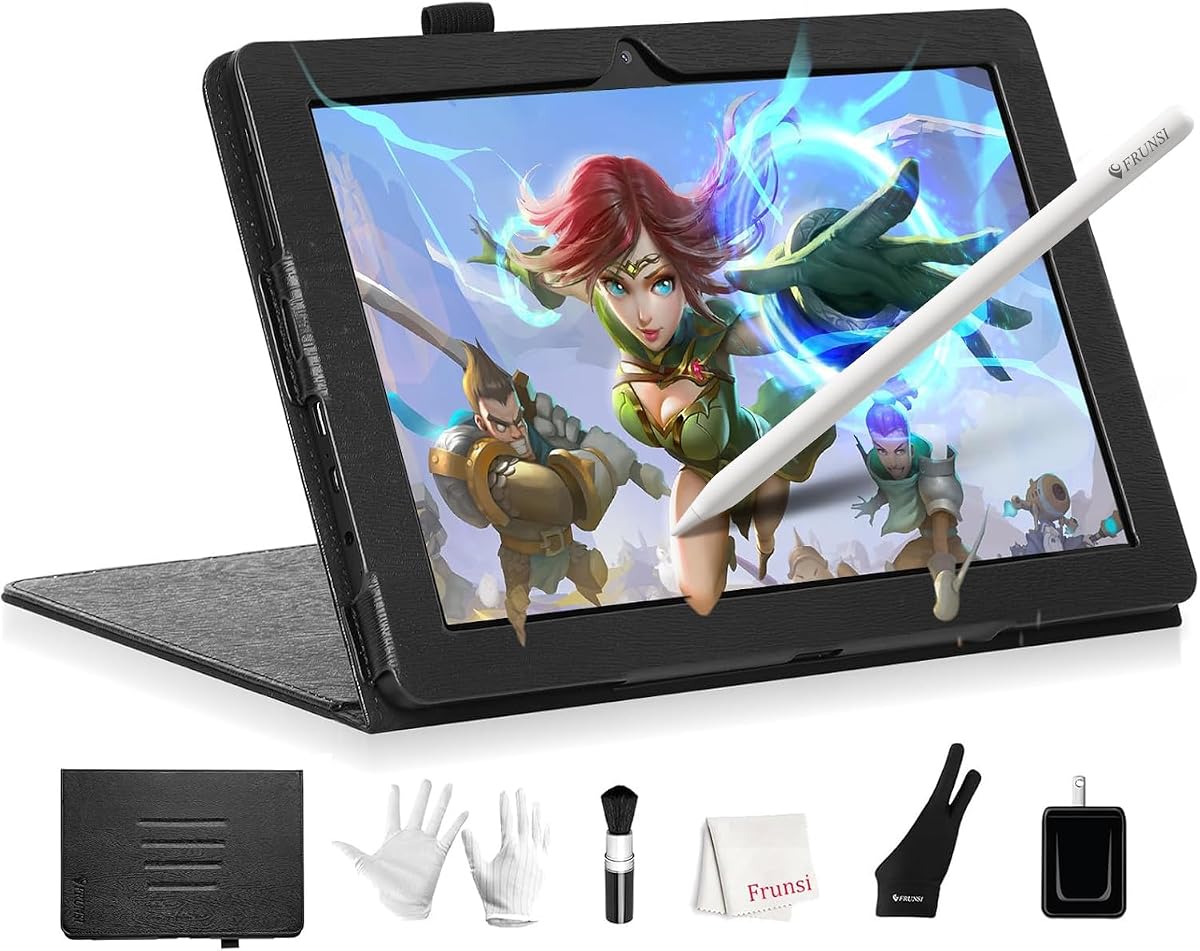
The RubensTab T12 offers a premium experience with its generous 12-inch display and robust performance hardware. It caters to artists who need more canvas space and processing power for complex projects. The laminated screen ensures a direct connection between pen and cursor for precise control.
We may earn a commission when you buy through this link, at no additional cost to you.
With 6GB of RAM and an octa-core CPU, multitasking and app switching run smoothly. The device comes loaded with top-tier software like Sketchbook and Krita to enhance creativity immediately. Bonus items like a case and glove add value to the purchase right out of the box.
The anti-glare coating and lamination make the viewing experience comfortable even under bright lights. While it is larger than the T11, the extra screen real estate is worth it for detailed work. It serves as a portable hub for both art and entertainment.
This tablet is perfect for professionals seeking a balance of screen size and portability. If you want a premium standalone device with great specs, the T12 is a strong candidate. Look for bundle deals to maximize the value of the included accessories.
The 12-inch display offers ample space for intricate details and large-scale digital painting projects.
Top-tier apps like Flipaclip and Infinite Painter provide advanced tools for animation and digital illustration.
We may earn a commission when you buy through this link, at no additional cost to you.
The T8 Standalone Drawing Tablet is ideal for artists who prioritize portability and simplicity. Its 8-inch form factor fits easily in bags, making it perfect for sketching on the go. The device runs Android 13, giving you access to a wide range of drawing apps.
We may earn a commission when you buy through this link, at no additional cost to you.
While the screen is smaller, it still offers enough room for quick notes and idea sketches. The 4000mAh battery supports up to 20 hours of use depending on settings, which is excellent for travel. It handles design apps well for its class without needing a computer.
This model is a great starter tablet for beginners or students needing a dedicated device for art class. The inclusion of tutorials helps users get started with digital tools quickly. It balances cost and functionality for casual creative tasks.
If you need a pocket-friendly studio for daily inspiration, the T8 is a practical choice. It removes the distraction of a computer interface so you can focus purely on creativity. Check availability to see if current bundles offer extra value.
Designed to free you from the desk, this compact tablet fits easily in backpacks for mobile creation.
Android integration lets you install your favorite apps like Sketchbook for a customized workflow experience.
We may earn a commission when you buy through this link, at no additional cost to you.
The PicassoTab 12-inch A12 provides a large workspace for sketching and animation without needing a laptop. It comes with a high-quality pen that supports palm rejection for natural drawing movements. The bundled app upgrades add significant value to the overall purchase experience.
We may earn a commission when you buy through this link, at no additional cost to you.
With an octa-core CPU and 6GB RAM, the device handles streaming and multitasking effectively. The laminated display improves accuracy and reduces the gap between the pen and cursor. It is designed for both school projects and serious creative work.
While it competes with premium brands, the PicassoTab focuses on delivering core features at a competitive price. The warranty and customer support offer peace of mind for new users. The 12-inch screen is generous for detail work.
This is a solid choice for students and hobbyists wanting a bigger canvas without a huge price tag. It simplifies the creative process with everything you need in one package. Verify the current deal to confirm included bonus items.
Includes lifetime PRO upgrades for popular apps and free premium accessories like a case and glove.
Certified by GMS, FCC, and CE standards to ensure safety and reliability for daily creative use.
We may earn a commission when you buy through this link, at no additional cost to you.
This 12-inch standalone tablet stands out for its impressive hardware configuration including 16GB RAM and 256GB storage. It runs the latest Android OS which ensures compatibility with future apps and features. The full-laminated screen enhances precision by eliminating parallax during drawing.
We may earn a commission when you buy through this link, at no additional cost to you.
The device supports 4G LTE for internet access anywhere without relying on Wi-Fi hotspots. Its 8000mAh battery supports long creative sessions and can even charge other devices via reverse charging. It is a true mobile studio for professionals on the move.
While the price reflects the high specifications, the value is clear for heavy multitaskers. You can run multiple heavy apps without lag or storage issues. The anti-glare protector helps maintain visibility in bright environments like studios.
Ideal for advanced users who need power and connectivity in one portable device. It bridges the gap between a tablet and a laptop with drawing capabilities. Check current listings to see if the 4G version fits your connectivity needs.
IPS display with 100% sRGB color gamut ensures accurate hues for professional digital painting.
Built-in 4G LTE allows you to browse and share art anywhere without needing a Wi-Fi connection.
We may earn a commission when you buy through this link, at no additional cost to you.
This alternative model offers a straightforward way to explore standalone drawing without a computer setup. It provides a reliable canvas for basic to intermediate creative tasks. Artists can test the waters of digital drawing without investing in high-end hardware immediately.
We may earn a commission when you buy through this link, at no additional cost to you.
The basic specs support standard drawing apps and note-taking tools effectively. While it may lack advanced features like high refresh rates, it is functional for everyday use. It helps users decide if a standalone tablet fits their workflow.
Given the lack of detailed specs, it serves as a budget-friendly alternative for quick projects. The battery life appears adequate for short sessions of creative work. It is suitable for those prioritizing simplicity over maximum power.
Consider this if you need a simple device for occasional use or travel notes. It avoids complexity and focuses on providing a direct drawing surface. Check reviews for specific feedback on performance consistency before buying.
Ready out of the box with basic features designed for immediate use without configuration.
Its lightweight design makes it easy to carry along with other essentials for on-the-go work.
We may earn a commission when you buy through this link, at no additional cost to you.
This entry-level option is designed for beginners interested in trying standalone drawing. It provides a functional screen for sketches and basic note-taking without needing a PC. The compact size ensures it fits easily in small bags for daily transport.
We may earn a commission when you buy through this link, at no additional cost to you.
While performance is limited compared to high-end models, it handles standard creative tasks well. The USB-C charging helps maintain battery life between sessions effectively. It is a low-risk way to explore digital creativity for students.
The trade-off is lower resolution and fewer features than premium devices. However, it fulfills the core requirement of drawing without a computer connection. It is best for casual users or quick ideation work.
If you need a simple tool for learning digital basics, this is a practical choice. It removes the barrier of needing a desktop computer to start creating. Verify the screen size to ensure it meets your minimum comfort needs.
Simplified interface and controls make it easy for new users to start sketching immediately.
USB-C charging ensures you can quickly power up the device during travel or short breaks.
We may earn a commission when you buy through this link, at no additional cost to you.
This mid-range tablet aims to balance cost and performance for general users. It supports wireless connectivity for accessing online resources and cloud storage. The screen resolution is adequate for viewing images and creating standard drawings.
We may earn a commission when you buy through this link, at no additional cost to you.
Battery life is sufficient for moderate use throughout the day. It can handle multitasking between a few apps without significant slowdowns. It is a versatile choice for those needing more than basic sketching.
The pen lacks high precision but works well for casual art and notes. Without premium coatings, glare may be noticeable in bright light. It suits users who want utility without high-end costs.
Choose this if you need a reliable device for mixed use of drawing and browsing. It offers a middle ground between entry-level and premium models. Check current specs to confirm compatibility with your preferred apps.
Offers a mix of drawing and productivity features for users needing a multi-purpose device.
Wireless connectivity allows saving work directly to the cloud for safety and backup.
We may earn a commission when you buy through this link, at no additional cost to you.
The final model focuses on portability and simplicity for quick creative tasks. It is lightweight enough to use comfortably for extended periods. The touchscreen interface is responsive enough for basic drawing and note-taking needs.
We may earn a commission when you buy through this link, at no additional cost to you.
While it may not handle heavy graphic design software, it is good for sketches and ideas. The lack of computer dependency ensures you can work anywhere. It is designed for spontaneous creativity without technical setup.
Battery life is average so keeping a charger nearby is wise for long trips. It serves as a dedicated tool for capturing thoughts instantly. The simple design avoids unnecessary complexity for daily use.
This is a solid option for artists who prioritize portability above all else. It helps keep creativity flowing even when away from a desk. Verify the weight and dimensions to ensure it fits your carry needs.
Designed to capture ideas instantly whenever inspiration strikes without needing setup.
Focuses on core functions to ensure ease of use for daily creative tasks.
We may earn a commission when you buy through this link, at no additional cost to you.
Selecting the right standalone tablet involves balancing performance, screen quality, and features. Consider these factors to find a model that suits your specific artistic needs.
Screen size affects your workspace and portability. Larger screens like 12 inches offer more detail but are heavier. Aim for Full HD or higher resolution for sharp lines and vibrant colors.
Choose a size that fits your travel habits and desk space while ensuring the resolution meets your quality standards.
A pressure-sensitive pen is essential for natural drawing. Look for 4096 levels of pressure sensitivity to control line weight. Tilt support adds depth for shading and realistic brush strokes.
Verify that the pen is included and feels comfortable in your hand to avoid fatigue during long sessions.
Since these tablets are standalone, battery life is crucial for uninterrupted work. Models range from 5 hours to over 20 hours depending on usage. Longer life ensures you can create throughout the day without charging.
Check the battery capacity and usage estimates to ensure they match your typical workflow duration.
Art files can be large so ample storage is necessary. Look for at least 64GB to store many projects locally. Expandable storage via microSD is a bonus for growing libraries.
Ensure the device has enough space for your favorite apps and offline projects without needing to constantly delete files.
Android systems offer flexibility to install apps like Sketchbook and ibisPaint. Ensure the OS version is up to date for security and compatibility. Some tablets come with pre-installed software to jumpstart your work.
Confirm that the device supports the specific applications you rely on for your art style.
A higher refresh rate like 90Hz makes drawing feel smoother with less lag. Low latency ensures the line appears exactly where the pen touches. This is vital for fast sketching and precise work.
Look for models that advertise low latency and smooth visuals for the best drawing experience.
Laminated displays reduce parallax and improve accuracy. Anti-glare coatings help maintain visibility in bright environments. These features enhance the overall comfort and quality of the visual experience.
Prioritize screens with good color accuracy and anti-glare properties for long-term eye comfort.
Since these devices are portable, they need to withstand travel. Look for sturdy builds and included cases for protection. Certifications like FCC and CE indicate safety and reliability standards.
Check warranty terms and build materials to ensure the tablet lasts through daily creative use.
Start by charging the device fully and installing your preferred drawing apps. Calibrate the pen settings to match your pressure preferences for a natural feel. This ensures accurate input from the beginning.
Keep the screen clean with a microfiber cloth to avoid fingerprints affecting visibility. Store the tablet in its case when not in use to prevent scratches and accidental damage. Proper handling extends the lifespan.
Update software regularly to maintain security and performance. Organize your files into folders to manage storage efficiently. Regularly clear cache if the device slows down over time.
No, these tablets are standalone devices designed to work independently without a computer connection. You can draw, create, and run apps directly on the device using its built-in operating system and battery.
Most run Android and support apps like Sketchbook, ibisPaint, and Krita. Check the device specs to ensure they run the OS version required by your preferred creative software for full compatibility.
Some models support USB-C or Bluetooth connections to a computer for file transfers or mirroring. However, their main value lies in independent use so features may vary by model.
Battery life ranges from 5 to 20 hours depending on screen brightness and app usage. Brighter screens and heavy apps may drain it faster so manage settings for longevity.
Yes, most manufacturers sell replacement pens and nibs separately. Ensure you buy the specific model compatible with your tablet to maintain pressure sensitivity and function.
Yes, they can run video editing apps but performance depends on RAM and storage. For heavy editing, check device specs for processing power to avoid lag during rendering.
Many bundles include a pre-applied screen protector or a separate one in the box. Verify the product listing to confirm if one is included with your purchase.
Most reputable models come with a one-year limited warranty for defects. Check the seller page for specific warranty terms and support contact information before buying.
We reviewed ten top standalone drawing tablets highlighting their unique strengths. The HUION KAMVAS Slate 11 stands out for performance, while the RubensTab T11 Pro offers budget value.
Prioritize screen quality, pen sensitivity, and battery life based on your workflow. If you need a large canvas, the RubensTab T12 provides excellent space for complex projects.
Prices and availability can change so always verify current listings before purchasing. Use this guide to find the right device that fits your needs and budget today.
