
Canon PIXMA TR4720 All-in-One Wireless Printer
3.8Editor score
Wireless printing and fax
Auto document feeder included
Compact home office design
This guide compares the top ten cheap fax machine options for home and office use, analyzing features, speed, and value to help you find the right affordable
Finding a cheap fax machine that delivers reliable performance without breaking the bank can be challenging in today's digital age. Whether you need to send legal documents or receive important faxes at home, choosing the right model matters for efficiency and cost savings over time.
We evaluated ten highly rated products based on transmission speed, paper capacity, copying features, and overall user satisfaction. Our analysis focuses on real-world usability and value, ensuring you get a machine that meets your specific needs without unnecessary extras or hidden costs.
Each pick below highlights key strengths and potential drawbacks to help you make an informed decision quickly. Remember that prices and availability change frequently, so check current listings before purchasing to ensure you get the best deal available right now for your budget.
3.8Editor score

4.0Editor score

4.0Editor score
The following table provides a side-by-side comparison of all ten featured fax machines, highlighting their core specifications, key capabilities, and user ratings to help you quickly identify which model fits your specific requirements and budget constraints best.




This Brother model stands out as a reliable option for those seeking a dedicated fax machine that also functions as a phone and copier. With a solid 4.0 rating from users, it delivers consistent performance for home offices needing traditional fax capabilities without excessive complexity.
We may earn a commission when you buy through this link, at no additional cost to you.
The 9,600 BPS modem ensures quick transmission times around 15 seconds per page, reducing wait periods during busy workflows. Its 512 KB memory can store up to 25 pages, providing a buffer when paper runs out or phone lines are busy.
While it lacks color capabilities, the black-and-white copying at 400 x 400 dpi provides clear document reproduction suitable for most business needs. The 50-sheet paper capacity minimizes frequent refills, making it practical for moderate volume faxing tasks.
Ideal for small businesses or home users who prioritize straightforward operation and multifunction utility, this machine balances performance and ease of use effectively. It remains a top choice for those who need a dedicated device rather than a combined printer-fax solution.
The combination of fax, phone, and copier functions streamlines office tasks by reducing the need for multiple separate devices on your desk.
With fast BPS modem speed, you can send documents quickly without compromising on the clarity or integrity of the transmitted files.
We may earn a commission when you buy through this link, at no additional cost to you.
This renewed version offers the same powerful functionality as the new model at a more accessible price point, making it attractive for budget-conscious buyers. It retains the key features that made the original popular while providing a chance to save money on essential office equipment.
We may earn a commission when you buy through this link, at no additional cost to you.
Users can expect the same 15-second transmission time and robust memory storage, ensuring no loss in performance compared to the brand-new unit. The 50-sheet capacity remains unchanged, supporting moderate faxing needs without constant paper handling interruptions.
However, purchasing renewed means accepting potential cosmetic imperfections or limited warranty coverage compared to buying new. It is vital to check the condition rating upon arrival to ensure the device meets your expectations for daily office use.
Best for those who want tried-and-true technology without paying full retail price, this unit delivers value through its functional equivalence. If you prioritize savings over pristine condition, this renewed model is a smart choice for essential faxing.
By choosing a renewed device, you gain access to premium features at a fraction of the cost, ideal for startups or tight budgets.
Despite being refurbished, the core technology ensures reliable operation similar to new units when properly tested upon receipt.
We may earn a commission when you buy through this link, at no additional cost to you.
The Sharp UXB20 brings a straightforward approach to faxing with essential features like speed dial and caller ID ready detection. While its rating is lower than some competitors, it remains a functional option for users needing basic fax capabilities without complex settings.
We may earn a commission when you buy through this link, at no additional cost to you.
With a 15-second transmission time, it keeps pace with standard fax requirements ensuring quick document exchange. The 30 speed dial presets allow you to store frequently used numbers, saving time during regular business communications.
One limitation is the lower user rating, which may indicate occasional reliability issues or less refined user experience compared to newer models. Ensure you review current availability and support options before deciding to avoid potential compatibility or maintenance headaches.
Recommended for users with specific needs for inkjet-based faxing at a reasonable price point. If you value simplicity and have a limited volume of outgoing faxes, this machine offers a practical solution for home office environments.
Storing up to 30 numbers simplifies routine communications, allowing you to reach contacts quickly with a single button press.
Core functions like caller ID and distinctive ring detection keep you informed about incoming calls and faxes efficiently.
We may earn a commission when you buy through this link, at no additional cost to you.
This HP DeskJet model combines printing, scanning, copying, and faxing into one compact unit designed specifically for home environments. Its wireless capabilities and mobile app support make it incredibly convenient for users who prefer managing documents remotely from smartphones.
We may earn a commission when you buy through this link, at no additional cost to you.
The inclusion of a three-month Instant Ink trial offers a chance to save on consumables while testing the device. HP AI optimization ensures web pages and emails print cleanly without wasted paper, adding value beyond basic fax transmission.
While not built for high-volume office tasks, the 60-sheet input tray and 7.5 ppm black print speed suffice for typical home needs. The dual-band Wi-Fi helps maintain stable connections even in homes with multiple network devices interfering.
Perfect for home users who need occasional faxing alongside color printing, this device balances functionality with space-saving design. Prioritize it if wireless flexibility and modern connectivity options are more important than heavy-duty fax performance.
Print, scan, copy, or fax right from your smartphone, bringing total control to your pocket without needing a computer.
Subscribe to Instant Ink delivery service to get ink automatically delivered before you run out, ensuring uninterrupted operation.
We may earn a commission when you buy through this link, at no additional cost to you.
The Canon PIXMA TR4720 offers a true 4-in-1 experience that includes faxing alongside printing, copying, and scanning for home use. Its compact design fits easily on small desks, making it ideal for home offices where space is at a premium.
We may earn a commission when you buy through this link, at no additional cost to you.
Features like the auto document feeder and front paper tray streamline document handling, allowing batch scanning or faxing with ease. The setup is simplified through the Canon PRINT Inkjet/SELPHY app, ensuring quick connectivity even for non-tech savvy users.
While the fax functionality is integrated rather than standalone, it meets the needs of casual users who need occasional fax capabilities alongside regular printing tasks. The 100 sheet capacity reduces refilling frequency for standard office tasks.
As the best budget pick, this printer delivers strong value by combining multiple functions without sacrificing essential performance. It is a smart choice for users who want versatility and modern wireless features at an affordable price point.
Enjoy simple setup through the Canon PRINT Inkjet/SELPHY app, reducing the time between unboxing and first use significantly.
Use the auto document feeder to handle multi-page jobs efficiently without manually feeding each sheet through the scanner.
We may earn a commission when you buy through this link, at no additional cost to you.
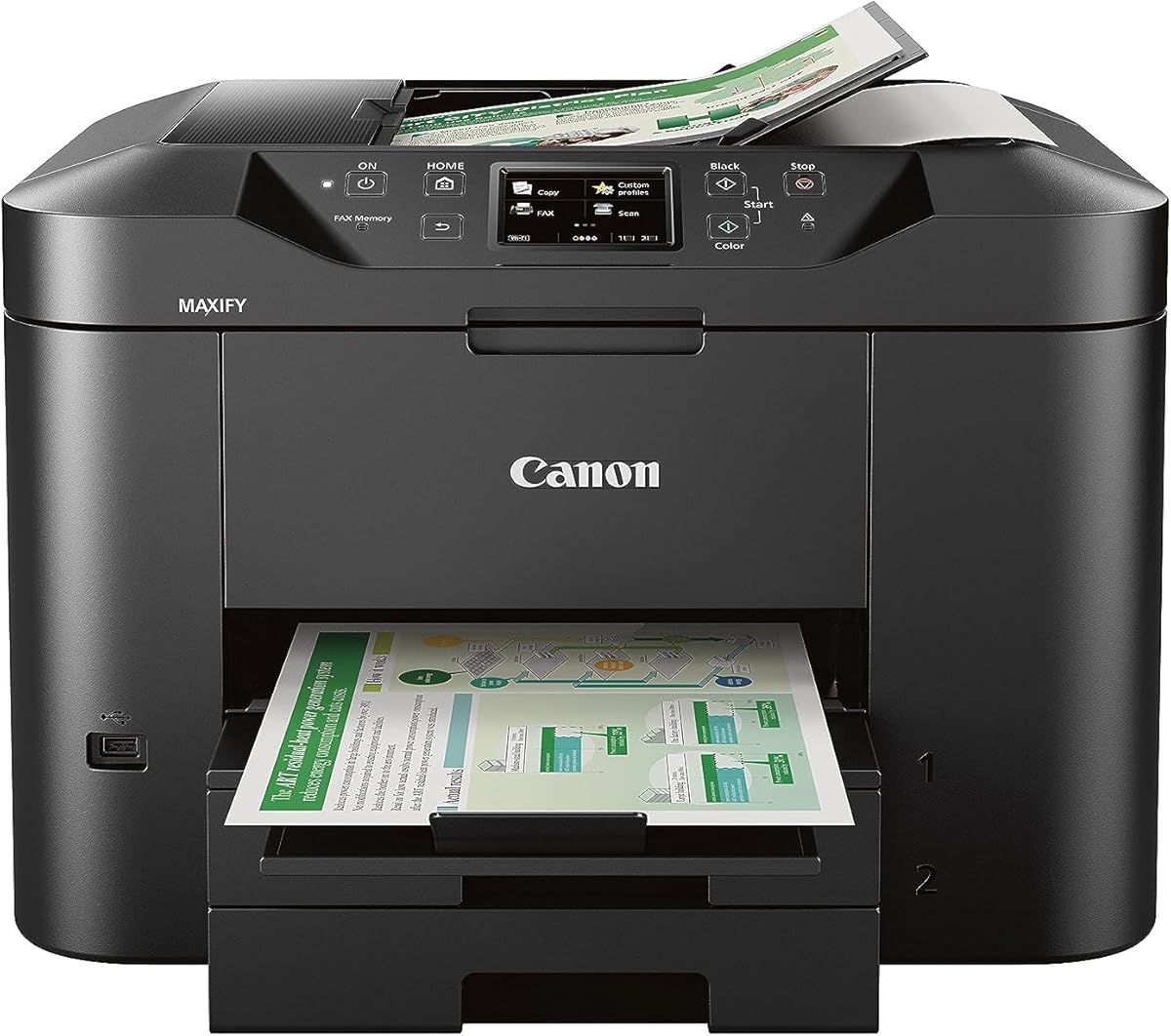
Designed for small businesses, the Canon MAXIFY MB2720 offers robust features like a massive 500-sheet paper capacity and a 20,000-page duty cycle. It is built to last and handle continuous workloads without frequent jams or maintenance interruptions.
We may earn a commission when you buy through this link, at no additional cost to you.
The use of Dual Resistant High Density inks ensures text is highlighter and smudge resistant, maintaining document quality over time. With US-based service and support, you can rely on prompt assistance if issues arise during critical business operations.
While the upfront cost might be higher than home models, the durability and capacity make it cost-effective for frequent users. The Canon PRINT app allows scanning and copying directly from mobile devices, enhancing workflow flexibility.
This machine suits small businesses that prioritize longevity and capacity over simple home usage. If you need a reliable workhorse for regular document management, this model provides a solid foundation for professional needs.
Print laser-sharp text that remains resistant to highlighters and smudges, ensuring professional quality for client-facing documents.
Benefit from 100% US-based Service & Support, ensuring help is available when you need it most for business continuity.
We may earn a commission when you buy through this link, at no additional cost to you.
This premium option from Canon offers a seamless integration of printing and faxing with voice-activated smart reorders via Alexa. The convenience of never running out of ink automatically elevates the user experience significantly for busy office environments.
We may earn a commission when you buy through this link, at no additional cost to you.
With a 200-sheet capacity and auto two-sided printing, it reduces paper waste and frequent manual intervention during large jobs. The 15/10 ipm speed ensures documents are produced quickly, keeping workflows efficient during peak times.
The micro SD slot and ENERGY STAR certification add value for users concerned with environmental impact and storage options. A 1-year warranty provides peace of mind for investment protection, making it a reliable long-term choice for home offices.
Best suited for users who value modern smart features and convenience, this printer bridges the gap between functionality and technology. It is an excellent choice for those who want to streamline office tasks through voice commands and automation.
Connect your printer to Alexa and receive notifications when you are running low, ensuring you always have supplies on hand.
Print with your voice by saying Alexa, discover my printer, simplifying the interaction between device and user commands.
We may earn a commission when you buy through this link, at no additional cost to you.
The Brother intelliFAX-2840 stands out for its laser print technology, offering sharp text quality typical of office laser printers. With speeds of 21 ppm, it handles high-volume faxing and printing tasks efficiently without bogging down daily schedules.
We may earn a commission when you buy through this link, at no additional cost to you.
Operating at 200 x 300 dpi, it ensures documents are clear and readable for legal or formal correspondence. The dedicated nature of this machine means it focuses purely on fax and printing without unnecessary multimedia features.
While it lacks network connectivity, which may be a limitation for modern offices, it remains a reliable choice for single-user environments. The brand reputation suggests durability and consistent performance over years of usage in a home office.
Ideal for those who prioritize text quality and speed over connectivity, this laser fax provides a traditional workflow experience. It is a practical choice if you do not require network integration but still want professional-grade output.
Laser technology delivers crisp text that remains legible even after multiple copies or scans, ensuring professional document quality.
With 21 pages per minute, you can handle large batches quickly without spending excessive time on routine document production.
We may earn a commission when you buy through this link, at no additional cost to you.
This thermal transfer fax model uses Energy Star technology to reduce power consumption while maintaining reliable transmission performance. It serves well as a basic device for users who do not require high-end features but need dependable faxing.
We may earn a commission when you buy through this link, at no additional cost to you.
The 512 KB memory provides ample space for storing faxes temporarily, preventing data loss during busy periods. With a 10-sheet ADF, it simplifies multi-page scanning tasks without requiring manual page feeding for every document.
Users should be aware that thermal faxes may have specific paper requirements compared to plain paper models, which can affect ongoing costs. However, for light usage, this device remains a cost-effective and environmentally friendly choice.
Recommended for small offices or home setups where energy efficiency is a priority. If you need a simple machine that does the job without frills, this thermal fax offers a solid balance of performance and power conservation.
Energy Star certification ensures lower power usage during standby, helping to reduce electricity costs over the lifespan of the device.
The 10-sheet auto document feeder allows you to load multiple pages easily, streamlining the scanning process significantly.
We may earn a commission when you buy through this link, at no additional cost to you.
The Panasonic KX-FHD331 offers a straightforward solution for users who prefer plain paper over thermal rolls, ensuring better readability and archiving. Its 9.6 Kbps modem speed aligns with standard fax requirements for most home and small business needs.
We may earn a commission when you buy through this link, at no additional cost to you.
Compatibility with caller ID and answering machines allows you to manage incoming calls and faxes efficiently without manual intervention. This integration helps keep your desk organized and ensures you do not miss important messages during busy times.
With a lower user rating, potential buyers should check current stock and support options carefully before purchasing. The exchange program provides some reassurance, but verifying the unit's condition remains a priority to avoid disappointment.
Best for those who need basic functionality and plain paper output at a standard price point. If simplicity and standard paper handling are your main criteria, this model delivers a practical solution for everyday faxing tasks.
Uses plain paper rather than special thermal rolls, making it easier to archive documents and reducing long-term consumable costs.
Answering machine interface ensures that both voice messages and faxes are handled without requiring separate devices on your desk.
We may earn a commission when you buy through this link, at no additional cost to you.
Selecting the right fax machine requires balancing features with budget constraints while ensuring reliability for your specific needs.
Transmission speed determines how quickly a document is sent over the phone line. Most modern machines operate at 9,600 BPS, which transmits a page in about 15 seconds. Faster speeds reduce wait times during high-volume workdays.
Prioritize models with 9,600 BPS or higher for efficient workflows.
Paper capacity refers to the amount of paper the machine can hold at once. Models with 50 sheets or more reduce the frequency of refills, which is essential for offices running multiple documents continuously.
Look for at least 50 sheets to avoid interruptions.
Memory storage allows the machine to hold faxes if the paper runs out or the line is busy. Look for models with at least 512 KB to store up to 25 pages, ensuring no data is lost during peak hours.
Select machines with 512 KB memory for better data protection.
All-in-one printers combine faxing with printing, scanning, and copying, saving space and cost. However, dedicated fax machines often offer superior transmission reliability and speed. Decide based on whether you need multifunction capabilities or dedicated performance.
Choose all-in-one for space savings or dedicated for performance.
Modern faxing often includes wireless and mobile app support to send documents from anywhere. While traditional landlines are still required for analog fax, wireless features enhance flexibility. Consider if your office uses VoIP or standard lines.
Ensure compatibility with your existing phone system and network setup.
Plain paper fax machines are more common now and easier to archive than thermal models. Plain paper offers better longevity for documents. Check if the machine uses standard paper rolls or sheets to avoid supply shortages.
Prefer plain paper for long-term document storage and ease.
A good warranty protects your investment from defects and mechanical failures. Many brands offer one-year warranties, while others provide exchange programs. Always check the support terms before purchasing to understand your options.
Review warranty terms to ensure protection against common hardware issues.
Cheap fax machines range significantly in price based on features. A lower upfront cost might mean higher ongoing costs for supplies or slower speeds. Calculate total cost of ownership to find the best value long-term.
Balance initial price with long-term operating costs for the best deal.
Set up your fax machine by connecting it to a standard phone line and ensuring the power source is stable. Verify that the handset and paper tray are correctly loaded before attempting to send a test page to ensure functionality.
Regularly clean the glass and rollers to prevent smudges and paper jams. Dust and debris can accumulate over time, reducing document clarity and causing mechanical issues. Use a soft cloth and mild cleaner to maintain the internal components.
Update your contact list and speed dial settings periodically to keep frequently used numbers current. This ensures efficient communication and reduces errors when sending documents to partners or clients regularly.
Yes, traditional fax machines require a dedicated analog phone line to transmit documents. While some modern multi-function devices offer internet-based fax services, most standard models still rely on a physical telephone connection to work properly.
A truly cheap fax machine offers essential features without unnecessary extras like color printing or advanced scanning. Look for models with a lower price point that still meet your core needs for document transmission and reliability.
Most modern fax machines last between three to five years with regular use. Proper maintenance, such as cleaning rollers and keeping the machine dry, can extend this lifespan significantly beyond the average period.
Yes, email-to-fax services allow you to send documents from your computer. However, physical machines provide a direct method without needing to rely on third-party software or internet connections.
Fax machines remain popular due to their legal acceptance and simplicity. Many industries still rely on faxing for security and compliance reasons, making these devices essential despite digital advancements in communication.
Inkjet fax machines use liquid ink, while laser models use toner for sharper text. Laser machines generally have higher costs for consumables but produce better long-term document quality for frequent users.
The ten products reviewed above provide a wide range of options tailored to different needs and budgets. Whether you prefer a dedicated machine or an all-in-one solution, there is a suitable choice available for every user.
Prioritize features like transmission speed and memory capacity to ensure your device meets daily operational requirements efficiently. These factors often impact productivity more than advanced extras that may go unused in a home office.
Always check current prices and availability before purchasing to secure the best deal. Prices fluctuate frequently, so comparing listings can save you significant money while ensuring you get the right product.