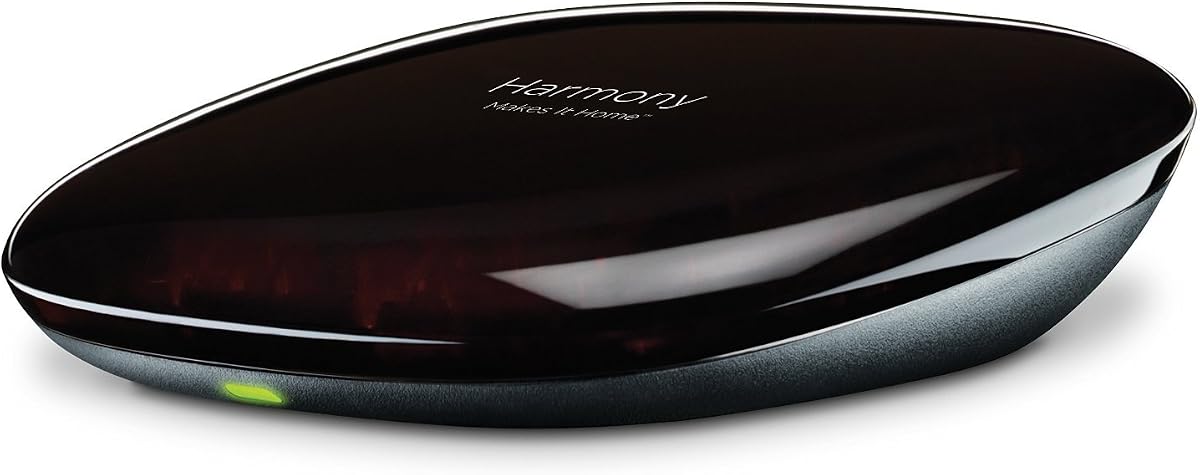
Logitech Harmony Home Hub
3.9Editor score
Compatible with voice control
Controls up to eight devices
Closed cabinet control support
This guide compares the top Logitech Harmony Home Hub models for controlling entertainment and smart home devices with detailed reviews and key features.
Finding the right control system for your home entertainment setup can be challenging with so many options available today. A good hub simplifies your life by consolidating multiple remotes into one intuitive interface that works seamlessly with your devices.
We evaluated the most popular Logitech Harmony models based on device compatibility, ease of use, and smart home integration capabilities. Our analysis focuses on real-world performance and user feedback to help you make an informed decision.
Each pick highlights specific strengths and ideal use cases for different home setups. Keep in mind that availability and pricing may vary so always check current listings before purchasing your chosen device.
3.9Editor score

3.7Editor score

3.8Editor score
This side by side comparison outlines the key specifications and capabilities of each model to help you find the perfect fit for your home automation needs.
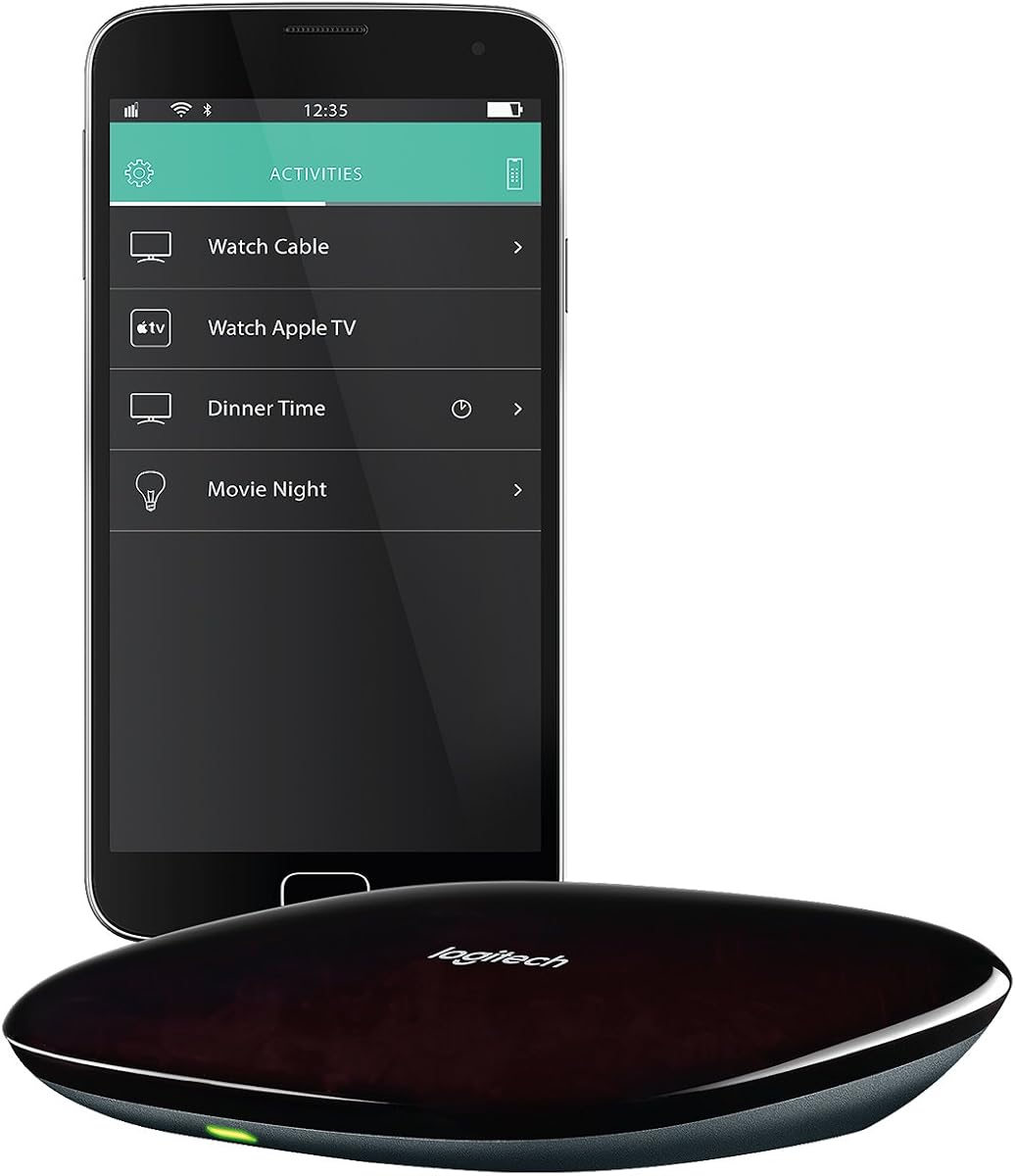


The Harmony Elite stands out as the most versatile option in the Harmony lineup with its robust feature set. It earns its top rating by combining a physical remote with app control and smart home integration.
We may earn a commission when you buy through this link, at no additional cost to you.
Its full color touchscreen allows you to manage channels and volumes with simple swipes. The one touch Activities feature automates complex tasks like turning on lights and launching streaming services simultaneously.
While powerful the device can be pricey compared to basic hubs and initial configuration takes time. These trade-offs are acceptable for users seeking complete control over their entertainment ecosystem.
This model is ideal for tech savvy homeowners who want centralized control of entertainment and lighting systems. We recommend it for those willing to invest in a premium experience.
The hub connects with over 270,000 devices ensuring compatibility with almost any entertainment system in your home.
Beyond entertainment you can manage Philips Hue lights and other smart devices directly through the remote interface.
We may earn a commission when you buy through this link, at no additional cost to you.
The Harmony Home Hub offers essential control features at a fraction of the cost of premium models. Its renewed condition ensures functionality without the high price tag making it accessible for budget conscious buyers.
We may earn a commission when you buy through this link, at no additional cost to you.
It integrates with Alexa for voice commands and supports up to eight entertainment or automation devices. You can create custom activities like date night to dim lights and start movies automatically.
The lack of a physical touchscreen means reliance on your smartphone for advanced control which may not suit everyone. However the savings and core functionality make it a strong contender for basic needs.
We recommend this for users who want smart control without breaking the bank. It is perfect for small to medium setups needing reliable centralization.
Easily control your home entertainment devices with your voice using compatible voice assistant technology.
The included hub lets you control devices hidden in cabinets using an IR mini blaster extension.
We may earn a commission when you buy through this link, at no additional cost to you.
The Harmony 1100 was a flagship model known for its large touch screen and RF capabilities. It remains a premium choice for those who can find it offering extensive customization options.
We may earn a commission when you buy through this link, at no additional cost to you.
Its 3.5 inch screen provides ample space for navigation and the RF wireless capability allows control without line of sight. Customizable icons and screens make it adaptable to your preferences.
Since it is discontinued finding new units may be difficult and prices remain high due to rarity. These factors limit its accessibility but do not detract from its performance capabilities.
This device suits collectors or users needing RF control for hidden equipment. If you value screen real estate and customization this is a top tier option.
Control devices without line of sight using RF signals ideal for equipment in closed cabinets.
Adjust commands and icons to match your workflow and make navigation intuitive.
We may earn a commission when you buy through this link, at no additional cost to you.
This renewed version of the Elite provides the same powerful features as the new model at a reduced price. It offers a great balance between performance and value for budget conscious shoppers.
We may earn a commission when you buy through this link, at no additional cost to you.
It retains the full color touchscreen and Alexa compatibility allowing voice control and automation. The one touch activities streamline daily routines by managing multiple devices with a single tap.
Buying renewed means you should check warranty terms and condition details before purchase. While generally reliable there is always some risk with refurbished electronics compared to brand new items.
We suggest this for users who want premium features without paying full price. It is a smart pick for those comfortable with refurbished products.
Touch an activity like watch a movie to automatically power on and switch to the right settings.
Turn your smartphone into a personal universal remote for control of the whole house.
We may earn a commission when you buy through this link, at no additional cost to you.
The Smart Control emphasizes mobile app usage with intuitive swipe and tap gestures for easy operation. It includes a simple physical remote for those who prefer traditional buttons.
We may earn a commission when you buy through this link, at no additional cost to you.
Its app supports up to 50 favorite channel icons and volume control making it convenient for daily use. The removable battery offers flexibility for extended use without charging concerns.
Heavy reliance on your smartphone might be a drawback if your device runs out of battery or connectivity issues occur. However the future proof support for many brands adds long term value.
Ideal for mobile first users this hub streamlines control through familiar interfaces. It works well in homes where smartphones are the primary tool for managing tech.
Navigate your entertainment system effortlessly with simple touch gestures on your smartphone.
Works with over 270,000 devices including consoles and streaming boxes for long term compatibility.
We may earn a commission when you buy through this link, at no additional cost to you.
This hub focuses on controlling equipment hidden in cabinets using an IR mini blaster accessory. It pairs with a mobile app to provide a full remote experience without cluttering your living space.
We may earn a commission when you buy through this link, at no additional cost to you.
You can access streaming services like Netflix and YouTube directly from the app interface. The setup is straightforward and the hub connects easily to your home network for seamless operation.
Not including a physical remote might be inconvenient for guests or family members who prefer buttons. The focus on app control is great for tech savvy users but limits accessibility for others.
We recommend this for clean setups where aesthetics matter and devices are hidden. It is a solid choice for those who prioritize neatness over physical controls.
Control devices behind doors using the IR mini blaster included with the Ultimate Hub.
Access internet services like YouTube on Apple TV or Roku directly through the hub.
We may earn a commission when you buy through this link, at no additional cost to you.
This renewed kit includes the hub remote and app making it a ready to use solution. It saves money while providing the full functionality of the Elite line for your home.
We may earn a commission when you buy through this link, at no additional cost to you.
It supports up to 15 devices and offers the same touchscreen and voice control benefits as new units. The package ensures you have all components needed for setup out of the box.
Refurbished electronics can have minor cosmetic wear and variable battery health. Checking seller ratings and return policies is essential to ensure satisfaction with your purchase.
This is a great option for those needing a complete system quickly. We suggest it for users who want convenience and savings together.
Includes hub remote and app for immediate setup without needing extra accessories.
Manage entertainment and smart home devices with one all encompassing tool.
We may earn a commission when you buy through this link, at no additional cost to you.
If you already have a hub this remote provides the interface for control at a lower price. It supports the same activities and voice commands as full kit versions.
We may earn a commission when you buy through this link, at no additional cost to you.
The full color touchscreen makes navigating favorites easy and it supports over 270,000 devices. You can use it with Alexa for hands free operation when you need quick access.
Without the hub you might need existing equipment to handle infrared and network communication. Ensure your current setup supports this remote before purchasing to avoid extra costs.
This is useful for replacing lost remotes or adding to existing Harmony systems. It works well for households focused on mobile and voice control.
Simply swipe and tap to control channels and volume without needing physical buttons.
Compatible with Amazon Alexa for easy voice integration and activation.
We may earn a commission when you buy through this link, at no additional cost to you.
This remote focuses on home control with a full color touchscreen for easy interaction. It is part of the Ultimate Home line known for integrating entertainment and smart devices.
We may earn a commission when you buy through this link, at no additional cost to you.
The renewed condition offers a cost effective way to access these features. You can navigate favorite channels and home settings without complicated menus or physical buttons.
Details on specific model capabilities are limited so compatibility checks are important. Older models may lack newer app updates or smart home protocol support.
We suggest this for users needing a dedicated touch interface at a lower price. It suits simple home setups without complex automation needs.
Control home devices with a sleek touch screen remote that simplifies navigation.
Get the benefits of a premium remote without the full cost with refurbished units.
We may earn a commission when you buy through this link, at no additional cost to you.
The original Harmony Hub provides basic connectivity for up to eight entertainment devices. It is designed for users who prefer app control and need simple centralization.
We may earn a commission when you buy through this link, at no additional cost to you.
It supports IR control and works well for streaming boxes and TVs without complex requirements. The setup process is straightforward and it integrates with smartphone apps for remote access.
Since it is discontinued you might face scarcity and limited warranty options. Finding units at good prices requires patience and checking reputable sellers for quality.
This is a good starting point for smart home beginners. We recommend it if you find it at a discount and need basic device control.
Initiate tasks like watch a movie with a single touch to adjust device settings.
Transform your smartphone into a comprehensive universal remote for centralized control.
We may earn a commission when you buy through this link, at no additional cost to you.
Selecting the right hub depends on your device count and desired control features. This guide breaks down the factors you should consider before making a purchase.
Ensure the hub supports the specific devices you own like TVs and cable boxes. Most models work with over 270,000 devices but checking specific brands helps avoid issues.
Look for hubs that list your device brand and model in their compatibility database for smooth operation.
Decide if you prefer a physical remote or smartphone app control. Some models combine both while others rely solely on apps for operation.
Choose a method that fits your household habits and accessibility needs.
Voice control adds convenience allowing you to use commands instead of buttons. Hubs compatible with Alexa can simplify tasks like changing channels or adjusting volume.
Verify voice support is included if hands free control is a priority.
Touchscreen remotes offer visual navigation while physical buttons provide tactile feedback. Decide which interface feels more natural for daily use.
Consider your visual needs and dexterity when selecting between touch and physical keys.
Activities let you control multiple devices with one command such as powering on systems for movie watching. Check if the hub supports creating custom routines.
Automation features can save time and make complex setups easier to manage.
Many hubs also manage lights and locks beyond entertainment. If you want unified control look for models with smart home integration.
This expands the hub's utility to your entire connected ecosystem.
Wi Fi connectivity is essential for app control and software updates. Ensure your home network is stable for reliable performance.
Strong internet speeds reduce latency when using the mobile app.
New devices come with full warranties while renewed ones may vary. Check seller ratings and return policies especially for refurbished units.
A solid warranty protects against defects and ensures peace of mind.
Begin by connecting the hub to your home Wi Fi network using the setup app. Follow the on screen prompts to register your devices and log remote codes.
Create activities by grouping devices you use together like a home theater or game session. Assign names to these activities for quick access during use.
Keep the hub in an open space for optimal signal transmission. Avoid placing it inside closed cabinets without an IR blaster extension to ensure performance.
No the hubs are designed to replace existing remotes rather than work alongside them. They transmit signals to your devices directly so you remove old remotes. However you can still keep spare remotes if needed for specific functions.
Use the IR mini blaster included with most hubs to extend signals. This small device sits outside the cabinet and beams commands to equipment inside. Ensure it has a clear line of sight to the target device.
Most modern models include Alexa compatibility for voice control. However check the product details to confirm voice support as some older units may lack it. Voice features allow you to operate devices using spoken words.
Typical hubs manage up to eight or fifteen devices depending on the model. The Elite series supports more than the basic hubs. Choose based on the number of components you need to control.
Yes the Harmony app is free to download on iOS and Android devices. It provides remote control and activity management without extra fees. Make sure your phone meets the minimum OS requirements listed.
Basic IR control will still work but app features may fail. The hub needs internet for setup and firmware updates. Keep it connected to maintain full functionality.
Yes most soundbars are compatible with Harmony hubs. Add your soundbar as a device during setup. Adjust volume and input settings just like any other component.
Updates happen automatically when the hub is connected to Wi Fi. You can also check for updates in the app settings. Keeping software current ensures new device support.
The Harmony Elite offers the most comprehensive control for modern smart homes with its touchscreen and app features. For budget conscious buyers the renewed Home Hub provides essential functionality at a lower cost.
Prioritize features like voice support and device count based on your specific setup needs. Ensure compatibility with your existing entertainment equipment before purchasing.
Prices and availability change frequently so check current listings to confirm value. We hope this guide helps you find the perfect hub for your home entertainment experience.