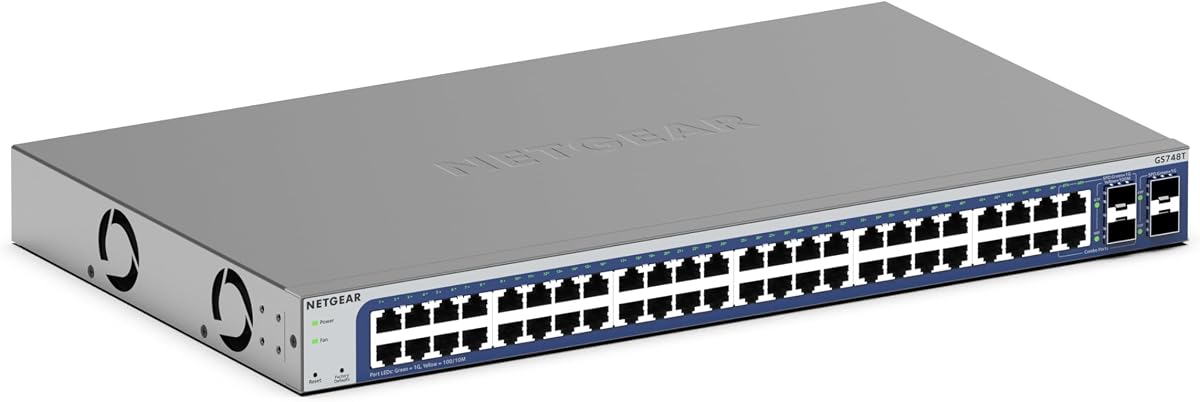
NETGEAR GS748T
4.4Editor score
Insight Remote Management
Energy Efficient Ethernet
4 SFP Ports
Compare the top 48 Port Gigabit Managed Switch options for enterprise and small business networks, featuring detailed reviews and expert insights.
Choosing the right network switch is critical for maintaining high performance and security in modern business environments. A 48 Port Gigabit Managed Switch offers the bandwidth and control needed for growing infrastructures.
We evaluated leading models based on port density, management features, security protocols, and build quality. This list covers top-rated options from trusted brands like TP-Link, NETGEAR, and Ubiquiti.
Each pick highlights key capabilities, pros, and cons to help you match hardware to your specific network demands. Prices and availability change frequently, so verify current details before purchasing.
4.4Editor score

4.7Editor score

4.7Editor score
This table provides a side-by-side comparison of all ten top-rated switches, highlighting their key specifications to help you make an informed decision.


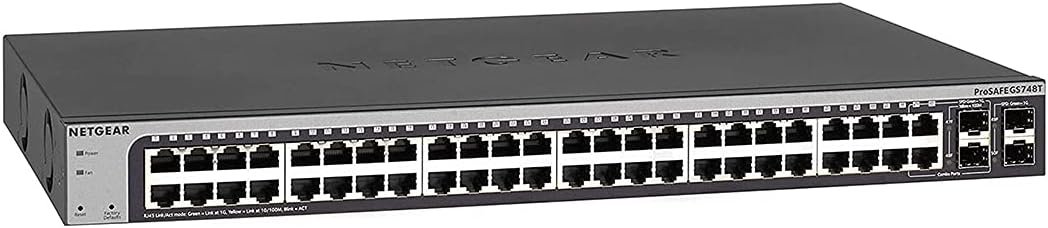


The TP-Link SG2452LP stands out as a top choice for modern network needs with its powerful Omada Cloud integration. It earns a high 4.7 rating thanks to its ability to centralize control and provide AI-driven insights.
We may earn a commission when you buy through this link, at no additional cost to you.
This switch offers advanced management capabilities including web GUI and CLI access. Its robust security suite with 802.1X and IP-MAC-Port binding ensures your network remains protected from unauthorized access.
While it requires some initial setup for the Omada ecosystem, the long-term benefits of remote management are well worth the effort. The passive cooling design ensures it runs silently even under heavy loads.
IT administrators seeking a reliable and scalable solution should seriously consider this model. It is ideal for businesses that prioritize centralized control and advanced network visibility.
Integrates with Omada Cloud for remote monitoring and configuration across multiple sites.
Fanless design eliminates noise, making it suitable for offices and healthcare facilities.
We may earn a commission when you buy through this link, at no additional cost to you.
The NETGEAR GS748T provides an excellent balance of features and affordability for small businesses. Its smart managed interface simplifies network control without requiring extensive IT expertise.
We may earn a commission when you buy through this link, at no additional cost to you.
With 48 Gigabit ports and 4 SFP slots, it supports high-speed connectivity and fiber expansion. The included NETGEAR Insight allows you to manage your network remotely with ease.
While it lacks some deeper enterprise VLAN features, it covers most essential managed functions. The compact metal design fits easily in racks or on desktops.
This switch is perfect for businesses needing reliable performance without complex configuration. It delivers stable operation with energy-saving features that reduce long-term costs.
NETGEAR Insight enables remote access and monitoring from any location securely.
IEEE 802.3az compliance ensures reduced power consumption during operation.
We may earn a commission when you buy through this link, at no additional cost to you.
The TP-Link TL-SG3452P is designed for networks that rely heavily on powered devices like cameras and APs. It offers a massive 384W power budget and L2+ static routing capabilities.
We may earn a commission when you buy through this link, at no additional cost to you.
Its full Gigabit configuration ensures high bandwidth for all connected devices. The support for IPv6 future-proofs your network as standards evolve.
Although it is priced higher due to PoE features, the investment pays off by powering endpoints directly from the switch. This reduces cable clutter and installation complexity significantly.
Businesses deploying VoIP phones and wireless access points will find this switch indispensable. It combines power delivery with advanced traffic management for optimal efficiency.
Supports up to 384W total power to run many high-wattage devices simultaneously.
L2+ static routing helps optimize internal traffic flow for better network performance.
We may earn a commission when you buy through this link, at no additional cost to you.
The Omada SG3452 is part of TP-Link's unified SDN platform, making it ideal for multi-device networks. It supports centralized management via hardware or software controllers.
We may earn a commission when you buy through this link, at no additional cost to you.
Its L2+ features allow for efficient static routing and traffic segmentation. The cloud access feature ensures you can monitor the network from anywhere.
While it requires checking firmware compatibility for full SDN benefits, the standalone mode offers flexibility. It is a strong option for those invested in the Omada ecosystem.
Small to medium businesses looking for scalable network management will benefit from this switch. It simplifies administration across complex setups.
Integrates seamlessly with Omada APs and gateways for a unified experience.
Supports both standalone and SDN modes to adapt to different network needs.
We may earn a commission when you buy through this link, at no additional cost to you.
This NETGEAR model is backed by a lifetime warranty, providing long-term peace of mind for business users. It features 48 Gigabit ports and smart software for intuitive management.
We may earn a commission when you buy through this link, at no additional cost to you.
The combo SFP ports add flexibility for fiber connectivity without extra cost. Its compact design fits standard racks and ensures quiet operation.
While some SFP slots are shared, it meets the needs of most mid-sized networks. The warranty support adds significant value for long-term investments.
Users prioritizing durability and manufacturer support will appreciate this choice. It remains a reliable workhorse for demanding environments.
Includes lifetime limited hardware warranty with next business day replacement options.
User-friendly interface simplifies secure setup and SNMP management tasks.
We may earn a commission when you buy through this link, at no additional cost to you.
The NETGEAR GS348 offers a straightforward solution for users who do not need advanced controls. It features 48 Gigabit ports and is completely unmanaged for ease of use.
We may earn a commission when you buy through this link, at no additional cost to you.
Its plug-and-play setup makes it ideal for expanding connectivity in offices quickly. The fanless design ensures it operates silently in open spaces.
Since it lacks management features like VLANs, it is not suitable for complex security needs. However, it provides reliable performance for simple expansion tasks.
Small offices needing a basic plug-in solution will find this switch useful. It keeps network expansion simple and effective.
Requires no software installation or configuration, working immediately out of the box.
Uses Energy Efficient Ethernet to reduce power consumption during usage.
We may earn a commission when you buy through this link, at no additional cost to you.
This renewed NETGEAR GS748T offers a cost-effective way to access managed features without paying full retail price. It includes the standard 48 Gigabit ports and 4 SFP slots.
We may earn a commission when you buy through this link, at no additional cost to you.
As a renewed unit, it may have cosmetic wear but remains functional. It supports basic smart management tasks similar to the new version.
While it lacks the fresh warranty of a new unit, it provides significant savings for tight budgets. It is a practical choice for secondary network connections.
Users looking to extend their network affordably can consider this option. Ensure the seller provides a clear warranty policy before purchasing.
Provides reliable performance at a fraction of the price of a new unit.
Includes all core smart managed features for basic network control.
We may earn a commission when you buy through this link, at no additional cost to you.
The Ubiquiti EdgeSwitch Lite delivers high throughput with 70 Gbps switching capacity, ideal for heavy traffic environments. It includes 2 SFP+ ports for 10G uplink capabilities.
We may earn a commission when you buy through this link, at no additional cost to you.
Its compact form factor and wall-mountable design offer versatile installation options. The dual DC input option supports redundancy for critical setups.
While it lacks PoE, its speed and connectivity options are strong. It serves well as an edge switch for high-speed data centers.
Networks needing high bandwidth and flexible mounting should evaluate this switch. It is a solid performer for specific connectivity tasks.
Supports 10G SFP+ connections for faster upstream network connectivity.
DC input allows for redundant power supply to enhance system uptime.
We may earn a commission when you buy through this link, at no additional cost to you.
YuanLey switch stands out with 6 SFP+ slots, allowing for robust 10G fiber connectivity. It also offers a massive 460W PoE budget for powering heavy loads.
We may earn a commission when you buy through this link, at no additional cost to you.
Its L3 management features enable VLANs and ACLs for better traffic control. The fanless cooling ensures silence while maintaining performance.
While it is a smaller brand, the specifications are competitive for the price. It is ideal for businesses needing high power and uplink speed.
Organizations planning high-speed expansions should consider this hardware. It offers significant technical capabilities in a single device.
Six 10G SFP+ slots provide excellent flexibility for backbone connections.
460W output supports large numbers of high-consumption IP devices.
We may earn a commission when you buy through this link, at no additional cost to you.
The NETGEAR GS348TPv2 provides a powerful combination of PoE and Smart Managed features. Its 380W budget supports various network devices efficiently.
We may earn a commission when you buy through this link, at no additional cost to you.
Remote management via Insight allows you to control the switch easily. The secure setup tools ensure your network is protected from the start.
While priced higher, the quality and features justify the investment for managed networks. It delivers reliable connectivity for modern needs.
Businesses needing PoE with advanced remote control will find this ideal. It simplifies maintenance while ensuring robust performance.
NETGEAR Insight lets you manage the switch remotely from any device.
380W PoE budget allows you to power multiple access points and cameras.
We may earn a commission when you buy through this link, at no additional cost to you.
Selecting the right switch depends on your specific network needs. Consider these critical factors to find a model that fits your budget and technical requirements.
Managed switches allow configuration of VLANs, security, and monitoring. Unmanaged switches are simpler and cheaper but offer no control.
Choose managed if you need security and segmentation; unmanaged for simple connectivity needs.
Ensure the switch provides enough Gigabit ports for all devices. Some models include extra SFP ports for fiber uplinks.
Look for 48 ports plus at least 4 SFP ports for scalability.
If connecting phones or cameras, check the PoE+ budget. It must support total wattage of all devices.
Select a switch with at least 384W for 48 PoE+ ports.
Cloud-based control simplifies remote administration. Web interfaces and CLI access are also important for customization.
Prioritize switches with intuitive interfaces and cloud management support.
Look for 802.1X authentication and access control lists. These prevent unauthorized access to your network.
Ensure the switch supports basic security features like port security.
Fanless designs are ideal for quiet offices. If noise is a concern, passive cooling is essential.
Choose fanless models for spaces where silence is a priority.
Ensure the switch fits your rack or desktop. Rackmounting requires standard mounting hardware.
Check dimensions and mounting options to match your installation.
A long warranty protects your investment. Technical support availability is also crucial for troubleshooting.
Opt for models with 5-year or lifetime warranties where possible.
Begin by connecting your uplink fiber or Ethernet cables to the SFP or standard ports. Ensure all cables are secure to maintain stable connections.
Log into the management interface using the default IP address. Change the admin password immediately to secure the device.
Regularly update the firmware to patch security vulnerabilities and improve performance.
A managed switch allows you to configure VLANs, prioritize traffic, and monitor performance. It provides control over security and network efficiency that unmanaged switches lack.
Choose PoE if you need to power devices like cameras or phones directly from the switch. If all devices have separate power, non-PoE is cheaper.
Yes, Cat5e cables support Gigabit speeds for most distances. However, Cat6 cables are recommended for better performance in high-demand environments.
No, VLANs are not mandatory for basic functionality. However, configuring them helps separate traffic for security and efficiency.
SFP ports connect fiber optic cables for long-distance high-speed networking. They are used to link switches across buildings or floors.
Place the switch in a well-ventilated area. Avoid stacking devices on top of it to ensure airflow is not blocked.
The TP-Link SG2452LP offers the best balance of cloud management and security for most businesses. It remains our top choice for reliability and performance.
Prioritize PoE budget and management features based on your specific device needs. Ensure the warranty covers your planned usage duration.
Verify current pricing and availability on Amazon before making your purchase decision.