
MONTECH AIR 903 MAX
4.8Editor score
Includes four 140mm PWM fans
Supports E-ATX motherboards
Ventilated mesh front panel
This guide compares the top hybrid airflow PC cases for 2026, evaluating airflow design, thermal performance, build quality, and features to help you choose
Finding the right computer chassis is essential for maximizing performance and aesthetics. A hybrid airflow PC case balances unrestricted ventilation with structural integrity to keep your hardware cool and silent. These cases often feature mesh panels and strategic fan placements to optimize thermal dynamics.
We compared ten leading models based on airflow efficiency, build quality, and compatibility with modern components. Our analysis includes dual-chamber designs, panoramic glass options, and unique hybrid structures that direct air precisely where it is needed most inside your build.
Each pick highlights key strengths like fan support, cable management, and material quality. Please note that product availability and pricing fluctuate regularly. Check current listings before purchasing to ensure you get the best deal available for your specific needs today.
4.8Editor score

4.7Editor score

4.6Editor score
The following table provides a side-by-side comparison of all ten selected hybrid airflow PC cases. Review key specifications such as fan capacity, radiator support, and unique design features to determine which model best fits your cooling and aesthetic requirements.



The CORSAIR 4000D RS ARGB stands out as a top-tier hybrid airflow PC case for enthusiasts seeking flexibility. Its FRAME Modular Case System allows users to upgrade components like motherboard trays or I/O panels easily. This adaptability ensures the case grows with your hardware needs.
We may earn a commission when you buy through this link, at no additional cost to you.
Thermal performance is exceptional thanks to the 3D Y-Pattern Airflow Panel which minimizes restriction. The pre-installed RS ARGB PWM fans provide strong airflow while supporting daisy-chainable connections. The InfiniRail mounting system offers unmatched flexibility for fan placement in front and roof positions.
While the case offers great value, the price point may be higher than standard options. Color choices are limited to black, which might not suit all aesthetic preferences. However, the performance and modularity justify the investment for most builders.
This case is ideal for users who want a balance of style and function. The clean lines and turbo-cooled options cater to different needs. If you prioritize airflow and future-proofing, this is the perfect hybrid airflow PC case.
The FRAME system lets you swap parts to match your build style without replacing the whole case.
The Y-pattern steel front panel ensures cool air enters efficiently while reducing noise from turbulence.
We may earn a commission when you buy through this link, at no additional cost to you.
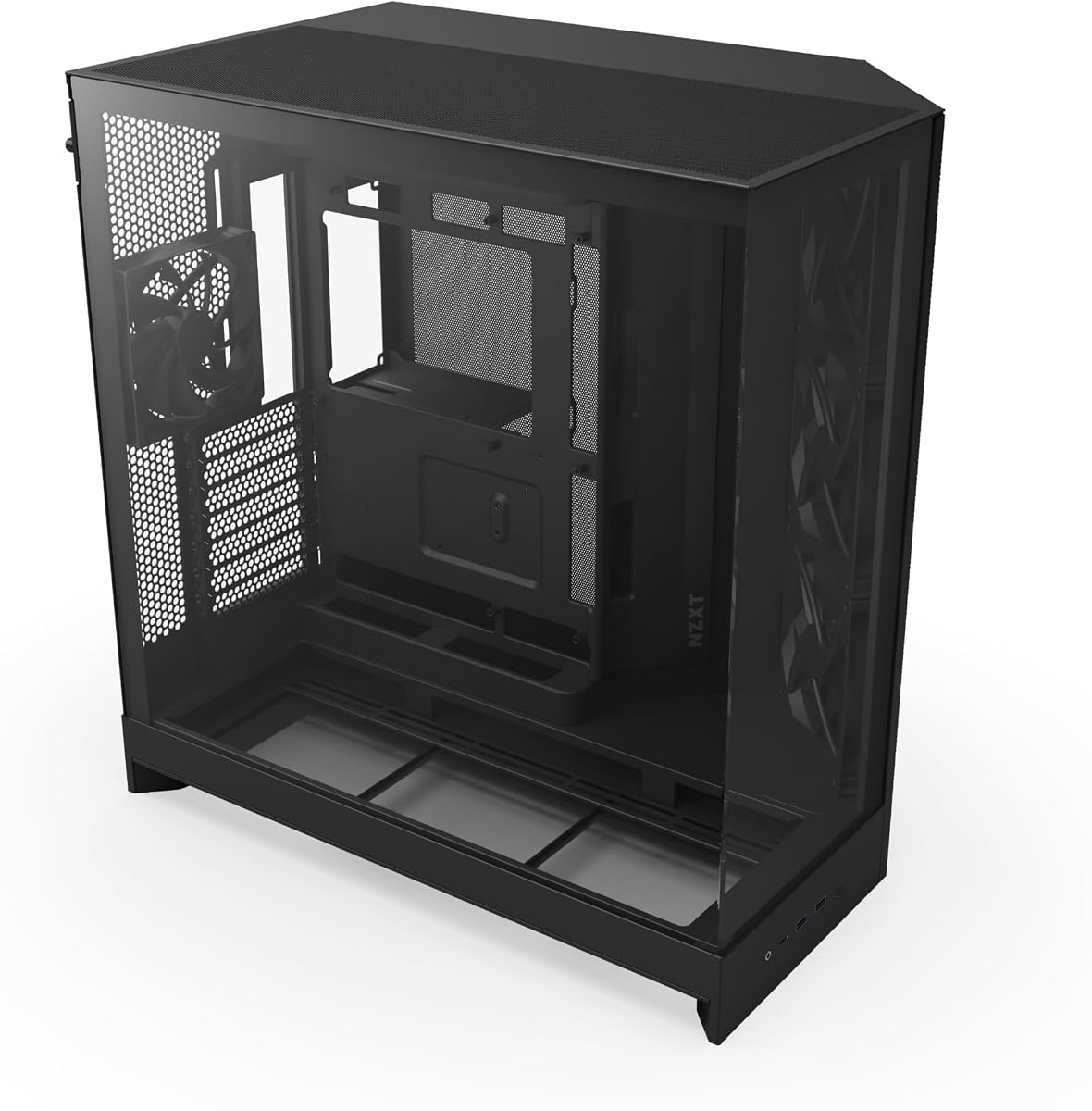
The NZXT H5 Flow is designed for builders with limited desk space who still need high performance. Its compact ATX mid-tower form factor fits easily into smaller rooms. Despite its size, it delivers exceptional GPU cooling through perforated PSU shroud design.
We may earn a commission when you buy through this link, at no additional cost to you.
Airflow is optimized with ultra-fine mesh panels that maximize intake and filter dust effectively. The case supports large radiators including 360mm in the front for powerful liquid cooling. Two pre-installed quiet airflow fans provide a solid baseline for thermal management.
While the design is efficient, some cable management challenges exist due to the compact nature. A rear fan is not included which might require an additional purchase for optimal exhaust. However, these trade-offs are minor compared to the benefits of its size.
This model is perfect for gamers needing a small footprint without sacrificing cooling. The sleek black finish suits modern setups well. For those looking for a compact hybrid airflow PC case, the H5 Flow is a reliable choice.
Its smaller dimensions make it ideal for dorm rooms or desks with limited surface area.
Perforated shroud channels air directly to the graphics card reducing heat buildup significantly.
We may earn a commission when you buy through this link, at no additional cost to you.
The NZXT H6 Flow RGB combines style and performance for enthusiasts who want visible airflow. The wraparound glass panels provide an unobstructed view of your internal components. Three pre-installed RGB fans ensure the build looks vibrant out of the box.
We may earn a commission when you buy through this link, at no additional cost to you.
Thermal performance is enhanced by the dual-chamber design which separates hot air from intake. The top and side panels feature optimized perforation for better airflow and dust filtration. An intuitive cable management system keeps wires hidden behind the motherboard tray.
While the design is sleek, the fans can generate noticeable noise at high RPMs. White versions might have limited stock in some regions. Despite this, the visual appeal and cooling efficiency make it a strong contender in its category.
Ideal for gamers prioritizing aesthetics without compromising on airflow, this case delivers. The glass panels highlight hardware beautifully. If you want a hybrid airflow PC case with style, the H6 Flow RGB is a top choice.
Seamless edge glass panels make your build the centerpiece of your gaming setup.
Dual-chamber design isolates heat sources to keep your system running cooler longer.
We may earn a commission when you buy through this link, at no additional cost to you.
The HAVN HS 420 represents the pinnacle of hybrid airflow PC case design with its unique structure. The dual-chamber design balances airflow to direct cool air onto the GPU directly. It supports up to eleven 140mm fans for extreme cooling options.
We may earn a commission when you buy through this link, at no additional cost to you.
Build quality is exceptional with UniSheet glass panels providing a panoramic view. The SimpliCable routing system ensures cables are organized effortlessly. Vibration isolation pads on fan brackets reduce noise resonance for a quieter build.
The premium price and complex assembly may deter some casual builders. However, the performance and customization options are unmatched. If you want the best cooling and looks, this is the case to choose.
Recommended for power users seeking the ultimate hybrid airflow PC case. The VESA display mount adds versatility for custom setups. The HS 420 is a true high-end solution for demanding hardware configurations.
Hybrid structure ensures balanced airflow to prevent hot spots in the chassis.
Grooved guides simplify cable management ensuring a clean and organized interior.
We may earn a commission when you buy through this link, at no additional cost to you.
The Antec Flux Pro is built for massive builds requiring E-ATX support and extreme airflow. Its full-tower design accommodates high-end components with room to spare. The multi-directional vent design allows for versatile airflow configurations to suit different cooling needs.
We may earn a commission when you buy through this link, at no additional cost to you.
It comes with six PWM fans pre-installed including reverse fans on the shroud. This ensures immediate cooling capability out of the box. The iShift PSU mount saves space and improves airflow around the power supply unit.
While powerful, its large size requires ample desk space. The lack of full glass panels might not appeal to RGB enthusiasts. Still, for pure performance and cooling potential, it is a top choice.
Perfect for workstation builders needing a hybrid airflow PC case with room to grow. The build quality is robust and durable. If you prioritize cooling over aesthetics, the Flux Pro is an excellent investment.
Full-tower size allows for high-end parts and multiple GPUs without clearance issues.
iShift mount rotates PSU to free up space for better cable management and airflow.
We may earn a commission when you buy through this link, at no additional cost to you.
The Cooler Master HAF II 500 prioritizes raw airflow performance above all else. Its oversized Mighty40 cooling system uses large fans to move massive amounts of air. This low resistance design ensures minimal restriction and maximum cooling efficiency.
We may earn a commission when you buy through this link, at no additional cost to you.
It supports multiple fan sizes and features MasterRail mounting for easy installation. Split-level cable management optimizes space and keeps wires away from exhaust fans. The dual-mode GPU holder stabilizes heavy cards or supports multiple units.
The large fans may be louder than smaller alternatives at high speeds. The case size is bigger than standard towers which might not fit smaller spaces. But for cooling, it is hard to beat in this category.
Ideal for users needing a hybrid airflow PC case with extreme ventilation. The build quality supports heavy components reliably. If cooling is your main concern, the HAF II 500 delivers exceptional performance.
Large fans push more air than standard 120mm units reducing heat buildup quickly.
Dual-mode holder prevents sag and supports up to 3.6 slots thick GPUs securely.
We may earn a commission when you buy through this link, at no additional cost to you.
The CORSAIR AIR 5400 RS features a unique triple-chamber design to isolate components thermally. Each chamber handles CPU GPU and PSU separately to prevent heat crossover. The isolated CPU cooling chamber supports 360mm radiators for dedicated cooling.
We may earn a commission when you buy through this link, at no additional cost to you.
Airflow ducts on the bottom fan array accelerate air velocity without increasing noise. The panoramic glass panels offer a clear view of the central chamber. This design ensures massive vertical airflow to cool all components thoroughly.
The layout is complex which may challenge beginners building for the first time. The cost is also higher than standard mid-tower cases. However, the performance and isolation features are worth the investment for serious users.
Best for those wanting a hybrid airflow PC case with top-tier thermal isolation. The design keeps heat from affecting other components. If you need extreme cooling performance, this case is a strong choice.
Separating chambers prevents heat from GPU affecting CPU cooling efficiency.
Ducts speed up airflow for better cooling without needing louder fans.
We may earn a commission when you buy through this link, at no additional cost to you.
The NZXT H9 Flow is designed for builders using modern back-connect motherboards. Its dual-chamber design separates main components from the PSU for better airflow. The case supports up to ten fans across various locations for cooling.
We may earn a commission when you buy through this link, at no additional cost to you.
Perforated steel panels and angled fans ensure efficient cooling for high-performance builds. A wraparound tempered glass panel showcases every detail of your setup. Extra-wide channels and built-in straps simplify cable routing significantly.
The price is higher than the H5 but you get more features. Fan cables may need extension for certain configurations. Despite this, the back-connect support and airflow design are highly valuable.
Ideal for those seeking a hybrid airflow PC case with future-ready features. The panoramic view is beautiful and practical. If you want clean looks and strong airflow, the H9 Flow is a great choice.
Back-connect ready design allows for cable-free motherboard rear for cleaner aesthetics.
Ten-fan capacity ensures you can fill the case with airflow wherever needed.
We may earn a commission when you buy through this link, at no additional cost to you.
The CORSAIR AIR 5400 LX offers triple-chamber isolation with RGB compatibility. The CPU and GPU are separated thermally to maintain efficiency. It supports 360mm radiators for dedicated CPU cooling in the front chamber.
We may earn a commission when you buy through this link, at no additional cost to you.
Airflow ducts accelerate air velocity for better cooling without extra noise. The central chamber allows massive vertical airflow. RGB lighting integrates well to highlight the build without hindering airflow.
The price and complexity are considerations for budget builds. RGB components add to the cost. But for those wanting both performance and aesthetics, it delivers well.
Recommended for users who want a hybrid airflow PC case with style and power. The isolation ensures optimal temps for all components. If you love RGB and cooling, this is the case for you.
RGB lighting enhances visual appeal while maintaining thermal efficiency.
Separate chambers prevent heat from one component affecting another's performance.
We may earn a commission when you buy through this link, at no additional cost to you.
The MONTECH AIR 903 MAX delivers high performance at a budget-friendly price. It includes four 140mm HP140 ARGB PWM fans for immediate airflow readiness. The front I/O provides useful ports including USB Type-C and audio jacks.
We may earn a commission when you buy through this link, at no additional cost to you.
Supporting E-ATX motherboards and graphics cards up to 400mm ensures upgradeability. The ventilated mesh front panel maximizes airflow intake for demanding parts. Cable management is straightforward with routing space keeping the interior organized.
While it lacks premium features like glass panels or RGB hubs, the value is unbeatable. Cable tools are basic but functional. For budget builders, this is the perfect starting point.
Ideal for gamers who want a hybrid airflow PC case without overspending. The performance rivals more expensive cases. If you need cooling and quality on a budget, the 903 MAX is the top choice.
Includes high-quality ARGB fans which usually cost extra in other cases.
E-ATX support means you can upgrade to larger motherboards later without issues.
We may earn a commission when you buy through this link, at no additional cost to you.
Choosing the right hybrid airflow PC case requires balancing cooling performance with aesthetics and compatibility. This section outlines key factors to consider before making your decision.
Look for cases with perforated mesh panels on the front and top to ensure unrestricted air intake. Hybrid airflow designs optimize these paths to move air directly over components like the GPU and CPU.
Prioritize models with high fan capacity to support your cooling needs effectively.
Ensure the case supports your motherboard size such as ATX or E-ATX and graphics card length. Check for clearance for large coolers and radiators to avoid fitting issues during assembly.
Always verify compatibility lists before purchasing to save time and hassle.
Decide between glass panels for visuals and mesh for maximum airflow. Hybrid cases often blend these elements to offer both style and performance.
Consider dual-chamber designs for better thermal isolation and cable management.
Quality steel and tempered glass panels indicate a durable chassis that protects your hardware. Thicker materials reduce vibration and noise during operation.
Check for sturdy mounting brackets and hinges for side panels to ensure longevity.
Good cases include rubber grommets tie-down points and wide routing channels. Clean cable management improves airflow and aesthetics significantly.
Look for features like removable drive cages to free up space.
Verify how many fans the case supports and where they can be mounted. Ensure it fits large radiators if you plan to use liquid cooling.
Some cases include pre-installed fans which adds value to your purchase.
Effective dust filters prevent debris from entering the case and clogging fans. Look for filters on the front top and bottom intake areas.
Choose models with washable filters to maintain cleanliness easily.
While airflow is key, noise control matters for a pleasant workspace. Look for vibration isolation pads and rubber grommets on fans.
Cases with balanced airflow designs tend to run quieter under load.
When assembling your PC, ensure all fans are oriented correctly with intake and exhaust paths matching your cooling strategy. This maximizes the efficiency of the hybrid airflow design.
Regularly clean dust filters every few weeks to prevent restriction and heat buildup. Use compressed air to blow dust out of the fan blades and mesh panels.
Monitor your system temperatures after setup to confirm airflow performance. Adjust fan curves in BIOS to balance noise and cooling as needed for your environment.
A hybrid airflow PC case combines mesh panels for ventilation with tempered glass for aesthetics. It also features optimized internal layouts to direct air effectively to components like GPUs and CPUs.
Yes, most hybrid airflow cases support radiators ranging from 240mm to 420mm. Always check the specific radiator support list in the product description before purchasing.
Dual-chamber designs isolate heat sources to improve thermal performance and reduce noise. They separate PSU and storage from the main hardware for cleaner airflow paths.
Most cases allow you to add or replace fans to suit your needs. Ensure your new fans match the mounting screw sizes like 120mm or 140mm.
Use compressed air to dust off filters and fans every few months. Remove panels to reach deep crevices and ensure optimal airflow performance.
Yes, it eliminates rear cables for a cleaner look. Check if your case includes notches or mounting points for these motherboards.
We reviewed ten top hybrid airflow PC cases ranging from budget-friendly to premium options. Each model offers unique features like triple-chamber designs or massive fan support to suit different needs.
Prioritize airflow performance and compatibility with your hardware to ensure long-term stability. A well-chosen case protects your investment and keeps temperatures low during heavy tasks.
Always check current pricing and availability before buying to secure the best deal. These cases fluctuate in cost so patience can save you money on your build.