
Bambu Lab A1
4.7Editor score
Full-auto calibration system
Quiet motor noise canceling
Ideal for beginners and kids
Discover the top 3D printers for cosplay in October 2026. We compare speed, accuracy, and multi-color capabilities to help you create stunning armor and props.
Cosplay creators need reliable machines that handle complex shapes and vibrant colors. A good 3D printer offers high speed, precision, and material versatility for armor and props.
We evaluated ten top models based on build volume, filament support, and ease of use. Our analysis covers FDM printers suited for large props and detailed accessories.
Each pick highlights key strengths like auto-leveling and multi-color options. Prices change frequently, so check current listings before purchasing your next creative tool.
4.7Editor score
4.5Editor score

4.0Editor score
This side-by-side comparison highlights key specs for each model. From speed to build size, find the perfect fit for your cosplay workflow.



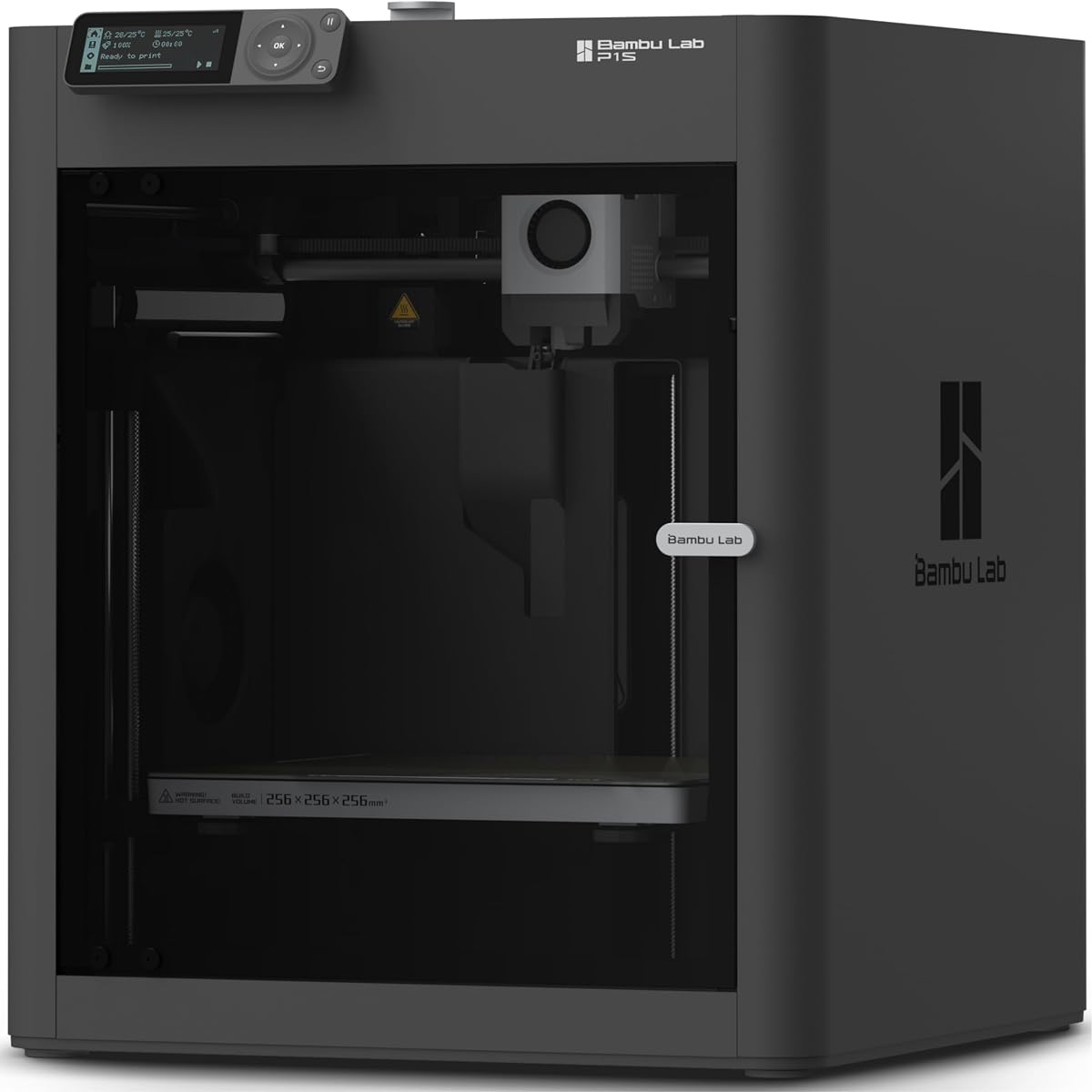
The Bambu Lab P1S stands out as a top choice for cosplayers seeking speed and quality. With a rating of 4.5, it delivers vibrant multi-color prints and lightning-fast speeds.
We may earn a commission when you buy through this link, at no additional cost to you.
Its enclosed design improves performance for advanced filaments like ABS. Automatic bed leveling ensures consistent results, saving time on setup. Up to 16 colors allow detailed prop work.
While the AMS requires connection for multi-color, the P1S still excels in speed and precision. Setup takes just 15 minutes, ideal for busy makers needing quick turnaround.
Cosplayers making armor or helmets will appreciate its reliability and large build options. The P1S is a strong pick for those prioritizing efficiency and creative flexibility.
The P1S supports up to 16 colors when connected to an AMS system, perfect for detailed prop textures.
With speeds up to 500mm/s, you can complete large cosplay pieces quickly without sacrificing quality.
We may earn a commission when you buy through this link, at no additional cost to you.
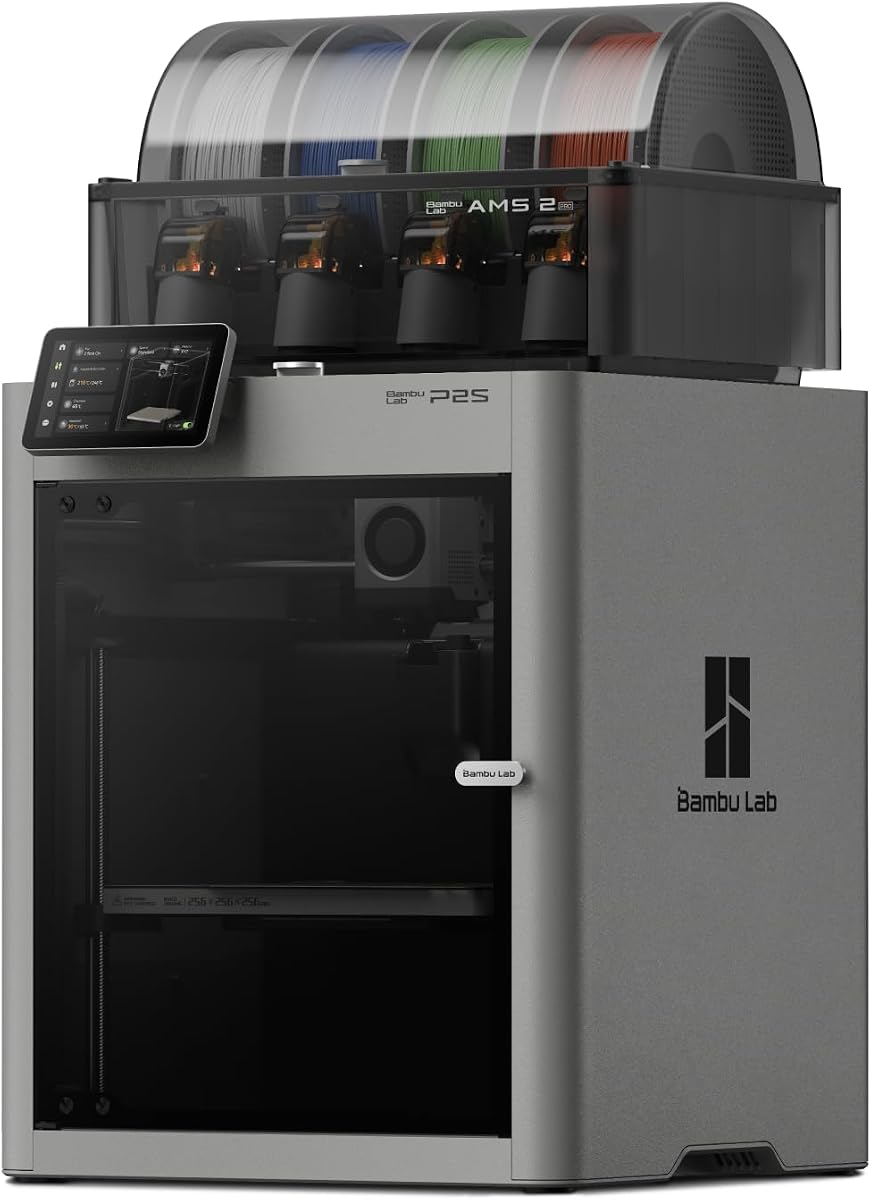
The P2S Combo combines the P2S printer with AMS 2 Pro for multi-color printing. It offers 600mm/s speed with sharp corners and smooth layers for professional-grade props.
We may earn a commission when you buy through this link, at no additional cost to you.
Features like Active Flowrate Compensation ensure every layer stays precise. The Adaptive Airflow System balances cooling for overhangs. It supports advanced materials with carbon filtering.
Setup takes 15 minutes with automatic calibration. The AMS 2 Pro includes filament drying to prevent moisture issues. This setup is great for complex cosplay builds.
Cosplayers needing flawless multi-color results will love this combo. It is ideal for those who want minimal manual tweaking and maximum creative output.
The AMS 2 Pro enables seamless multi-color printing with built-in drying for consistent filament quality.
Adaptive airflow ensures crisp overhangs and stable temperature for engineering-grade materials.
We may earn a commission when you buy through this link, at no additional cost to you.
The Creality K2 Combo (A) offers 16-color printing via CFS units. It prints at 600mm/s with step-servo motors for torque control. Pre-assembled design saves setup time.
We may earn a commission when you buy through this link, at no additional cost to you.
It uses smart auto leveling and an AI camera to watch for failures silently. The build volume of 260x260x260mm handles most cosplay props easily. Quiet mode minimizes noise.
While not top rated, it provides solid value for multi-color needs. The CFS saves post-printing paint work. Ideal for hobbyists wanting variety without complex setups.
Cosplayers focused on colorful armor pieces will appreciate this. It balances speed, noise control, and color options for creative projects.
Hook up to four CFS units for up to 16 colors without extra painting.
Smart sensors level only target print areas for faster and more precise first layers.
We may earn a commission when you buy through this link, at no additional cost to you.
The Sovol SV08 MAX redefines large-format printing with a 500mm build volume. It prints at 700mm/s with 40,000 mm/s acceleration for industrial parts and props.
We may earn a commission when you buy through this link, at no additional cost to you.
CoreXY kinematics reduce vibration and improve precision. An Eddy Current Sensor delivers contactless leveling. Remote monitoring via camera helps track progress.
Support for materials like PA and PC allows durable cosplay armor. Optional 0.8mm nozzles enable faster large prints. The reserved heated chamber interface allows future upgrades.
Cosplayers making full-scale props will love its size and speed. It is a powerhouse for big projects that standard printers cannot handle.
Tackle oversized props or furniture in one go without splitting parts.
300C max temperature supports advanced filaments like ASA and PC for durability.
We may earn a commission when you buy through this link, at no additional cost to you.
The Adventurer 5M Pro offers 600mm/s speed with a CoreXY frame. It features a 3-second quick-swap nozzle for easy maintenance. Dual filtration ensures clean home use.
We may earn a commission when you buy through this link, at no additional cost to you.
Auto leveling and vibration compensation eliminate ghosting. It supports ABS, ASA, and PETG-CF. A built-in camera allows monitoring via Flash Studio.
Setup is simple with a touchscreen interface. It fits well in home or office spaces due to quiet operation. Ideal for daily cosplay tool development.
Cosplayers needing reliability and speed for small props will find this suitable. It is a balanced machine for general 3D printing needs.
Integrated vibration compensation algorithms deliver smooth surface finishes.
Tool-free 3-second replacements across multiple sizes for varied print requirements.
We may earn a commission when you buy through this link, at no additional cost to you.
The Bambu Lab A1 is ideal for beginners and kids with full-auto calibration. It delivers blazing-fast printing with 10,000 mm/s acceleration. Active Flow Rate Compensation ensures smooth results.
We may earn a commission when you buy through this link, at no additional cost to you.
Setup is simplified with a touchscreen and noise canceling. It can print multi-color with AMS lite. A quick-swap nozzle makes maintenance easy and accessible.
While budget-friendly, it does not compromise on speed. It is perfect for learning and small props. The quiet operation suits shared living spaces.
Cosplayers on a budget will find this A1 a reliable start. It prioritizes ease of use and performance for entry-level creators.
Say goodbye to manual hassles with automatic Z-offset and bed-leveling processes.
1-Clip quick swap nozzle provides versatile printing options with minimal effort.
We may earn a commission when you buy through this link, at no additional cost to you.
The Snapmaker U1 uses a 4-toolhead system with 5-second tool changes. It supports multi-materials like rigid and flexible materials in one print. CoreXY offers stable speed.
We may earn a commission when you buy through this link, at no additional cost to you.
Automatic toolhead offset calibration improves accuracy. It includes AI monitoring and filament management. Compatible with PLA, TPU, and ABS for design freedom.
Tool changes reduce waste and improve productivity. It is great for functional parts. The SnapSwap system simplifies complex cosplay builds significantly.
Cosplayers making articulated props or complex joints will find this valuable. It is a premium tool for serious multi-material projects.
Independent toolheads preloaded enable true multi-color without manual swaps.
Combine flexible TPU and rigid PLA in one print for versatile prototypes.
We may earn a commission when you buy through this link, at no additional cost to you.
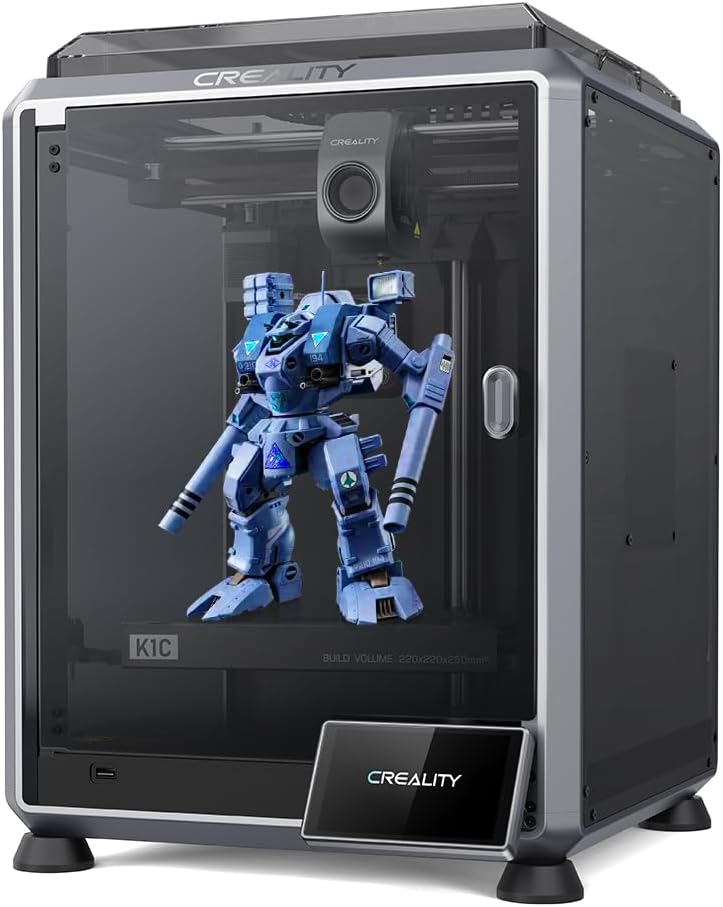
The Creality K1C prints at 600mm/s with a clog-free direct extruder. It supports carbon fiber filaments for strong props. Setup is simple after unboxing.
We may earn a commission when you buy through this link, at no additional cost to you.
Smart AI camera monitors for spaghetti failure. Upgraded cooling fans minimize stringing. Auto calibration includes leveling and input shaping tests for quality.
The steel-tipped copper nozzle is durable. It is well assembled for immediate use. Ideal for those needing high-strength material support.
Cosplayers wanting armor-like strength will appreciate this model. It offers robustness without sacrificing speed or usability.
Clog-free design with bolster spring ensures tight grip on filament.
Camera recognizes foreign matter and debris for real-time monitoring.
We may earn a commission when you buy through this link, at no additional cost to you.
The Creality K2 Plus Combo offers a 350x350x350mm build for large models. It prints at 600mm/s with 30,000mm/s acceleration. Dual AI cameras ensure precision.
We may earn a commission when you buy through this link, at no additional cost to you.
The CFS enables 16-color printing without painting. It supports 60C constant temperature for warp-resistant high-end filaments. Step-servo motors deliver stable speed.
Matrix frame eliminates resonance for superior accuracy. Ideal for professional-scale cosplay projects. It simplifies batch printing and large armor pieces.
Cosplayers needing large multi-color outputs will find this premium. It combines size, speed, and color for advanced creators.
Hook four CFS units for 16 colors with automatic filament selection.
One chamber camera and one toolhead camera optimize flow rate and detect issues.
We may earn a commission when you buy through this link, at no additional cost to you.
The Anycubic Kobra X supports up to 19 colors and 600mm/s speed. It starts in 15 minutes with LeviQ 3.0 leveling for perfect first layers.
We may earn a commission when you buy through this link, at no additional cost to you.
Vibration compensation keeps details crisp. It runs quiet at 48dB. AI monitoring detects errors early. It is reliable for home use with recovery features.
Build volume matches standard needs. Supports TPU and ABS. Easy setup suits beginners seeking multi-color options without complexity.
Cosplayers needing quick starts and varied colors will like this. It balances affordability with creative flexibility.
49-point full-auto leveling ensures zero guesswork for perfect first layers.
720P camera with object detection saves filament from errors.
We may earn a commission when you buy through this link, at no additional cost to you.
Choosing the right printer depends on your project size, material needs, and budget. We highlight key factors to simplify your decision.
Large cosplay props like helmets and armor need a printer with a large build volume. Machines like the Sovol SV08 MAX offer 500mm size for full-scale pieces.
Ensure the printer fits your workspace while accommodating large items without splitting parts unnecessarily.
High speeds reduce wait times for large prints. Models with CoreXY systems and step-servo motors deliver up to 700mm/s.
Faster acceleration improves detail on complex props while minimizing total project time.
Multi-color printers save time on painting props. Systems like CFS and AMS allow up to 16 colors directly.
This is essential for detailed costumes where distinct colors improve realism.
Cosplay often requires durable materials like ABS or ASA. Ensure the printer supports high temps and specialized filaments.
Carbon fiber support adds strength for armor that needs to withstand wear.
Auto-leveling and quick-swap nozzles simplify maintenance. Beginners benefit from plug-and-play setups.
User-friendly interfaces save time on calibration and troubleshooting during busy production.
Quiet motors and enclosed designs reduce noise and heat exposure. This is vital for home studios.
Safety features like AI monitoring prevent accidents during long runs.
Built-in cameras and mobile apps allow remote monitoring. Time-lapse and error alerts keep you informed.
This ensures quality control without needing to watch prints constantly.
Prices vary widely. Balance features with what you need. High-end models cost more but save long-term time.
Choose a machine that offers the best return on investment for your cosplay projects.
Start by calibrating the bed and checking nozzle settings. Ensure your filament is dry and stored correctly to prevent defects.
Monitor prints via camera to catch early issues. Use appropriate support structures for complex cosplay armor or props.
Clean the nozzle and bed regularly. Keep firmware updated to maintain optimal performance and safety.
The Sovol SV08 MAX offers the largest build volume at 500mm, ideal for oversized props. It supports high-temp materials like ABS and PC. Ensure your workspace allows for its size.
Yes, printers like the Bambu Lab P1S and Creality K2 Plus support up to 16 colors with AMS or CFS systems. This saves significant time on finishing.
Enclosed printers are better for ABS and ASA filaments used in durable props. They maintain temperature to prevent warping. Open frames are fine for PLA.
Use 0.4mm nozzles for general detail. For faster printing of large parts, 0.8mm nozzles reduce time while keeping structure.
Store filament in dry conditions and use auto-leveling printers. Direct extruders help grip filament better. Regular nozzle cleaning also prevents clogs.
It depends on your props. Large armor needs big volumes to print in one piece. Small accessories can be made with standard machines.
The Bambu Lab P1S leads as a top choice for speed and multi-color versatility. It balances reliability and performance for most cosplayers.
For those needing large prints or advanced materials, the Sovol SV08 MAX and Creality K2 Plus are excellent options. Consider your workspace and budget.
Always verify current prices and availability before buying. These models evolve quickly with firmware updates.