
GL.iNet GL-X2000 Spitz Plus
4.2Editor score
CAT 12 LTE with carrier aggregation
Dual-SIM flexibility for ISP failover
Wi-Fi 6 speeds up to 3000 Mbps
This guide compares the top 4G LTE routers with SIM card slots for reliable cellular internet, covering speed, carrier compatibility, and backup features.
Finding reliable internet in remote areas requires a robust 4G LTE router with SIM card slot. These devices connect to cellular networks to provide Wi-Fi where traditional broadband fails. They are essential for rural homes, mobile offices, and backup connectivity needs.
We compared ten real products based on carrier support, Wi-Fi standards, antenna design, and failover capabilities. Each entry offers unique strengths for different use cases ranging from budget travel to enterprise backup solutions with detailed specs.
Each pick shows key specs and real-world performance notes to help you decide. Prices fluctuate based on deals and carrier promotions so check current listings before buying. Your ideal router depends on your specific location and data plan requirements.
4.2Editor score

4.3Editor score

5.0Editor score
This side-by-side comparison highlights key specs across all ten models to help you find the right balance of speed, coverage, and cost for your specific connectivity needs.



The Cudy LT500 stands out as the top choice for general users needing reliable cellular internet. It combines solid Cat 4 LTE performance with dual-band Wi-Fi 5, ensuring smooth streaming and browsing across multiple devices without lag or dropped connections.
We may earn a commission when you buy through this link, at no additional cost to you.
Key strengths include its comprehensive VPN suite which allows you to run OpenVPN or WireGuard directly on the router. This is vital for securing data when accessing public networks or remote work environments. The WAN failover feature automatically switches to cellular when your main internet drops.
Trade-offs involve the lack of Wi-Fi 6 and the CAT 4 speed limit. While 150 Mbps is sufficient for most households, power users needing multi-gigabit speeds might find it limiting. However, the value provided by the included VPN server offsets this minor hardware constraint for most buyers.
You should buy this router if you need a balanced solution for home office or remote cabin use. It offers plug-and-play simplicity with enough advanced features like VPN and failover to handle complex setups without needing extra hardware or complicated configurations.
The integrated VPN server lets you encrypt traffic securely without relying on third-party services or additional gateways.
WAN failover ensures your connection stays up by switching to cellular data when the primary broadband link goes down.
We may earn a commission when you buy through this link, at no additional cost to you.
The GL.iNet GL-X2000 Spitz Plus delivers premium performance for users who need maximum speed and redundancy. Its Cat 12 LTE modem supports carrier aggregation, enabling faster download speeds compared to standard Cat 4 routers found in most consumer devices today.
We may earn a commission when you buy through this link, at no additional cost to you.
Its standout feature is the dual-SIM capability, allowing you to switch between carriers like AT&T and T-Mobile based on signal strength. This ensures you always have the best possible connection available. The Wi-Fi 6 support handles high-density environments effortlessly without congestion or packet loss.
The main trade-off is the higher cost and technical complexity. Configuring load balancing and multi-WAN requires understanding networking basics. If you are not tech-savvy, this router might feel overwhelming. However, power users will appreciate the granular control over bandwidth distribution.
Buy this if you demand top-tier speeds and redundancy for business or heavy home use. The dual-SIM and carrier aggregation features make it ideal for areas where single-carrier coverage is spotty or unreliable for your daily internet needs.
Connect two SIM cards to automatically select the strongest signal or balance traffic across different ISPs.
Carrier aggregation combines multiple frequency bands to significantly boost download speeds beyond standard limits.
We may earn a commission when you buy through this link, at no additional cost to you.
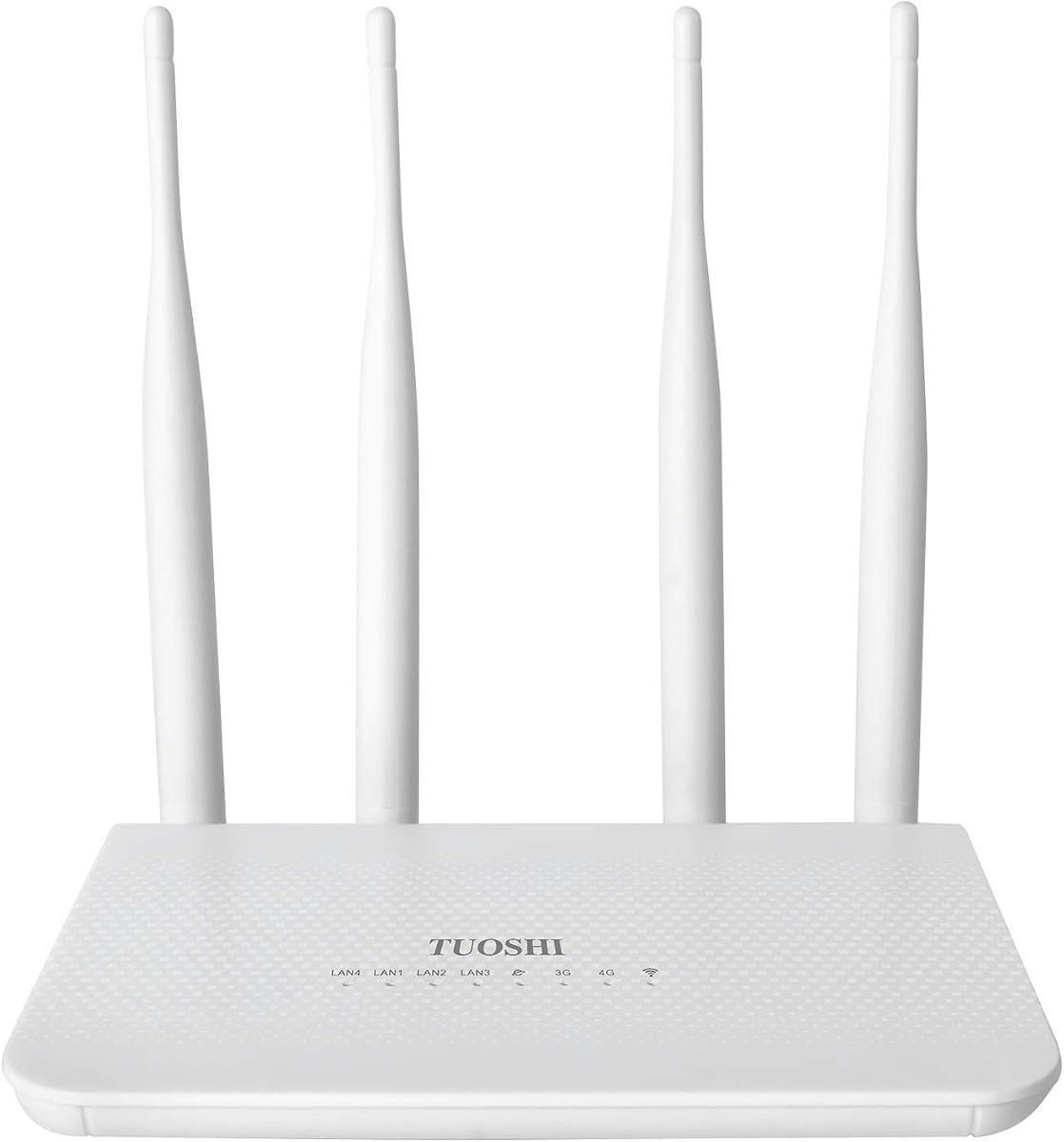
This unlocked 4G LTE router offers an affordable entry point for travelers and small offices needing cellular internet. Despite its low cost, it includes four high-performance antennas that significantly improve signal strength compared to typical hotspot devices on the market.
We may earn a commission when you buy through this link, at no additional cost to you.
The simple setup process makes it accessible to beginners who just want to insert a SIM and get online. It supports various LTE bands ensuring compatibility with AT&T and T-Mobile networks across Europe and Asia. The compact design allows easy transport between locations.
Trade-offs include the lack of advanced features like WAN failover or VPN support. It is purely a translation device from cellular to Wi-Fi. While sufficient for basic browsing and streaming, it lacks the redundancy needed for mission-critical applications or remote server hosting.
Choose this router if you need a cheap and reliable mobile hotspot for occasional use. It works great for holiday cabins or temporary work setups where cost is a primary concern and advanced networking features are not required.
The lightweight and compact form factor makes it easy to pack in a laptop bag or backpack for travel.
Four external antennas provide better range and stability than built-in antenna designs found in mobile hotspots.
We may earn a commission when you buy through this link, at no additional cost to you.
This dual-band router impresses with its six-antenna design, which delivers exceptional signal coverage for larger homes or offices. Users report high satisfaction with its ability to maintain stable connections across multiple rooms and floors without dead zones.
We may earn a commission when you buy through this link, at no additional cost to you.
It supports AC1200 speeds and offers a 5GHz band for gaming and video calls alongside the 2.4GHz band for general browsing. The WAN failover feature ensures continuous internet by switching to cellular when broadband fails. It is easy to set up for beginners.
The main limitation is its carrier restriction to AT&T and T-Mobile only. Verizon users will find it incompatible. Additionally, while it mentions failover, it lacks detailed documentation on advanced configuration options compared to premium models.
Buy this router if you need wide coverage and a simple failover solution for home use. It is an excellent choice for families with many devices who prioritize consistent signal strength over advanced enterprise networking features.
Six high-performance antennas ensure strong signal reach throughout large homes or multi-story offices.
Automatic failover switches to cellular data instantly when the wired connection disconnects.
We may earn a commission when you buy through this link, at no additional cost to you.
The N300 WiFi Modem offers a broad range of carrier compatibility, including Verizon which many other routers exclude. This makes it a strong candidate for users in areas where Verizon provides the only reliable cellular coverage for internet access.
We may earn a commission when you buy through this link, at no additional cost to you.
It features WPA3 encryption for improved security and supports mesh capability for expanding your network across large properties. However, the N300 wireless speed caps at 300 Mbps total which may bottleneck faster cellular connections for heavy users streaming in 4K.
Trade-offs include lower user ratings and potential setup complexity with Verizon specific TTL settings. While the hardware is robust, firmware updates and configuration guides are less detailed than top-tier brands. Still it provides a solid wired connection via four Ethernet ports.
Choose this router if you rely on Verizon coverage or need wired Ethernet for fixed devices. It is a practical backup solution for vacation cabins or rural offices where basic connectivity is more important than ultra-fast Wi-Fi speeds.
Unlike most routers, this model supports Verizon networks with specific configuration for data plan requirements.
WPA3 encryption ensures that your Wi-Fi traffic remains secure from unauthorized access attempts.
We may earn a commission when you buy through this link, at no additional cost to you.
The NRadio AC1200 is designed for simplicity and portability. Its compact form factor and built-in antennas make it easy to carry in a bag. It offers dual backup options allowing you to prioritize wired broadband and switch to cellular when needed automatically.
We may earn a commission when you buy through this link, at no additional cost to you.
Setup is quick with just two steps: insert SIM and plug in power. It supports PPTP and L2TP protocols for secure remote access. The built-in antennas provide decent range for small to medium spaces without requiring additional hardware or complex wiring.
The limitation is that it is strictly for North American networks. Users outside the US will face compatibility issues. Additionally, the lack of external antenna ports limits signal improvement options in areas with very weak cellular coverage.
This router is suitable for short trips or as a small office backup. It prioritizes ease of use over advanced customization, making it a good choice for casual users needing reliable temporary internet solutions quickly.
Simple setup process lets you get online within minutes without technical configuration steps or manual APN settings.
Prioritize wired broadband and seamlessly switch to cellular when the wired connection fails automatically.
We may earn a commission when you buy through this link, at no additional cost to you.
This single-band router focuses on delivering basic connectivity for travel or small spaces. It supports VPN functionality which is useful for securing connections on public networks. The 5dBi high gain antennas help maintain a stable connection even in areas with moderate signal strength.
We may earn a commission when you buy through this link, at no additional cost to you.
It offers 300 Mbps Wi-Fi speed sufficient for browsing and streaming on a few devices. With two Ethernet ports it allows wired connections for gaming consoles or desktop PCs. The setup process is straightforward requiring just a SIM card insertion and password entry.
The single-band limitation means it may struggle in congested areas where 5GHz interference is high. It is best suited for rural areas where interference is minimal. The lack of dual-band means you cannot separate traffic for gaming and general use effectively.
Choose this model if you need a simple and affordable travel hotspot. It works well for solo travelers or small setups where basic internet access is the only priority without needing advanced dual-band performance.
Built-in VPN functionality ensures secure and private internet connections for your devices on public networks.
5dBi antennas enhance signal reception to provide stable connectivity throughout your space.
We may earn a commission when you buy through this link, at no additional cost to you.
The TP-Link TL-MR100 brings trusted reliability to the cellular router market. It supports up to 32 Wi-Fi devices, making it a good option for larger gatherings or shared workspaces. The detachable LTE antennas allow you to position them for optimal reception.
We may earn a commission when you buy through this link, at no additional cost to you.
It features a flexible WAN/LAN port that can act as an Ethernet backup if cellular fails. The device comes with a UK power plug but includes a universal adapter for US use. Its plug-and-play nature makes it accessible to non-technical users.
The main drawback is the older 300 Mbps Wi-Fi standard which may bottleneck faster cellular speeds. Also, the included power plug type might require an adapter depending on your region. Still, the brand reputation ensures good customer support and firmware updates.
Buy this if you prefer a well-known brand and need support for many devices. It is a solid choice for travelers or small businesses that value stability and ease of use over cutting-edge speeds.
Supports up to 32 devices simultaneously making it suitable for shared workspaces or gatherings.
Adjustable antennas allow you to reposition for the best signal reception in different locations.
We may earn a commission when you buy through this link, at no additional cost to you.
The MOFI4500 is built for professional applications requiring consistent connectivity in rural or mobile environments. It supports all three major US carriers making it versatile for users who travel across different regions. Included upgraded antennas boost signal strength significantly for weak areas.
We may earn a commission when you buy through this link, at no additional cost to you.
It supports 16 LTE bands ensuring broad compatibility with network infrastructure. The wireless repeater mode extends existing Wi-Fi coverage which is useful for large homes or offices. Firmware is designed for stability and long-term uptime without frequent reboots.
The trade-off is the higher price and more technical setup. It is not a simple plug-and-play device. Users need to understand band configurations to optimize performance. However, for business critical applications this level of control is necessary for reliability.
Choose this router if you need enterprise-grade reliability for remote offices or field operations. The professional support and hardware quality justify the investment where downtime is not an option.
Compatible with AT&T T-Mobile and Verizon making it versatile for travel across different regions.
Includes specialized antennas designed to enhance signal capture in challenging rural environments.
We may earn a commission when you buy through this link, at no additional cost to you.
The C910 router offers versatility through multiple working modes including router and repeater modes. This flexibility allows it to function as both a primary connection source and a signal extender. It is designed for simplicity with straightforward setup for beginners.
We may earn a commission when you buy through this link, at no additional cost to you.
It covers a range of 300 to 500 meters providing decent coverage for outdoor setups. The 12 months warranty adds peace of mind for users concerned about hardware reliability. However, the non-detachable antennas limit customization options for signal optimization.
Trade-offs include a lower user rating and potential stability issues reported by some users. The fixed antennas mean you cannot upgrade them if signal is weak. It is best suited for light usage where cost and flexibility are the main priorities.
Buy this router if you need a cheap solution with repeater capabilities. It works well for temporary setups or small offices where budget constraints prevent purchasing higher-end equipment with advanced antenna options.
Support Router, AP, and Repeater modes to fit various networking needs and setups.
Comes with 12 months after-sales service to protect your investment against hardware issues.
We may earn a commission when you buy through this link, at no additional cost to you.
Selecting the right router requires understanding key factors like carrier compatibility, speed tiers, and network features.
LTE categories (Cat 4 vs Cat 12) determine your maximum download speeds. Cat 4 is capped at 150 Mbps while Cat 12 can reach 1 Gbps with carrier aggregation. If you need high speed for multiple users or large file transfers choose Cat 12.
Look for routers with CAT 12 modems for future-proof performance.
Verify which carriers the router supports. Some only support AT&T and T-Mobile while others include Verizon. Ensure the router's band list matches your carrier's local spectrum to avoid signal issues.
Always check band compatibility before buying to ensure reliable connection.
Wi-Fi 5 is standard for budget models but Wi-Fi 6 offers better handling of many devices. If you have many smart home gadgets choose a Wi-Fi 6 router to reduce congestion and improve overall speed.
Choose Wi-Fi 6 for high device density environments.
External antennas or SMA ports allow you to improve signal strength in weak areas. Internal antennas are compact but may lack range. For rural or remote locations external antennas are highly recommended.
Prioritize external antenna options for weak signal areas.
WAN failover automatically switches to cellular when your main broadband fails. This is critical for businesses or remote homes where internet uptime is essential. Check if the router supports automatic switching.
Select routers with WAN failover for business continuity.
Built-in VPN support allows secure remote access or client connections directly from the router. This eliminates the need for separate VPN hardware. Look for OpenVPN or WireGuard support for modern encryption standards.
Opt for routers with OpenVPN or WireGuard support.
Dual-SIM routers let you insert two SIM cards to select the best signal or load balance. This is useful for areas where one carrier has better coverage. It provides redundancy without needing two separate devices.
Choose dual-SIM models for redundant connectivity needs.
Ensure the router has enough Ethernet ports for your wired devices. Gigabit ports are preferred for high-speed transfers. Some models only offer Fast Ethernet which can bottleneck your connection.
Look for Gigabit Ethernet ports for faster wired speeds.
Insert a nano SIM card into the slot and power on the router. Use the default IP address to access the web interface and set your Wi-Fi password.
Place the router near a window for better cellular reception. If signal is weak consider buying an external antenna compatible with your model.
Keep firmware updated through the web interface. Restart the router occasionally to clear cache and maintain performance over long periods.
Not all models work globally. Check the supported LTE bands to ensure compatibility with your country's carriers. Some models are restricted to North America only.
Yes, most SIM cards designed for mobile hotspots work. However, verify the data plan allows tethering or router use with your carrier to avoid throttling or extra charges.
In the router's web interface navigate to WAN or Failover settings. Select Cellular as the secondary connection and set the priority order. The router will switch automatically when the primary fails.
Most routers in this guide are 4G LTE devices. While some 5G routers exist they are typically more expensive. These models will work on 5G if 4G is available in the area.
Cat 4 routers typically offer up to 150 Mbps download. Real-world speeds vary by signal strength and carrier congestion but they are suitable for most home streaming and browsing needs.
Often the router detects settings automatically. If not enter the APN details provided by your carrier in the network settings. This ensures the router connects to the correct gateway.
The Cudy LT500, GL.iNet Spitz Plus, and the budget Unlocked 4G Router top our list for different reasons. Choose based on your need for speed, redundancy, and cost.
Prioritize carrier compatibility and antenna support before buying to ensure reliable performance in your specific location. Don't overlook failover features if you need constant connectivity.
Prices and specs change frequently so check current listings before purchasing. Ensure your SIM card is active and unlocked for the best experience.