
Artisul D16
5.0Editor score
15.6 inch screen
8192 pressure levels
7 customizable hotkeys
Finding a cheap drawing tablet with screen that delivers professional results without breaking the bank can be challenging. Modern pen displays offer immersive creative experiences allowing artists to sketch directly on the glass with natural pressure sensitivity and accurate color reproduction across various software platforms.
We compared ten highly rated affordable pen displays based on screen size, pressure levels, color gamut, and connectivity options. Each product was evaluated for build quality, driver support, and compatibility with major operating systems to ensure reliable performance for beginners and hobbyists alike.
Every pick below highlights key strengths and potential trade-offs to help you choose the right tool for your workflow. Keep in mind that prices fluctuate frequently so verify current deals before purchasing to secure the best value for your specific creative needs today.
5.0Editor score

4.4Editor score

4.5Editor score
As an Amazon Associate we earn from qualifying purchases.
This side-by-side comparison highlights the critical specifications of all ten selected models to help you decide quickly. We examine screen resolution, pressure sensitivity, connectivity types, and special features to show how each device stands out in the affordable market segment.




The XP-PEN Artist12 stands out as a highly capable affordable pen display for digital artists seeking reliable performance. With a 11.6 inch Full HD IPS screen and 8192 levels of pressure sensitivity it delivers smooth strokes and vibrant colors suitable for illustration and photo editing tasks.
We may earn a commission when you buy through this link, at no additional cost to you.
Its battery-free P06 stylus offers a natural pencil-like feel with an eraser at the end and hexagonal grip design. The device supports multiple operating systems and creative software applications allowing flexible workflow integration. Users can customize six shortcut keys to streamline tasks like zooming or layer switching efficiently.
While the screen quality is impressive the pen display requires a connection to a computer rather than operating independently. The included cables may be short for some desk setups requiring careful cable management or additional adapters for specific laptops with limited ports.
This model is ideal for students and beginners entering digital art who need a budget-friendly entry point without sacrificing core functionality. The combination of color accuracy pressure sensitivity and broad compatibility makes it a strong contender for long-term creative use.
The 72 percent NTSC color gamut ensures vivid and accurate color reproduction essential for digital painting and design work.
Six programmable keys allow artists to assign frequent commands reducing mouse reliance and improving drawing speed.
We may earn a commission when you buy through this link, at no additional cost to you.
VEIKK VK1200 V2 offers a streamlined drawing experience with advanced full-laminated technology that minimizes parallax for precise cursor tracking. Its 11.6 inch IPS display provides a clear workspace while anti-glare glass reduces reflections and mimics a natural paper surface.
We may earn a commission when you buy through this link, at no additional cost to you.
The device features 8192 pressure sensitivity levels plus 60-degree tilt recognition enhancing stroke variation and shading capabilities. Connectivity is simplified via a full-featured USB-C cable transmitting power and data together or HDMI with USB-A for broader compatibility across laptops.
Setup remains straightforward but the tablet must connect to an external computer as it lacks standalone computing power. Some users may find the color gamut adequate for basic tasks but less vibrant compared to premium models with wider color coverage options.
Artists seeking a lightweight portable solution for sketching on the go will appreciate its slim profile and all-metal body. The inclusion of extra pens and nibs ensures longevity without immediate replacement costs making it a practical budget choice.
Seamless integration of glass and screen reduces parallax enhancing accuracy and immersion during detailed digital drawing.
Single USB-C cable supports simplified connections while HDMI USB-A alternatives ensure compatibility with older computer ports.
We may earn a commission when you buy through this link, at no additional cost to you.
The GAOMON PD1161 emphasizes workflow efficiency with eight programmable shortcut keys and two pen buttons for rapid access to common tools. Its 11.6 inch full HD IPS screen delivers vivid color performance with 16.7 million colors for lifelike artistic outputs.
We may earn a commission when you buy through this link, at no additional cost to you.
A battery-free AP50 stylus provides 8192 pressure levels and tilt recognition enabling nuanced shading without charging interruptions. The pre-installed matte film reduces glare and adds texture making the drawing experience feel closer to traditional paper sketching methods.
Compatibility extends across Windows Mac and Linux platforms supporting applications like Krita Blender and Photoshop effectively. While powerful it requires a computer connection and may need an extra power adapter if the host device cannot supply enough energy for stable operation.
Ideal for beginners needing extensive shortcut customization this model balances features and cost well. The inclusion of an AC adapter ensures reliability when USB power is insufficient making it versatile for desktop and laptop workflows.
Eight side keys plus two pen buttons reduce mouse dependency allowing artists to keep focus on creative tasks.
16.7 million colors and 72 percent NTSC gamut ensure smooth gradients and rich hues in digital artwork.
We may earn a commission when you buy through this link, at no additional cost to you.
The Artisul D16 provides a rare large 15.6 inch working area in an affordable refurbished package suitable for animation and graphic design. Its full-laminated screen ensures precise cursor positioning while anti-glare film protects against scratches and reduces reflections.
We may earn a commission when you buy through this link, at no additional cost to you.
Eight 8192 pressure sensitivity levels allow fine control over brush strokes and shading. The stylus is battery-free and includes a quick dial for adjusting brush sizes or scrolling pages quickly. Adjustable monitor stand supports six angles for ergonomic comfort.
Operating systems Windows and macOS are fully supported though the device must connect to a PC or desktop. Being refurbished it may have minor cosmetic wear but functions correctly with strong technical support available for driver issues.
Artists needing more screen space without spending premium prices will find this model compelling. The large active area reduces panning fatigue and enhances productivity for complex projects like detailed illustrations or video editing timelines.
15.6 inch active area provides generous space for detailed work reducing the need for excessive zooming.
Adjustable stand with six angles allows comfortable posture for extended creative sessions.
We may earn a commission when you buy through this link, at no additional cost to you.
The HUION Kamvas 13 Gen 3 delivers premium features at a competitive price with 16384 levels of pressure sensitivity and dual dial buttons for precise control. Its Canvas Glass 2.0 reduces glare and improves accuracy creating a natural drawing surface for artists.
We may earn a commission when you buy through this link, at no additional cost to you.
Factory calibration ensures color accuracy with Avg Delta E less than 1.5 and 99 percent sRGB coverage. Advanced PenTech 4.0 technology provides fluid strokes with minimal lag enhancing the overall creative workflow significantly.
Connectivity relies on a single USB-C cable simplifying setup for compatible laptops. It works with Windows Mac Android and Linux but requires an external computer system for full functionality without standalone capabilities.
For professionals or serious hobbyists needing high fidelity color and pressure response this model stands out. The dual dials streamline workflow adjustments while the anti-sparkle glass enhances visual clarity for detailed illustration work.
Factory calibration report guarantees consistent colors matching professional standards for design and print output.
Two physical dials enable quick adjustments for brush size zoom or scrolling without software menu navigation.
We may earn a commission when you buy through this link, at no additional cost to you.
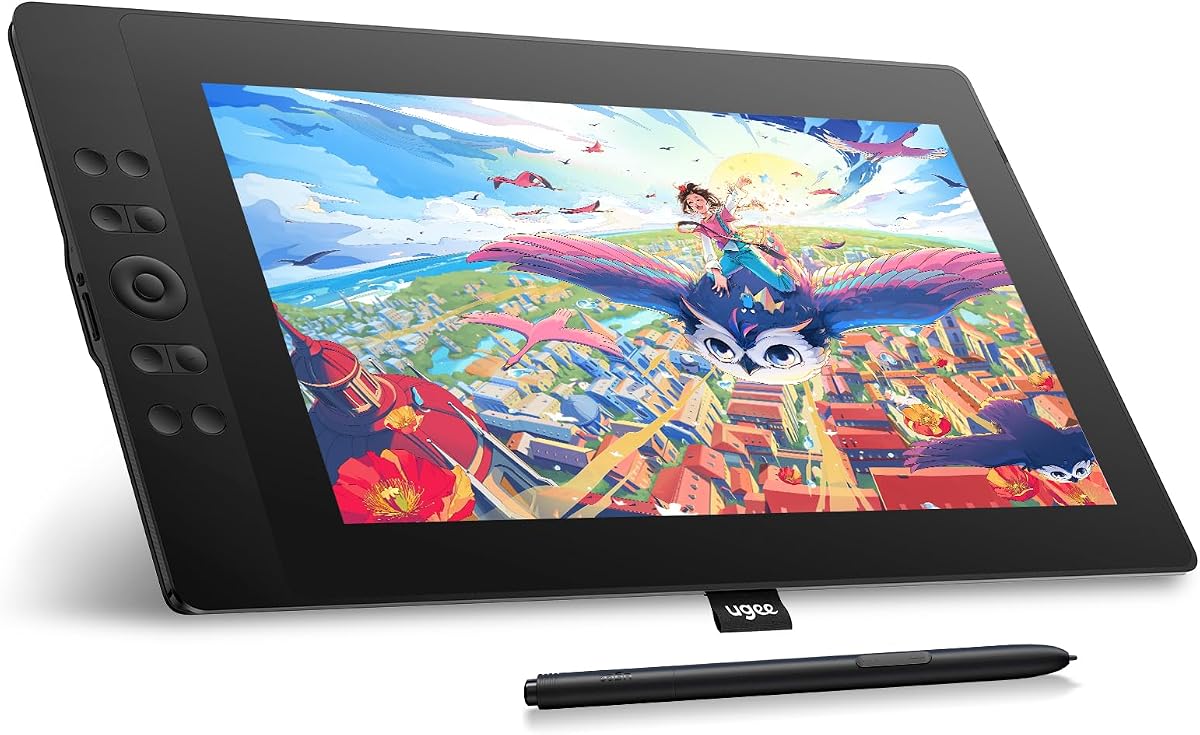
UGEE UE16 boasts an exceptional 143 percent sRGB color gamut allowing for vivid and precise color reproduction essential for professional digital art. Its 16K pressure levels ensure rich vibrant strokes with accurate control over line weight and brush dynamics.
We may earn a commission when you buy through this link, at no additional cost to you.
The screen is full-laminated reducing parallax and improving accuracy. Eight physical shortcut keys plus a scroll wheel provide tactile feedback and seamless transitions between functions. Compatible with Windows Mac Chrome OS Android and Linux systems for broad usage.
Artists using Android devices may appreciate the connectivity options for on-the-go drawing though a computer connection is still required for most tasks. The stylus features a pressure-sensitive eraser and customized hotkeys for intuitive tool access during sessions.
This model excels in color fidelity making it ideal for graphic designers working with strict brand colors. However users should verify cable contents before use as the 3-in-1 cable is packed separately which may delay setup.
Options for sRGB Adobe RGB DCI-P3 and Black White mode allow seamless transition between different visual requirements.
16K levels ensure flawless and precise lines regardless of stroke speed or pressure applied by the artist.
We may earn a commission when you buy through this link, at no additional cost to you.
VEIKK VK1200 offers an accessible entry point for new artists with essential features like 8192 pressure levels and tilt recognition. Its 11.6 inch LED screen provides a clear workspace with 72 percent NTSC color gamut suitable for general creative tasks.
We may earn a commission when you buy through this link, at no additional cost to you.
The package includes two battery-free pens plus 28 replacement nibs ensuring users can experiment with different tips without extra cost. Six shortcut keys simplify common actions like zoom and undo while the included artist glove keeps hands clean.
While it lacks advanced color specs this model focuses on usability and durability. The pen tilt function adjusts stroke weight dynamically allowing expressive drawing techniques. It requires a computer connection making it a versatile peripheral rather than a standalone device.
Students or casual users seeking a budget-friendly option will appreciate the comprehensive accessory kit. The glove and extra nibs add significant value reducing ongoing costs and maintaining focus on learning digital art fundamentals.
Two pens and 28 nibs provide ample spares for extended use without immediate repurchase needs.
Adjustable pen angle allows shading and brush effects through natural hand movements during creation.
We may earn a commission when you buy through this link, at no additional cost to you.
The RubensTab T11 Pro stands out as a truly standalone device allowing sketching and design without needing a separate computer. Its 10.1 inch Full HD IPS screen offers vibrant colors and wide viewing angles perfect for portable creative work.
We may earn a commission when you buy through this link, at no additional cost to you.
A built-in 5800mAh battery delivers up to five hours of continuous use suitable for travel or long sessions. It supports USB-C charging and even mobile power banks. Multi-touch functionality enables intuitive zooming and panning enhancing the interactive experience.
Pre-installed professional apps simplify entry for beginners while pressure-sensitive pens mimic traditional tools accurately. The device runs independently with Wi-Fi access for cloud storage and tutorials. However battery life limits prolonged usage without recharging during extended projects.
Artists needing independence from desktops or laptops will find this flexibility valuable. It works well for note-taking quick sketches and presentations though its screen size may feel small for detailed full-page illustrations.
Self-contained design lets users create anywhere anytime without cables or external devices.
Five hours continuous use supports travel work sessions though power banks extend this further.
We may earn a commission when you buy through this link, at no additional cost to you.
VEIKK VK1200V2 upgrades pressure sensitivity to 16384 levels plus improved color gamut to 120 percent sRGB. The full-laminated IPS screen reduces parallax and ensures precise cursor positioning for smoother creation on the 11.6 inch display.
We may earn a commission when you buy through this link, at no additional cost to you.
It includes two P05 passive styluses providing durable battery-free tools with 60-degree tilt support. Six hotkeys streamline tasks while the lightweight 1.78 lbs body makes it highly portable for daily use across different environments.
Compatibility spans Linux Windows and macOS making it versatile for mixed OS setups. The driver updates improve functionality but users should note it must connect to a computer to operate properly without standalone computing features.
Those wanting higher pressure sensitivity than basic models will find this option appealing. The two pens offer backup reliability ensuring uninterrupted workflow if one requires replacement or maintenance during busy creative sessions.
16384 pressure levels allow ultra-smooth tracking without lag for detailed digital illustration and shading work.
120 percent sRGB offers richer and more lifelike visuals compared to standard color coverage.
We may earn a commission when you buy through this link, at no additional cost to you.
XPPen Artist 12 Pro Lite features a portable 3-in-1 cable design eliminating the need for extra adapters during connection. Its fully-laminated display reduces parallax and provides a paper-like feel for distraction-free creative environments and natural drawing flow.
We may earn a commission when you buy through this link, at no additional cost to you.
The stylus supports 8192 pressure levels plus up to 60-degree tilt for smooth brush transitions. A customizable Red Dial and eight shortcut keys offer quick access to zoom and brush adjustments enhancing overall workflow efficiency.
Compatibility extends to Windows macOS ChromeOS and Linux supporting popular apps like Photoshop Blender and GIMP. Users can turn the screen into a live canvas for online classes or presentations improving interactive teaching capabilities.
This model is ideal for mobile professionals needing flexible connection options. The lightweight design and multi-port cable support ensure it fits diverse hardware setups without requiring additional dongles or adapters for reliable performance.
3-in-1 cable supports different ports without adapters simplifying setup across various laptops and desktops.
Programmable dial provides comfortable hand control for brush sizing and layer navigation efficiently.
We may earn a commission when you buy through this link, at no additional cost to you.
Selecting the right pen display depends on several technical factors that impact your creative workflow and comfort.
Screen size affects your workspace area and portability. Larger screens like 15.6 inches offer more drawing room but weigh more and cost higher than 11.6 inch options which suit tighter budgets.
Choose a size that fits your desk space and carrying needs for daily creative sessions.
Higher pressure levels like 16384 allow finer control over line weight than 8192 levels. This matters for detailed shading and natural brush dynamics during professional illustration.
Opt for higher sensitivity if you need precise stroke variation in your artwork.
Color gamut percentages such as 72 percent NTSC or 120 percent sRGB determine how vivid your artwork appears. Wide gamuts ensure accurate color reproduction for print and digital media.
Prioritize wide color range if your work relies on consistent branding or vibrant visuals.
Battery-free pens with tilt support reduce maintenance and enhance brush effects. Extra nibs or erasers improve usability and comfort during long drawing periods.
Ensure the pen includes tilt and eraser functionality for efficient sketching workflows.
Programmable keys on the device or pen simplify access to tools like zoom undo or layer switching. More keys allow greater customization for complex software workflows.
Select models with enough customizable shortcuts to match your frequently used commands.
USB-C single-cable setups reduce clutter compared to HDMI USB-A combos. Check your computer ports to avoid needing extra adapters for stable connection.
Verify cable type compatibility with your laptop before purchase to simplify setup.
Most affordable pen displays support Windows Mac and Linux. Confirm driver availability for your OS version to avoid compatibility issues after setup.
Choose devices with broad OS support for flexibility across different machines.
Materials like metal bodies and anti-glare glass enhance durability and user experience. Full-laminated screens reduce parallax and improve precision for detailed drawing.
Invest in solid build quality for long-lasting reliability and better drawing accuracy.
Connect the tablet to your computer using HDMI and USB cables or USB-C single cables as required. Install drivers from the manufacturer website and restart your device for settings to apply properly.
Calibrate the screen using the built-in tool to ensure cursor accuracy matches your pen movements. Set up shortcut keys in the driver menu to streamline your workflow and reduce mouse usage.
Clean the screen gently with a microfiber cloth to avoid scratches. Keep nibs fresh and replace them when worn to maintain consistent pressure sensitivity and smooth strokes over time.
Most affordable pen displays require a connection to a computer or laptop to function. Only specific standalone models have built-in operating systems. Always check product specifications for connectivity requirements before purchasing to avoid compatibility issues.
8192 levels offer sufficient precision for starting digital art without needing expensive high-end devices. Higher levels like 16384 provide finer control but may not be necessary for casual sketching. Balance cost and features based on your skill level.
Yes most models support Windows Mac and Linux operating systems. Verify driver availability and OS version compatibility on the manufacturer site. Many popular creative apps work well across these platforms with proper configuration.
Lag often results from outdated drivers or insufficient computer power. Update the tablet driver and graphics software. Ensure your computer meets minimum system requirements for smooth performance during digital art tasks.
Battery-free pens eliminate charging interruptions and reduce weight for natural handling. They use electromagnetic resonance technology that requires no power source. Most affordable tablets include these for uninterrupted creative sessions.
Use a soft microfiber cloth to wipe away dust and fingerprints gently. Avoid abrasive cleaners or liquids sprayed directly on the screen. Proper cleaning maintains anti-glare coating and extends display life.
The XP-PEN Artist12 VEIKK VK1200 V2 and HUION Kamvas 13 (Gen 3) lead our list with balanced features for affordable pen displays. Each model offers strong pressure sensitivity color quality and connectivity for digital artists.
Prioritize screen size and pressure levels based on your workflow needs and software requirements. Consider connectivity options and driver support to ensure seamless integration with your existing setup.
Always check current prices and promotions before buying since values change often. Verify your computer ports and OS compatibility to avoid delays and ensure the device meets your creative expectations.