
Lenovo ThinkPad USB4 Smart Dock 5500
4.2Editor score
USB4 up to 40Gbps
Supports up to 4 displays
100W power delivery
This guide compares the top Lenovo Docking Station models for connectivity and display support to help you find the right dock for your workflow.
Choosing the right Lenovo Docking Station can transform your workspace into a powerful productivity hub. These devices offer essential ports for displays and peripherals while simplifying cable management for modern laptops.
We evaluated ten top models based on port variety, power delivery, display support, and overall build quality. Our analysis ensures you find a dock that fits your specific laptop and work environment needs perfectly.
Each pick highlights unique strengths from travel-friendly slim docks to robust workstation solutions. Please note that prices and availability may change over time, so verify current details before purchasing.
4.2Editor score

4.2Editor score

4.3Editor score
Below is a side-by-side comparison of all ten top Lenovo Docking Station models ranked by overall value and performance features.


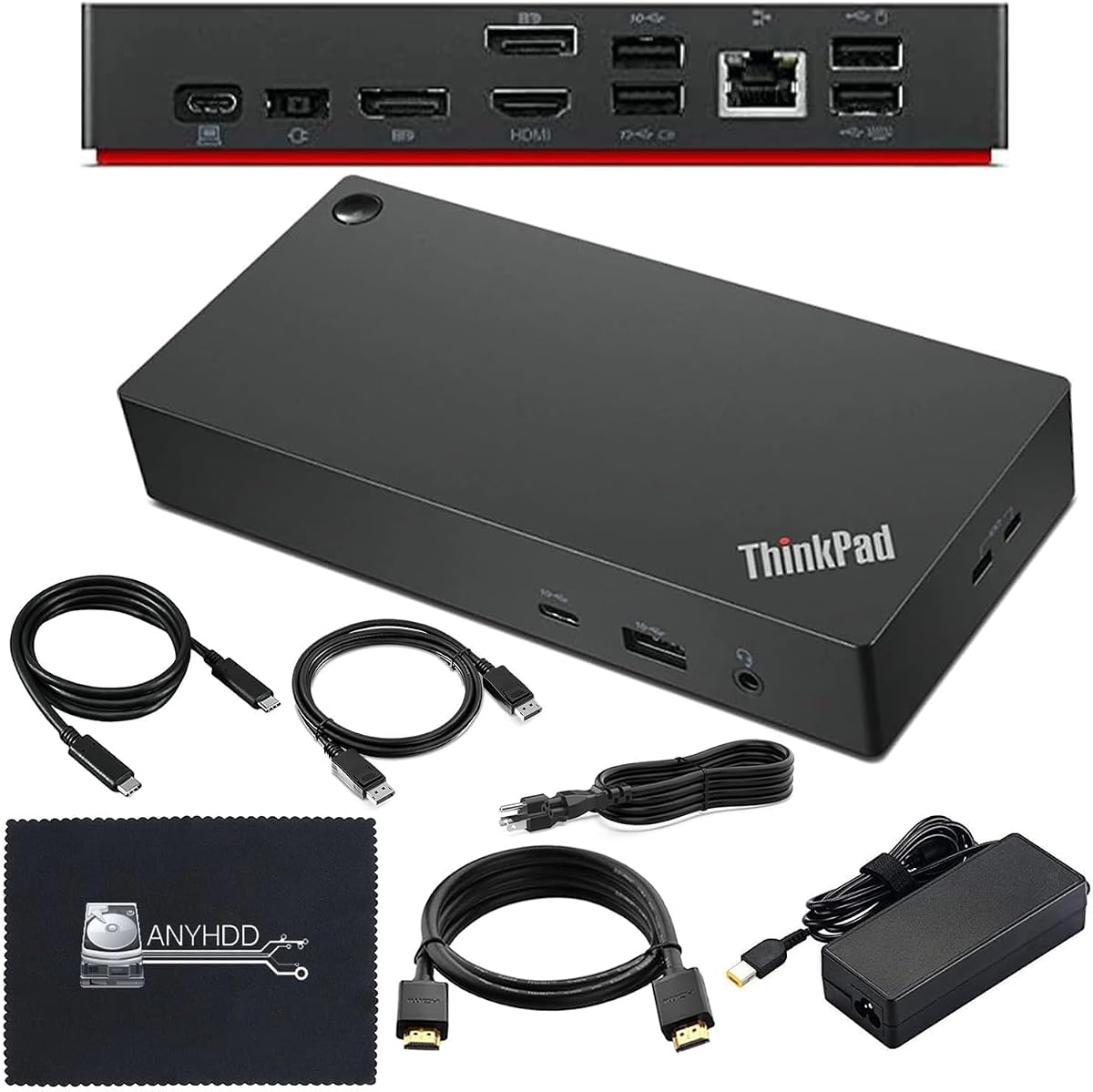


This travel dock offers exceptional versatility with dual 4K display support and powerful connectivity for professionals. It holds a solid rating for balancing performance with eco-friendly design in a sleek package.
We may earn a commission when you buy through this link, at no additional cost to you.
The standout feature is the ability to drive two 4K screens simultaneously via HDMI and DisplayPort. It supports up to 100W power delivery with an optional adapter ensuring your laptop stays charged during heavy tasks.
While it includes a 65W charger, getting full 100W delivery requires buying an extra 135W adapter. This might be a minor hurdle for users needing maximum power without extra costs.
It is ideal for remote professionals who need dual screens and strong charging on the go. The sustainable design and integrated cable make it a top choice for modern workspaces.
Connect two 4K monitors easily for enhanced multitasking and visual clarity during work sessions.
The chassis uses 66 percent post-consumer recycled content reflecting Lenovo commitment to sustainability.
We may earn a commission when you buy through this link, at no additional cost to you.
This dock provides robust Thunderbolt connectivity for ThinkPad users needing reliable dual 4K setups. It supports a wide range of ThinkPad models including the T480 and X1 series.
We may earn a commission when you buy through this link, at no additional cost to you.
The dual HDMI and dual DisplayPort setup offers flexible video output for complex multi-monitor configurations. With a 135W power adapter it ensures adequate power for most demanding workstation laptops.
It is a legacy model which may lack newer USB4 speeds found in updated docks. Users should ensure their laptop supports Thunderbolt 3 for full compatibility and performance.
Best for ThinkPad professionals who need stable dual 4K support without breaking the bank. Its robust build and specific ThinkPad optimization make it a reliable choice.
Four video ports allow versatile connection options for various monitor types and resolutions.
Specifically engineered for ThinkPad laptops ensuring seamless integration and stable performance.
We may earn a commission when you buy through this link, at no additional cost to you.
This dock is designed to expand your laptop capabilities supporting up to three external displays simultaneously. It includes essential ports for peripherals making it a solid workstation option.
We may earn a commission when you buy through this link, at no additional cost to you.
The inclusion of DisplayPort 1.4 and HDMI 2.0 ensures support for 4K at 60Hz when hardware allows. It comes with a 90W adapter and cable for straightforward plug-and-play use.
Note that actual video output depends heavily on your laptop capabilities rather than just the dock. Older models might not utilize all ports for full 4K resolution.
Ideal for users needing multiple screens on a budget. Its straightforward design and multi-monitor support make it a practical choice for office environments.
Maximize productivity by connecting up to three external monitors for extensive workspace.
Includes all necessary cables and adapters for immediate setup without extra purchases.
We may earn a commission when you buy through this link, at no additional cost to you.
This smart dock leverages USB4 technology to deliver unmatched bandwidth and display flexibility. It supports up to four displays making it a powerhouse for creative professionals.
We may earn a commission when you buy through this link, at no additional cost to you.
The 100W power delivery ensures fast charging while keeping all peripherals connected. Integrated USB4 cable simplifies setup and ensures stable high-speed data transmission.
It supports 8K or high refresh rate 4K monitors for stunning visuals. However advanced features require compatible USB4 hardware which may not be available on all devices.
Best for users demanding top-tier performance and display flexibility. The advanced connectivity and smart management features justify the investment for power users.
Enjoy quadrupled performance compared to USB-C 3.2 Gen 2 with 40Gbps bandwidth.
Manage and update dock fleets remotely using cloud-based tools for IT admins.
We may earn a commission when you buy through this link, at no additional cost to you.
This dock is designed to handle dual 4K displays ensuring crisp visuals for work or creative projects. It comes with all necessary cables including HDMI and DisplayPort for immediate use.
We may earn a commission when you buy through this link, at no additional cost to you.
With a 90W adapter it provides stable power delivery to keep your laptop charged during extended sessions. The high user rating reflects its reliability and ease of use.
Note that firmware updates might be required for full compatibility with some laptops. Always check your laptop compatibility before purchasing to avoid potential connection issues.
Perfect for users needing dual 4K monitors without hassle. The included cables and high rating make it a trusted choice for dual display setups.
Includes all cables and accessories needed for immediate dual monitor setup.
Rated highly by users for reliable performance and comprehensive connectivity.
We may earn a commission when you buy through this link, at no additional cost to you.
This dock offers reliable performance for office users needing stable connections and decent video support. It features robust wired networking and supports 4K displays for better visual clarity.
We may earn a commission when you buy through this link, at no additional cost to you.
The 10Gbps USB data speed ensures fast file transfers and quick peripheral connections. Wake-on-LAN and PXE Boot support make it a favorite for IT administrators managing fleets.
Video output capabilities depend on your laptop system which can limit actual performance. The lower rating reflects mixed experiences with compatibility on some newer laptops.
Best for office environments prioritizing stability and enterprise features. Its warranty and networking tools make it a solid choice for business deployments.
Wake-on-LAN and PXE Boot allow remote management and system control.
Gigabit Ethernet provides a reliable wired connection for secure data transfers.
We may earn a commission when you buy through this link, at no additional cost to you.
This universal dock simplifies your workspace with one cable connecting all devices. It is designed for both home and office use ensuring seamless integration across environments.
We may earn a commission when you buy through this link, at no additional cost to you.
Firmware updates happen automatically making it an IT dream for managing fleets securely. The clean setup reduces clutter while providing robust power and data connectivity.
Remote gathering of dock information helps maintain device health with minimal interruption. However compatibility varies by OS and specific hardware features may not be universal.
Ideal for remote workers and IT managers needing reliable connectivity. Its universal design and management tools make it a flexible choice for modern offices.
One cable connects displays and peripherals for a clutter-free workspace.
IT admins can securely manage dock fleets remotely with minimal user impact.
We may earn a commission when you buy through this link, at no additional cost to you.
This travel dock is designed for professionals on the go with a slim form factor. It offers eight ports ensuring versatile connectivity without adding bulk to your bag.
We may earn a commission when you buy through this link, at no additional cost to you.
Support for 4K at 60Hz ensures high-quality visuals for presentations or creative work. The integrated cable and eco-friendly design add value for environmentally conscious users.
While power pass-through is capped at 65W it is sufficient for most ultrabooks. The compact size makes it ideal for coffee shops or travel scenarios.
Best for travelers needing reliable connectivity in a small package. Its portability and green features make it a top budget choice for modern professionals.
Sleek and compact form fits easily into any travel bag.
4K 60Hz support ensures high-quality visuals for any location.
We may earn a commission when you buy through this link, at no additional cost to you.
This business dock offers impressive value with dual 4K support and extensive port options. It includes HDMI and DisplayPort cables ensuring you are ready for immediate setup.
We may earn a commission when you buy through this link, at no additional cost to you.
With five USB ports you can connect multiple peripherals simultaneously without adapters. The 65W power delivery keeps your notebook charged while you work on complex tasks.
Its 5.0 rating reflects high user satisfaction with its performance and build quality. The security lock slot adds extra protection for equipment in shared office spaces.
Best for business users needing reliability and extensive connectivity. The included accessories and perfect rating make it a top value choice.
Includes power adapter and display cables for immediate plug-and-play use.
Drive two external monitors at 4K resolution for enhanced productivity.
We may earn a commission when you buy through this link, at no additional cost to you.
This mini dock is perfect for travelers needing essential connectivity on a small device. It works with multiple laptop brands including Apple and Lenovo ensuring universal use.
We may earn a commission when you buy through this link, at no additional cost to you.
The HDMI and VGA outputs allow you to connect various display types easily. Compact and portable it fits in your pocket making it ready for any meeting.
45W charging is enough for basic usage but not for high-power laptops. It is best for light tasks or secondary displays during travel sessions.
Best for users prioritizing portability over raw power. Its versatile compatibility and slim design make it a great companion for frequent travelers.
Works with Apple HP Dell and Lenovo laptops for versatile connectivity.
Sleek design takes up minimal space on your desk or in your bag.
We may earn a commission when you buy through this link, at no additional cost to you.
Selecting the right docking station requires understanding your specific needs and laptop capabilities.
Consider how many monitors you need and their resolution. Some docks support dual 4K at 60Hz while others may be limited to 1080p or single 4K output.
Always check your laptop capabilities to ensure it can support the desired number of external displays.
Check the wattage the dock can deliver to your laptop. Higher-end models offer up to 100W while travel options might cap at 65W.
Ensure the wattage meets your laptop requirements to avoid slow charging.
Evaluate the types of ports available such as USB-A USB-C HDMI DisplayPort and Ethernet. This ensures compatibility with your existing peripherals.
Select a dock with enough ports for your devices without requiring additional adapters.
Docks connect via USB-C or Thunderbolt. Thunderbolt generally offers higher speeds and better performance for demanding workflows.
Match the connectivity type to your laptop ports for optimal speed.
Look for docks with durable materials and robust build quality. Some include recycled content for environmental benefits.
Quality builds often result in longer lifespan and better reliability.
Ensure the dock is compatible with your operating system and laptop model. Some docks are optimized specifically for ThinkPad laptops.
Check compatibility notes before purchasing to avoid connection issues.
Travelers should prioritize slim and lightweight docks. Full workstation docks are heavier and intended for static desk use.
Choose a portable option if you work from multiple locations.
Compare the price against the features offered. Basic models cost less while high-performance docks with USB4 are pricier.
Balance your budget with your actual need for advanced features.
Begin by connecting your laptop to the dock using a compatible USB-C or Thunderbolt cable. Ensure the connection is secure before turning on your laptop.
Connect peripherals like monitors keyboards and mice to the appropriate ports. Allow your operating system to detect and install necessary drivers automatically.
Regularly clean the ports and surface of the dock to prevent dust buildup. Avoid exposing it to extreme temperatures or moisture to extend its lifespan.
Yes many Lenovo docks are compatible with laptops from brands like HP Dell and Apple that support USB-C or Thunderbolt protocols. Always verify the specific model compatibility before purchasing.
Thunderbolt docks offer higher data speeds and support for more displays compared to standard USB-C docks. They are ideal for high-performance workflows and future-proofing your setup.
Yes most Lenovo docking stations provide power delivery to charge your laptop while it is connected. Ensure the wattage matches your laptop requirements for optimal performance.
Ensure your laptop supports 4K output and that you are using a high-quality HDMI or DisplayPort cable. Some docks may also require firmware updates for full resolution support.
You can update firmware using the Lenovo Vantage app on your laptop. This ensures compatibility and performance stability for your docking station.
Many modern docks come with essential cables and adapters included. However check the product description to see if specific adapters are needed for your setup.
We reviewed ten top models ranging from slim travel options to high-performance workstation docks. Each offers unique strengths to suit different professional needs.
Prioritize display support and power delivery to ensure your workstation meets your demands. Consider your budget and port requirements for the best fit.
Always check current prices and availability before buying to ensure you get the best deal. This guide helps you make an informed decision for your workspace setup.