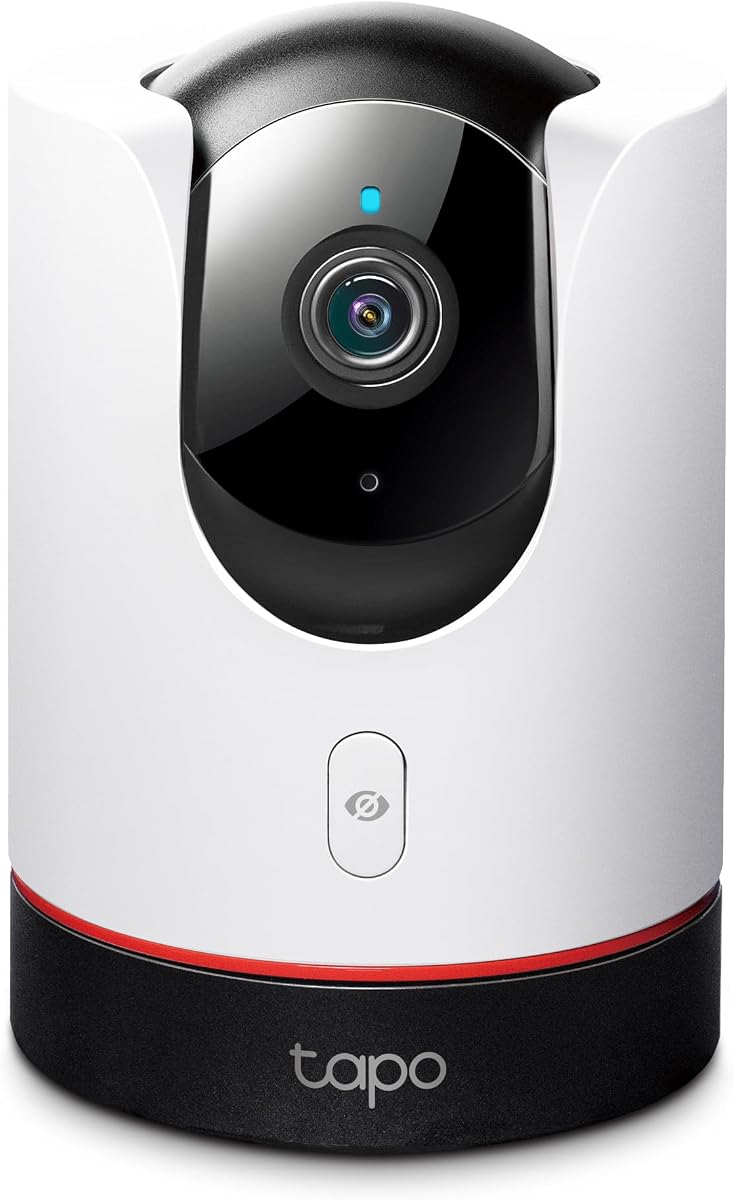
TP-Link Tapo 2K+ Pan/Tilt Security Camera C225
4.5Editor score
360 degree pan and tilt view
Physical privacy mode included
Affordable HomeKit compatible option
Compare the top 10 Apple HomeKit Security Cameras for October 2026. We review features, privacy, and integration to help you choose the perfect smart security
Securing your home with Apple HomeKit security cameras offers seamless integration and robust privacy features. These devices allow you to monitor your property directly through the Apple Home app with end-to-end encryption for peace of mind.
We evaluated ten top-rated cameras based on resolution, smart detection capabilities, and ecosystem compatibility. Our analysis focuses on real-world performance, storage options, and how well each model works within the Apple ecosystem.
Each product selection highlights unique strengths like night vision quality or hub functionality. Keep in mind that prices and availability can fluctuate frequently, so check current listings before making your final purchasing decision.
4.5Editor score
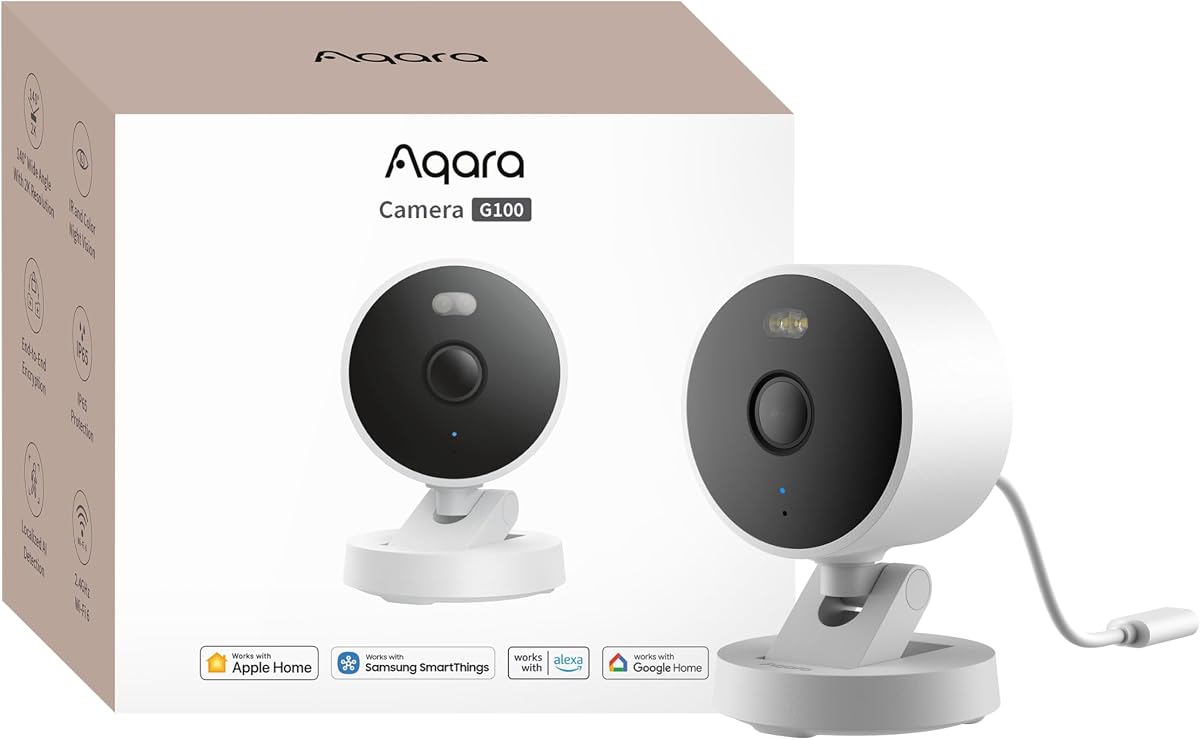
4.2Editor score
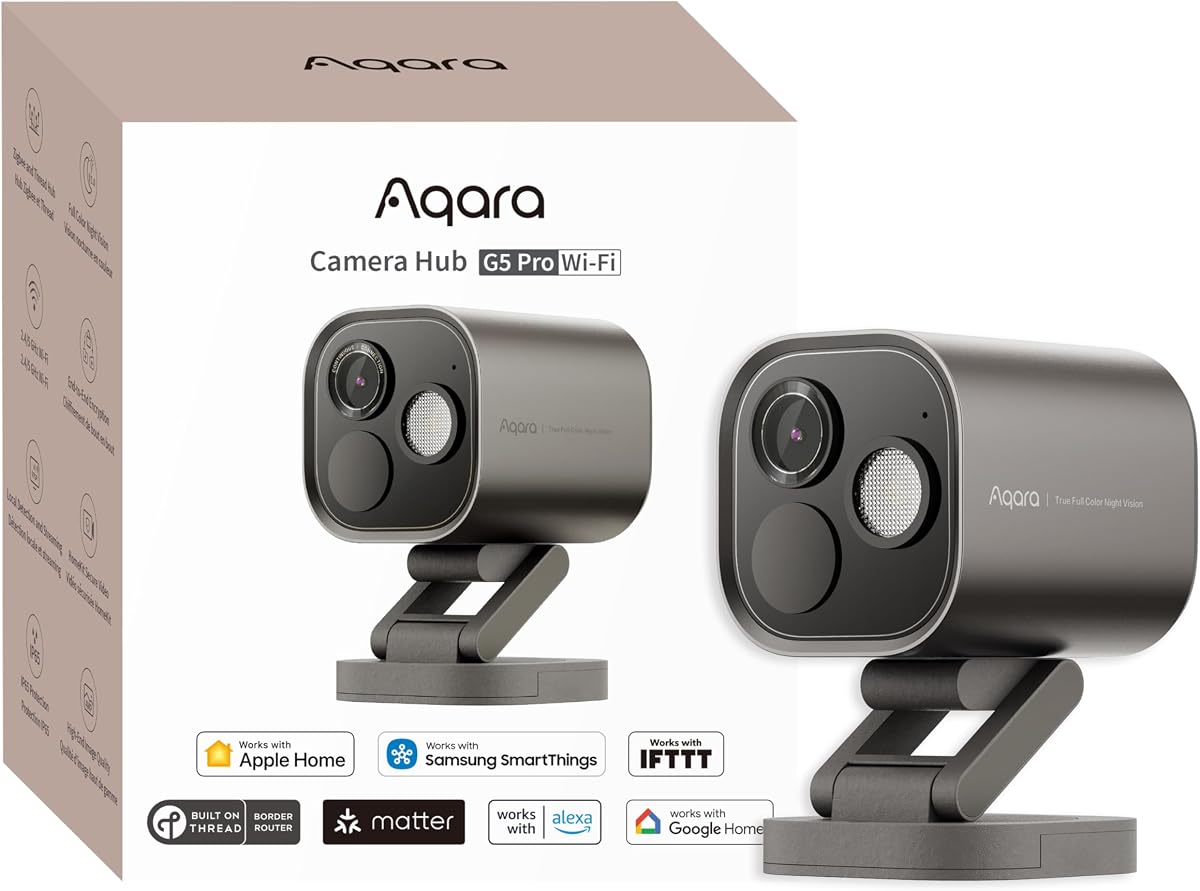
4.3Editor score
The following table provides a quick side-by-side overview of the ten cameras we reviewed. Compare key specifications like resolution, field of view, and special features to find the model that fits your specific security needs.



The Aqara G100 stands out as a versatile security option that excels in both indoor and outdoor environments. With a rating of 4.2 stars, it offers a compelling balance of image quality and smart features. Its standout quality is the ability to switch between spotlight color night vision and infrared modes for detailed monitoring.
We may earn a commission when you buy through this link, at no additional cost to you.
This camera delivers superior image quality with a 2304 by 1296 resolution and a wide-angle f1.8 lens. The 140-degree field of view ensures broad coverage while the IP65 rating protects against rain and dust. HomeKit Secure Video integration allows for encrypted local viewing directly through your Apple devices.
While the image quality is impressive, users must manually enable night vision modes in the app rather than having them toggle automatically. Additionally, the power adapter is not included in the box which might require an extra purchase. These trade-offs are acceptable given the robust feature set.
Buyers looking for a flexible camera that works seamlessly with Apple HomeKit will find this model ideal. It is perfect for homeowners who want high-resolution video without relying heavily on cloud subscriptions. The G100 provides a reliable entry point into advanced home security.
The dual night vision modes allow you to capture color footage even in low-light conditions using the built-in spotlight.
You can record 24/7 to a microSD card or use cloud storage with encryption ensuring your data stays private and accessible.
We may earn a commission when you buy through this link, at no additional cost to you.
The Eve Cam is designed exclusively for the Apple ecosystem ensuring maximum privacy and data security. It holds a rating of 3.6 stars reflecting its specialized focus on indoor monitoring without compromise. The camera processes video locally so your personal data never leaves your home environment.
We may earn a commission when you buy through this link, at no additional cost to you.
Security is a major priority for Eve users and this camera supports only HomeKit Secure Video with end-to-end encryption. It offers smart motion detection that can differentiate between people and pets to reduce false alerts. Automation features let you deactivate the camera automatically when someone is detected at home.
One significant limitation is that this camera is strictly for indoor use limiting its utility for exterior property monitoring. It also requires an active iCloud subscription which adds to the ongoing cost of ownership. These factors might not suit every buyer but prioritize local data control.
This model is best for homeowners who value privacy above all else and already own other Eve smart home products. If your primary concern is monitoring the interior of your home without cloud uploads this camera fits the bill perfectly.
Video analysis happens securely on the device rather than in the cloud keeping your footage private and under your control.
Built from the ground up for HomeKit this camera ensures the highest privacy standards but limits third-party platform support.
We may earn a commission when you buy through this link, at no additional cost to you.
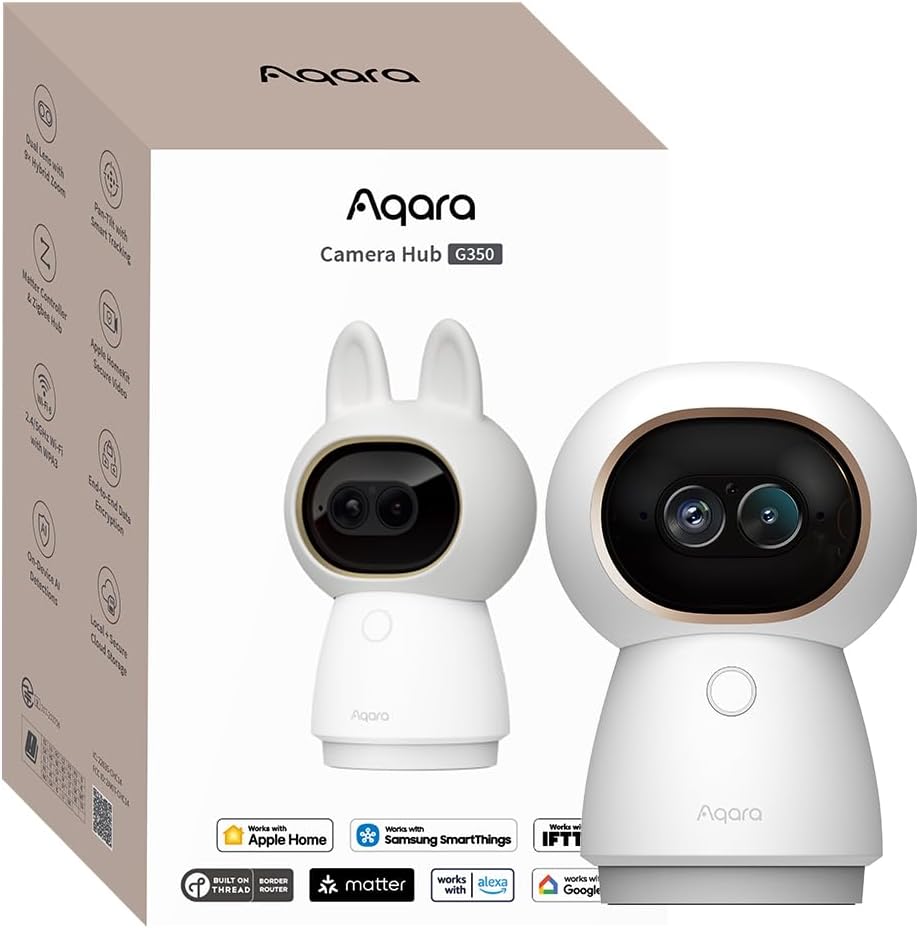
The Aqara G350 is a premium indoor security camera that features a unique dual-lens system for unmatched detail. With a rating of 4.3 stars it combines high-resolution video with smart hub capabilities. The standout feature is its ability to capture wide panoramic views while simultaneously tracking details with a telephoto lens.
We may earn a commission when you buy through this link, at no additional cost to you.
This device offers 4K resolution on one lens and a 2.5K telephoto lens on the other providing 9X hybrid zoom for detailed inspection. The AI auto tracking follows movement smoothly while gesture recognition allows you to control scenes with hand signs. It also functions as a hub for Zigbee and Matter devices.
While the feature set is impressive the price is significantly higher than standard indoor cameras and the setup can be complex for average users. Gesture recognition and hub functionality require specific app configurations which might be overwhelming. However these trade-offs are justified by the advanced capabilities.
Tech enthusiasts and smart home power users will appreciate the extensive control and integration options provided by the G350. It is an excellent choice for those who want a camera that also serves as a central hub for their connected home devices.
The combination of wide-angle and telephoto lenses allows you to monitor a room broadly while zooming in on specific details clearly.
As a Matter bridge and Zigbee hub this camera connects up to eighty sub-devices expanding your smart home automation possibilities.
We may earn a commission when you buy through this link, at no additional cost to you.
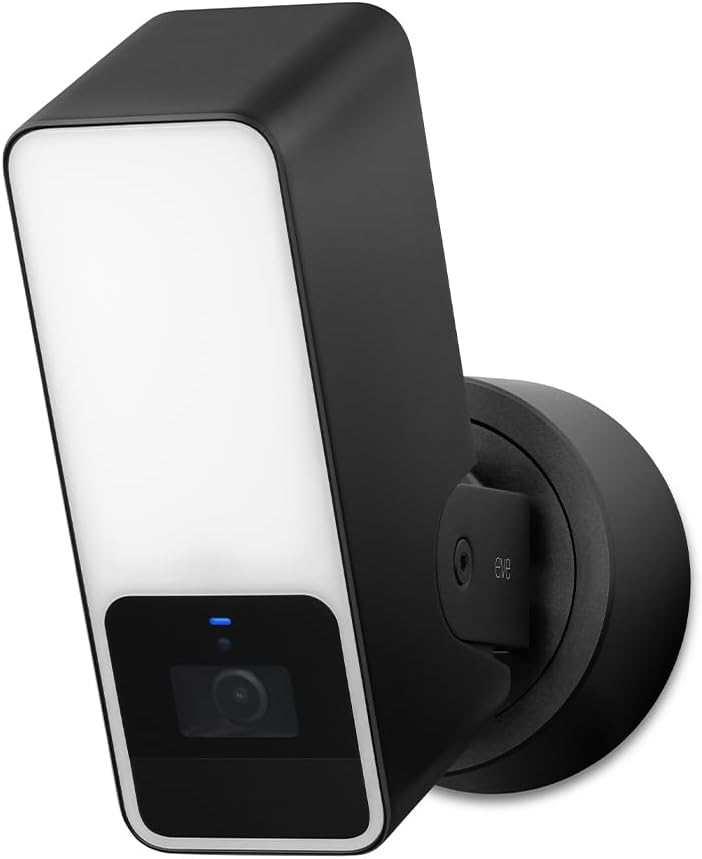
The Eve Outdoor Cam is a floodlight camera designed to deliver maximum security and privacy for your exterior property. It holds a rating of 3.5 stars reflecting its specialized nature and installation requirements. The camera is built exclusively for HomeKit ensuring that your video data remains secure and encrypted.
We may earn a commission when you buy through this link, at no additional cost to you.
It features a powerful dimmable floodlight combined with an infrared motion sensor to deter intruders effectively. The system can distinguish between people pets vehicles and packages to provide accurate notifications. Two-way communication is supported via a built-in microphone and speaker for remote interaction with visitors.
Installation can be challenging because the unit requires both a neutral wire and a ground wire connection which not all homes have readily available. The price point is also high compared to other outdoor cameras with similar resolution. These factors limit its appeal to those with compatible wiring.
This camera is best suited for homeowners who prioritize privacy and already have the necessary electrical setup for floodlight fixtures. If you need a secure outdoor monitor that integrates deeply with the Apple ecosystem this option provides peace of mind.
The combination of a bright floodlight and motion detection creates a strong deterrent for potential intruders approaching your property.
Local intelligence and direct communication without cloud dependency ensure your data stays private and under your control.
We may earn a commission when you buy through this link, at no additional cost to you.
The TP-Link Tapo C225 is an award-winning security camera that offers excellent value for HomeKit users on a budget. It has a rating of 4.5 stars indicating high customer satisfaction with its performance and design. The camera combines a 2K resolution with a full 360-degree pan and tilt range for total room coverage.
We may earn a commission when you buy through this link, at no additional cost to you.
Its standout feature is the innovative physical privacy mode that blocks the lens when enabled giving you control over when it records. The starlight sensor ensures superior image quality in low-light conditions and you can select between infrared or color night vision. Smart AI detection identifies people pets and vehicles accurately.
While the price is attractive the camera relies on a 2.4GHz Wi-Fi band which might be congested in some environments. Full advanced features like baby crying detection require a cloud subscription which adds to the cost. These trade-offs are minimal given the price point and feature set.
This model is the top pick for budget-conscious buyers who still want high-quality video and HomeKit integration. It is ideal for monitoring living spaces or nurseries where privacy and affordability are the primary concerns.
A single click in the app switches privacy mode on or off physically blocking the lens for complete peace of mind.
Recognized by the Red Dot Design Award this camera performs brilliantly while boasting a sleek modern look for your home.
We may earn a commission when you buy through this link, at no additional cost to you.
The Aqara G5 Pro WiFi is a robust security hub that delivers high-resolution video and advanced local processing capabilities. With a rating of 4.3 stars it offers a premium experience for those needing a central point for home automation. The camera features a 4MP resolution and true color night vision for clear identification in low light.
We may earn a commission when you buy through this link, at no additional cost to you.
Powered by a neural processing unit it supports visual detection of faces vehicles and lingering individuals. It also detects abnormal sounds like alarms or crying without relying on the cloud. As a dual-protocol hub it connects up to eighty Zigbee sub-devices expanding your smart home reach significantly.
The lack of infrared night vision means it relies solely on the spotlight for night visibility which can be a limitation in total darkness. It also requires a constant power connection and cannot run on battery power. These constraints are acceptable for users seeking a permanent wired security solution.
This camera is best for advanced users who want a combination of surveillance and smart home control in one device. It is perfect for securing entrances while simultaneously managing other connected sensors and devices throughout the house.
The built-in NPU allows for instant detection of anomalies and triggers automations even during an internet outage.
A large aperture sensor captures intruders even in low-light conditions using color images rather than standard infrared.
We may earn a commission when you buy through this link, at no additional cost to you.
The Logitech Circle View is a weatherproof camera designed exclusively for the Apple ecosystem providing seamless viewing across devices. It holds a rating of 3.4 stars reflecting its specific use case and pricing structure. The camera features TrueView video technology with a 180-degree field of view to capture everything in razor-sharp detail.
We may earn a commission when you buy through this link, at no additional cost to you.
Its high-quality sensor uses wide dynamic range to ensure clear pictures in sunlight or shadows. The IP64 rated body makes it suitable for outdoor mounting without fear of rain or dust damage. Privacy is maintained through an on/off button that physically tilts the camera down when not in use.
One major drawback is that it relies on motion detection rather than continuous video recording which might miss events between triggers. The price is also relatively high for a 1080p camera compared to competitors offering higher resolutions. These factors might deter buyers looking for constant surveillance.
This camera is ideal for Apple users who want a reliable outdoor monitor with minimal setup complexity. It suits those who prioritize ease of use and design over advanced continuous recording features.
The sensor lets you see more detail in high contrast videos so you capture clear pictures in sunlight or shadows.
Developed exclusively for HomeKit this camera allows you to view secure video directly through the powerful Home app.
We may earn a commission when you buy through this link, at no additional cost to you.
The Aqara E1 is a compact indoor security camera that delivers super-crisp 2K resolution with a full 360-degree viewing angle. It has a rating of 4.2 stars indicating reliable performance for home monitoring. The motorized pan and tilt mechanism allows for person tracking and complete room coverage without blind spots.
We may earn a commission when you buy through this link, at no additional cost to you.
Advanced features include Wi-Fi 6 connectivity for smoother live views and lower latency even in congested networks. The NPU supports sound detection for alarms barking and crying to keep you informed. You can also enable privacy mode that pivots the lens and deactivates the camera manually or via automation.
Users should note that the power supply is not included in the box which requires an additional purchase. The camera is limited to 2.4 GHz Wi-Fi and does not support the faster 5 GHz band. These are minor inconveniences given the overall robust feature set.
This camera is a great choice for parents or pet owners who need to monitor specific areas of their home remotely. Its balance of performance and privacy features makes it a strong contender in the indoor category.
The Pan and Tilt motor allows for a full 360 degree viewing angle which enhances the person tracking feature.
Built-in NPU supports advanced features such as filtering motion events or triggering automations in case of specific sounds.
We may earn a commission when you buy through this link, at no additional cost to you.
The eufy Security E30 is a versatile indoor camera that offers crystal-clear 4K recording without forcing you into a monthly subscription. It has a rating of 4.5 stars reflecting high user satisfaction with its value and features. Advanced on-device AI distinguishes humans pets and audio cues to provide accurate alerts.
We may earn a commission when you buy through this link, at no additional cost to you.
The camera automatically tracks movement when a person or pet is detected ensuring you never miss a detail. It integrates with HomeKit and Google Assistant for enhanced home automation. The integrated spotlight allows you to switch to color night vision or infrared for clear nighttime surveillance.
One limitation is that HomeKit support caps the resolution at 1080p which restricts the 4K benefits when viewing through Apple apps. Additionally users are advised to update the app to the latest version for optimal performance. These trade-offs are minimal considering the cost savings.
Buyers who want high-resolution video without ongoing subscription costs will find this model highly attractive. It is perfect for families monitoring children or pets who value privacy and local storage capabilities.
Harness the power of advanced on-device AI to distinguish humans pets and crying sounds while the camera tracks movement.
Store footage locally with an SD card and enjoy all functions without any monthly fees providing total control over data.
We may earn a commission when you buy through this link, at no additional cost to you.
The Aqara G5 Pro PoE is a robust wired security camera that simplifies installation by transmitting power and video over a single cable. With a rating of 4.5 stars it offers top-tier performance for permanent security setups. The camera features a 4MP resolution and true color night vision for accurate identification in low light.
We may earn a commission when you buy through this link, at no additional cost to you.
Local AI processing via a neural unit ensures rapid detection of anomalies like faces or barking without relying on cloud services. It acts as a dual-protocol hub connecting Zigbee and Thread devices to expand your smart home network. Two-way communication and HomeKit Secure Video ensure your data is secure and accessible.
While the PoE feature is convenient it requires a PoE switch which is not included and must be purchased separately. The reliance on wired power limits placement flexibility compared to battery-powered options. These requirements are standard for professional-grade wired setups.
This camera is best for homeowners who want a professional-grade security system with reliable power and data transmission. It suits those who value high reliability and want to integrate their cameras deeply into their broader smart home infrastructure.
Transmit videos and receive power via only a single network cable for a clean installation that reduces power outlet needs.
Trigger automations even during an internet outage thanks to the powerful built-in Neural Processing Unit for local detection.
We may earn a commission when you buy through this link, at no additional cost to you.
Selecting the right HomeKit camera involves evaluating resolution, connectivity, and privacy features. This guide breaks down the key factors you should consider to find a model that meets your security needs.
Resolution determines how much detail you can capture in your footage. Cameras range from 1080p to 4K, with higher resolutions allowing you to see faces and license plates more clearly. When choosing, ensure the camera supports HomeKit Secure Video so the resolution is transmitted securely to your Apple devices.
Prioritize cameras with at least 2K resolution if you want to zoom in on details without losing clarity. Higher quality sensors also improve performance in low-light conditions.
Check the IP rating to ensure a camera is built to withstand the elements if you plan to install it outside. Outdoor cameras typically have an IP65 or higher rating to protect against rain and dust. Indoor models often prioritize design and pan-tilt features but lack weatherproofing.
Always verify the intended location for your camera to avoid purchasing an indoor model for exterior use which could lead to premature failure.
Night vision is critical for round-the-clock security. Many cameras now offer color night vision using a spotlight alongside traditional infrared modes. Color night vision helps you identify details like clothing color which standard infrared cannot show.
Look for cameras with adjustable night vision settings or starlight sensors to ensure clear visibility in dark environments without disturbing sleep.
Modern cameras use AI to distinguish between different types of motion like people pets or vehicles. This reduces false alerts and ensures you only get notified for significant events. Advanced models can also detect specific sounds like alarms or crying.
Prioritize cameras that support local AI processing so you do not have to rely on cloud subscriptions for these smart features.
HomeKit Secure Video uses your iCloud storage but some cameras also support local storage via microSD cards or NAS devices. Local storage provides a backup if your internet connection fails or your iCloud subscription lapses. Ensure the camera supports encryption for local files to maintain privacy.
Review the maximum supported card size and whether continuous recording or event-based recording is available for your preferred storage method.
Most cameras connect via Wi-Fi, but some support dual-band or Wi-Fi 6 for better performance in congested networks. Cameras that act as hubs often support Thread or Zigbee protocols to connect other smart devices like locks or sensors.
Ensure your home network is compatible with the camera's connectivity requirements to avoid dropouts or slow live views.
Privacy is a major advantage of HomeKit Secure Video due to end-to-end encryption. Look for physical privacy shutters that block the lens when the camera is not in use. Some models also allow you to disable audio recording completely via automation.
Choose a camera that processes data locally whenever possible to minimize exposure to third-party cloud servers.
Cameras are available in battery, wired, and PoE options. Wired cameras offer reliable continuous power and often better performance. Battery models provide flexibility for placement but require periodic recharging.
Select a power source that fits your installation environment and maintenance preferences to ensure reliable operation.
Start by downloading the Home app on your iPhone and ensuring your Home Hub is active. Power on your camera and follow the on-screen instructions to scan the HomeKit setup code or connect via Wi-Fi. Once connected, assign the camera to a room in your home and configure basic settings like privacy zones.
Regularly update the firmware of your camera through the app to ensure you have the latest security patches and features. Test the night vision and motion detection settings periodically to adjust sensitivity levels. This prevents false alerts and ensures you capture important events clearly.
Clean the camera lens gently with a soft cloth to avoid scratches and maintain clear image quality. Check your storage settings to ensure you have enough space for recorded clips if you use cloud services. Periodic maintenance helps extend the lifespan of your device and keeps your system running smoothly.
Yes, you need an active iCloud+ subscription to store video clips securely in HomeKit Secure Video. This service encrypts your videos so only you can view them. The required storage tier depends on how many cameras you use and how many days of history you want to keep.
You cannot view HomeKit Secure Video feeds directly on Android devices. However, many cameras have their own apps that work on Android for basic viewing. Full integration with the Home app is limited to Apple devices like iPhone iPad and Apple TV.
Outdoor cameras are built with weather-resistant housings to protect against rain and dust while indoor cameras focus on privacy features. Outdoor models also typically have stronger Wi-Fi signals to reach further from your router. Always check the IP rating to ensure the camera is suitable for the location.
To reset a camera, look for a reset button usually found on the back or bottom of the device. Hold it down for about ten seconds until the indicator light flashes. Then remove the camera from your Home app and add it again as a new device following the setup wizard.
HomeKit Secure Video currently limits resolution to 1080p for all connected cameras. This is a system constraint to ensure compatibility across Apple devices. You can still view higher resolution footage through the manufacturer's app if the camera supports it.
Many HomeKit cameras support third-party integrations like Alexa and Google Home via local protocols. If the camera has Matter or Zigbee capabilities it can bridge to other ecosystems. Check the product data for compatibility with your existing smart home setup.
Some cameras support local storage on microSD cards or Network Attached Storage devices. Look for models that allow you to record events directly to a card instead of the cloud. This gives you control over your data but may limit remote access features.
We have reviewed ten excellent cameras ranging from budget-friendly indoor models to premium outdoor solutions. The Aqara G100 and TP-Link Tapo C225 offer great value while the Aqara G5 Pro provides advanced hub capabilities.
When making your decision prioritize the features that matter most to you such as resolution or privacy controls. Ensure the camera fits seamlessly into your existing Apple ecosystem for the smoothest experience.
Remember that prices and specifications can change quickly so verify current details before purchasing. By choosing the right model you can enhance your home security with confidence and peace of mind.