
Creality Ender 3 V3 SE
4.9Editor score
Auto leveling
High-speed printing
Direct extruder
Filament bundle
Discover the top 3D printers for beginners in 2026. This guide compares ten beginner-friendly models based on ease of use, speed, and build quality.
Choosing the right 3D printer for beginners can be overwhelming due to the sheer variety of options available. You need a machine that balances ease of use with reliable performance to ensure your first prints succeed without frustration.
We evaluated ten leading models based on setup simplicity, auto-leveling features, print speed, and community support. Our goal is to highlight devices that remove technical barriers and let you focus on creativity right from the start.
Each pick below shows key strengths and ideal use cases to help you decide which machine fits your space and goals. Keep in mind that availability and promotions change frequently, so verify current listings before purchasing any hardware.
4.9Editor score

4.7Editor score

4.2Editor score
This side-by-side comparison highlights the core specifications and unique selling points of each model to help you quickly identify the best fit for your specific needs.




The Bambu Lab A1 stands out as a top choice for beginners who want speed and simplicity without complex setup. It boasts an impressive rating for ease of use and delivers high-precision prints right out of the box.
We may earn a commission when you buy through this link, at no additional cost to you.
Its full-auto calibration system handles Z-offset and bed leveling automatically, removing the biggest hurdle for new users. The active flow rate compensation ensures consistent extrusion even at high speeds up to 10,000 mm/s² acceleration.
While the A1 is open-frame and does not include an enclosure by default, its quiet motor noise canceling makes it suitable for home use. The quick-swap nozzle system allows for rapid maintenance without tools.
This printer is ideal for beginners seeking a balance of performance and ease. Whether you want to print toys or functional parts, the A1 delivers reliable results with minimal technical intervention required.
The printer automatically handles leveling and calibration, saving time and reducing the risk of failed prints due to improper bed setup.
With advanced motor noise canceling and high acceleration, you get quick prints without disturbing your workspace or household environment.
We may earn a commission when you buy through this link, at no additional cost to you.
The Creality Ender 3 V3 SE offers exceptional value for beginners on a tight budget. It combines reliable auto-leveling features with upgraded speed capabilities to make 3D printing accessible to everyone.
We may earn a commission when you buy through this link, at no additional cost to you.
This model features a CR Touch sensor for automatic bed leveling and a strain sensor for auto Z-offset adjustment. The new Sprite direct extruder ensures smooth filament feeding without slipping even with flexible materials.
The included bundle provides four packs of PLA filament in different colors, allowing you to start creating immediately. Dual Z-axis lead screws and Y-axis linear shafts improve stability and print accuracy over time.
This is the perfect entry-level option for those who want solid performance without spending a lot. The ease of setup and included accessories make it a standout choice for first-time users.
The inclusion of multiple filament packs means you can start printing different projects right away without needing to buy extra materials separately.
The Sprite direct extruder improves feeding reliability and allows for better support with flexible filaments like TPU compared to older models.
We may earn a commission when you buy through this link, at no additional cost to you.
The Bambu Lab P1S Combo brings premium features to beginners who want to push the limits of creativity. It includes the AMS multi-color system for vibrant prints right out of the box.
We may earn a commission when you buy through this link, at no additional cost to you.
Its fully enclosed body supports advanced filaments like ABS and ASA that require temperature control. The printer can reach speeds up to 500mm/s and 20,000 mm/s² acceleration for rapid prototyping.
The AMS module allows for up to 16 colors and automatic filament changes during printing. This unlocks new design possibilities that would be difficult or impossible with single-color machines.
Choose this model if you want the ultimate flexibility and performance without compromise. It is best for users who plan to print complex multi-material parts or colorful decorative objects regularly.
The AMS system enables seamless switching between colors and materials, allowing for intricate designs like multicolored chess pieces or prototypes with different strengths.
The enclosure maintains a stable temperature which is essential for printing materials that warp easily and ensures consistent layer adhesion for stronger final parts.
We may earn a commission when you buy through this link, at no additional cost to you.
The FLASHFORGE Adventurer 5M is designed for speed and efficiency without sacrificing print quality. Its CoreXY structure allows for rapid movements and precise results suitable for prototyping tasks.
We may earn a commission when you buy through this link, at no additional cost to you.
This model features a 280°C direct drive extruder and a detachable nozzle that can be swapped in just three seconds. Auto leveling ensures consistent adhesion for your first layer every time.
Remote monitoring via the Flash Studio app keeps you updated on print progress from anywhere. The dual-sided PEI platform provides versatile options for removing models after printing easily.
This printer is a strong choice for hobbyists who need quick turnaround times on small projects. Its balance of speed and user-friendly features makes it a versatile tool for various creative needs.
The 3-second nozzle change system reduces downtime significantly when switching between different print resolutions or materials requiring specific nozzle types.
The CoreXY motion structure provides smooth and stable movement which is critical for maintaining accuracy at high speeds during complex geometric prints.
We may earn a commission when you buy through this link, at no additional cost to you.
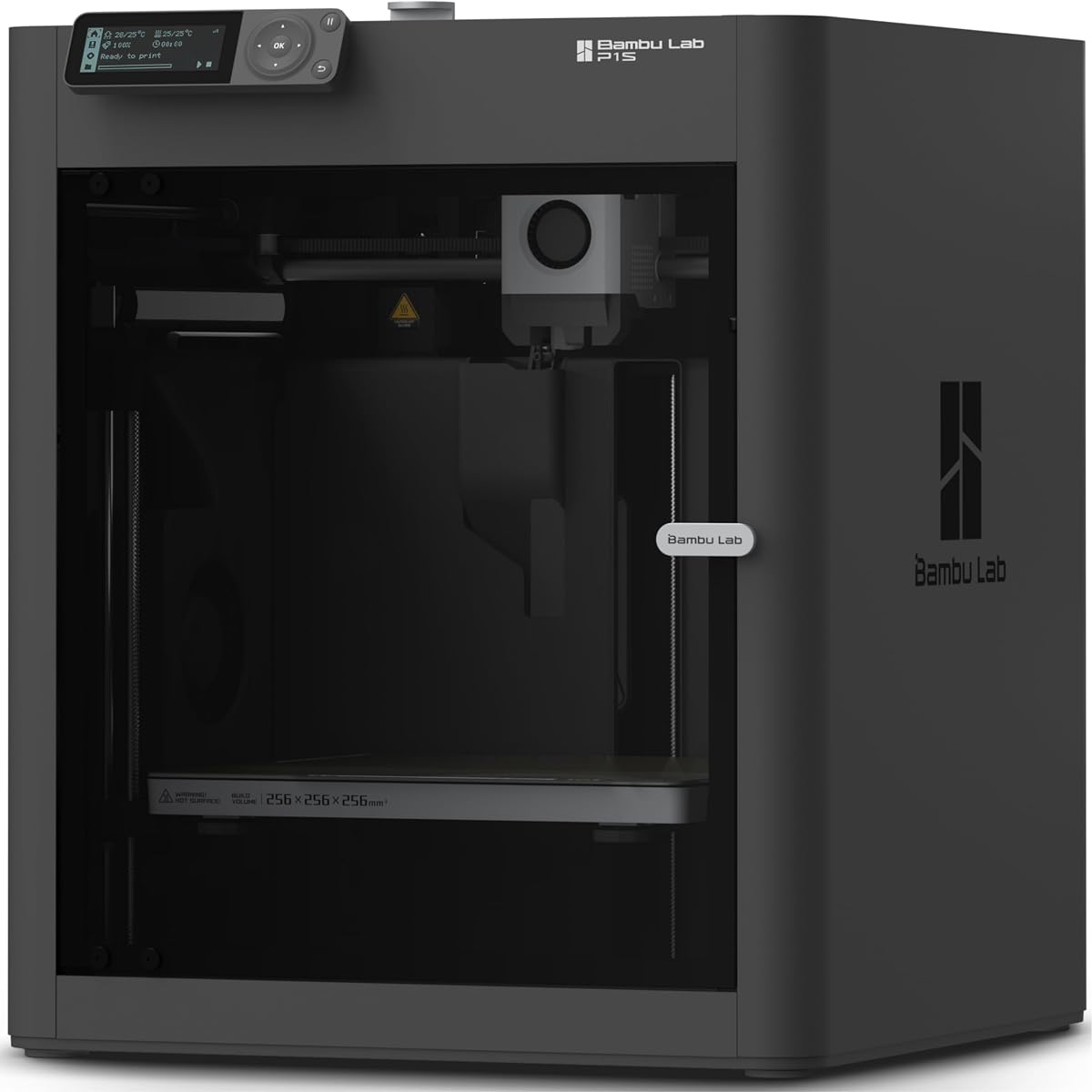
The Bambu Lab P1S offers a robust enclosed design perfect for beginners interested in engineering materials. It handles PLA and ABS alike thanks to its temperature-controlled chamber and reliable performance.
We may earn a commission when you buy through this link, at no additional cost to you.
With speeds up to 500mm/s and automatic bed leveling, this printer minimizes wait times and setup headaches. You can be ready to print in as little as 15 minutes from unboxing.
The machine supports various filaments including PETG, TPU, and ASA for functional parts. While it supports multi-color printing, you will need to connect the AMS module separately to enable that feature.
This model is ideal for students or makers who need a reliable workhorse for diverse materials. It balances high-speed performance with the stability required for professional-quality results.
The enclosed design allows you to print a wider range of materials including those that require higher temperatures and stability to prevent warping.
The user-friendly design ensures you spend less time configuring the machine and more time actually printing your creative projects.
We may earn a commission when you buy through this link, at no additional cost to you.
This Mini 3D Printer Starter Kit is designed specifically for kids and absolute beginners who want simplicity. It comes fully assembled and includes everything needed to start printing immediately.
We may earn a commission when you buy through this link, at no additional cost to you.
With a precision of 0.01mm and auto leveling, it delivers consistent results for small projects. The kit includes a roll of PLA filament and an SD card with pre-sliced files to test.
Features like automatic nozzle cleaning and one-touch filament loading make operation straightforward. You can even print a custom holder to allow using standard 1kg spools with this mini unit.
This compact option is perfect for classrooms or small spaces where full-size printers do not fit. It offers an affordable entry point into the world of additive manufacturing without complex setup.
Every essential component including filament and SD card is included so you do not need to hunt for extra parts before your first print session.
The small footprint makes it easy to place on a desk or shelf without taking up too much room in a shared workspace.
We may earn a commission when you buy through this link, at no additional cost to you.
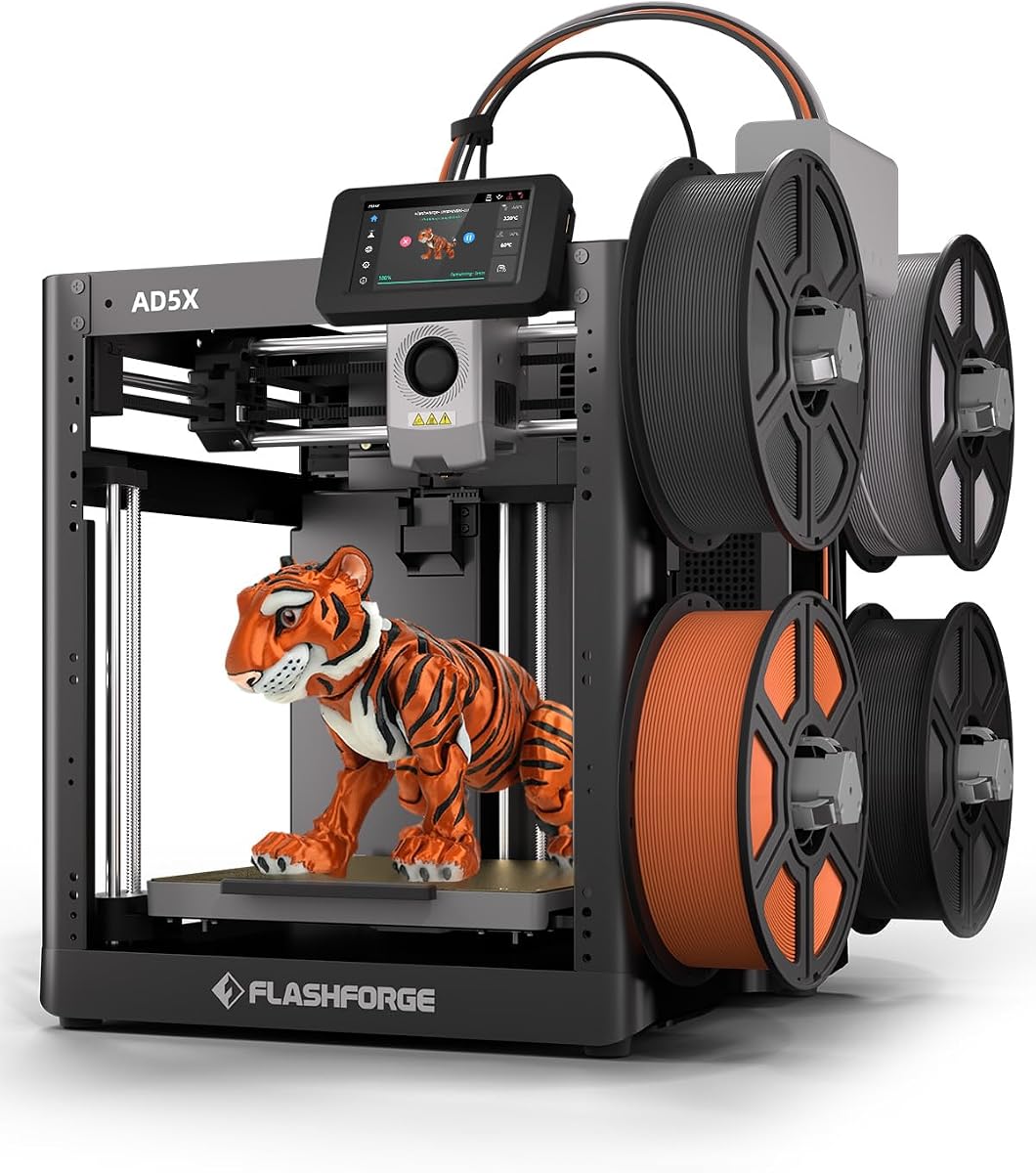
The FLASHFORGE AD5X brings multi-color printing to beginners at a competitive price point. Its CoreXY structure supports high speeds while maintaining stability for quality prints.
We may earn a commission when you buy through this link, at no additional cost to you.
This model features automatic filament feeding and 1-click auto leveling to simplify operation. The vibration compensation system helps ensure clean edges even during fast movements.
Remote monitoring via the Flash Maker app gives you control over prints from your phone. The resume printing function protects your work in case of unexpected power interruptions.
Choose this printer if you want colorful prints without investing in complex AMS systems. It is a solid option for hobbyists who value versatility and speed in a single unit.
The vibration compensation system reduces artifacts and improves surface quality especially when printing at higher speeds or with complex geometries.
Support for up to four colors simultaneously allows for creative designs without needing to pause the print to swap filament manually.
We may earn a commission when you buy through this link, at no additional cost to you.
The AOSEED AI 3D Printer introduces artificial intelligence to make design accessible for children. It features AI Doodle and AI MiniMe tools to turn ideas into models without CAD skills.
We may earn a commission when you buy through this link, at no additional cost to you.
This enclosed unit ensures safety with a pinch-resistant design and ISO-tested materials. It includes eight rolls of filament and access to thousands of reviewed models for immediate projects.
Real-time camera monitoring lets parents track progress and capture time-lapse videos of creations. The one-tap printing simplifies the workflow so kids can focus on creativity.
This printer is ideal for families wanting to engage kids in STEM through hands-on manufacturing. The educational tools and included accessories make it a comprehensive learning kit.
The integrated AI assistants allow children to generate 3D models from text or images removing the barrier of needing advanced design software.
The fully enclosed structure protects against hot parts and pinching hazards making it suitable for supervised use by younger children.
We may earn a commission when you buy through this link, at no additional cost to you.
The Bambu Lab A1 mini offers a compact solution for beginners working in limited spaces. It comes bundled with an LED lamp kit for immediate creative projects.
We may earn a commission when you buy through this link, at no additional cost to you.
Like its larger siblings it features automatic calibration for a seamless setup experience. The printer is designed to be fast quiet and reliable for everyday home use.
You can access MakerWorld for ready-to-print models and control prints via the Handy app. Its compact size makes it easy to fit on shelves desks or small workspaces.
This model is perfect for students or apartment dwellers who need a portable printer. It delivers professional quality in a smaller form factor without compromising speed or ease.
The included LED lamp kit gives you an immediate project to build lighting up your 3D prints with functional decorative light features.
Seamless integration with the Bambu ecosystem allows for easy management of your prints from anywhere using your mobile device.
We may earn a commission when you buy through this link, at no additional cost to you.
The FLASHFORGE AD5M combines brand-new technology with a durable all-metal design for reliable performance. It suits both beginners and experts looking for consistent high-speed printing.
We may earn a commission when you buy through this link, at no additional cost to you.
Its one-click leveling system precisely measures nozzle-to-plate distance to ensure flawless first layers. The CoreXY all-metal motion structure provides smooth low-noise performance even at high speeds.
Maintenance is simple with a tool-free quick-release nozzle that can be swapped in seconds. The reverse PEI plate side supports PETG printing for added versatility across different projects.
This model is a great choice for those who need a balance of speed and durability. The resume function and app monitoring provide peace of mind during long printing sessions.
The tool-free nozzle system makes maintenance routine tasks fast and easy so you spend less time repairing and more time printing.
The all-metal CoreXY structure ensures that high-speed printing does not compromise the stability or accuracy of your final parts.
We may earn a commission when you buy through this link, at no additional cost to you.
Selecting your first 3D printer involves balancing features ease of use and cost. Below are the key factors to consider.
The biggest barrier for beginners is often the calibration process. Look for printers with automatic bed leveling and Z-offset features to avoid manual adjustments that can lead to failed prints.
Prioritize machines that offer plug-and-play assembly or include clear guides to get you started quickly without frustration.
Faster printers reduce wait times for your projects. However ensure the speed does not compromise quality or require excessive troubleshooting.
Models with CoreXY structures often provide better stability at high speeds compared to traditional Cartesian systems.
Consider what you intend to print. A standard 220mm cube is suitable for most hobby projects but larger builds are needed for functional items.
Remember that larger build volumes often cost more and require more space for operation.
Enclosed printers are better for materials like ABS that require heat stability. Open frames are easier to cool and work well with PLA which is standard for beginners.
If you plan to stick to PLA and PETG an open frame is usually sufficient and cheaper.
Check which materials the extruder supports. Direct drive extruders handle flexible filaments better than bowden setups which are more common in budget models.
Ensure the machine can handle the specific materials you want to use such as TPU or PETG.
A strong user community means easier troubleshooting access to custom profiles and shared designs. Popular brands often have extensive forums and resources.
Choosing a well-known brand can save you time when you encounter issues.
For home use look for features like thermal protection and filament runout detection. These safety measures prevent fires and wasted filament.
Enclosed units often provide a safer environment for children or pets in the vicinity.
Modern printers often include cloud slicing or mobile apps. These streamline the workflow and allow remote monitoring.
Check if the printer supports popular open-source tools or requires proprietary software.
Start by leveling the bed using auto features if available then calibrate Z-offset. Always keep the build surface clean and free of dust before starting a print.
Check filament levels regularly to avoid mid-print failures. Ensure the nozzle is at the correct height to prevent collisions with the bed.
Perform routine maintenance such as cleaning the nozzle and lubricating rods periodically. Store filament in a dry place to prevent moisture absorption which causes poor print quality.
The Bambu Lab A1 and Mini Starter Kits are among the easiest to use. They come fully assembled and feature fully automatic calibration systems. These models remove the need for manual bed leveling and complex setup.
Most modern printers come with essential tools like pliers and scrapers included. However you may eventually need replacement nozzles or filament spools. The bundle options usually cover your first several prints.
PLA is the safest material as it does not require high temperatures or ventilation. It is easy to print and does not produce strong odors. PETG is also a good secondary option for durability.
Many modern units are designed with noise canceling features making them quiet enough for home use. However always check decibel ratings if you plan to place it in living areas.
Yes some printers support multi-color printing through an attached module. This allows for automatic switching between different colors. Single color printers can also achieve color changes manually.
Compact models fit on standard desks while larger units need a dedicated table. Always leave clearance around the machine for ventilation and access to the print bed.
Auto leveling helps reduce failures but check that the bed is clean and dry. Ensure there are no obstructions and the nozzle height is calibrated correctly for the first layer.
Maintenance costs are low as parts like nozzles are inexpensive. Replacing filament is the main recurring cost. Many printers allow upgrades to improve performance without buying new units.
We have reviewed ten top options ranging from budget-friendly bundles to advanced multi-color systems. Each model offers unique benefits tailored to different needs and experience levels.
Focus on auto-calibration features and community support to ensure a smooth start. Investing in a reliable machine now can save time and frustration as you explore your creative potential.
Keep in mind that product availability and deals change often so verify current details before purchasing. We hope this guide helps you find the perfect printer to bring your ideas to life.