
Thermalright TL-P9
4.7Editor score
S-FDB bearing technology
Vibration damping pads
Silent cooling performance
This guide compares the top 92mm case fans for quiet cooling and high performance, covering PWM options, slim profiles, and budget picks for any build.
Finding the right 92mm case fan can significantly impact your system’s thermal performance and noise levels. Whether you are building a compact ITX rig or upgrading an older chassis, choosing a fan that balances airflow, static pressure, and acoustic comfort is essential for long-term stability and user experience.
We evaluated ten leading models based on their bearing technology, RPM ranges, noise output, and overall build quality. Our analysis focused on real-world performance metrics such as airflow efficiency, vibration dampening, and compatibility with common CPU coolers and radiators to ensure you get the most reliable options available today.
Each pick in this list highlights specific strengths like ultra-quiet operation, high static pressure for radiators, or slim profiles for tight spaces. Keep in mind that product availability and pricing can shift frequently, so checking the latest listings before purchasing will help you secure the best deal for your specific needs.
4.7Editor score

4.8Editor score
4.8Editor score
This side-by-side comparison summarizes the key technical specifications and unique features of each model to help you quickly identify the best fit for your specific cooling requirements and budget constraints.




The Noctua NF-A9 PWM stands out as the premier choice for users seeking a perfect balance between acoustic comfort and thermal performance. Its high rating reflects widespread satisfaction with its ability to move significant air while remaining whisper-quiet even under load. This model is engineered for reliability, featuring a robust construction that promises over 150,000 hours of operational life.
We may earn a commission when you buy through this link, at no additional cost to you.
At the core of its success is the Flow Acceleration Channel technology combined with the Advanced Acoustic Optimisation frame. These design elements work together to reduce airflow turbulence and minimize noise generation. The 4-pin PWM interface allows for precise speed control directly from your motherboard, ensuring the fan runs efficiently based on real-time temperature data without unnecessary noise spikes.
While the price is higher than many competitors, the included accessories justify the cost. You receive anti-vibration mounts, a Low-Noise Adaptor for further speed reduction, and extension cables. The only minor drawbacks are the limited color choices, which focus on Noctua's signature brown, and the premium price tag that may stretch a tight budget.
This fan is ideal for enthusiasts building HTPCs, ITX systems, or any compact PC where noise is a primary concern. If you prioritize long-term reliability and silent operation over initial cost, the Noctua NF-A9 PWM is the definitive recommendation. It delivers consistent performance that justifies its reputation as an industry-leading cooling solution.
The AAO frame system reduces noise by dampening vibrations at the source, ensuring smooth and silent operation across the entire speed range.
Included anti-vibration mounts and a range of adaptors make installation easy on various chassis and coolers without compromising on silence.
We may earn a commission when you buy through this link, at no additional cost to you.
The ARCTIC P9 PWM PST delivers exceptional value for budget-conscious builders who do not want to compromise on core performance features. It offers a wide RPM range and a 0dB mode that stops the fan completely at low temperatures. This makes it a practical choice for systems that run cool most of the time but need extra cooling during demanding tasks.
We may earn a commission when you buy through this link, at no additional cost to you.
One of its standout features is the included PST (PWM Smart Technology) splitter. This cable allows you to control multiple fans through a single header, simplifying cable management and reducing clutter inside your case. The fan's design focuses on high static pressure, ensuring it performs well even when pushing air through radiators or densely packed filters.
Build quality is solid for the price, though it does not match the premium feel of more expensive brands. At maximum speed, noise levels can rise significantly compared to premium models, but this is manageable by using PWM control to keep speeds lower during normal use. The price point makes it a no-brainer for adding multiple fans to a build.
This model is perfect for mid-range builds where cost efficiency is key. If you need to cool a case without breaking the bank, the P9 PWM PST provides reliable cooling with enough flexibility to adjust noise levels as needed. It is a practical solution for those who value functionality and simplicity in their cooling setup.
The integrated PST splitter reduces the need for extra hubs, allowing you to chain multiple fans easily with minimal wiring complexity.
Thanks to the 0dB mode, the fan remains completely silent when system temperatures are low, ensuring a peaceful computing environment.
We may earn a commission when you buy through this link, at no additional cost to you.
The Noctua NF-A9x14 HS-PWM chromax.Black.swap is engineered for applications where space is extremely limited. Its 14mm thickness allows it to fit onto low-profile CPU coolers without obstructing RAM modules. Despite its thin form factor, it maintains high performance, making it ideal for Small Form Factor builds where clearance is tight.
We may earn a commission when you buy through this link, at no additional cost to you.
The HS-PWM version supports semi-passive operation, meaning the fan stops completely at low temperatures to ensure silence. The chromax.Black.swap edition adds a modern aesthetic with self-adhesive anti-vibration pads in multiple colors. This customization allows you to match your build's theme while maintaining Noctua's reputation for acoustic efficiency and reliability.
One trade-off is the cost, as slim fans often command a premium price. Additionally, the reduced depth might limit airflow potential compared to standard 25mm fans. However, for specific use cases like compact ITX cases, these limitations are acceptable trade-offs for the gain in clearance and aesthetic flexibility.
This fan is best suited for builders prioritizing minimalism and performance in tight spaces. If you are using a low-profile cooler or need to fit multiple fans in a constrained area, this model offers the best balance of slim design and cooling capability. It ensures your system stays cool without compromising on style or sound quality.
The 14mm profile ensures compatibility with most compact CPU coolers, preventing RAM clearance issues in small builds.
Color-swappable anti-vibration pads let you personalize your system while keeping the noise dampening benefits of high-quality mounts.
We may earn a commission when you buy through this link, at no additional cost to you.
The Noctua NF-A9x14 PWM shares the same slim dimensions as the HS-PWM version but comes with standard PWM control. It is a reliable choice for users who need a thin fan without the semi-passive feature. The SSO2 bearing ensures longevity and smooth operation, making it a solid choice for daily use in compact environments.
We may earn a commission when you buy through this link, at no additional cost to you.
Its A-Series blade geometry optimizes airflow and minimizes noise. The fan works well with a low-profile coolers, ensuring your CPU stays cool without blocking other components. While it lacks the color customization of the chromax edition, it retains the high build quality that Noctua is known for, offering peace of mind for long-term usage.
The lack of additional accessories like colored pads or advanced adaptors keeps it simple and focused on core performance. It is slightly less feature-rich than the HS-PWM variant but still delivers excellent cooling results. The price point is competitive for a premium slim fan, providing good value for those who need specific dimensions.
Buy this if you require a standard slim fan for a compact build and do not need color customization. It fits seamlessly into ITX cases and low-profile setups, delivering consistent airflow where space is at a premium. It is a dependable choice for users who prefer simplicity and proven performance over aesthetic flair.
The SSO2 bearing reduces friction and noise, ensuring the fan operates smoothly over years of continuous use.
Optimized blade geometry moves air efficiently even through restricted spaces, maintaining thermal performance in tight chassis.
We may earn a commission when you buy through this link, at no additional cost to you.
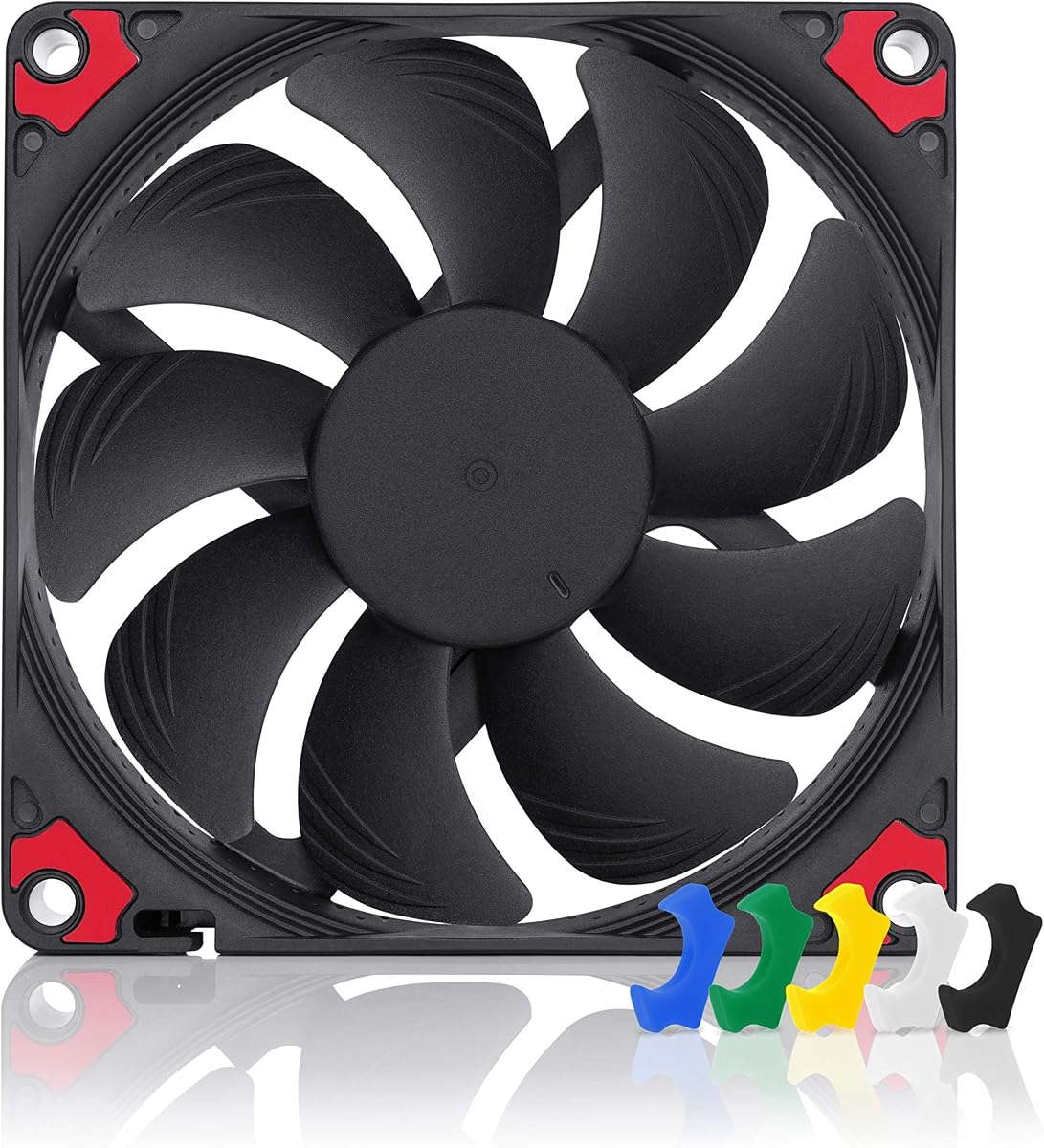
The Thermalright TL-P9 is a powerful contender for users seeking high performance at an accessible price point. It utilizes S-FDB bearings that provide durability and low noise, rivaling more expensive options. The 7-blade design is optimized to push air efficiently, ensuring your components stay cool even under heavy loads.
We may earn a commission when you buy through this link, at no additional cost to you.
Vibration damping pads and soft silicone feet help reduce noise transmission to the chassis. This thoughtful design minimizes resonant frequencies that can turn fan noise into annoying hums. The fan's maximum speed of 2200 RPM provides ample airflow for most case cooling needs without being excessively loud.
While Thermalright may not have the brand recognition of other manufacturers, the TL-P9 offers comparable specs at a lower price. Packaging is basic, but the product inside is robust and reliable. It is an excellent choice for builders who want premium features without paying for brand premiums or excessive marketing costs.
This fan is ideal for mid-to-high-end builds where budget constraints exist. If you value cooling performance and silence but want to save on other components, the TL-P9 delivers. It is a practical solution that proves you do not need to spend a fortune to get quiet and efficient cooling.
S-FDB bearings ensure long-term durability while keeping friction low for silent and smooth operation over time.
The seven-blade structure balances airflow and noise, providing effective cooling without creating excessive wind noise.
We may earn a commission when you buy through this link, at no additional cost to you.
The ARCTIC P9 Silent is designed for users who prioritize silence above all else. Running at a fixed 1900 RPM, it offers consistent and predictable performance without the complexity of PWM headers. This makes it easy to set up and guarantees a specific noise level that remains constant regardless of system temperature fluctuations.
We may earn a commission when you buy through this link, at no additional cost to you.
Its design is optimized for static pressure, making it suitable for use on heat sinks and radiators where airflow resistance is high. The bearing technology developed in Germany ensures long service life and reduces friction. This attention to detail results in a fan that remains whisper-quiet even under continuous operation.
The lack of PWM control means you cannot adjust speed dynamically via software. However, the fixed speed is tuned to balance noise and cooling effectively. For systems with lower thermal demands, this fixed speed is often sufficient, keeping noise levels manageable while still providing adequate cooling for standard components.
This model is best for simple builds where noise control is critical and complexity is unwanted. If you do not need variable speeds and just want a reliable fan that stays quiet, the P9 Silent is a great choice. It is an excellent fit for home theater PCs or office workstations.
Fixed speed operation ensures the fan never spikes in noise, providing a predictable acoustic experience for sensitive environments.
Optimized for static pressure allows the fan to push air through restricted spaces effectively without losing efficiency.
We may earn a commission when you buy through this link, at no additional cost to you.
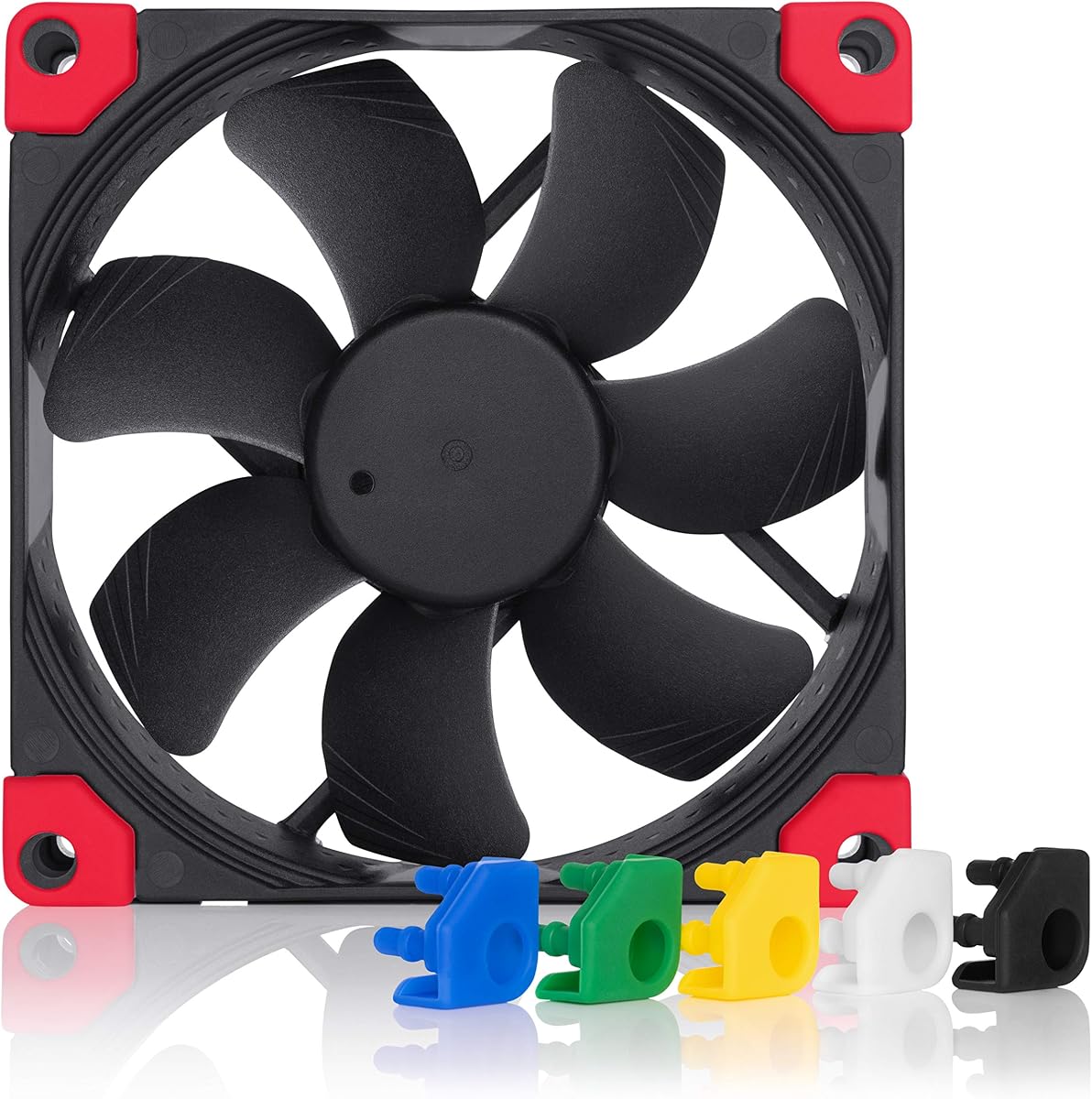
The Noctua NF-A9 chromax.Black.swap offers the same high performance as the standard model but with a sleek all-black design. This makes it an ideal match for black-themed builds where the traditional brown frame might stand out. It retains the advanced acoustic features and airflow capabilities that make Noctua fans industry-leading choices.
We may earn a commission when you buy through this link, at no additional cost to you.
The swappable anti-vibration pads come in multiple colors, allowing for further customization of your build. You can choose pads that match your case, cables, or other components to create a cohesive look. This feature adds a unique touch that standard models lack, giving you creative control over your system's appearance.
While the price is higher, it is justified by the premium finish and customization options. The trade-off is that you may need to check stock to find specific pad colors. However, for enthusiasts who care about aesthetics as much as performance, this model delivers both without compromising on cooling efficiency.
This fan is perfect for users building a high-end black-themed PC. If you want top-tier cooling and silence but demand a modern look, the chromax.Black.swap is the best choice. It ensures your build looks professional while keeping temperatures low and noise levels minimal.
The black frame and color-swappable pads let you tailor the fan to match your specific system color scheme.
Beneath the stylish exterior lies the same award-winning A-series technology that delivers exceptional airflow and silence.
We may earn a commission when you buy through this link, at no additional cost to you.
The TL-9015B is a 15mm slim fan capable of reaching high speeds up to 2700 RPM. This makes it suitable for applications where airflow needs to be maximized without increasing the fan's physical depth. It is a practical option for builders who need to fit a fan in tight vertical or horizontal spaces.
We may earn a commission when you buy through this link, at no additional cost to you.
Vibration damping pads help reduce noise at lower speeds, making it usable in quiet environments. The design focuses on high performance, ensuring that even with thin dimensions, it can move significant air. This is particularly useful for cooling CPUs in cases with limited clearance for traditional deep fans.
At maximum RPM, noise can be noticeable, but PWM control allows you to adjust speeds to find a quiet spot. The price is very competitive for a slim fan, making it accessible for many budgets. While aesthetics are simple, the performance specs make it a strong contender for functional builds.
Buy this fan if you need high airflow in a slim form factor. It is a great choice for cases with strict size limits where performance cannot be sacrificed for thinness. It delivers reliable cooling and fits where other fans cannot, solving spatial constraints effectively.
The 15mm thickness allows installation in compact cases where 25mm fans would not fit, maximizing airflow in tight spaces.
Reaching 2700 RPM provides strong airflow potential, ensuring effective cooling for demanding components in constrained areas.
We may earn a commission when you buy through this link, at no additional cost to you.
The Noctua NF-A9 FLX is designed for users who prefer simple 3-pin connections over modern PWM headers. It comes with Low-Noise Adaptors that allow you to select from three specific speed settings. This provides a hands-on way to adjust fan performance based on your noise tolerance and cooling requirements.
We may earn a commission when you buy through this link, at no additional cost to you.
Its acoustic optimization ensures that even at its highest speed, it remains remarkably quiet. The FLX version is ideal for older motherboards that lack 4-pin headers but still benefit from Noctua's quality. The included Ultra-Low-Noise Adaptor ensures that you can achieve near-silent operation when absolute quiet is your goal.
The lack of automatic speed control via PWM means you must manually adjust speeds if your needs change. However, the adaptors make this easy to do. The build quality and longevity match other Noctua models, making it a reliable choice for long-term use in various chassis configurations.
This fan is perfect for legacy systems or simple builds that do not support PWM. If you want a fan that is easy to install and configure manually, the FLX is a great choice. It offers the quiet performance Noctua is known for with a straightforward, hardware-based speed control approach.
Adaptors allow you to fine-tune the fan's speed manually, giving you direct control over noise and airflow levels.
The 3-pin design ensures compatibility with older motherboards while maintaining high performance and quiet operation.
We may earn a commission when you buy through this link, at no additional cost to you.
The ARCTIC P9 Max is built for users who need maximum cooling potential from a 92mm form factor. With a massive speed range up to 4300 RPM, it delivers exceptional airflow and static pressure. This makes it a strong option for high-performance systems where cooling priority outweighs noise concerns.
We may earn a commission when you buy through this link, at no additional cost to you.
Its Fluid Dynamic Bearing ensures long service life and smooth operation. The 0dB mode allows the fan to stop at low temperatures, ensuring silence when cooling is not needed. This balance of extreme performance and silence capability makes it a versatile choice for demanding builds.
At maximum speed, noise levels are high, but this is expected for such powerful airflow. For budget builds that need serious cooling without spending on premium brands, the P9 Max is an outstanding value. It provides raw power that rivals expensive fans at a fraction of the cost.
Buy this fan if you need maximum cooling and do not mind high speeds. It is ideal for overclocked systems or cases with restricted airflow. The P9 Max proves that you can get high-end cooling performance without a high price tag if you prioritize raw airflow.
The high RPM range and optimized blade design allow this fan to push air through even the most restricted systems.
The 0dB mode ensures silence when cooling is unnecessary, offering a versatile range of performance levels.
We may earn a commission when you buy through this link, at no additional cost to you.
Selecting the right 92mm case fan involves balancing airflow, noise, and physical constraints to suit your specific build needs.
92mm fans come in standard 25mm thickness and slim variants like 14mm or 15mm. Check your case clearance and CPU cooler compatibility before choosing to avoid fitting issues.
Slim profiles are essential for tight spaces but may offer slightly less airflow than standard thickness models.
PWM (4-pin) fans allow automatic speed adjustment based on temperature, offering better efficiency and noise control. Non-PWM (3-pin) fans rely on voltage or manual adaptors for speed control.
Always choose PWM if your motherboard supports it for easier management and quieter operation.
High static pressure fans are better for radiators and heat sinks with resistance, while high airflow fans suit open case vents. Match the fan type to its intended location.
Use high-pressure fans for radiators to ensure air passes through fins effectively.
Noise is measured in decibels (dB). Lower numbers indicate quieter operation. Consider the max dB and typical operating dB when comparing models.
Prioritize lower dB ratings for builds in living spaces or offices to maintain comfort.
Fluid Dynamic Bearings and FDB bearings offer longer life and less noise than sleeve bearings. Check the MTTF rating for estimated longevity.
Invest in fans with high-quality bearings for long-term reliability and consistent performance.
Fans come in various colors and designs. Some premium models offer swappable pads to match your system theme.
Choose a design that fits your build's visual style if aesthetics are important to you.
Premium brands often cost more but deliver better build quality and acoustic performance. Budget fans may sacrifice noise reduction for raw cooling power.
Weigh your budget against your noise tolerance to find the best value for your specific needs.
Some fans come with vibration mounts, adaptors, or extension cables. These can save money and improve installation ease.
Check the box contents to ensure you have everything needed for a proper setup.
Install the fan with proper orientation to ensure air flows in the intended direction. Most fans have arrows on the frame indicating the correct airflow path.
Connect the fan to the correct motherboard header. Use a 4-pin PWM header if possible for automatic speed control, or use a 3-pin header for voltage control.
Regularly clean dust from the fan blades and frame to prevent imbalance and noise buildup. Use compressed air to keep the bearings free of debris.
Yes, many 92mm fans are designed with acoustic optimization to operate quietly even at high speeds. Models with advanced bearings and PWM control can remain virtually silent under normal load.
No, a 92mm fan will not physically fit a 120mm mounting hole without modification. Ensure your case mounting points match the fan dimensions exactly to avoid installation issues.
PWM fans have automatic speed control via motherboard signals, while FLX fans rely on manual voltage control or physical adaptors to adjust speed settings.
Slim fans are essential for compact cases and low-profile CPU coolers where clearance is tight. They provide cooling in restricted spaces without sacrificing too much performance.
Reduce fan noise by using PWM control to limit speeds, adding anti-vibration mounts, or cleaning dust from the fan to ensure smooth operation.
Static pressure measures the fan's ability to push air through resistance like filters or radiator fins. High static pressure is necessary for radiators and dense components.
Premium fans often boast lifespans over 150,000 hours due to durable bearings. Regular cleaning and proper installation extend the service life further.
Fan splitters are useful if you have multiple fans but limited motherboard headers. They allow you to control several fans from a single PWM header efficiently.
We have explored ten top-rated 92mm case fans that cover a wide range of needs from ultra-quiet operation to high-performance cooling. Each model offers unique strengths whether you need slim dimensions or maximum airflow.
Prioritize the features that matter most to your specific build such as noise level, size constraints, or control type. A well-chosen fan ensures your system stays cool and quiet for years to come.
Remember to check current pricing and availability before purchasing as these values can fluctuate frequently. Selecting the right fan now will keep your system performing optimally for the long haul.