
Liene M100 4×6 Photo Printer
4.4Editor score
Wi-Fi hotspot
100 sheets bundle
Customizable app
This guide compares the top Android photo collage makers and related printing tools to help you choose the perfect device for creating and sharing memories.
Creating stunning photo collages on your Android device has never been easier with the right tools and printers. This guide explores the best options available today for turning your digital memories into tangible keepsakes.
We evaluated each product based on print quality, ease of use, connectivity options, and overall value. Our comparison covers a range of devices designed to work seamlessly with Android smartphones and tablets.
Each pick highlights key features, pros, and cons to help you decide. Note that prices and availability can change quickly, so verify details before making your final purchase decision.
4.4Editor score

4.2Editor score
4.2Editor score
Here is a side-by-side look at all ten products to help you compare specifications and features quickly.


The KODAK Dock Plus is a reliable choice for Android users wanting high quality prints. It features 4PASS dye sublimation technology for vibrant and durable results.
We may earn a commission when you buy through this link, at no additional cost to you.
Its integrated docking station makes it easy to connect your phone while charging. The app allows for cropping and editing before you print your memories.
While it is designed for home use and needs a power outlet, the print quality is consistently good. Users appreciate the straightforward operation without complex steps.
This printer is ideal for families who want to turn digital photos into physical keepsakes quickly. It balances ease of use with professional quality output for everyday needs.
The 4PASS process ensures each photo has a protective lamination layer that resists water and fingerprints.
Docking your phone directly on the printer simplifies the connection process and keeps your device powered.
We may earn a commission when you buy through this link, at no additional cost to you.
The Liene M100 offers an excellent value with a large supply of paper and cartridges included. It uses thermal dye sublimation for vibrant and scratch resistant prints.
We may earn a commission when you buy through this link, at no additional cost to you.
Its built-in Wi-Fi hotspot allows up to five devices to connect simultaneously without needing a home network. The app supports adding filters and borders easily.
Users note that the ink cartridge must click into place properly to avoid issues. Despite this minor step, the process is straightforward for most people.
This printer is great for households with multiple devices. It provides a cost-effective way to print memories without needing expensive subscriptions or ink.
The package includes 100 sheets and three cartridges so you can start printing immediately.
Connecting via a dedicated hotspot avoids interference from congested home Wi-Fi networks.
We may earn a commission when you buy through this link, at no additional cost to you.
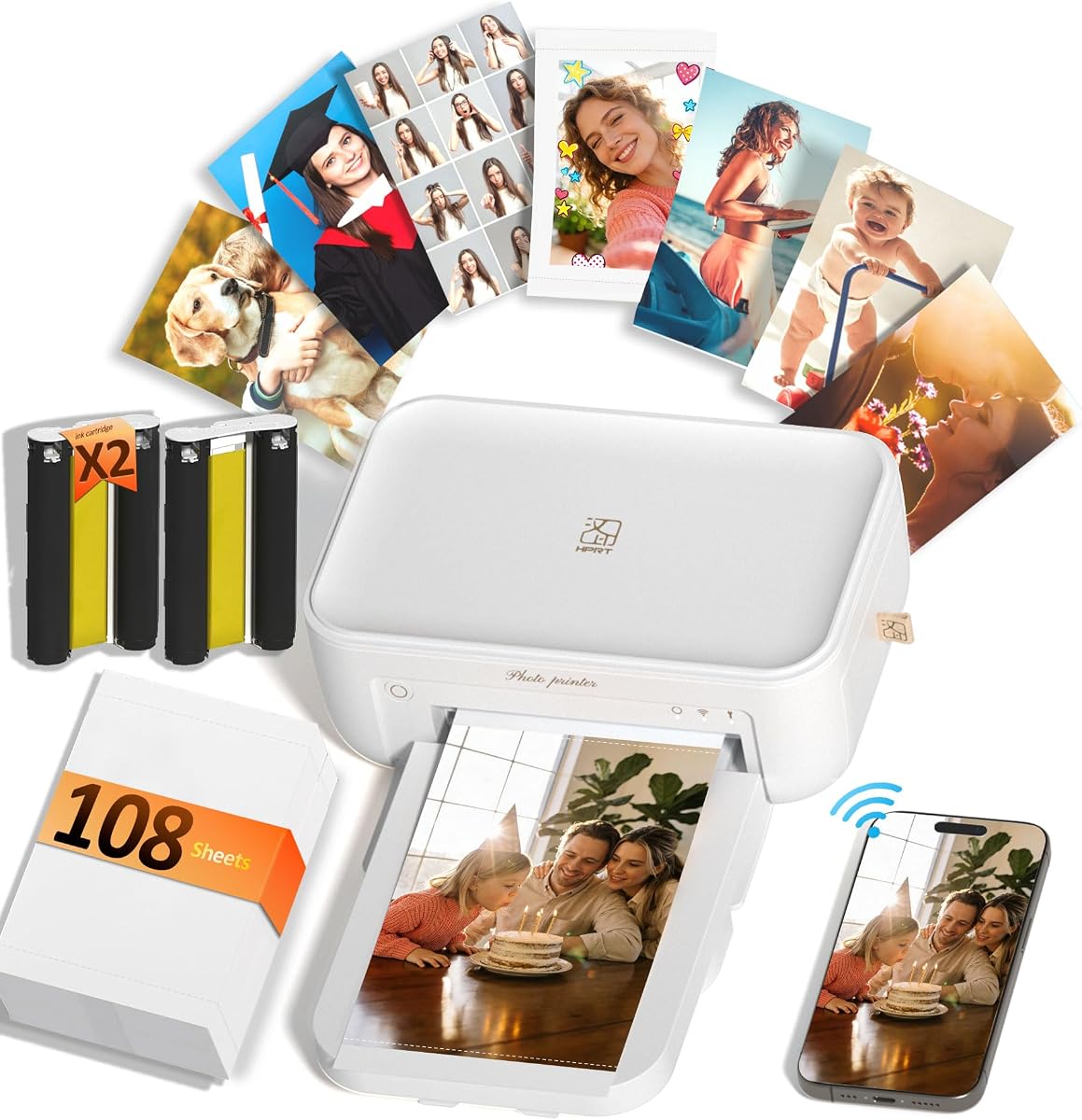
The HPRT CP4100 stands out with its unique AR video printing feature that brings static photos to life. It offers 300dpi resolution for sharp and detailed images.
We may earn a commission when you buy through this link, at no additional cost to you.
It comes with a generous supply of 108 sheets and two ribbons to get you started. The HeyPhoto app provides templates for various photo types including collages.
While the AR feature adds a fun layer of interaction it requires using the specific app. The print quality is consistently high and waterproof.
This device is perfect for tech enthusiasts who want more than just standard prints. It makes a memorable gift for families and couples who love sharing stories.
Scan a printed photo with the app to watch the original video replay on your screen.
The dye sublimation technology reproduces up to 1.7 million colors for vivid lifelike detail.
We may earn a commission when you buy through this link, at no additional cost to you.
This bundle version of the KODAK Dock Plus offers a larger supply of paper to last longer. It shares the same high quality 4PASS printing technology as the standard model.
We may earn a commission when you buy through this link, at no additional cost to you.
Users have given it a perfect rating likely due to the convenience of having extra supplies upfront. The docking station allows for easy connection and charging.
While the upfront price is higher you save time and hassle on refills. It is ideal for those who print frequently and want to stock up.
This option ensures you are ready for any photo printing need without interruption. It is a solid choice for serious home photographers.
The 130 sheets bundle reduces the need for frequent paper purchases and refills.
High ratings indicate strong user confidence in the reliability and performance of this printer.
We may earn a commission when you buy through this link, at no additional cost to you.
The Liene M100 with 20 sheets is a great entry point for those testing instant printing. It offers the same thermal dye sublimation quality in a compact package.
We may earn a commission when you buy through this link, at no additional cost to you.
The app guides you through any printing errors step by step. The built-in hotspot ensures a stable connection without needing a complex network setup.
While the paper supply is smaller it is perfect for occasional use or travel. The prints are vibrant and protected from water and scratches.
This kit is ideal for beginners who want to try out the technology without a large investment. It provides a reliable way to print key moments.
The Liene app provides step-by-step navigation to solve printing problems quickly and easily.
The compact design makes it easy to store away when not in use at home.
We may earn a commission when you buy through this link, at no additional cost to you.
The HPRT CP4100 offers a unique interactive printing experience with AR video capabilities. It prints vibrant full-color photos that are waterproof and long-lasting.
We may earn a commission when you buy through this link, at no additional cost to you.
With 108 sheets included you have plenty of room to experiment with different designs. The HeyPhoto app simplifies the process with step-by-step templates.
The AR feature requires the app to function but adds a fun element to sharing. It is a great way to bring digital memories to life.
This printer is recommended for those looking for a fun and creative way to share photos. It stands out from standard photo printers with its unique features.
The HeyPhoto app offers a wide variety of templates for simple and creative printing.
The built-in protective layer ensures prints remain waterproof and fade-proof over time.
We may earn a commission when you buy through this link, at no additional cost to you.
The KODAK Dock Plus is designed for stable desktop use in a home environment. It provides a consistent performance for larger 4×6 prints.
We may earn a commission when you buy through this link, at no additional cost to you.
Its simple setup makes it ideal for first-time users who want quick results. The app allows you to edit and crop photos before printing.
The prints are resistant to water and fading which makes them great for framing. The docking station keeps the connection secure while you work.
This is a reliable home printing station for everyday needs. It is perfect for framing family events and creating albums.
Designed for stable desktop use this printer connects to a power outlet for consistent performance.
The KODAK Photo Printer app lets you edit crop and customize your photos before printing.
We may earn a commission when you buy through this link, at no additional cost to you.
The Liene M100 supports up to five simultaneous connections making it great for families. It includes 100 sheets and three cartridges for extended use.
We may earn a commission when you buy through this link, at no additional cost to you.
The specialized app allows you to add borders and enhance brightness before printing. This customization helps create professional looking photos.
Users find the prints resistant to fingerprints and fading. The thermal dye technology ensures vibrant colors that last.
This printer is ideal for households with multiple Android devices. It offers a seamless way to print memories for everyone.
Up to five devices can connect simultaneously allowing family and friends to share printing.
The laminated surface is resistant to water, scratches, fingerprints, and fading for long lasting quality.
We may earn a commission when you buy through this link, at no additional cost to you.
This bundle offers the same KODAK Dock Plus quality with an expanded paper supply. It includes 130 sheets to reduce the need for frequent refills.
We may earn a commission when you buy through this link, at no additional cost to you.
The integrated docking station allows you to connect your phone for charging while printing. This feature adds convenience for home use.
The 4PASS printing ensures smooth and detailed prints that resist water. The app supports simple editing before you start.
This is an excellent choice for those who want a reliable home station. It balances performance with a generous supply of materials.
The bundle includes 130 sheets of photo paper and power adaptors for immediate use.
Place your phone on the printer for better connection and simultaneous charging.
We may earn a commission when you buy through this link, at no additional cost to you.
The Liene M100 with 20 sheets is a portable option for printing on the go. It offers the same thermal dye sublimation quality in a compact size.
We may earn a commission when you buy through this link, at no additional cost to you.
The built-in hotspot ensures you can connect directly without worrying about home networks. The app helps you navigate any printing errors smoothly.
While the supply is small it is perfect for travel and quick needs. The prints are vibrant and protected from water and scratches.
This printer is ideal for those who need a portable solution. It provides a reliable way to keep memories close.
Avoid being affected by complicated home networks with a built-in Wi-Fi hotspot on the printer.
The Liene App navigates you to solve problems step by step to keep using the printer on track.
We may earn a commission when you buy through this link, at no additional cost to you.
Choosing the right device for your printing needs requires looking at several key factors.
Look for devices that use dye sublimation or thermal technology for vibrant and long-lasting prints. Higher DPI ratings generally mean more detailed images.
Prioritize printers that offer protective layers to keep your photos from water and scratches.
Ensure the device supports Bluetooth or Wi-Fi to connect easily with your Android phone. Some models offer hotspots to avoid network interference.
Choose a model that allows multiple device connections if you plan to share printing with family.
Check how many sheets and cartridges come included in the package. A larger bundle can save you money over time.
Consider the cost of refills when budgeting for your purchase to ensure long-term affordability.
A good companion app should allow for editing, filtering, and customizing your photos before printing. Look for templates that support collages or ID photos.
Apps that guide you through errors can save time and reduce frustration during the printing process.
If you need to print outside the home, choose a lightweight and compact model. Devices that require power outlets are better suited for desktop use.
Consider whether you need a travel case or if the device fits in your bag easily.
Look for features like waterproofing and fade resistance to ensure your prints last. Dye sublimation often provides better durability than standard inkjet.
Water-resistant prints are essential if you plan to display photos in humid environments.
Compare the initial price with the included supply to find the best value. Sometimes a higher upfront cost saves money on refills later.
Set a budget that includes the device and the cost of future printing supplies.
Some printers offer AR capabilities or other unique functions to bring photos to life. Consider if these features match your interests and needs.
Extra features can enhance the experience but may require specific apps to function correctly.
Start by downloading the official app for your printer and connecting it to your device via Wi-Fi or Bluetooth. Ensure your phone has enough battery or is connected to power.
Load the photo paper and ink cartridge carefully following the instructions in the manual. Make sure the ink clicks into place to avoid errors.
Keep the printer in a clean and dry place when not in use to maintain performance. Clean the print head promptly if you notice smudges on your prints.
Yes, all the printers listed are compatible with Android devices. They connect via Bluetooth or Wi-Fi to allow easy printing from your smartphone.
Choose printers with dye sublimation technology which includes a protective lamination layer. This makes prints resistant to water and fading.
Most of these printers can produce a single 4×6 print in under a minute. Some models take about 55 seconds to complete a high-quality print.
No, these printers do not require a subscription. You only need to purchase the paper and ink cartridges as needed.
Yes, most printers come with an app that allows you to crop, filter, and customize your photos before you print them.
Some models are compact and portable but many require a power outlet. Check the specific features to see if it is suitable for travel.
Ensure you align the cartridge correctly and press firmly until it clicks. If issues persist check the app for troubleshooting guides.
Check the app or manual for a cleaning option to run. Do this if you see smudges or gaps on your printed photos.
We reviewed ten top options that offer quality prints and easy Android connectivity. The KODAK Dock Plus and Liene M100 stand out for their value and performance.
Prioritize the factors that matter most to you whether it is portability or print durability. Choosing the right device ensures you can keep your memories safe and tangible.
Remember to check current prices and supplies before purchasing as these details can change frequently. We hope this guide helps you find the perfect photo printer.