
ChaoQ Stylus Pen for Touchscreen
4.6Editor score
Lightweight aluminum body
Dual rubber tip options
Vibrant color selection
This guide compares the best fine tip stylus options for precision writing and drawing on capacitive touchscreens across devices like iPad and Android.
Finding the right fine tip stylus can transform how you interact with your touchscreen devices. Whether you are a student taking notes or an artist sketching ideas, having a tool that offers precision without scratching your screen is essential for productivity.
We evaluated ten top-rated stylus pens based on their tip design, compatibility, and user feedback. Our analysis focuses on models that deliver accurate input, comfortable grip, and reliable performance across various tablets and smartphones available in the current market.
Each pick in this list highlights specific strengths such as disc tips for visibility or rubber nibs for general navigation. Prices and availability may fluctuate over time, so check the current listings before making your final purchase decision.
4.6Editor score

4.6Editor score
4.0Editor score
The following table provides a side-by-side overview of key specifications for each stylus pen to help you quickly identify the best match for your specific device and usage needs.



The MEKO stylus pen stands out as a top choice for users seeking versatility without breaking the bank. With a rating of 4.6 stars, it delivers a 3-in-1 solution that includes a transparent disc tip and two sizes of rubber tips. This design allows you to switch between precise drawing and general navigation effortlessly.
We may earn a commission when you buy through this link, at no additional cost to you.
Its transparent disc tip is a standout feature because it lets you see exactly where your stylus touches the screen. This visibility enhances accuracy significantly compared to standard rubber tips. The flexible writing angle ensures comfort during long sessions, making it ideal for students and professionals alike.
While it lacks active features like pressure sensitivity, the high sensitivity of the tips compensates for most daily tasks. Users may find that switching tips requires a quick unscrew action which is simple but slightly manual. However, this trade-off ensures you get multiple tools in one compact package.
Anyone looking for a reliable, universal stylus for iPad or Android should consider this model. Its replaceable tips extend the product life significantly. We recommend it for those who want precision and durability without needing complex connectivity or charging.
The transparent disc tip allows you to see the exact contact point on the screen, ensuring higher accuracy for detailed tasks.
With two rubber tip sizes and a disc tip, this stylus adapts to various needs from browsing to precise writing.
We may earn a commission when you buy through this link, at no additional cost to you.
The Bopomofo stylus set offers an impressive value by providing five distinct pens in a single package. Each pen features a 2-in-1 design with a flexible transparent disc tip and a rubber tip. This makes it perfect for households or classrooms where multiple users need their own stylus.
We may earn a commission when you buy through this link, at no additional cost to you.
The design patent adds a unique aesthetic appeal that sets it apart from generic options. The tips glide smoothly over screen protectors without scratching, which is crucial for device longevity. Users appreciate the color variety which helps in identifying personal pens easily.
One limitation is that the plastic piece on the disc tip cannot be removed, which limits customization. Additionally, like other passive styluses, it does not support pressure sensitivity for professional art. However, for everyday use, the performance remains solid and reliable.
This set is an excellent choice for gift-giving or equipping a team. The combination of functionality and style makes it a thoughtful present. We suggest it for users who prioritize quantity and variety without sacrificing basic performance quality.
The patented design offers unique aesthetics while maintaining high functionality for touchscreens across various devices.
Five pens ensure everyone has a personal stylus, reducing conflicts and keeping the workspace organized.
We may earn a commission when you buy through this link, at no additional cost to you.
This upgraded stylus pen is specifically noted for its ability to assist users with limited hand movement or arthritis. The 3-in-1 design offers a transparent disc tip and rubber tips that are easy to switch without tools. This accessibility feature makes it highly recommended for seniors.
We may earn a commission when you buy through this link, at no additional cost to you.
The precision of the disc tip allows for accurate navigation which reduces the frustration often caused by thick fingers or nails. It works seamlessly across iPad and Android devices ensuring you can use it on multiple platforms. The replaceable tips extend the usability life significantly.
While it does not offer advanced drawing features like pressure sensitivity, it excels at basic interaction tasks. Some users may find the screw mechanism slightly tricky at first but it becomes intuitive with use. The trade-off is worth the precision it provides for writing.
We recommend this stylus for anyone needing a reliable tool for notes or gaming. Its focus on accessibility sets it apart from standard options. It is a practical investment for those who value ease of use and long-term durability.
Designed to help users with restricted hand movement, this stylus ensures easy writing and navigation.
The disc tip provides accurate contact points making navigation smooth and efficient.
We may earn a commission when you buy through this link, at no additional cost to you.
This stylus offers a unique dual-tip design that works on both modern capacitive and older resistive screens. The silicone round head is perfect for smartphones while the plastic tip is intended for GPS or older devices. This versatility is rare in modern stylus pens.
We may earn a commission when you buy through this link, at no additional cost to you.
Users looking for a solution for legacy devices will find this pen particularly useful. The silicone tip ensures no scratching on modern screens which is a critical feature for protection. It is a simple tool that requires no batteries or setup.
However, the plastic tip is only for resistive screens which are less common today. Users must be careful not to use the wrong tip on modern touchscreens. The lower rating suggests some confusion regarding this dual functionality among buyers.
We suggest this stylus for niche users needing compatibility with older tech. For standard smartphones it functions well but is over-engineered for modern needs. It remains a solid budget option for those with mixed device fleets.
The plastic tip allows compatibility with older resistive screens found on GPS devices and legacy hardware.
The silicone head ensures safe interaction with capacitive screens on phones and tablets.
We may earn a commission when you buy through this link, at no additional cost to you.
This bundle offers seven pens in a single package making it the largest set available. Each pen features a lightweight alloy body with a 2-in-1 tip design for both precision and general use. It is an excellent solution for offices or classrooms with multiple users.
We may earn a commission when you buy through this link, at no additional cost to you.
The build quality is described as sturdy and durable ensuring that the pens withstand regular handling. The high sensitivity ensures smooth writing or drawing experiences on capacitive screens. Customers appreciate the variety of colors which aids in easy identification.
While the alloy body is durable it might feel slightly lightweight for some users who prefer heavier pens. The tips are standard which means they do not offer the visibility of disc tips. However, the sheer number of pens makes it a high value purchase.
We recommend this set for anyone needing multiple styluses for a group. It provides versatility and durability in a budget-friendly package. It is a practical choice for schools or businesses equipping multiple devices.
Seven pens in one pack ensure you are prepared for multiple users or backups without extra cost.
The lightweight alloy body offers a sturdy feel that resists aging and wear over time.
We may earn a commission when you buy through this link, at no additional cost to you.
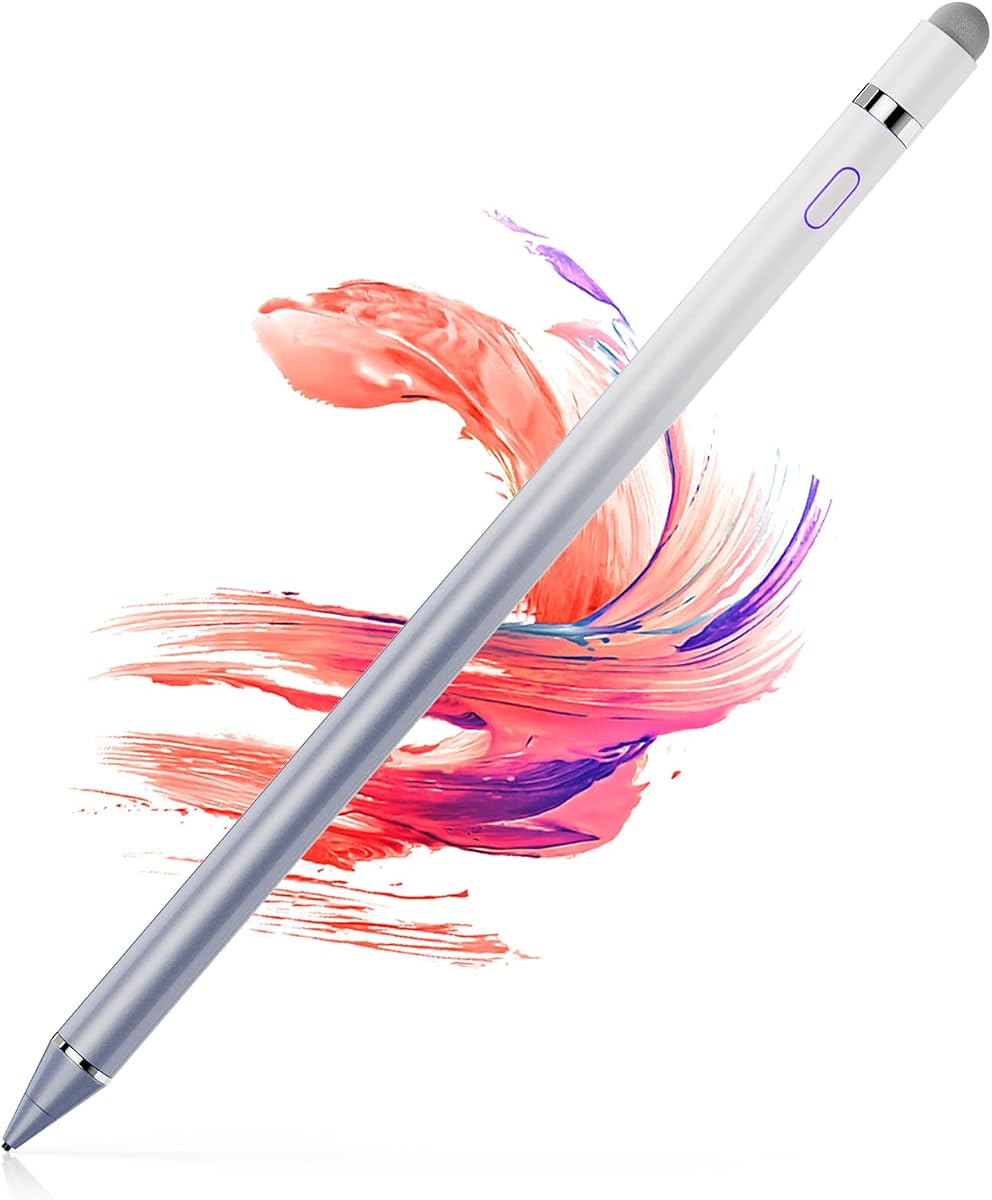
The ChaoQ stylus set is a fantastic budget option offering three pens in vibrant colors. Each pen features a lightweight aluminum body that reduces wrist strain during extended use. The dual rubber tips provide enough precision for writing and gaming without being bulky.
We may earn a commission when you buy through this link, at no additional cost to you.
Customers love the ergonomic design that fits comfortably in the hand. The tips are anti-scratch and fingerprint resistant keeping your device clean. This makes it a great daily driver for students and casual users who want a premium feel without a high price.
While it lacks the precision of a disc tip it delivers consistent performance for general tasks. The aluminum body is durable but can show scratches over time with heavy use. The included replacement tips ensure you can keep using the pens without buying new ones.
We suggest this set for anyone wanting a stylish and functional stylus trio. It balances cost and quality effectively. It is perfect for sharing among family members or keeping backups for different devices.
The lightweight aluminum body and natural grip reduce wrist strain during long writing sessions.
Bright metal colors inspire creativity and make it easy to identify your own pen.
We may earn a commission when you buy through this link, at no additional cost to you.
This stylus stands out for its magnetic adsorption design which allows it to attach securely to the side of compatible iPads. It offers an active experience with a quick charge and long battery life that supports continuous creativity without interruption. The universal compatibility makes it versatile.
We may earn a commission when you buy through this link, at no additional cost to you.
The magnetic design ensures the stylus is always within reach and prevents loss. The one-touch switch is convenient for quick use though it may require care to avoid accidental toggles. It includes extra nibs which adds to its value proposition significantly.
Users need to ensure their device supports magnetic attachment for the full experience. The charging requirement is a minor trade-off for the convenience it provides. It bridges the gap between active and passive styluses effectively for many users.
We recommend this for iPad users who want convenience without the Apple Pencil price tag. The magnetic feature is a standout benefit for productivity. It is a reliable option for note-taking and digital art.
The magnetic adsorption ensures the stylus stays attached to the iPad preventing loss during transport.
With up to ten hours of use, this pen supports long sessions without frequent recharging.
We may earn a commission when you buy through this link, at no additional cost to you.
The OASO stylus features a disc tip that simulates human finger contact for natural navigation on touchscreens. A unique magnetic cap protects the tip when not in use ensuring it remains in good condition. It also comes with a leather case for added portability.
We may earn a commission when you buy through this link, at no additional cost to you.
Users appreciate the extra replacement disc tip included in the barrel which extends the usability life. The universal compatibility ensures it works on all capacitive touchscreens across various brands. It is a reliable tool for reading and general navigation tasks.
The magnetic cap is a thoughtful addition that prevents loss of the cap during travel. However, the cap is small and could be misplaced if removed separately. Overall, the combination of features offers a solid user experience for everyday use.
We suggest this stylus for those who value thoughtful design features like the magnetic cap and case. It offers a good balance of utility and protection. It is ideal for travelers who need a reliable stylus on the go.
The magnetic cap protects the disc tip from damage keeping it ready for use.
Included leather case and extra tip ensure you are prepared for any situation.
We may earn a commission when you buy through this link, at no additional cost to you.
This stylus delivers pro-level precision with a 1.5mm copper tip designed for detailed art and signatures. It features a magnetic cap for security and a 12-hour battery life for all-day use. The design allows for instant one-click precision without any Bluetooth pairing.
We may earn a commission when you buy through this link, at no additional cost to you.
The copper tip glides smoothly without lag or scratches making it ideal for professional creators. The magnetic security prevents loss while protecting the charging port from dust. It is a robust tool for those who need reliable performance across multiple platforms.
However, it lacks palm rejection which means resting your hand on the screen may cause accidental marks. The charging requirement is a minor inconvenience for the long battery life provided. Despite this it remains a strong contender for precision work.
We recommend this for creators needing an ultra-fine tip without the high cost of active styluses. It offers professional features at a accessible price. It is a great choice for iPad Pro users seeking precision.
The 1.5mm copper tip provides lifelike accuracy for detailed art and signatures.
A magnetic cap and long battery life ensure reliability during all-day creative sessions.
We may earn a commission when you buy through this link, at no additional cost to you.
This digital pen offers a realistic writing feel with a 1.5mm tip for detailed creation. It powers on quickly within one second requiring no Bluetooth connection for basic use. The USB charge port allows for long continuous use sessions without interruption.
We may earn a commission when you buy through this link, at no additional cost to you.
The pen is designed for drawing and handwriting on various tablets and phones. Its automatic power off feature helps preserve battery life during inactivity. It is a reliable tool for those who need an active feel without complex setup.
While it lacks pressure sensitivity all lines have the same thickness. This is acceptable for most note-taking tasks but may limit advanced artists. The Micro USB port is older technology which may require specific cables.
We suggest this for users needing a simple active pen for daily tasks. It balances convenience and performance well. It is ideal for students or professionals prioritizing quick access.
Power on within one second ensures you can capture ideas instantly without delay.
Auto power off and long battery life keep the pen ready whenever you need it.
We may earn a commission when you buy through this link, at no additional cost to you.
Selecting the right fine tip stylus depends on understanding your device compatibility and the specific tasks you need to perform.
The type of tip determines how precise your writing and drawing will be. Disc tips offer transparency to see the contact point while rubber tips are better for general navigation. Choose a 1.5mm copper tip for detailed work or a flexible disc for accuracy.
Focus on tip material and design based on whether you need to see your strokes clearly or simply navigate menus without fingerprints.
Ensure the stylus supports your specific tablet or phone model. Some are universal while others may only work with capacitive screens or require magnetic features. Check the product details to confirm it works on iPad, Android, or Chromebook devices.
Always verify compatibility lists to avoid purchasing a stylus that does not function correctly with your device.
Some styluses require charging while others are completely passive without batteries. Rechargeable models offer more features but add weight. Passive models are lighter and always ready but may lack advanced capabilities like magnetic attachments.
Decide if you prefer the convenience of battery-free operation or the advanced features of a powered stylus.
The shape and weight of the stylus impact comfort during long sessions. Aluminum bodies offer durability while ergonomic designs reduce wrist strain. Look for a pen that feels balanced in your hand to prevent fatigue.
Prioritize models with lightweight materials and comfortable grips if you plan to use the stylus for hours at a time.
Tips wear out over time so replaceable nibs extend the product life. Some packages include spare tips which is a significant cost saver. Ensure the mechanism to replace tips is easy to use without special tools.
Choose styluses with included replacement parts to maximize value and ensure consistent performance over time.
A good stylus should not scratch your device screen. Look for tips made of soft silicone or materials that glide smoothly. Avoid hard plastic tips if you are using capacitive screens as they can cause damage.
Ensure the stylus is explicitly designed to be scratch-free for your specific device type.
Buying in packs is often more economical for families or classrooms. Multi-color sets allow for easy identification between users. This is a practical solution when multiple devices need styluses simultaneously.
Consider a bundle if you need to outfit multiple users to get the best value and convenience.
Some models offer magnetic attachments or extra tips for convenience. While not essential these features add value by preventing loss or increasing versatility. Evaluate if these add-ons justify any price increase.
Opt for features like magnetic caps only if they solve a specific problem you face.
Always start by ensuring your screen is clean before using the stylus to avoid scratching with debris. This applies to both disc and rubber tips which rely on a clean surface for accurate input.
Replace tips regularly when they show signs of wear such as flattening or debris accumulation. Using worn tips can reduce precision and increase the risk of damaging your screen over time.
Store your stylus in a protective case or magnetic slot when not in use to prevent loss or damage. If it has replaceable tips ensure they are stored safely to avoid loss during travel.
Most capacitive touchscreens support fine tip styluses but you must verify compatibility with your specific device. Resistive screens may require a different tip type such as a hard plastic point. Always check the product description for supported brands.
Most passive styluses do not support pressure sensitivity as they mimic a finger touch. Only active styluses with specific drivers usually offer this feature. Check the specifications to confirm if pressure sensitivity is supported.
Tips should be replaced when they feel less smooth or show visible wear like flattening. This usually happens every few months depending on usage frequency. Regular replacement ensures consistent performance and screen safety.
Most options in this guide are passive and do not require batteries or charging. However some advanced models may need a charge for features like magnetic attachment. Check each product details before purchasing.
A quality stylus with a soft silicone or disc tip will not scratch your screen if used properly. Hard plastic tips meant for resistive screens can damage capacitive displays. Always use the correct tip for your device type.
Yes several products in this guide come in multi-packs ranging from three to seven pens. These are cost-effective solutions for classrooms or households with multiple users. Colors often help distinguish personal pens easily.
Most modern styluses work smoothly over screen protectors without scratching the surface. However ensure the tip is designed for capacitive screens to avoid pressure damage. Always test gently before using extensively.
Clean the tips with a dry lint-free cloth to remove dirt or oils. If the tips are removable you can rinse them carefully with water but ensure they are fully dry before reattaching. Keep the body clean to prevent grime transfer.
We reviewed ten top-rated stylus pens that cater to a wide range of needs from basic navigation to precision drawing. The MEKO and Bopomofo options stand out for versatility while others offer specialized features for assistive users.
When choosing prioritize the tip type that suits your primary task whether it is seeing contact points or avoiding fingerprints. Consider battery needs and ergonomic comfort to ensure you can use the stylus for long periods without fatigue.
Prices and availability can change quickly so always verify the current listings before finalizing your purchase. We recommend selecting a model that aligns with your device compatibility and specific usage goals.